AI to PNM API
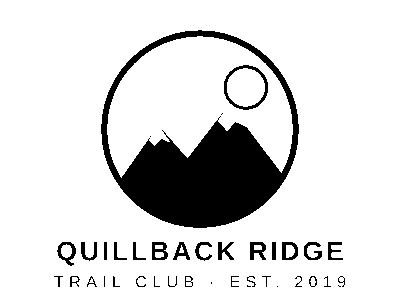
POST an .ai file to /v2/convert/ai/to/pnm to receive each artboard as raw 8-bit samples behind a short header: P6 (RGB) by default, P5 (one gray channel) for gray or black and white. The sample takes only the one-color artboard with PageRange=2 and thresholds it with ColorSpace=monochrome: a 120,015-byte P5 file.
- Endpoint
- POST /v2/
convert/ ai/ to/ pnm - Accepts
- ai
- Sample timing
- 4 ms median of 5 runsHow we measure
- Request size
- Up to 10 MB on the Free plan or 100 MB on paid plans, all files together
Request and response
Every sample below ran against the API before this page was published. Set PDFCONVERSIONAPI_KEY to your key and run it as is.
curl -sS -X POST \
  https://api.pdfconversionapi.com/v2/convert/ai/to/pnm \
  -H "Authorization: Bearer $PDFCONVERSIONAPI_KEY" \
  -F File=@quillback-ridge-logo-sheet.ai \
  --form-string PageRange=2 \
  --form-string ColorSpace=monochrome \
  -o response.json

# FileData is base64. Save the first file in converted/,
# or print the JSON error.
if jq -e '.Files' response.json > /dev/null; then
  mkdir -p converted
  name=$(jq -r '.Files[0].FileName' response.json)
  jq -r '.Files[0].FileData' response.json \
    | base64 --decode > "converted/$name"
else
  cat response.json
fi
import base64
import os
import requests
key = os.environ["PDFCONVERSIONAPI_KEY"]
response = requests.post(
"https://api.pdfconversionapi.com/v2/convert/ai/to/pnm",
headers={"Authorization": f"Bearer {key}"},
files=[
("File", open("quillback-ridge-logo-sheet.ai", "rb")),
],
data={
"PageRange": "2",
"ColorSpace": "monochrome",
},
timeout=180,
)
result = response.json()
if not response.ok:
raise SystemExit(f"{result['Code']}: {result['Message']}")
os.makedirs("converted", exist_ok=True)
for file in result["Files"]:
path = os.path.join("converted", file["FileName"])
with open(path, "wb") as out:
out.write(base64.b64decode(file["FileData"]))
print(path, file["FileSize"], "bytes")
import { mkdir, readFile, writeFile } from "node:fs/promises";
import { join } from "node:path";

const form = new FormData();
const file = "quillback-ridge-logo-sheet.ai";
form.append("File", new Blob([await readFile(file)]), file);
form.append("PageRange", "2");
form.append("ColorSpace", "monochrome");

const url = "https://api.pdfconversionapi.com/v2/convert/ai/to/pnm";
const key = process.env.PDFCONVERSIONAPI_KEY;
const response = await fetch(url, {
  method: "POST",
  headers: { Authorization: `Bearer ${key}` },
  body: form,
});
const result = await response.json();
if (!response.ok) {
  throw new Error(`${result.Code}: ${result.Message}`);
}

await mkdir("converted", { recursive: true });
for (const file of result.Files) {
  const path = join("converted", file.FileName);
  await writeFile(path, Buffer.from(file.FileData, "base64"));
  console.log(path, file.FileSize, "bytes");
}
{
  "ConversionCost": 1,
  "ConversionTime": 0.004,
  "Files": [
    {
      "FileName": "quillback-ridge-logo-sheet-2.pnm",
      "FileExt": "pnm",
      "FileSize": 120015,
      "FileData": "UDUKNDAwIDMwMCAyNTUK////…"
    }
  ]
}
Response from our test run on 2026-11-03. ConversionTime shows the median of 5 runs. FileData is shortened here; the real response carries the whole file as base64.
The sample, converted
The same file the code sends. Download the input and the output and compare them yourself.
- Input
- quillback-ridge-logo-sheet.ai (10 KB)
- Output
- quillback-ridge-logo-sheet-2.pnm (117 KB)
- Source
- A two-artboard logo sheet for a fictional trail club, a full-color badge and a one-color version, which we wrote as a PDF-compatible Illustrator file with the lettering already in outlines. (CC0-1.0). How it was made
- Made by
- 2026-11-04, API build
9eeeb0640aba
Parameters
Send these as form fields next to the file. Names are case-insensitive. If you set one of the documented options below that we don't support yet, the request fails with a 400 that names it instead of returning a file made without it.
| Parameter | What it does |
|---|---|
PageRangestring | Artboards to convert, by position in the file. The sample sends 2, so only quillback-ridge-logo-sheet-2.pnm comes back.Values: 1, 2-4, 1,3, last |
ColorSpaceenum, default default | gray and monochrome switch the output to a one-channel PGM (P5), a third of the size: 120,015 bytes for a 400 × 300 artboard instead of 360,015. monochrome keeps only 0 and 255, split at the midpoint of brightness. rgb gives the same P6 file as the default, and cmyk returns 400.Values: default, rgb, gray, monochrome |
ImageResolutioninteger, default 150 | Dots per inch for drawing; 300 gives 800 × 600 pixels and a 1,440,015-byte P6 file. The Netpbm header has no resolution field, so nothing else changes.Values: 36–600 |
ImageWidthinteger | Pixel width, with the artboard drawn at that scale.Values: 1–20000 |
ImageHeightinteger | Pixel height; with ImageWidth the artboard is fitted inside both.Values: 1–20000 |
ScaleProportionsboolean, default true | false fills the exact width and height you send, distorting the artboard. |
ScaleIfLargerboolean, default false | true applies a requested size only when it is smaller than the 150 DPI drawing. |
ScaleImageboolean, default true | false cuts the requested size from the top-left corner of the drawing instead of resizing. |
BackgroundColorstring, default white | Paint under the artwork. With #F3EFE6 the corner pixels read (243, 239, 230).Values: Color names, #RRGGBB or R,G,B |
Passwordstring | Opens an .ai file protected with an open password (the owner password works too). Our protected copy of the sample came out byte for byte like the original; without the password it was a 422. |
FileNamestring | Output name before -N.pnm. |
StoreFileboolean, default false | true gives URLs valid for 3 hours instead of base64 data. |
What carries over, and what doesn't
Kept
- The drawing at your chosen DPI: 400 × 300 at the default 150
- Pixel values as plain bytes after a 15-byte header: 3 per pixel in color (360,000 bytes for a 400 × 300 artboard), 1 per pixel in the sample's PGM
- With
monochrome, two values only: the sample's one-color badge has 16,662 black pixels and 103,338 white - Lettering already in outlines, drawn without needing any font
Lost or not yet supported
- A 1-bit PBM: black and white still takes a full byte per pixel, stored as an 8-bit PGM.
- Anti-aliasing under
monochrome, because edge pixels snap to black or white. - Any notion of DPI or physical size.
- Compactness: artboard 2 at 150 DPI is 360,015 bytes as P6 and 23,757 bytes as PNG; in black and white it is 120,015 bytes against a 3,684-byte PNG.
Limits
- One .ai per request; at most 2,000 artboards.
- Requests up to 10 MB on the Free plan or 100 MB on paid plans, all files and fields together.
- Drawings over 16,000 px on a side or 100,000,000 pixels in total return 413.
ImageResolutionfrom 36 to 600, sizes from 1 to 20,000 px.- 120 seconds of conversion time (504 after that).
Where teams use it
Bitmaps for cutting and engraving code
If your cutter or engraver software builds its paths from a bitmap, a one-color artboard with ColorSpace=monochrome gives it exactly two values in a PGM file, one byte per pixel, that needs no decoder.
Fixtures for image-processing tests
A PPM or PGM file is a short text header and raw bytes, so test code can compare pixels without an image library. Rendering the fixture from the .ai keeps it in step with the design.
Questions
Which Netpbm variant do I get?
Binary PPM (P6) in color, and binary PGM (P5) when ColorSpace is gray or monochrome. The sample's header is P5 on the first line and 400 300 255 on the second, 15 bytes in all, followed by one byte per pixel, row by row from the top. Two image readers we tried decoded the sample to exactly the same pixels.
Can I get a 1-bit PBM?
Not directly. ColorSpace=monochrome gives a PGM holding only 0 and 255, one byte per pixel. Pack eight pixels into each byte yourself (PBM uses 1 for black) to get the PBM data.
Where is the black-and-white threshold?
At brightness 128 on a 0 to 255 scale: pixels at 128 or above become 255, darker ones 0. There is no parameter to move it, so a light tint in your artwork may drop out.
What fills the empty parts of the artboard?
The page is painted with BackgroundColor before the art is drawn, white by default. PPM and PGM have no alpha channel, so that color is what you see in the corners.
Convert your first AI file in a minute.