PPTX to PDF API
Post a .pptx to /v2/convert/pptx/to/pdf and the response carries a PDF with one page per visible slide, or per slide with ConvertHiddenSlides=true. An open-source presentation renderer draws the slides; there is no PowerPoint on the server.
- Endpoint
- POST /v2/
convert/ pptx/ to/ pdf - Accepts
- pptx, ppt
- Sample timing
- 0.279 s median of 5 runsHow we measure
- Request size
- Up to 10 MB on the Free plan or 100 MB on paid plans, all files together
Request and response
Every sample below ran against the API before this page was published. Set PDFCONVERSIONAPI_KEY to your key and run it as is.
curl -sS -X POST \
  https://api.pdfconversionapi.com/v2/convert/pptx/to/pdf \
  -H "Authorization: Bearer $PDFCONVERSIONAPI_KEY" \
  -F File=@route-14-meeting.pptx \
  -o response.json

# FileData is base64. Save the first file in converted/,
# or print the JSON error.
if jq -e '.Files' response.json > /dev/null; then
  mkdir -p converted
  name=$(jq -r '.Files[0].FileName' response.json)
  jq -r '.Files[0].FileData' response.json \
    | base64 --decode > "converted/$name"
else
  cat response.json
fi
import base64
import os
import requests
key = os.environ["PDFCONVERSIONAPI_KEY"]
response = requests.post(
"https://api.pdfconversionapi.com/v2/convert/pptx/to/pdf",
headers={"Authorization": f"Bearer {key}"},
files=[("File", open("route-14-meeting.pptx", "rb"))],
timeout=180,
)
result = response.json()
if not response.ok:
raise SystemExit(f"{result['Code']}: {result['Message']}")
os.makedirs("converted", exist_ok=True)
for file in result["Files"]:
path = os.path.join("converted", file["FileName"])
with open(path, "wb") as out:
out.write(base64.b64decode(file["FileData"]))
print(path, file["FileSize"], "bytes")
import { mkdir, readFile, writeFile } from "node:fs/promises";
import { join } from "node:path";

const form = new FormData();
const file = "route-14-meeting.pptx";
form.append("File", new Blob([await readFile(file)]), file);

const url = "https://api.pdfconversionapi.com/v2/convert/pptx/to/pdf";
const key = process.env.PDFCONVERSIONAPI_KEY;
const response = await fetch(url, {
  method: "POST",
  headers: { Authorization: `Bearer ${key}` },
  body: form,
});
const result = await response.json();
if (!response.ok) {
  throw new Error(`${result.Code}: ${result.Message}`);
}

await mkdir("converted", { recursive: true });
for (const file of result.Files) {
  const path = join("converted", file.FileName);
  await writeFile(path, Buffer.from(file.FileData, "base64"));
  console.log(path, file.FileSize, "bytes");
}
{
  "ConversionCost": 1,
  "ConversionTime": 0.279,
  "Files": [
    {
      "FileName": "route-14-meeting.pdf",
      "FileExt": "pdf",
      "FileSize": 1118928,
      "FileData": "JVBERi0xLjcKJYCAgIAKMSAw…"
    }
  ]
}
Response from our test run on 2026-11-03. ConversionTime shows the median of 5 runs. FileData is shortened here; the real response carries the whole file as base64.
The sample, converted
The same file the code sends. Download the input and the output and compare them yourself.
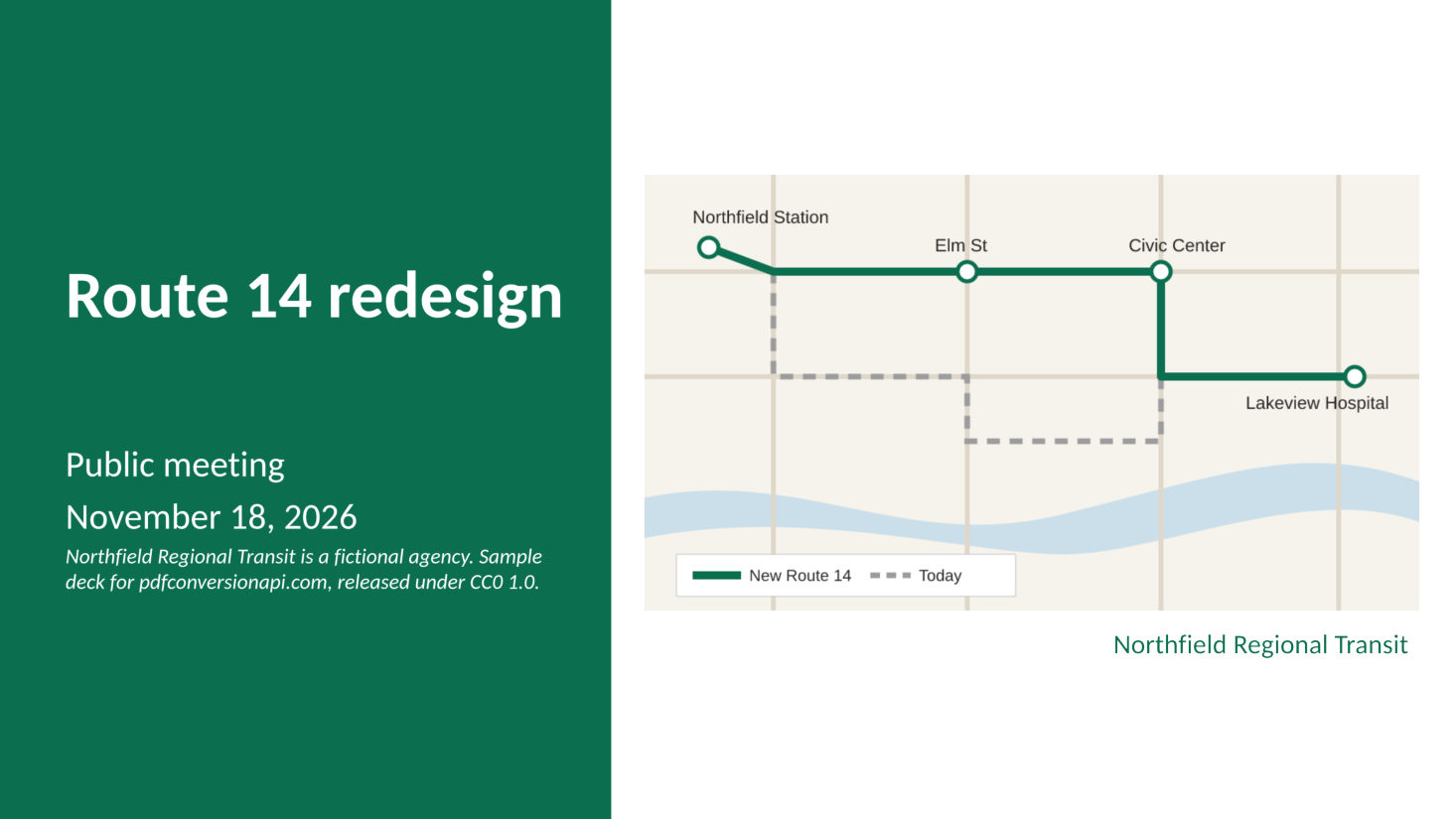
- Input
- route-14-meeting.pptx (69 KB)
- Output
- route-14-meeting.pdf (1.1 MB)
- Source
- Written for this site (fictional transit agency): a PowerPoint deck (CC0-1.0). How it was made
- Made by
- 2026-11-04, API build
9eeeb0640aba
Parameters
Send these as form fields next to the file. Names are case-insensitive. If you set one of the documented options below that we don't support yet, the request fails with a 400 that names it instead of returning a file made without it.
| Parameter | What it does |
|---|---|
ConvertHiddenSlidesboolean, default false | With true, slides marked hidden get a page too. Our 7-slide sample has slide 6 hidden: the default gives 6 pages, and true gives 7, with a "6. Backup: operating cost estimate (hidden slide)" bookmark between 5 and 7. |
Passwordstring | Opens a deck protected with a password to open, as PowerPoint 2010 and later save it. A copy of the sample locked that way gave the same PDF as the unprotected file. Decks using Office 2007's older encryption return 422. Sent with a deck that has no password, it changes nothing. |
FileNamestring | Name for the PDF, without the extension. Left out, the PDF is named after the uploaded deck, so route-14-meeting.pptx comes back as route-14-meeting.pdf. |
StoreFileboolean, default false | Return a download URL in Files[0].Url instead of base64 data. The URL stops working after 3 hours and the stored PDF is deleted. |
Not supported yet
Setting one of these to anything but its default returns 400.
| Option | What to do instead |
|---|---|
PageRange | Refused for .pptx. Convert the deck, then send the PDF to /v2/convert/pdf/to/extract with PageRange. The .ppt route accepts PageRange directly. |
ConvertSpeakerNotes | Notes are never printed; only Disabled is accepted. |
Pdfa | Send the finished PDF to /v2/convert/pdf/to/pdfa. Our sample came back as valid PDF/A-2b. |
EmbedFonts | Fonts are always embedded, as subsets. |
Also refused when set: IncludeMetadata.
What carries over, and what doesn't
Kept
- One page per slide at the slide's own size: our 16:9 sample gives 960 by 540 point pages
- Slide text as real, selectable text, with each font embedded as a subset
- A bookmark for every slide, labeled with its number and title
- Native PowerPoint charts, tables with their table style, rounded shapes with shadows, and pictures
- Bulleted lists with their indent levels
Lost or not yet supported
- Each slide is drawn as one image at 200 pixels per inch, with the slide text placed over it as real text. Shapes, charts and pictures are part of that image, so they are no longer vector graphics, and chart labels can't be searched or selected.
- The PDF is much larger than the deck. Our 69 KB sample became a 1.1 MB PDF; an office suite's PDF export wrote 93 KB from the same file. Across the 18 decks in our test set that converted, output ran from 73 KB to 2.6 MB per slide, with a photo background at the top of that range.
- Fonts the server doesn't have are replaced. The sample uses Calibri, which is drawn with Carlito: same widths, slightly different letter shapes.
- Next to an office suite's rendering of the same file, our chart has lighter gridlines and grey axis labels, and the table header row is bold. We have not compared against PowerPoint itself.
- No page range, PDF/A or notes pages in this step (see the table above).
Limits
- Requests up to 10 MB on the Free plan or 100 MB on paid plans, all files and fields together.
- Each output file can be up to 512 MB. Because slides are stored as images, check large photo-heavy decks against this.
- A conversion can run for up to 120 seconds; after that the API returns 504.
- A password-protected deck returns 422 "the input file is password-protected" until you send the right
Password.
Where teams use it
Handouts after a talk or a public meeting
Post the deck as a PDF that opens the same on every phone and laptop. Backup slides you marked hidden and your speaker notes stay out of the handout without a separate cleanup step.
Slide previews in a course or document library
Convert each uploaded deck once and show the PDF with PDF.js. Every slide is a page, and the bookmark panel lists slides by number and title, so people can jump to slide 12 without paging.
Keeping board and investor decks on file
Convert the final deck when it is approved, then run the PDF through /v2/convert/pdf/to/pdfa if your records policy asks for PDF/A.
Questions
Do hidden slides and speaker notes end up in the PDF?
Hidden slides don't, unless you ask. Slide 6 of our sample is hidden, so the 7-slide deck gives a 6-page PDF and the bookmarks go from 5 straight to 7; with ConvertHiddenSlides=true it gives all 7 pages. The notes on slide 2 are never printed: ConvertSpeakerNotes set to anything other than Disabled returns 400 for now.
Why is the PDF so much bigger than the PowerPoint file?
Each slide is stored as a 200 pixels per inch image under its text. If size matters more than how charts and photos look when zoomed in, send the PDF to /v2/convert/pdf/to/compress with Preset=web: our sample went from 1.1 MB to 361 KB. The text stays sharp because it is real text; charts and pictures turn soft at high zoom.
Can I convert only some of the slides?
Not in the same request for a .pptx file: PageRange returns 400. Convert the whole deck, then send the PDF to /v2/convert/pdf/to/extract with PageRange=3-4 (or any list like 1,3,5-7). Pages there are counted in the PDF, so a skipped hidden slide shifts the numbers after it, and a page past the end is refused: PageRange=7 on our 6-page sample PDF returns 400 with "PageRange asks for page 7, but the document has 6 pages".
Can I convert old .ppt files?
Yes, at /v2/convert/ppt/to/pdf. Those files are converted by a headless office suite instead, with macros disabled. On that route PageRange works, and so does PDF/A: Pdfa=true gives PDF/A-1b, and PdfaVersion=pdfA2b or pdfA3b give the later versions. A page range that leaves slides out can't be combined with PDF/A (400).
What does a deck that can't be read return?
422. A truncated or non-PowerPoint file gets "the input file could not be read: it is not a PPTX presentation, or one that can't be read", and so does an old .ppt deck renamed to .pptx; send those to /v2/convert/ppt/to/pdf. A password-protected deck gets "the input file is password-protected" unless you send its password in Password. In our test set of 20 decks from the Apache POI and Tika test files, 18 converted and those were the two that failed.
Convert your first PPTX file in a minute.