SVG to PNG API
Send an SVG to POST /v2/convert/svg/to/png and get a PNG back. Ask for a width or height and the vector drawing is rendered at that size, so a 600 px design comes back as a crisp 1200 px image.
- Endpoint
- POST /v2/
convert/ svg/ to/ png - Accepts
- svg
- Sample timing
- 26 ms median of 5 runsHow we measure
- Request size
- Up to 10 MB on the Free plan or 100 MB on paid plans, all files together
Request and response
Every sample below ran against the API before this page was published. Set PDFCONVERSIONAPI_KEY to your key and run it as is.
curl -sS -X POST \
  https://api.pdfconversionapi.com/v2/convert/svg/to/png \
  -H "Authorization: Bearer $PDFCONVERSIONAPI_KEY" \
  -F File=@blog-card.svg \
  --form-string ImageWidth=1200 \
  -o response.json

# FileData is base64. Save the first file in converted/,
# or print the JSON error.
if jq -e '.Files' response.json > /dev/null; then
  mkdir -p converted
  name=$(jq -r '.Files[0].FileName' response.json)
  jq -r '.Files[0].FileData' response.json \
    | base64 --decode > "converted/$name"
else
  cat response.json
fi
import base64
import os
import requests
key = os.environ["PDFCONVERSIONAPI_KEY"]
response = requests.post(
"https://api.pdfconversionapi.com/v2/convert/svg/to/png",
headers={"Authorization": f"Bearer {key}"},
files=[("File", open("blog-card.svg", "rb"))],
data={
"ImageWidth": "1200",
},
timeout=180,
)
result = response.json()
if not response.ok:
raise SystemExit(f"{result['Code']}: {result['Message']}")
os.makedirs("converted", exist_ok=True)
for file in result["Files"]:
path = os.path.join("converted", file["FileName"])
with open(path, "wb") as out:
out.write(base64.b64decode(file["FileData"]))
print(path, file["FileSize"], "bytes")
import { mkdir, readFile, writeFile } from "node:fs/promises";
import { join } from "node:path";

const form = new FormData();
const file = "blog-card.svg";
form.append("File", new Blob([await readFile(file)]), file);
form.append("ImageWidth", "1200");

const url = "https://api.pdfconversionapi.com/v2/convert/svg/to/png";
const key = process.env.PDFCONVERSIONAPI_KEY;
const response = await fetch(url, {
  method: "POST",
  headers: { Authorization: `Bearer ${key}` },
  body: form,
});
const result = await response.json();
if (!response.ok) {
  throw new Error(`${result.Code}: ${result.Message}`);
}

await mkdir("converted", { recursive: true });
for (const file of result.Files) {
  const path = join("converted", file.FileName);
  await writeFile(path, Buffer.from(file.FileData, "base64"));
  console.log(path, file.FileSize, "bytes");
}
{
  "ConversionCost": 1,
  "ConversionTime": 0.026,
  "Files": [
    {
      "FileName": "blog-card.png",
      "FileExt": "png",
      "FileSize": 135443,
      "FileData": "iVBORw0KGgoAAAANSUhEUgAA…"
    }
  ]
}
Response from our test run on 2026-11-03. ConversionTime shows the median of 5 runs. FileData is shortened here; the real response carries the whole file as base64.
The sample, converted
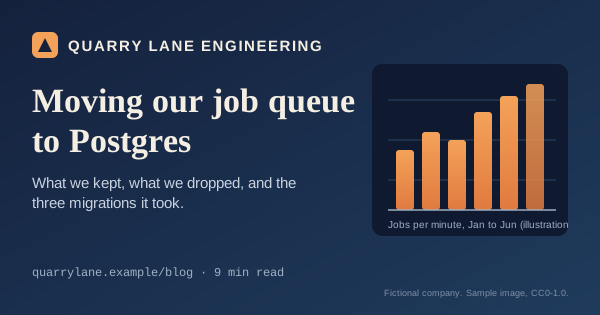
The same file the code sends. Download the input and the output and compare them yourself.
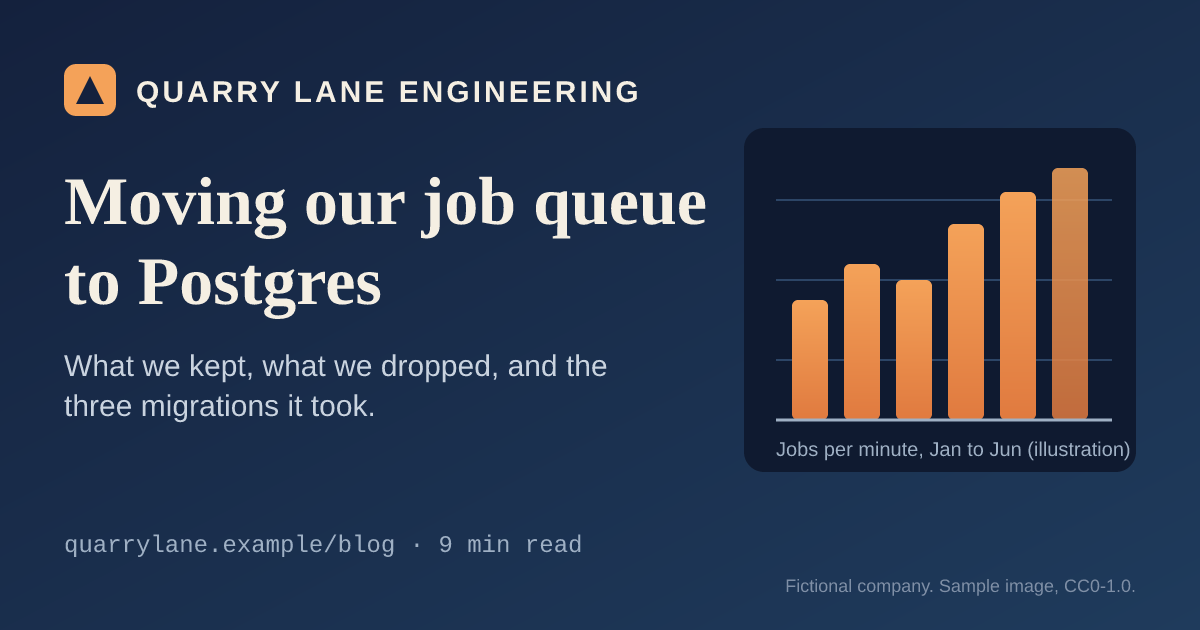
- Input
- blog-card.svg (2.7 KB)
- Output
- blog-card.png (132 KB)
- Source
- Drawn for this site: a social preview card for a fictional blog (CC0-1.0). How it was made
- Made by
- 2026-11-04, API build
9eeeb0640aba
Parameters
Send these as form fields next to the file. Names are case-insensitive. If you set one of the documented options below that we don't support yet, the request fails with a 400 that names it instead of returning a file made without it.
| Parameter | What it does |
|---|---|
ImageWidthinteger | Width of the PNG in pixels. The height is derived from the drawing's aspect ratio. Without a size, one SVG user unit becomes one pixel (the sample is 600 × 315).Values: 1–20000 |
ImageHeightinteger | Height in pixels, with the width derived. Send both and the drawing is fitted inside that box without distortion: 1000 × 1000 gave 1000 × 525 for the sample.Values: 1–20000 |
ScaleProportionsboolean, default true | With false and both sizes set, the drawing is stretched to exactly that box: 1000 × 1000 gave a square PNG of the wide card. |
ScaleIfLargerboolean, default false | With true, a size only ever shrinks the drawing: ImageWidth=1200 then returned the card at its own 600 × 315, while 300 still gave 300 × 158. |
ScaleImageboolean, default true | With false, the SVG is drawn at its own size and cut to the size you send from the top left corner: ImageWidth=300 gave the left 300 × 315 pixels of the card. |
ImageResolutioninteger | The DPI written into the PNG, for layout and print tools. It doesn't change the pixel size: SVG lengths are read as CSS pixels, 96 per inch, so width="210mm" becomes 794 px whatever you send. Choose the size with ImageWidth or ImageHeight. Left out, the PNG carries no DPI.Values: 10–800 |
ImageInterpolationboolean, default false | Accepted with true or false. The drawing is rendered at the target size rather than resampled, so both values give the same file. |
ColorSpaceenum | gray writes a grayscale PNG (one channel, plus alpha where the SVG leaves pixels transparent): the card at 600 × 315 went from 61,859 to 22,190 bytes. monochrome turns each pixel black or white (4,902 bytes). rgb drops the alpha channel when no pixel uses it: the card paints its whole canvas and came back as a 58,476-byte RGB PNG, while an SVG with transparent areas stays RGBA. cmyk returns 400.Values: rgb, gray, monochrome |
TransparentColorstring | Every pixel of exactly this color is made fully transparent after rendering. Anti-aliased edge pixels are mixtures, so they keep a faint fringe of the original color.Values: white, black, red, green, blue, gray, #RRGGBB or R,G,B |
FileNamestring | Output name without the extension; blog-card.svg gives blog-card.png when this is not set. |
StoreFileboolean, default false | With true, the response holds a link (Files[].Url) to the PNG instead of its bytes. The link is valid for 3 hours. |
What carries over, and what doesn't
Kept
- Linear gradients, clip paths, rounded rectangles and opacity (all in the sample)
- Text in installed fonts, drawn with the SVG's letter-spacing, weight and anchor settings; characters the named font lacks, such as CJK, come from a fallback font
- Blur and drop-shadow filters (feGaussianBlur, feDropShadow)
- CSS from <style> elements and style attributes, including class selectors
- Transparency: anything the SVG doesn't paint stays transparent in the RGBA PNG
- Images embedded as data: URLs
- Sizes in mm or inches, viewBox-only files and gzip-compressed .svgz uploads
Lost or not yet supported
- Text whose font-family list has no font we have installed. Today that text is left out of the PNG with no error, and that includes text with only a generic family such as sans-serif, or with no font-family at all. Put an installed family in the list, for example font-family="Liberation Sans, Arial, sans-serif".
- Anything referenced by URL or path: remote images and local files are not loaded. Only data: images are drawn.
- HTML inside <foreignObject> is not drawn.
- Scripts are not run; the PNG shows the SVG as written.
- Color emoji. Our servers have no emoji font, so emoji never come out in color: some, such as the bicycle and the thumbs-up, are drawn as single-color outlines from a symbol font, and others, such as the rocket and the green check mark, come out as empty boxes.
Limits
- One SVG per request.
- Requests up to 10 MB on the Free plan or 100 MB on paid plans, all files and fields together.
- The rendered PNG can have at most 100,000,000 pixels:
ImageWidth=15000on the 600 × 315 sample asks for 15,000 × 7,875 and returns 413. ImageWidthandImageHeighttake 1 to 20,000.- Each conversion stops after 120 seconds with a 504.
Where teams use it
Social preview images from SVG templates
Write the card once as SVG, put the post title into the text elements on your server, and render it at 1200 × 630 for og:image. The sample on this page is that workflow, drawn at half size and rendered with ImageWidth=1200.
Icon sizes from one source file
Keep a single SVG icon and request each size you ship (32, 180, 512 px) with ImageWidth. Every size is rendered from the vectors, not resampled from the largest bitmap.
Charts for places that take raster images only
Chart libraries can export SVG on the server. Convert the SVG to PNG before attaching it to an email or pasting it into a tool that doesn't display vector files.
Questions
Why is some of my text missing from the PNG?
The text names fonts we don't have. Our servers carry Liberation Sans, Serif and Mono, DejaVu, Carlito, Caladea and the Noto families, and the renderer needs one of them named in font-family. Text with only Arial, Helvetica, Inter or a generic family like sans-serif is currently dropped without an error. Add an installed name to the stack, or convert the text to paths before uploading.
How do I get a 2x image for high-density screens?
Send ImageWidth (or ImageHeight) at twice the design size. The vectors are rendered at that size, so edges and text stay sharp. The sample is drawn at 600 × 315 and comes back at 1200 × 630.
Can I put a background color behind a transparent SVG?
Not on this route. BackgroundColor and AlphaColor aren't read here, so transparent areas stay transparent. Add a full-size <rect> as the first element of the SVG, or convert with /v2/convert/svg/to/jpg, where AlphaColor sets the fill.
Will the PNG look the way the SVG looks in a browser?
For the sample, yes. We rendered the same SVG in a web browser and compared the two 1200 × 630 results: the average difference was under one level per color channel, and about 1% of pixels differed by more than 16 levels, all along glyph and shape edges. You can repeat the check with the input file published on this page.
Can an uploaded SVG read files from your server or call other sites?
No. When the SVG is parsed, only data: image URLs are resolved; file paths and http(s) links are skipped, and scripts are not executed. A test SVG pointing at /etc/hosts and at an https URL rendered with both images left blank.
The PNG is larger than I expected. Can it be smaller?
We write a standard RGBA PNG without extra optimization. Run it through /v2/convert/png/to/compress, which recompresses losslessly: the 135,443-byte sample output dropped to 53,707 bytes at the default level.
Convert your first SVG file in a minute.