JPG to JPG API
POST a JPEG to /v2/convert/jpg/to/jpg to get a freshly encoded JPEG: resized if you ask, at quality 85 unless you choose another, without the EXIF block or color profile. The sample makes a 200 px web thumbnail at quality 80: 7,278 bytes from a 25,110-byte original.
- Endpoint
- POST /v2/
convert/ jpg/ to/ jpg - Accepts
- jpg
- Sample timing
- 4 ms median of 5 runsHow we measure
- Request size
- Up to 10 MB on the Free plan or 100 MB on paid plans, all files together
Request and response
Every sample below ran against the API before this page was published. Set PDFCONVERSIONAPI_KEY to your key and run it as is.
curl -sS -X POST \
  https://api.pdfconversionapi.com/v2/convert/jpg/to/jpg \
  -H "Authorization: Bearer $PDFCONVERSIONAPI_KEY" \
  -F File=@trailhead-sign.jpg \
  --form-string ImageWidth=200 \
  --form-string ImageQuality=80 \
  -o response.json

# FileData is base64. Save the first file in converted/,
# or print the JSON error.
if jq -e '.Files' response.json > /dev/null; then
  mkdir -p converted
  name=$(jq -r '.Files[0].FileName' response.json)
  jq -r '.Files[0].FileData' response.json \
    | base64 --decode > "converted/$name"
else
  cat response.json
fi
import base64
import os
import requests
key = os.environ["PDFCONVERSIONAPI_KEY"]
response = requests.post(
"https://api.pdfconversionapi.com/v2/convert/jpg/to/jpg",
headers={"Authorization": f"Bearer {key}"},
files=[("File", open("trailhead-sign.jpg", "rb"))],
data={
"ImageWidth": "200",
"ImageQuality": "80",
},
timeout=180,
)
result = response.json()
if not response.ok:
raise SystemExit(f"{result['Code']}: {result['Message']}")
os.makedirs("converted", exist_ok=True)
for file in result["Files"]:
path = os.path.join("converted", file["FileName"])
with open(path, "wb") as out:
out.write(base64.b64decode(file["FileData"]))
print(path, file["FileSize"], "bytes")
import { mkdir, readFile, writeFile } from "node:fs/promises";
import { join } from "node:path";

const form = new FormData();
const file = "trailhead-sign.jpg";
form.append("File", new Blob([await readFile(file)]), file);
form.append("ImageWidth", "200");
form.append("ImageQuality", "80");

const url = "https://api.pdfconversionapi.com/v2/convert/jpg/to/jpg";
const key = process.env.PDFCONVERSIONAPI_KEY;
const response = await fetch(url, {
  method: "POST",
  headers: { Authorization: `Bearer ${key}` },
  body: form,
});
const result = await response.json();
if (!response.ok) {
  throw new Error(`${result.Code}: ${result.Message}`);
}

await mkdir("converted", { recursive: true });
for (const file of result.Files) {
  const path = join("converted", file.FileName);
  await writeFile(path, Buffer.from(file.FileData, "base64"));
  console.log(path, file.FileSize, "bytes");
}
{
  "ConversionCost": 1,
  "ConversionTime": 0.004,
  "Files": [
    {
      "FileName": "trailhead-sign.jpg",
      "FileExt": "jpg",
      "FileSize": 7278,
      "FileData": "/9j/4AAQSkZJRgABAgAAAQAB…"
    }
  ]
}
Response from our test run on 2026-11-03. ConversionTime shows the median of 5 runs. FileData is shortened here; the real response carries the whole file as base64.
The sample, converted
The same file the code sends. Download the input and the output and compare them yourself.
- Input
- trailhead-sign.jpg (25 KB)
- Output
- trailhead-sign.jpg (7.1 KB)
- Source
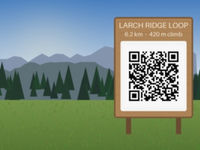
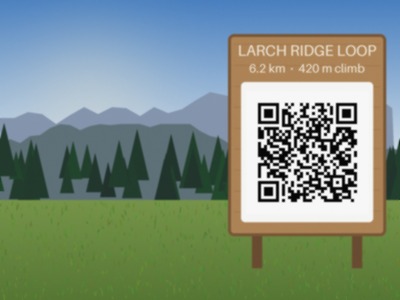
- A drawn mountain trailhead with a wooden sign and a QR code, made by us for these pages and saved at JPEG quality 92 with an EXIF block, an sRGB color profile and 300 dpi. (CC0-1.0). How it was made
- Made by
- 2026-11-04, API build
9eeeb0640aba
Parameters
Send these as form fields next to the file. Names are case-insensitive. If you set one of the documented options below that we don't support yet, the request fails with a 400 that names it instead of returning a file made without it.
| Parameter | What it does |
|---|---|
ImageQualityinteger, default 85 | Encoder quality. On the 400 × 300 sign: 75 gave 16,411 bytes, 85 gave 22,541, 95 gave 35,307 and 100 gave 51,019. ConvertAPI documents 75 as its default; send it explicitly to match.Values: 1–100 |
ImageWidthinteger | New width, height kept in proportion: 200 turns the sign into 200 × 150.Values: 1–20000 |
ImageHeightinteger | New height. With ImageWidth it becomes a maximum box: 200 × 200 still returns 200 × 150.Values: 1–20000 |
ScaleProportionsboolean, default true | false forces the exact box, so 200 × 200 squashes the 4:3 photo square (9,970 bytes). |
ScaleIfLargerboolean, default false | true turns resizing into shrink-only; asking for 800 px leaves the 400 px photo at 400. |
ScaleImageboolean, default true | false crops: 160 × 140 keeps that much of the top-left corner (2,829 bytes) instead of scaling. |
ImageInterpolationboolean, default false | Accepted with either value; downscaling always uses Lanczos3. |
ColorSpaceenum, default default | gray writes a true one-channel JPEG (16,720 bytes for the sample); monochrome thresholds to black and white, also one channel.Values: default, rgb, gray, monochrome; cmyk returns 400 |
ImageResolutioninteger | Puts a DPI in the JFIF header (units set to inches). Without it the header says 1:1 with no unit, even when the source said 300 dpi.Values: 10–800 |
FileNamestring | Name for the new file; by default it keeps the upload's name, trailhead-sign.jpg. |
StoreFileboolean, default false | true returns a URL that works for 3 hours instead of base64. |
What carries over, and what doesn't
Kept
- Full color resolution: the output uses 4:4:4 sampling even though the sample input was 4:2:0
- The picture's shape when one dimension is set
- The upright view of phone photos: pixels are turned by the EXIF orientation before the tag is dropped, so a 300 × 200 test photo tagged Orientation 6 came back 200 × 300
- CMYK input colors, converted to RGB (pure cyan stayed (0, 255, 255))
Lost or not yet supported
- Some quality on every pass: this is a second lossy encode of already-compressed pixels.
- EXIF, the orientation tag included, and the ICC profile.
- The source DPI; send
ImageResolutionto set one. - Grayscale as a single channel, unless you send
ColorSpace=gray: a gray JPEG otherwise comes back as three-channel RGB. - Progressive encoding: output is always baseline.
Limits
- One JPEG per request.
- Upload size up to 10 MB on the Free plan or 100 MB on paid plans.
- Images up to 100,000,000 pixels; larger ones get 413.
- Width and height targets 1 to 20,000 px.
- 120 seconds per conversion.
Where teams use it
Thumbnails and web sizes from camera JPEGs
Send ImageWidth and ImageQuality with each upload to store a display copy next to the original. The sample's 200 px copy at quality 80 is 29% of the original's bytes.
Removing EXIF before publishing
The new file carries no EXIF block, so camera details, capture times and any GPS position stored there are not passed on. The sample's 138-byte EXIF block and 588-byte color profile are both gone.
Normalizing odd JPEGs
CMYK, grayscale and progressive JPEGs all come out as baseline RGB JPEGs, which helps when a downstream viewer or print step mishandles the unusual kinds.
Questions
Will re-encoding make my JPEG smaller?
Depends on how it was saved. The sample, saved at quality 92, came out at 22,541 bytes with our default of 85 and 16,411 at 75. A JPEG already saved at a low quality can grow; compress-jpg returns the original in that case, this route doesn't.
Is the photo rotated according to its EXIF orientation?
Yes. The pixels are turned as the tag says and then re-encoded, and the tag itself is not written, so the new file looks the same in every viewer. A 300 × 200 test image tagged Orientation 6 came back 200 × 300, upright.
How do I make a grayscale JPEG?
Send ColorSpace=gray. The output is a one-channel JPEG; the sample dropped from 22,541 to 16,720 bytes at the default quality.
Does the output keep the original's color profile?
No. The profile is dropped and pixel values are kept, which is harmless for sRGB images like the sample but shifts wide-gamut ones.
Convert your first JPG file in a minute.