SVG to BMP API
POST an SVG to /v2/convert/svg/to/bmp to get an uncompressed bitmap: 32-bit with alpha when the render has see-through pixels, 24-bit when it has none. The sample is rendered at ImageWidth=128: a 32-bit 128 × 128 BMP of 65,658 bytes holding the same pixels as a PNG render at that size.
- Endpoint
- POST /v2/
convert/ svg/ to/ bmp - Accepts
- svg
- Sample timing
- 3 ms median of 5 runsHow we measure
- Request size
- Up to 10 MB on the Free plan or 100 MB on paid plans, all files together
Request and response
Every sample below ran against the API before this page was published. Set PDFCONVERSIONAPI_KEY to your key and run it as is.
curl -sS -X POST \
  https://api.pdfconversionapi.com/v2/convert/svg/to/bmp \
  -H "Authorization: Bearer $PDFCONVERSIONAPI_KEY" \
  -F File=@water-day-icon.svg \
  --form-string ImageWidth=128 \
  -o response.json

# FileData is base64. Save the first file in converted/,
# or print the JSON error.
if jq -e '.Files' response.json > /dev/null; then
  mkdir -p converted
  name=$(jq -r '.Files[0].FileName' response.json)
  jq -r '.Files[0].FileData' response.json \
    | base64 --decode > "converted/$name"
else
  cat response.json
fi
import base64
import os
import requests
key = os.environ["PDFCONVERSIONAPI_KEY"]
response = requests.post(
"https://api.pdfconversionapi.com/v2/convert/svg/to/bmp",
headers={"Authorization": f"Bearer {key}"},
files=[("File", open("water-day-icon.svg", "rb"))],
data={
"ImageWidth": "128",
},
timeout=180,
)
result = response.json()
if not response.ok:
raise SystemExit(f"{result['Code']}: {result['Message']}")
os.makedirs("converted", exist_ok=True)
for file in result["Files"]:
path = os.path.join("converted", file["FileName"])
with open(path, "wb") as out:
out.write(base64.b64decode(file["FileData"]))
print(path, file["FileSize"], "bytes")
import { mkdir, readFile, writeFile } from "node:fs/promises";
import { join } from "node:path";

const form = new FormData();
const file = "water-day-icon.svg";
form.append("File", new Blob([await readFile(file)]), file);
form.append("ImageWidth", "128");

const url = "https://api.pdfconversionapi.com/v2/convert/svg/to/bmp";
const key = process.env.PDFCONVERSIONAPI_KEY;
const response = await fetch(url, {
  method: "POST",
  headers: { Authorization: `Bearer ${key}` },
  body: form,
});
const result = await response.json();
if (!response.ok) {
  throw new Error(`${result.Code}: ${result.Message}`);
}

await mkdir("converted", { recursive: true });
for (const file of result.Files) {
  const path = join("converted", file.FileName);
  await writeFile(path, Buffer.from(file.FileData, "base64"));
  console.log(path, file.FileSize, "bytes");
}
{
  "ConversionCost": 1,
  "ConversionTime": 0.003,
  "Files": [
    {
      "FileName": "water-day-icon.bmp",
      "FileExt": "bmp",
      "FileSize": 65658,
      "FileData": "Qk16AAEAAAAAAHoAAABsAAAA…"
    }
  ]
}
Response from our test run on 2026-11-03. ConversionTime shows the median of 5 runs. FileData is shortened here; the real response carries the whole file as base64.
The sample, converted
The same file the code sends. Download the input and the output and compare them yourself.
- Input
- water-day-icon.svg (2.1 KB)
- Output
- water-day-icon.bmp (64 KB)
- Source
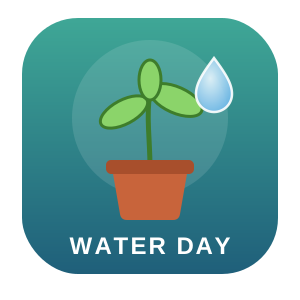
- An app icon for a fictional plant-watering reminder, with two gradients, a soft drop shadow and a text label, which we drew by hand. (CC0-1.0). How it was made
- Made by
- 2026-11-04, API build
9eeeb0640aba
Parameters
Send these as form fields next to the file. Names are case-insensitive. If you set one of the documented options below that we don't support yet, the request fails with a 400 that names it instead of returning a file made without it.
| Parameter | What it does |
|---|---|
ImageWidthinteger | Bitmap width in pixels; the drawing is rendered at that width and the height follows its shape. Without it, the SVG's width and height attributes in CSS pixels set the size (300 × 300 for the sample), or its viewBox when they are missing.Values: 1–20000 |
ImageHeightinteger | Bitmap height in pixels. With both sizes, the drawing fits inside the box unless ScaleProportions=false.Values: 1–20000 |
ScaleProportionsboolean, default true | false renders into the exact width and height, stretching the drawing. |
ScaleIfLargerboolean, default false | true keeps the SVG's own size when the request is bigger, so the 300 px icon is never enlarged. |
ScaleImageboolean, default true | false renders at the SVG's own size and keeps only the top-left ImageWidth × ImageHeight region. |
ImageResolutioninteger | Stored in the header as pixels per meter (300 becomes 11,811); without it both fields are 0. The pixel count does not change.Values: 10–800 |
ColorSpaceenum, default default | gray or monochrome change the colors but not the layout: the transparent sample stays 32 bits per pixel, and an opaque drawing stays 24-bit. cmyk returns 400.Values: default, rgb, gray, monochrome |
FileNamestring | Name of the bitmap without .bmp; otherwise water-day-icon.svg becomes water-day-icon.bmp. |
StoreFileboolean, default false | true keeps the BMP for 3 hours and returns a link instead of base64 data. |
What carries over, and what doesn't
Kept
- Every rendered pixel: decoding the BMP gives exactly the PNG render at 128 px
- Alpha in the fourth byte, declared by an alpha mask: 2,581 clear corner pixels and 2,525 partly clear shadow pixels in the sample
- Crisp edges at the chosen size, because the vectors are drawn at that size
- Gradients and the WATER DAY label, which is set in an installed font
Lost or not yet supported
- Compression: 4 bytes per pixel plus a 122-byte header, so the 300 × 300 render is 360,122 bytes.
- The look of the transparent corners in programs that ignore the alpha mask: the color stored there is black (0, 0, 0).
- A background color option.
AlphaColor,BackgroundColorandTransparentColorare ignored on this route. - Text whose font-family names no font installed on our servers: it is left out without an error.
- Linked images and pages: only images embedded as data: URLs are drawn.
Limits
- One SVG per request.
- Requests up to 10 MB on the Free plan or 100 MB on paid plans, all files and fields together.
- The bitmap may not exceed 100,000,000 pixels:
ImageWidth=15000on the square sample returns 413. ImageWidthandImageHeight1 to 20,000;ImageResolution10 to 800.- A conversion is cut off after 120 seconds (504).
Where teams use it
Images for embedded displays
Display tool chains for microcontrollers that import BMP can take icons designed as SVG. Render at the panel's exact pixel size so no scaling happens on the device.
Software that loads only bitmaps
For a program or installer that reads BMP and nothing else, convert the vector source at the needed size and skip a separate resize step.
Questions
Is the BMP 24-bit or 32-bit?
That depends on the render. With any clear or partly clear pixel, as in the sample, it is 32-bit: a 108-byte version 4 info header with BI_BITFIELDS compression and masks for red, green, blue and alpha (0xFF000000), so transparency is kept. A fully opaque render is a plain 24-bit BMP with the 40-byte header. Rows are stored bottom-up either way, the usual BMP order.
How do I get a white background instead of transparency?
Add a full-size rectangle as the first shape in the SVG, for example <rect width="100%" height="100%" fill="#ffffff"/>. This route has no matte color option. With such a rectangle the sample came back fully opaque, as a 24-bit BMP of 270,054 bytes at 300 × 300.
What DPI does the bitmap have?
None, unless you send ImageResolution. The header's resolution fields are 0 by default; with ImageResolution=300 they hold 11,811 pixels per meter, which works out to 300 DPI.
Are unknown parameters rejected here?
No. This pair has no documented ConvertAPI options, so anything the converter doesn't read is ignored and the request still succeeds. A wrong value for a parameter it does read, such as ImageWidth=0, returns 400.
Convert your first SVG file in a minute.