Remove PDF password API
Send an encrypted PDF and its password to POST /v2/convert/pdf/to/unprotect and you get back a copy with no encryption and no restrictions. It does not guess passwords: without the right one the API returns 422.
- Endpoint
- POST /v2/
convert/ pdf/ to/ unprotect - Accepts
- Sample timing
- 44 ms median of 5 runsHow we measure
- Request size
- Up to 10 MB on the Free plan or 100 MB on paid plans, all files together
Request and response
Every sample below ran against the API before this page was published. Set PDFCONVERSIONAPI_KEY to your key and run it as is.
curl -sS -X POST \
  https://api.pdfconversionapi.com/v2/convert/pdf/to/unprotect \
  -H "Authorization: Bearer $PDFCONVERSIONAPI_KEY" \
  -F File=@member-statement-protected.pdf \
  --form-string Password=krcu-records \
  --form-string FileName=statement.open.pdf \
  -o response.json

# FileData is base64. Save the first file in converted/,
# or print the JSON error.
if jq -e '.Files' response.json > /dev/null; then
  mkdir -p converted
  name=$(jq -r '.Files[0].FileName' response.json)
  jq -r '.Files[0].FileData' response.json \
    | base64 --decode > "converted/$name"
else
  cat response.json
fi
import base64
import os
import requests
key = os.environ["PDFCONVERSIONAPI_KEY"]
response = requests.post(
"https://api.pdfconversionapi.com/v2/convert/pdf/to/unprotect",
headers={"Authorization": f"Bearer {key}"},
files=[
("File", open("member-statement-protected.pdf", "rb")),
],
data={
"Password": "krcu-records",
"FileName": "statement.open.pdf",
},
timeout=180,
)
result = response.json()
if not response.ok:
raise SystemExit(f"{result['Code']}: {result['Message']}")
os.makedirs("converted", exist_ok=True)
for file in result["Files"]:
path = os.path.join("converted", file["FileName"])
with open(path, "wb") as out:
out.write(base64.b64decode(file["FileData"]))
print(path, file["FileSize"], "bytes")
import { mkdir, readFile, writeFile } from "node:fs/promises";
import { join } from "node:path";

const form = new FormData();
const file = "member-statement-protected.pdf";
form.append("File", new Blob([await readFile(file)]), file);
form.append("Password", "krcu-records");
form.append("FileName", "statement.open.pdf");

const url = "https://api.pdfconversionapi.com/v2/convert/pdf/to/unprotect";
const key = process.env.PDFCONVERSIONAPI_KEY;
const response = await fetch(url, {
  method: "POST",
  headers: { Authorization: `Bearer ${key}` },
  body: form,
});
const result = await response.json();
if (!response.ok) {
  throw new Error(`${result.Code}: ${result.Message}`);
}

await mkdir("converted", { recursive: true });
for (const file of result.Files) {
  const path = join("converted", file.FileName);
  await writeFile(path, Buffer.from(file.FileData, "base64"));
  console.log(path, file.FileSize, "bytes");
}
{
  "ConversionCost": 1,
  "ConversionTime": 0.044,
  "Files": [
    {
      "FileName": "statement.open.pdf",
      "FileExt": "pdf",
      "FileSize": 49524,
      "FileData": "JVBERi0xLjcKJeLjz9MKNCAw…"
    }
  ]
}
Response from our test run on 2026-11-03. ConversionTime shows the median of 5 runs. FileData is shortened here; the real response carries the whole file as base64.
The sample and the result
The same file the code sends. Download the input and the output and compare them yourself.
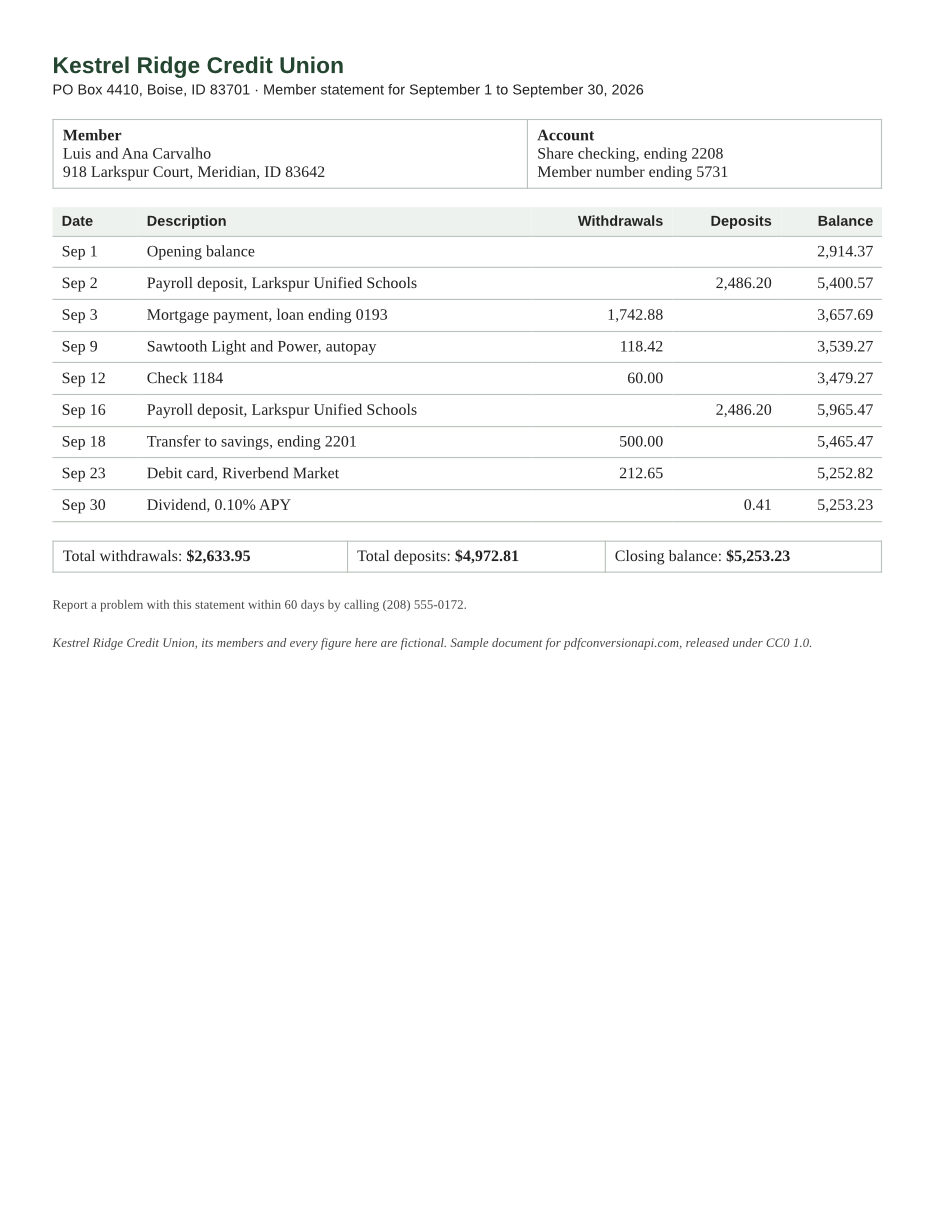
- Input
- member-statement-protected.pdf (49 KB)
- Output
- statement.open.pdf (48 KB)
- Source
- Written for this site: a fictional credit union statement with made-up figures (CC0-1.0). How it was made
- Made by
- 2026-11-04, API build
9eeeb0640aba
Parameters
Send these as form fields next to the file. Names are case-insensitive. If you set one of the documented options below that we don't support yet, the request fails with a 400 that names it instead of returning a file made without it.
| Parameter | What it does |
|---|---|
Passwordstring | The file's owner password. The user password, the one asked for when the file opens, is enough only if the file has no restrictions, for example one protected with a UserPassword and no OwnerPassword, or one locked by pdf/to/protect with AllowEverything=true. A file that opens without a password and restricts nothing, such as one locked with only an OwnerPassword and AllowEverything=true, needs no Password: sent without one, or with a wrong one, it comes back unencrypted. |
FileNamestring | Name for the output file; the last extension is replaced with .pdf. Without it the result has the same name as the upload. |
StoreFileboolean, default false | Return a download link instead of the file. The link expires after 3 hours and the file is then deleted. |
What carries over, and what doesn't
Kept
- Text, fonts and layout. The sample's extracted text is identical to the document before it was protected
- Page count and page size
- Files encrypted by other tools: AES-256 and AES-128 files made with qpdf came out readable, as did RC4 40-bit and AES-256 files from our own
pdf/to/protect
Lost or not yet supported
- Every restriction goes along with the password. The result can be printed, copied and edited by anyone who has it.
- The file is saved as a full rewrite, so it is not byte-identical to the original before encryption (the sample is 49,524 bytes against 58,495).
Limits
- You need the password. The API doesn't guess, recover or bypass unknown passwords. The only file it takes without one already opens without a prompt and restricts nothing, so its owner password guards no permission.
- A PDF that isn't encrypted returns 422 "this PDF isn't protected: it has no password or restriction to remove". Check first with
/v2/convert/pdf/to/meta: itssecurity.protectedfield isfalsefor those files. - A digitally signed PDF returns 422 "this PDF is digitally signed, and rewriting it would invalidate the signature", because removing the encryption rewrites the whole file. We tested a password-protected file and a restricted one, each signed after it was encrypted.
- Requests up to 10 MB on the Free plan or 100 MB on paid plans in total, all files and fields together. A conversion can run for up to 120 seconds.
Where teams use it
Get protected files through merge, split and text extraction
Merge, split, rotate, pdf/to/txt and page rendering all take Password, and merge reads one Password for every file it gets. The owner password lifts a file's restrictions on those routes; with only the open password a file keeps them, so split, rotate and merge return 422 about the permission restrictions and pdf/to/txt refuses a file that blocks copying. Remove the protection once with this route, and later steps need no password at all.
Statements that arrive encrypted
Banks and insurers often send statements behind a password you already have. Decrypt them on arrival so your archive, search index and support staff can open them without looking the password up years later.
Lifting print and copy restrictions on your own files
A PDF can open without a prompt and still block printing or copying. Merge, split, rotate, extract and rasterize refuse such a file with 422 unless each request carries its owner password. This route clears the restrictions once, so later requests need no password.
Questions
Can it remove a password I don't know?
No. This route opens the file with the password you send and saves it without encryption. On a file that asks for a password when it opens, a missing or wrong password returns 422 "the input file is password-protected". A file that opens without a password but has restrictions returns 422 "removing this PDF's protection needs the owner password; send the owner password in Password", with no password or a wrong one, until you send the owner password.
Which password do I send, the user or the owner one?
The owner password always works. The user password works only when the file grants every permission, as with a file protected by a user password alone or locked with AllowEverything=true (the permission to edit includes page assembly). We tested both: a file with print-only permissions returned 422 with its user password and 200 with its owner password, and an AllowEverything file came back unencrypted with its user password.
The password is right, so why do I still get 422?
Three common reasons. You sent the user password for a file that has restrictions: this route answers "removing this PDF's protection needs the owner password", and split and rotate answer "this PDF has permission restrictions". You sent pdf/to/merge files with different passwords: it reads one Password for all of them and names the file that password doesn't open, as in 422 "file 2 (minutes.pdf) is password-protected, and Password does not open it", so remove the passwords here first. Or the file is digitally signed, which this route refuses because a rewrite would invalidate the signature.
Do I have to remove the password before OCR, watermarking or PDF/A?
No. pdf/to/ocr, the watermark routes, pdf/to/compress, pdf/to/pdfa and pdf/to/docx take Password themselves, and so do page rendering, pdf/to/txt, split, rotate and merge. With the owner password, or with the user password of a file that restricts nothing, every PDF these routes return is unencrypted. The catches come with the user password of a file that keeps restrictions: OCR and compress take it and keep the encryption, and so do the watermark routes when the file allows changes, but PDF/A, split and rotate return 422, as do DOCX when copying is off and the watermark routes when editing is off. PageRange can't be combined with such a user password on OCR, the watermark routes and DOCX yet (400). Send the owner password, or remove the protection here first. One more case: a file with only an owner password that restricts nothing needs no Password on any of these routes, and the PDFs they return come back unencrypted, as they do from this route.
What happens if I send a PDF that isn't protected?
The API returns 422, saying the PDF has no password or restriction to remove. If your pipeline gets a mix of files, call /v2/convert/pdf/to/meta first and skip this step when security.protected is false. Meta itself returns 422 for a file that needs a password to open, unless you send Password with it.
Convert your first PDF file in a minute.