HEIC to PDF API
POST a HEIC or HEIF photo to /v2/convert/heic/to/pdf and get a one-page PDF. An image library decodes the photo and applies its stored rotation, then a PDF library places it on the page.
- Endpoint
- POST /v2/
convert/ heic/ to/ pdf - Accepts
- heic, heif
- Sample timing
- 1.424 s median of 5 runsHow we measure
- Request size
- Up to 10 MB on the Free plan or 100 MB on paid plans, all files together
Request and response
Every sample below ran against the API before this page was published. Set PDFCONVERSIONAPI_KEY to your key and run it as is.
curl -sS -X POST \
  https://api.pdfconversionapi.com/v2/convert/heic/to/pdf \
  -H "Authorization: Bearer $PDFCONVERSIONAPI_KEY" \
  -F File=@deck-sketch.heic \
  --form-string PageSize=letter \
  -o response.json

# FileData is base64. Save the first file in converted/,
# or print the JSON error.
if jq -e '.Files' response.json > /dev/null; then
  mkdir -p converted
  name=$(jq -r '.Files[0].FileName' response.json)
  jq -r '.Files[0].FileData' response.json \
    | base64 --decode > "converted/$name"
else
  cat response.json
fi
import base64
import os
import requests
key = os.environ["PDFCONVERSIONAPI_KEY"]
response = requests.post(
"https://api.pdfconversionapi.com/v2/convert/heic/to/pdf",
headers={"Authorization": f"Bearer {key}"},
files=[("File", open("deck-sketch.heic", "rb"))],
data={
"PageSize": "letter",
},
timeout=180,
)
result = response.json()
if not response.ok:
raise SystemExit(f"{result['Code']}: {result['Message']}")
os.makedirs("converted", exist_ok=True)
for file in result["Files"]:
path = os.path.join("converted", file["FileName"])
with open(path, "wb") as out:
out.write(base64.b64decode(file["FileData"]))
print(path, file["FileSize"], "bytes")
import { mkdir, readFile, writeFile } from "node:fs/promises";
import { join } from "node:path";

const form = new FormData();
const file = "deck-sketch.heic";
form.append("File", new Blob([await readFile(file)]), file);
form.append("PageSize", "letter");

const url = "https://api.pdfconversionapi.com/v2/convert/heic/to/pdf";
const key = process.env.PDFCONVERSIONAPI_KEY;
const response = await fetch(url, {
  method: "POST",
  headers: { Authorization: `Bearer ${key}` },
  body: form,
});
const result = await response.json();
if (!response.ok) {
  throw new Error(`${result.Code}: ${result.Message}`);
}

await mkdir("converted", { recursive: true });
for (const file of result.Files) {
  const path = join("converted", file.FileName);
  await writeFile(path, Buffer.from(file.FileData, "base64"));
  console.log(path, file.FileSize, "bytes");
}
{
  "ConversionCost": 1,
  "ConversionTime": 1.424,
  "Files": [
    {
      "FileName": "deck-sketch.pdf",
      "FileExt": "pdf",
      "FileSize": 9192444,
      "FileData": "JVBERi0xLjcKJYCAgIAKMSAw…"
    }
  ]
}
Response from our test run on 2026-11-03. ConversionTime shows the median of 5 runs. FileData is shortened here; the real response carries the whole file as base64.
The sample, converted
The same file the code sends. Download the input and the output and compare them yourself.
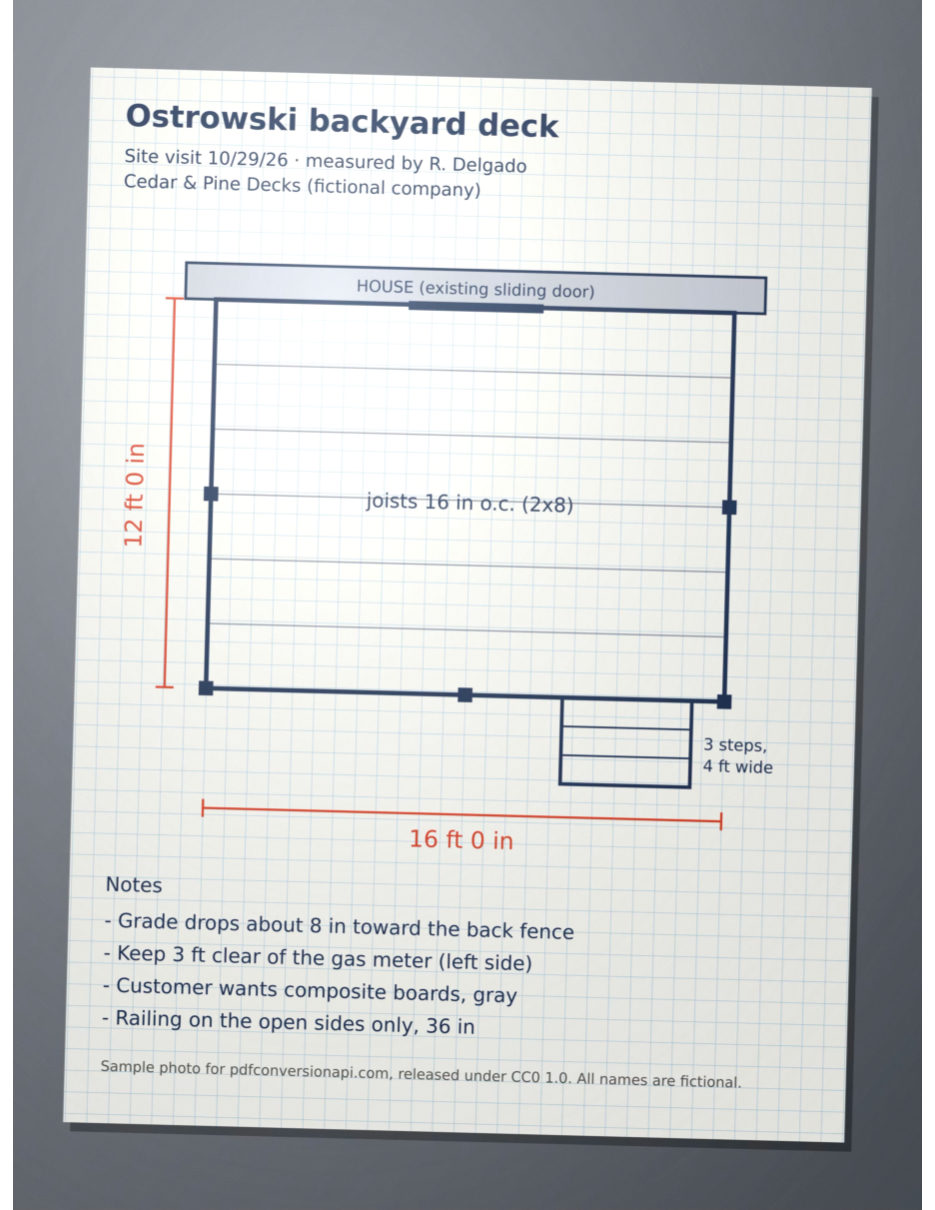
- Input
- deck-sketch.heic (552 KB)
- Output
- deck-sketch.pdf (8.8 MB)
- Source
- Made for this site: a drawn deck sketch saved as HEIC, stored sideways (CC0-1.0). How it was made
- Made by
- 2026-11-04, API build
9eeeb0640aba

Parameters
Send these as form fields next to the file. Names are case-insensitive. If you set one of the documented options below that we don't support yet, the request fails with a 400 that names it instead of returning a file made without it.
| Parameter | What it does |
|---|---|
PageSizeenum, default default | Paper for the page. The default makes the page as large as the photo at 96 pixels per inch, which for a 12-megapixel phone photo is 31.5 x 42 in. Pick a sheet and the photo is shrunk to fit it and centered.Values: default, auto, a3, a4, a5, letter, legal |
PageOrientationenum, default default | Lays the chosen sheet on its long side, for photos taken with the phone held sideways. The values default and portrait keep the sheet upright. Has no effect without PageSize.Values: default, portrait, landscape |
Rotateinteger | Degrees to turn the photo clockwise, on top of the rotation stored in the HEIC. On Letter, 90 lays the upright sample on its side, shrunk to 612 x 459 pt and centered; 45 tilts it inside the page with white corners. Without PageSize the page takes the turned size (3024 x 2268 pt for 90).Values: -360 to 360 |
MarginHorizontalinteger, default 0 | White space left and right of the photo, in millimeters. With 24 mm here and in MarginVertical, the sample on Letter is drawn 476 x 635 pt. Without PageSize the page grows by the margins instead. Margins that leave no room for the photo return 400.Values: 0 to 500 (mm) |
MarginVerticalinteger, default 0 | White space above and below the photo, in millimeters.Values: 0 to 500 (mm) |
FileNamestring | Name of the PDF without the extension; by default it is the HEIC's own name. |
StoreFileboolean, default false | Get a download URL for the PDF instead of base64 data. The URL works for 3 hours. |
Not supported yet
Setting one of these to anything but its default returns 400.
| Option | What to do instead |
|---|---|
ColorSpace | Sending TrueColors is the same as leaving it out; gray and the other values return 400. |
ColorProfile | The photo's own profile, such as Display P3, is written into the PDF. |
Pdfa | Send the result to /v2/convert/pdf/to/pdfa. |
What carries over, and what doesn't
Kept
- Orientation: the sample is stored sideways with a rotation flag, and its PDF page is upright
- The photo's full pixel count (3024 x 4032 in the sample), stored without further loss
- The embedded color profile: the sample's Display P3 profile is attached to the image in the PDF
- HEIF files too:
/v2/convert/heif/to/pdfgave the same PDF for the sample saved with a .heif extension
Lost or not yet supported
- File size. The decoded pixels are stored losslessly, so the PDF is far bigger than the HEIC: about 16 times for the sample. If size matters, send the PDF on to
/v2/convert/pdf/to/compress(see the FAQ). - Tones of HEIC files that describe their color with an embedded Display P3 profile are stretched, as on our HEIC to JPG route: the sample's gray paper comes out near white and dark areas darker. HEIC files tagged sRGB were not affected in our tests.
- EXIF data (camera, capture time, GPS) is not carried into the PDF.
- Text in the photo stays pixels.
/v2/convert/pdf/to/ocrmade the sample's printed notes searchable, with some letters misread; we have not tested handwriting.
Limits
- One photo per request, up to 100,000,000 pixels. Requests up to 10 MB on the Free plan or 100 MB on paid plans, all files and fields together.
- The conversion stops after 120 seconds.
ImageWidth,ImageQualityand the other image options are not read on this route and change nothing. Resize with/v2/convert/heic/to/jpgfirst.- In each of our tests, a HEIC that macOS saved at quality 100 was refused with 422 "the input file could not be read: the HEIC image is damaged, or encoded in a way that can't be read yet"; the same image at quality 95 converted.
- Our HEIC samples were made with macOS sips, not taken on an iPhone. iPhone color, the way iPhones record rotation and HEIC files with several images are not tested yet.
Where teams use it
Job-site photos attached to quotes and work orders
Contractors photograph sketches, measurements and damage on their phones. Each HEIC becomes a Letter page that can go into a quote, a work order or a claim file.
Document capture where PDF is the only accepted format
Portals for permits, HR paperwork and insurance often accept PDF only. Convert the HEIC a phone produced on your server instead of asking people to change their camera settings or export each photo themselves.
Several HEIC photos in one PDF
Convert each photo with this route and join the PDFs with /v2/convert/pdf/to/merge. For smaller files, convert to JPEG first and send the JPEGs together to /v2/convert/images/to/pdf.
Questions
Why is the PDF so much larger than the HEIC?
HEIC uses HEVC compression, which PDF can't hold. We decode the photo and store the pixels with lossless Flate compression, which takes far more room: the sample HEIC is 0.57 MB and its PDF 9.2 MB. Sending that PDF to /v2/convert/pdf/to/compress brought it to 0.27 MB, with the photo resampled to 150 pixels per inch as a JPEG and its color profile kept. Going through /v2/convert/heic/to/jpg and /v2/convert/jpg/to/pdf gave 1.4 MB at full size, but drops the color profile.
Will a photo taken in portrait come out sideways?
Not in our test. A HEIC can store its pixels sideways and record the turn in the file. The decoder applies that turn before the page is made: the sample is stored 4032 x 3024 with a 90 degree flag, and its page is portrait. If a photo still needs turning, Rotate adds a clockwise turn on top of the stored one. The sample was saved by macOS; we have not yet tried a file straight from an iPhone.
What page size should I use for a document photo?
Set PageSize=letter (or a4). Without it the page takes the photo's pixel size at 96 per inch, so a 12-megapixel photo makes a 31.5 x 42 in page that prints poorly. On Letter, the sample's 3:4 photo fills the height with a thin white strip at each side.
Can I put several HEIC photos in one PDF?
Not in one call: /v2/convert/images/to/pdf refuses HEIC with 422. Convert each photo here, then merge the PDFs with /v2/convert/pdf/to/merge; we merged two converted HEIC pages that way. Or convert the photos to JPEG and send those to images/to/pdf.
Does the PDF keep the photo's colors?
It keeps the color profile, which a JPEG from our HEIC to JPG route does not. But for HEIC files carrying an embedded Display P3 profile, the decoder currently stretches the tones, so light grays turn white. We found this while testing the sample and have not fixed it yet.
Convert your first HEIC file in a minute.