JPG to PDF API
Send a JPEG to POST /v2/convert/jpg/to/pdf and a one-page PDF comes back. The converter writes the PDF with a PDF library and copies the JPEG into it byte for byte, so the photo is never recompressed.
- Endpoint
- POST /v2/
convert/ jpg/ to/ pdf - Accepts
- jpg
- Sample timing
- 12 ms median of 5 runsHow we measure
- Request size
- Up to 10 MB on the Free plan or 100 MB on paid plans, all files together
Request and response
Every sample below ran against the API before this page was published. Set PDFCONVERSIONAPI_KEY to your key and run it as is.
curl -sS -X POST \
  https://api.pdfconversionapi.com/v2/convert/jpg/to/pdf \
  -H "Authorization: Bearer $PDFCONVERSIONAPI_KEY" \
  -F File=@delivery-receipt.jpg \
  --form-string PageSize=letter \
  -o response.json

# FileData is base64. Save the first file in converted/,
# or print the JSON error.
if jq -e '.Files' response.json > /dev/null; then
  mkdir -p converted
  name=$(jq -r '.Files[0].FileName' response.json)
  jq -r '.Files[0].FileData' response.json \
    | base64 --decode > "converted/$name"
else
  cat response.json
fi
import base64
import os
import requests
key = os.environ["PDFCONVERSIONAPI_KEY"]
response = requests.post(
"https://api.pdfconversionapi.com/v2/convert/jpg/to/pdf",
headers={"Authorization": f"Bearer {key}"},
files=[("File", open("delivery-receipt.jpg", "rb"))],
data={
"PageSize": "letter",
},
timeout=180,
)
result = response.json()
if not response.ok:
raise SystemExit(f"{result['Code']}: {result['Message']}")
os.makedirs("converted", exist_ok=True)
for file in result["Files"]:
path = os.path.join("converted", file["FileName"])
with open(path, "wb") as out:
out.write(base64.b64decode(file["FileData"]))
print(path, file["FileSize"], "bytes")
import { mkdir, readFile, writeFile } from "node:fs/promises";
import { join } from "node:path";

const form = new FormData();
const file = "delivery-receipt.jpg";
form.append("File", new Blob([await readFile(file)]), file);
form.append("PageSize", "letter");

const url = "https://api.pdfconversionapi.com/v2/convert/jpg/to/pdf";
const key = process.env.PDFCONVERSIONAPI_KEY;
const response = await fetch(url, {
  method: "POST",
  headers: { Authorization: `Bearer ${key}` },
  body: form,
});
const result = await response.json();
if (!response.ok) {
  throw new Error(`${result.Code}: ${result.Message}`);
}

await mkdir("converted", { recursive: true });
for (const file of result.Files) {
  const path = join("converted", file.FileName);
  await writeFile(path, Buffer.from(file.FileData, "base64"));
  console.log(path, file.FileSize, "bytes");
}
{
  "ConversionCost": 1,
  "ConversionTime": 0.012,
  "Files": [
    {
      "FileName": "delivery-receipt.pdf",
      "FileExt": "pdf",
      "FileSize": 287141,
      "FileData": "JVBERi0xLjcKJYCAgIAKMSAw…"
    }
  ]
}
Response from our test run on 2026-11-03. ConversionTime shows the median of 5 runs. FileData is shortened here; the real response carries the whole file as base64.
The sample, converted
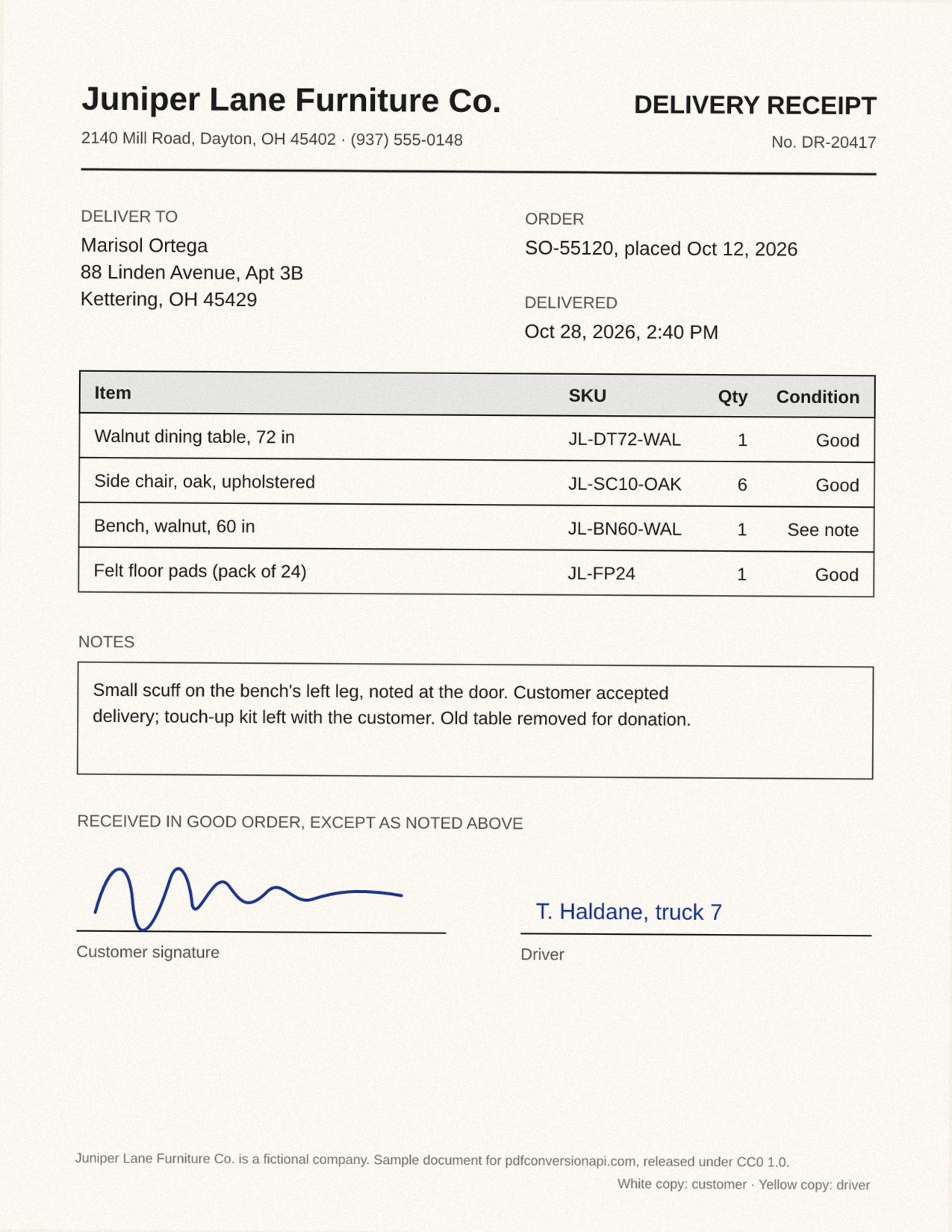
The same file the code sends. Download the input and the output and compare them yourself.
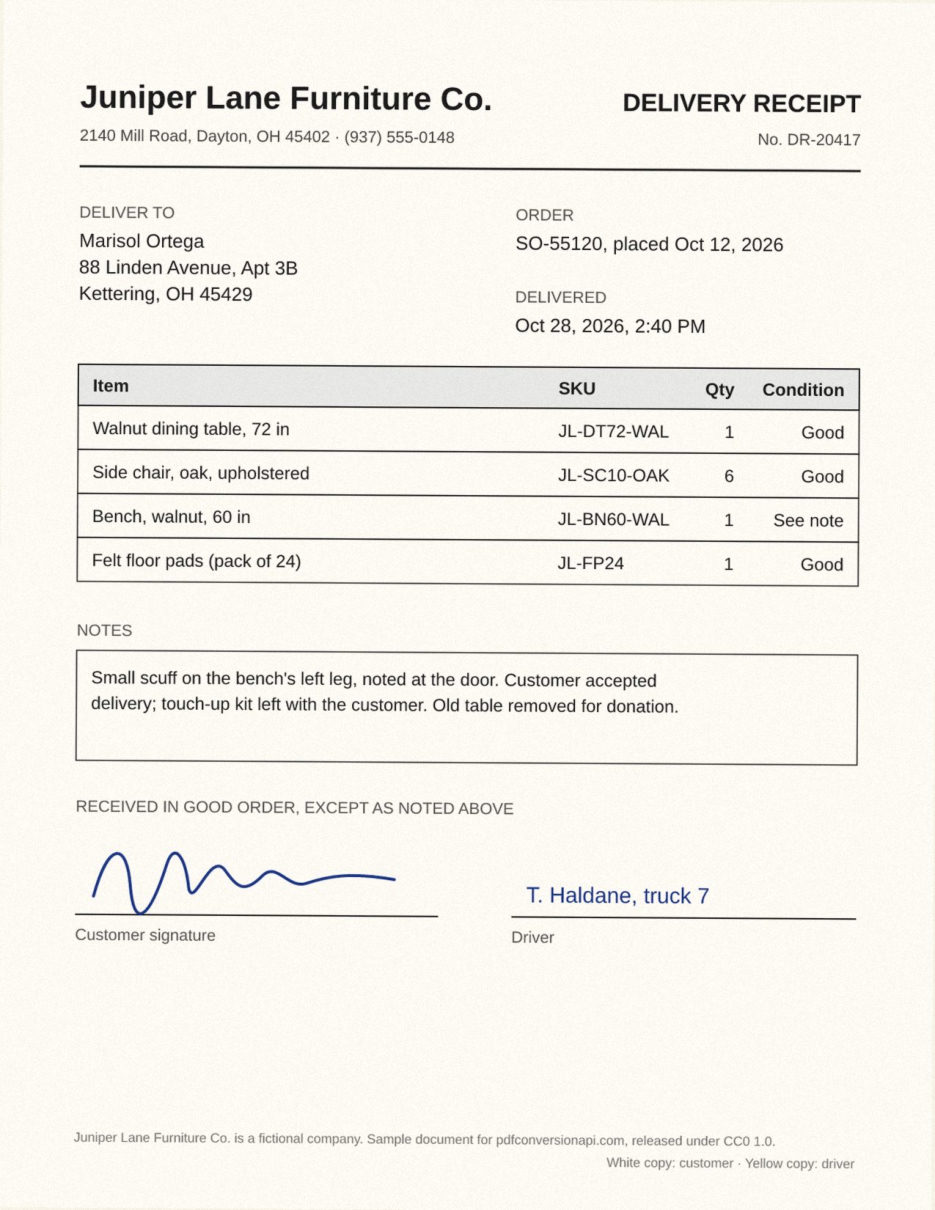
- Input
- delivery-receipt.jpg (279 KB)
- Output
- delivery-receipt.pdf (280 KB)
- Source
- Made for this site: a drawn document with a scanned look, 150 DPI JPEG (CC0-1.0). How it was made
- Made by
- 2026-11-04, API build
9eeeb0640aba
Parameters
Send these as form fields next to the file. Names are case-insensitive. If you set one of the documented options below that we don't support yet, the request fails with a 400 that names it instead of returning a file made without it.
| Parameter | What it does |
|---|---|
PageSizeenum, default default | Paper size of the page. With default or auto the page is the image's pixel size at 96 pixels per inch. With a named size the image is scaled down to fit, centered, and never enlarged.Values: default, auto, a3, a4, a5, letter, legal |
PageOrientationenum, default default | Turns a named PageSize on its side (Letter becomes 11 x 8.5 in). The values default and portrait both keep it upright. It changes nothing when the page follows the image size.Values: default, portrait, landscape |
Rotateinteger | Degrees to turn the photo clockwise. Left empty, the photo's EXIF orientation flag decides; any number, 0 included, replaces the flag. The JPEG bytes stay as they are and the page draws them turned. On Letter, 90 lays the sample receipt on its side at 612 x 473 pt; add PageOrientation=landscape and it fills the sideways sheet.Values: -360 to 360 |
MarginHorizontalinteger, default 0 | White space left and right of the photo, in millimeters. On Letter, 19 mm on every side draws the sample at 504 x 653 pt. Without PageSize the page grows instead: 10 mm all round made it 1012.94 x 1294.19 pt.Values: 0 to 500 (mm) |
MarginVerticalinteger, default 0 | White space above and below the photo, in millimeters. Margins that leave no room for the photo return 400.Values: 0 to 500 (mm) |
FileNamestring | Name for the output file, without the extension. Without it the PDF takes the uploaded file's name. |
StoreFileboolean, default false | Return a download link instead of the file. The link expires after 3 hours and the file is then deleted. |
Not supported yet
Setting one of these to anything but its default returns 400.
| Option | What to do instead |
|---|---|
ColorSpace | The JPEG keeps its own color model: grayscale, RGB or CMYK. TrueColors is accepted as the default; gray and other values return 400. |
ColorProfile | An ICC profile inside the JPEG is copied into the PDF as the image's color space. |
Pdfa | Convert first, then send the PDF to /v2/convert/pdf/to/pdfa. |
What carries over, and what doesn't
Kept
- The JPEG data itself: it is stored in the PDF unchanged (DCTDecode), so there is no generation loss and the PDF is only slightly larger than the photo
- The EXIF orientation flag: our test JPEG, stored sideways with orientation 6, became an upright 225 x 300 pt page with its JPEG bytes unchanged
- Full resolution. A named page size changes the scale the image is drawn at, never its pixels
- Grayscale, RGB and CMYK JPEGs, each in its own color model
- An embedded ICC profile such as Display P3, copied into the PDF with the image
- Baseline and progressive JPEGs
Lost or not yet supported
- Scanned text is a picture, not text:
/v2/convert/pdf/to/txtfinds nothing in the sample. Send the PDF to/v2/convert/pdf/to/ocrto add an English text layer. - The DPI written in the file is ignored. Without
PageSize, the sample's 150 DPI Letter scan becomes a 13.28 x 17.19 in page, because the page size is computed at 96 pixels per inch. - The PDF has no title or author set; only the file name identifies it.
Limits
- One JPEG per request on this route.
/v2/convert/images/to/pdftakes up to 50 images. - Images up to 100,000,000 pixels. Larger ones return 413 before they are decoded.
- Requests up to 10 MB on the Free plan or 100 MB on paid plans, all files and fields together. A conversion can run for up to 120 seconds; after that the API returns 504.
- The format is read from the file's content. A PNG named .jpg converts as a PNG; data that is not an image returns 422.
Where teams use it
Signed paperwork captured as photos or scans
Delivery receipts, signed consent forms and inspection sheets often arrive as JPEGs from a phone or a sheet-fed scanner. Set PageSize=letter and each one becomes a Letter page; a 150 DPI Letter scan like the sample fills it edge to edge.
Photo evidence that must stay unaltered
Claims, warranty and field-service apps need the picture exactly as the camera saved it. The JPEG goes into the PDF unchanged, so the pixels a reviewer sees in the PDF are the ones that were uploaded.
One file type for a document store
If your archive or e-signature tool accepts only PDF, convert image uploads on arrival. For several photos in one PDF, send them together to /v2/convert/images/to/pdf instead.
Questions
Does converting to PDF reduce the JPEG's quality?
No. The converter decodes the file once to check it, then writes the original JPEG bytes into the PDF as the page image. Nothing is encoded again, so the image in the PDF is identical to the one you sent.
Will an iPhone or Android photo come out sideways?
Not when it carries an EXIF orientation flag, as phone photos usually do. The converter reads the flag and draws the photo turned on the page, while the JPEG inside stays as stored. A photo saved sideways without a flag is drawn as stored; send Rotate=90 (or 180 or 270) to turn it.
How do I get a Letter-size page?
Set PageSize=letter. The image is scaled down to fit inside 8.5 x 11 in and centered. Small images are not enlarged: a 600 x 400 pixel photo stays 6.25 x 4.17 in, in the middle of the page.
Is the photo's GPS location carried into the PDF?
Yes, if the JPEG has it. Because the JPEG is copied unchanged, its EXIF block (camera model, GPS position, date) sits inside the PDF's image. To drop it, send the photo to /v2/convert/jpg/to/jpg first. That writes a new JPEG re-encoded at quality 85 with no EXIF and no color profile, so a Display P3 photo loses its profile as well. It turns the pixels upright by the orientation flag before dropping it, so that new JPEG converts upright here without Rotate.
Can I search the text in a scanned receipt after converting?
Not straight away, because the page is an image. Run the PDF through /v2/convert/pdf/to/ocr, which adds an English text layer. On the sample receipt, /v2/convert/pdf/to/txt then gives back the names, addresses, SKUs and notes, with a few characters misread (the SKU JL-FP24 came back as JI-FP24).
Convert your first JPG file in a minute.