PDF to TIFF API
Send a PDF to POST /v2/convert/pdf/to/tiff and get one TIFF holding every page as its own frame, LZW-compressed. Pages are drawn at 150 DPI unless you set ImageResolution; MultiPage=false returns a file per page instead.
- Endpoint
- POST /v2/
convert/ pdf/ to/ tiff - Accepts
- Sample timing
- 94 ms median of 5 runsHow we measure
- Request size
- Up to 10 MB on the Free plan or 100 MB on paid plans, all files together
Request and response
Every sample below ran against the API before this page was published. Set PDFCONVERSIONAPI_KEY to your key and run it as is.
curl -sS -X POST \
  https://api.pdfconversionapi.com/v2/convert/pdf/to/tiff \
  -H "Authorization: Bearer $PDFCONVERSIONAPI_KEY" \
  -F File=@greenhouse-inspection.pdf \
  --form-string ImageResolution=96 \
  -o response.json

# FileData is base64. Save the first file in converted/,
# or print the JSON error.
if jq -e '.Files' response.json > /dev/null; then
  mkdir -p converted
  name=$(jq -r '.Files[0].FileName' response.json)
  jq -r '.Files[0].FileData' response.json \
    | base64 --decode > "converted/$name"
else
  cat response.json
fi
import base64
import os
import requests
key = os.environ["PDFCONVERSIONAPI_KEY"]
response = requests.post(
"https://api.pdfconversionapi.com/v2/convert/pdf/to/tiff",
headers={"Authorization": f"Bearer {key}"},
files=[("File", open("greenhouse-inspection.pdf", "rb"))],
data={
"ImageResolution": "96",
},
timeout=180,
)
result = response.json()
if not response.ok:
raise SystemExit(f"{result['Code']}: {result['Message']}")
os.makedirs("converted", exist_ok=True)
for file in result["Files"]:
path = os.path.join("converted", file["FileName"])
with open(path, "wb") as out:
out.write(base64.b64decode(file["FileData"]))
print(path, file["FileSize"], "bytes")
import { mkdir, readFile, writeFile } from "node:fs/promises";
import { join } from "node:path";

const form = new FormData();
const file = "greenhouse-inspection.pdf";
form.append("File", new Blob([await readFile(file)]), file);
form.append("ImageResolution", "96");

const url = "https://api.pdfconversionapi.com/v2/convert/pdf/to/tiff";
const key = process.env.PDFCONVERSIONAPI_KEY;
const response = await fetch(url, {
  method: "POST",
  headers: { Authorization: `Bearer ${key}` },
  body: form,
});
const result = await response.json();
if (!response.ok) {
  throw new Error(`${result.Code}: ${result.Message}`);
}

await mkdir("converted", { recursive: true });
for (const file of result.Files) {
  const path = join("converted", file.FileName);
  await writeFile(path, Buffer.from(file.FileData, "base64"));
  console.log(path, file.FileSize, "bytes");
}
{
  "ConversionCost": 1,
  "ConversionTime": 0.094,
  "Files": [
    {
      "FileName": "greenhouse-inspection.tiff",
      "FileExt": "tiff",
      "FileSize": 397847,
      "FileData": "SUkqAD/4AwBgAAAAAQAAAGAA…"
    }
  ]
}
Response from our test run on 2026-11-03. ConversionTime shows the median of 5 runs. FileData is shortened here; the real response carries the whole file as base64.
The sample, converted
The same file the code sends. Download the input and the output and compare them yourself.
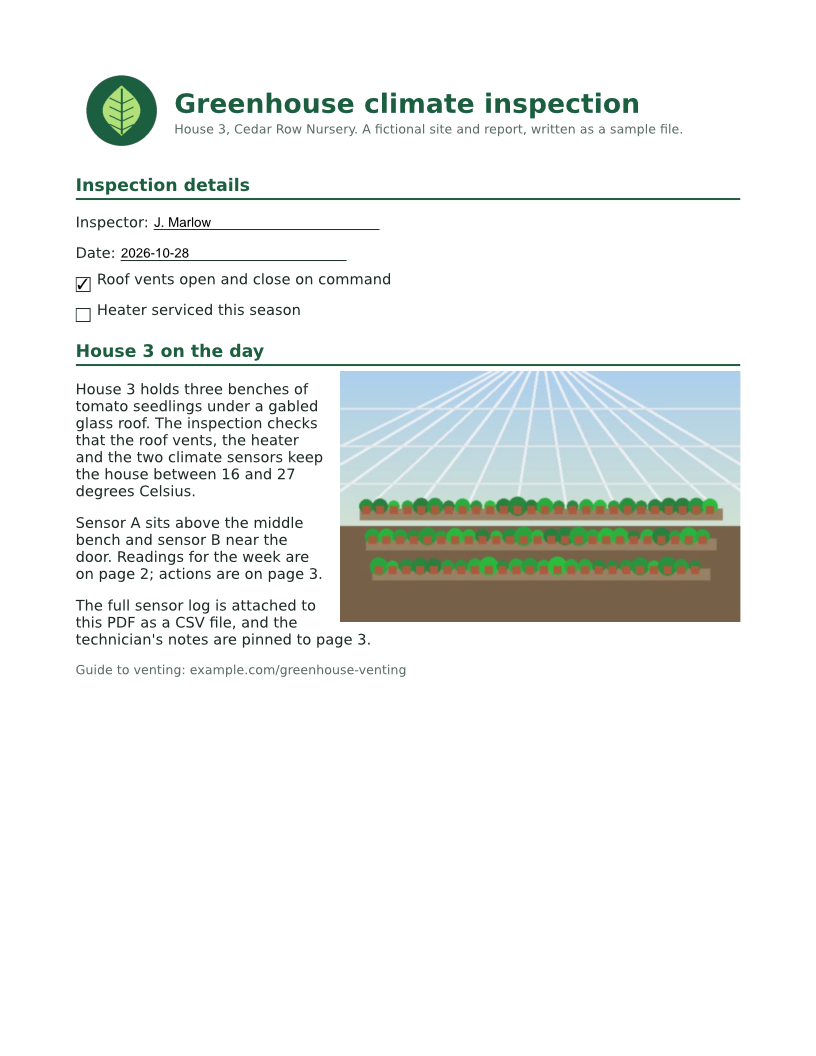
- Input
- greenhouse-inspection.pdf (115 KB)
- Output
- greenhouse-inspection.tiff (389 KB)
- Source
- A three-page greenhouse inspection report for a fictional nursery, with form fields, comments and attached files, made by us for this site. (CC0-1.0). How it was made
- Made by
- 2026-11-04, API build
9eeeb0640aba
Parameters
Send these as form fields next to the file. Names are case-insensitive. If you set one of the documented options below that we don't support yet, the request fails with a 400 that names it instead of returning a file made without it.
| Parameter | What it does |
|---|---|
MultiPageboolean, default true | true puts all pages in one TIFF named after the PDF (greenhouse-inspection.tiff, 3 frames). false returns greenhouse-inspection-1.tiff and so on, written without compression: 6,311,516 bytes per Letter page at 150 DPI. Other values return 400.Values: true, false |
ImageResolutioninteger, default 150 | Pixels per inch of page, and the DPI written into the file when you send it: the sample's 96 gives 816 x 1,056 frames tagged 96 dpi. Left out, pages are drawn at 150 DPI but the file carries no DPI value. ConvertAPI documents 200 as its default.Values: 36 to 600 |
ColorSpaceenum | gray stores each page as 8-bit grayscale (the sample shrank from 397,847 to 165,231 bytes); monochrome leaves only black and white in those grayscale frames (31,691 bytes), for fax-style archives. Color frames are RGB already, so rgb and truecolors give the same file as leaving it out.Values: rgb, gray, monochrome, truecolors |
ImageWidthinteger | Draw each page at this width, the height following its proportions. ImageHeight works the same way; ScaleProportions=false with both stretches to the exact box.Values: 1 to 20000 pixels |
ImageHeightinteger | Draw each page at this height. With ImageWidth too, the page fits inside both.Values: 1 to 20000 pixels |
BackgroundColorstring, default white | Painted behind each page where the PDF draws nothing. The sample paints no page background, so black filled every frame's empty areas with black.Values: white, black, red, green, blue, gray, #RRGGBB or R,G,B |
TransparentColorstring | Pixels of exactly this color become transparent; white cleared 89.9% of the pixels in the sample's three frames at 96 DPI (83.4% on page 1, which holds the photo). |
PageRangestring | Render only these pages. A range of one page returns a single-page TIFF named with its page number, such as greenhouse-inspection-3.tiff, and that file is not compressed.Values: Pages and ranges such as 1, 2-5 or 3-last |
Passwordstring | Opens a PDF that needs a password to open. Files that only restrict printing or copying render without one. |
FileNamestring | Name of the TIFF (or stem of the per-page files) without the extension. |
StoreFileboolean, default false | Return a download link (Url and FileId) instead of the data; links expire after 3 hours. |
Not supported yet
Setting one of these to anything but its default returns 400.
| Option | What to do instead |
|---|---|
ColorMode | Use ColorSpace=gray or ColorSpace=monochrome for the same purpose. |
BitDepth | Frames have 8 bits per channel: RGB for color pages and one gray channel with gray or monochrome, in multi-page and single-page files alike. TransparentColor makes every frame RGBA, gray ones included. There is no 1-bit output; a monochrome frame holds its two levels in 8 bits. |
CompressionLevel | Multi-page files always use LZW, which is lossless. |
Rotate | Turn pages first with /v2/convert/pdf/to/rotate. |
Scale | Set the size with ImageResolution, ImageWidth or ImageHeight. |
Also refused when set: CropTo, FitToSize.
What carries over, and what doesn't
Kept
- Every page as its own frame, in order, each with its own size: 816 x 1,056 for the portrait pages and 1,056 x 816 for the wide readings page at 96 DPI
- Exact pixels: LZW is lossless, and frame 1 of the sample matches our PNG of page 1 at 96 DPI pixel for pixel
- The DPI you asked for, stored in each frame (96 in the sample)
- What form fields and comments show, such as J. Marlow, the checkmark and the highlight
Lost or not yet supported
- Text you can search or copy: the frames are pictures. OCR them if you need the words.
- Small files for photos. Lossless frames keep photos large: the sample at 150 DPI is 792,819 bytes.
- Compression for single-page results. One page, or
MultiPage=false, gives uncompressed TIFFs of width x height x 3 bytes in color, or x 1 withColorSpace=grayormonochrome. - Bookmarks, links, attachments and other document-level data.
Limits
- Up to 2,000 pages per request; more returns 413 "rendering is limited to 2,000 pages per request".
- 16,000 pixels per side and 100 million pixels per frame; past that the API returns 413.
- A PDF that needs a password returns 422 "the input file is password-protected" until
Passwordis sent. - One PDF per request, up to 10 MB on the Free plan or 100 MB on paid plans; up to 120 seconds per request.
Where teams use it
Systems that want one TIFF per document
Where a records, imaging or e-filing system expects one multi-page TIFF per document, this route produces exactly that: the 3-page sample PDF becomes one file with 3 frames.
Black-and-white images for fax and imaging workflows
With ColorSpace=monochrome every pixel is black or white. At 96 DPI the sample's three pages came to 31,691 bytes, 8% of the color version's 397,847.
Page images for OCR and document AI
Give a recognition tool one TIFF per document at the resolution it asks for, such as ImageResolution=300, with that DPI recorded in every frame.
Questions
Do I get one TIFF or one per page?
One TIFF with a frame per page, unless you send MultiPage=false. A request that selects a single page always gets a single-page TIFF named with that page number.
Is the TIFF compressed?
Multi-page TIFFs use LZW, a lossless method: 397,847 bytes for the sample's three pages at 96 DPI. Single-page files are written uncompressed, so for one page at high DPI, /v2/convert/pdf/to/png gives the same pixels in a smaller file.
How do I make a black-and-white TIFF?
Send ColorSpace=monochrome. Every pixel becomes pure black or white, cut at mid-gray. Thin, light text suffers at low resolution: at 96 DPI the sample's 9.5 pt gray caption broke up and was barely legible, while at 200 DPI it was clean. The light green of the logo turns white either way.
Why does my TIFF have no DPI?
The DPI tag is written only when you send ImageResolution. Left out, pages are drawn at 150 DPI and the file records no resolution. Send ImageResolution=150 to get the same pixels with 150 dpi stored.
Convert your first PDF file in a minute.