PDF to WebP API
Send a PDF to POST /v2/convert/pdf/to/webp and get one WebP per page, drawn at 150 DPI unless you ask for another resolution or size. The images are lossless: same pixels as a PNG of the page, in smaller files.
- Endpoint
- POST /v2/
convert/ pdf/ to/ webp - Accepts
- Sample timing
- 30 ms median of 5 runsHow we measure
- Request size
- Up to 10 MB on the Free plan or 100 MB on paid plans, all files together
Request and response
Every sample below ran against the API before this page was published. Set PDFCONVERSIONAPI_KEY to your key and run it as is.
curl -sS -X POST \
  https://api.pdfconversionapi.com/v2/convert/pdf/to/webp \
  -H "Authorization: Bearer $PDFCONVERSIONAPI_KEY" \
  -F File=@greenhouse-inspection.pdf \
  --form-string ImageResolution=96 \
  -o response.json

# FileData is base64. Save the first file in converted/,
# or print the JSON error.
if jq -e '.Files' response.json > /dev/null; then
  mkdir -p converted
  name=$(jq -r '.Files[0].FileName' response.json)
  jq -r '.Files[0].FileData' response.json \
    | base64 --decode > "converted/$name"
else
  cat response.json
fi
import base64
import os
import requests
key = os.environ["PDFCONVERSIONAPI_KEY"]
response = requests.post(
"https://api.pdfconversionapi.com/v2/convert/pdf/to/webp",
headers={"Authorization": f"Bearer {key}"},
files=[("File", open("greenhouse-inspection.pdf", "rb"))],
data={
"ImageResolution": "96",
},
timeout=180,
)
result = response.json()
if not response.ok:
raise SystemExit(f"{result['Code']}: {result['Message']}")
os.makedirs("converted", exist_ok=True)
for file in result["Files"]:
path = os.path.join("converted", file["FileName"])
with open(path, "wb") as out:
out.write(base64.b64decode(file["FileData"]))
print(path, file["FileSize"], "bytes")
import { mkdir, readFile, writeFile } from "node:fs/promises";
import { join } from "node:path";

const form = new FormData();
const file = "greenhouse-inspection.pdf";
form.append("File", new Blob([await readFile(file)]), file);
form.append("ImageResolution", "96");

const url = "https://api.pdfconversionapi.com/v2/convert/pdf/to/webp";
const key = process.env.PDFCONVERSIONAPI_KEY;
const response = await fetch(url, {
  method: "POST",
  headers: { Authorization: `Bearer ${key}` },
  body: form,
});
const result = await response.json();
if (!response.ok) {
  throw new Error(`${result.Code}: ${result.Message}`);
}

await mkdir("converted", { recursive: true });
for (const file of result.Files) {
  const path = join("converted", file.FileName);
  await writeFile(path, Buffer.from(file.FileData, "base64"));
  console.log(path, file.FileSize, "bytes");
}
{
  "ConversionCost": 1,
  "ConversionTime": 0.03,
  "Files": [
    {
      "FileName": "greenhouse-inspection-1.webp",
      "FileExt": "webp",
      "FileSize": 203540,
      "FileData": "UklGRgwbAwBXRUJQVlA4TP8a…"
    },
    {
      "FileName": "greenhouse-inspection-2.webp",
      "FileExt": "webp",
      "FileSize": 68500,
      "FileData": "UklGRowLAQBXRUJQVlA4TIAL…"
    },
    {
      "FileName": "greenhouse-inspection-3.webp",
      "FileExt": "webp",
      "FileSize": 49160,
      "FileData": "UklGRgDAAABXRUJQVlA4TPS/…"
    }
  ]
}
Response from our test run on 2026-11-03. ConversionTime shows the median of 5 runs. FileData is shortened here; the real response carries the whole file as base64.
The sample, converted
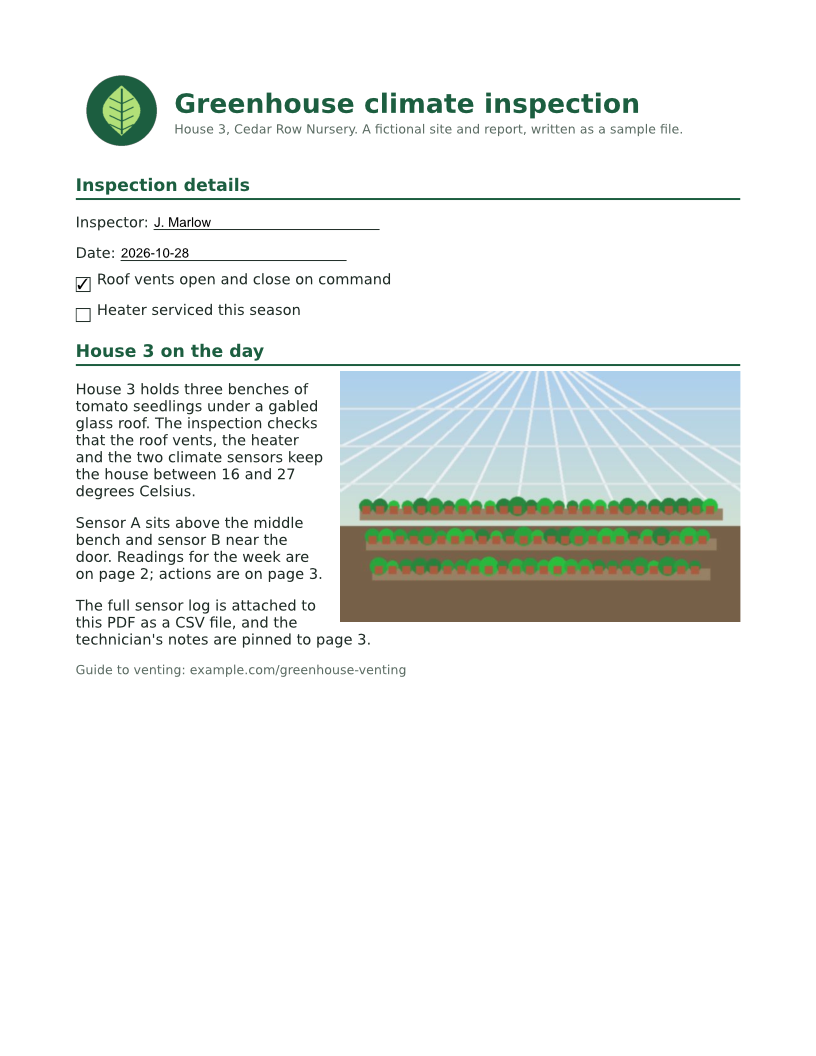
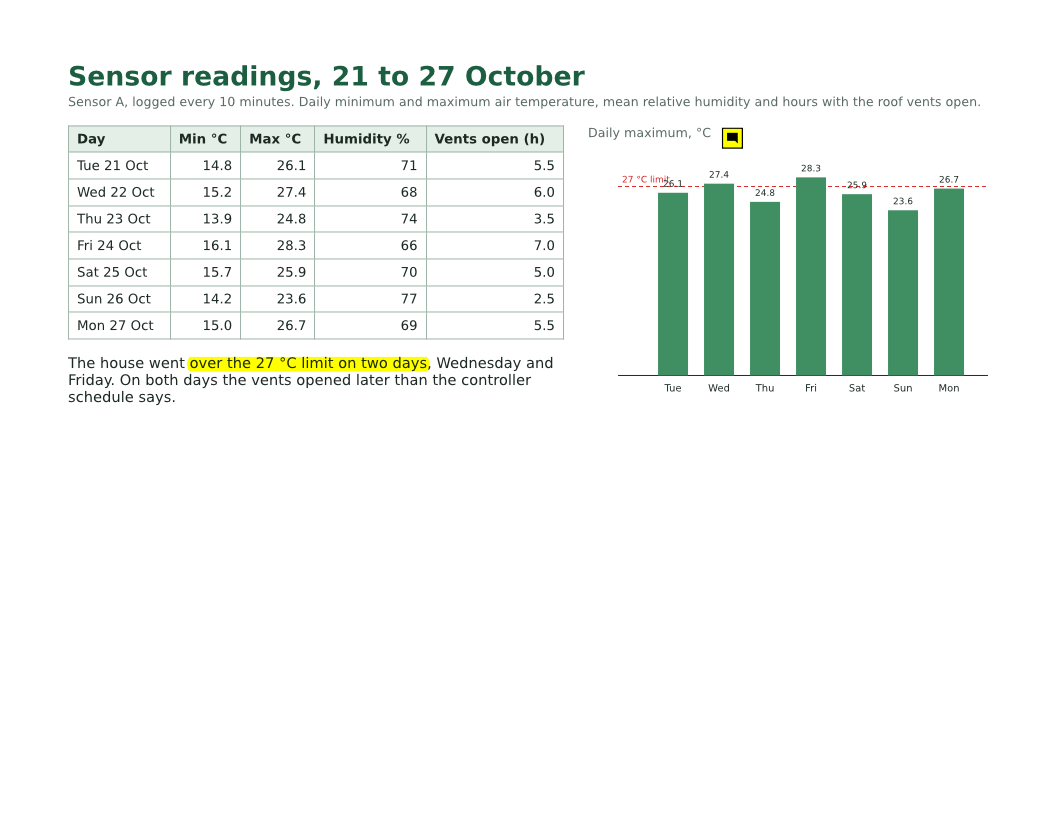
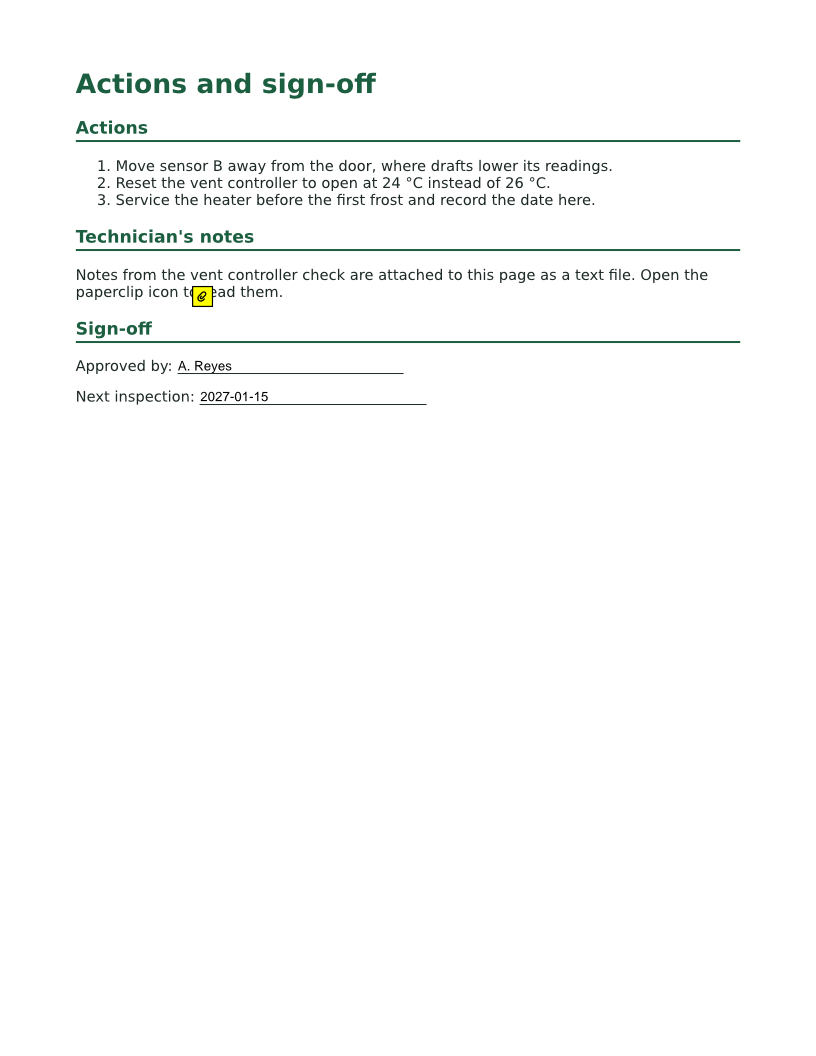
The same file the code sends. Download the input and the output and compare them yourself.
- Input
- greenhouse-inspection.pdf (115 KB)
- Output
- greenhouse-inspection-1.webp (199 KB)greenhouse-inspection-2.webp (67 KB)greenhouse-inspection-3.webp (48 KB)
- Source
- A three-page greenhouse inspection report for a fictional nursery, with form fields, comments and attached files, made by us for this site. (CC0-1.0). How it was made
- Made by
- 2026-11-04, API build
9eeeb0640aba
Parameters
Send these as form fields next to the file. Names are case-insensitive. If you set one of the documented options below that we don't support yet, the request fails with a 400 that names it instead of returning a file made without it.
| Parameter | What it does |
|---|---|
ImageResolutioninteger, default 150 | Pixels per inch of page. At 96, as in the sample, a Letter page is 816 x 1,056 pixels; at the default 150 it is 1,275 x 1,650. ConvertAPI documents 200 as its default, so set it when you move code over.Values: 36 to 600 |
ImageWidthinteger | Draw each page at exactly this width; the height follows the page's proportions (600 gave 600 x 776 for page 1). The page is drawn at that size directly, not shrunk from a larger image.Values: 1 to 20000 pixels |
ImageHeightinteger | Like ImageWidth, for the height. With both set, the page fits inside the box unless ScaleProportions is false.Values: 1 to 20000 pixels |
ScaleProportionsboolean, default true | With false and both ImageWidth and ImageHeight, the page is stretched to that exact size: 600 x 600 gave a square image of a tall page. |
ScaleImageboolean, default true | With false, ImageWidth and ImageHeight cut the page drawn at ImageResolution to that size instead of scaling it: width 600 gave a 600 x 1,650 strip from the left of the page. |
BackgroundColorstring, default white | Painted behind the page. It shows wherever the PDF paints nothing: the sample's pages have no background of their own, so black turned the whole page background black.Values: white, black, red, green, blue, gray, #RRGGBB or R,G,B |
TransparentColorstring | Pixels of exactly this color become transparent: white cleared 84.1% of page 1 at the default 150 DPI and 83.4% at the sample's 96 DPI. Soft edges of letters stay as they are.Values: Same color names and codes as BackgroundColor |
PageRangestring | Render only these pages. Files keep the PDF page number in their names, such as greenhouse-inspection-2.webp.Values: Pages and ranges such as 1, 2-5 or 3-last |
Passwordstring | Opens a PDF that needs a password to open. PDFs that only restrict printing or copying render without one. |
FileNamestring | Stem for the page files: FileName=house3 gives house3-1.webp and so on. |
StoreFileboolean, default false | Return one download link per page (Url and FileId) instead of the data, valid for 3 hours. |
Not supported yet
Setting one of these to anything but its default returns 400.
| Option | What to do instead |
|---|---|
ImageQuality | Pages are encoded losslessly, so there is no quality setting. The documented default, 75, is accepted and changes nothing; any other value returns 400. For lossy, smaller page images use /v2/convert/pdf/to/jpg. |
Rotate | Rotate the pages with /v2/convert/pdf/to/rotate first. |
Also refused when set: ImageAntialiasing.
What carries over, and what doesn't
Kept
- Every pixel of the page as drawn: decoded, the sample's page 1 WebP is identical to our PNG of the same page at the same DPI
- Each page's shape: 816 x 1,056 for the portrait pages and 1,056 x 816 for the wide readings page at 96 DPI
- What form fields and comments show, such as J. Marlow and the checkmark on page 1 and the yellow highlight on page 2
- Text and lines drawn fresh at the chosen size, not scaled up from a low-resolution copy
- One file per page, in page order
Lost or not yet supported
- The text layer. A WebP is a picture: nothing can be selected or searched without OCR.
- Links, fields and comments as working objects, and all document-level data such as bookmarks and attachments.
- Physical size: WebP stores no DPI value, so a print layout has to be told which resolution you used.
- Photo-sized savings. Lossless encoding keeps photos large: page 1, with its photo, is 385,064 bytes at 150 DPI, where
/v2/convert/pdf/to/jpggave 213,763.
Limits
- Up to 2,000 pages per request; above that the API returns 413 "rendering is limited to 2,000 pages per request".
- 16,000 pixels per side and 100 million pixels per page image.
ImageWidth=16001returned 413 "page 1 is too large to draw at 16,001×20,707 pixels; lower ImageWidth or ImageHeight", and 12000 returned 413 "the image is 12,000×15,529 pixels, above the limit of 100,000,000 pixels; lower ImageWidth or ImageHeight". - A PDF that needs a password returns 422 "the input file is password-protected" until
Passwordis sent. - One PDF per request, up to 10 MB on the Free plan or 100 MB on paid plans; up to 120 seconds per request.
Where teams use it
Page thumbnails and previews on a website
Show the first page of each uploaded document as a WebP in an img tag. Set ImageWidth=600 and PageRange=1 to get one preview of a fixed width per file.
Sharp text without PNG's file size
Text and line art suffer from lossy compression. WebP here is lossless, so letters stay crisp: page 1 of the sample at 96 DPI is 203,540 bytes as WebP against 241,392 as PNG, with identical pixels.
Document viewers that load page by page
Render every page once, store the WebPs, and let a web viewer fetch only the pages a reader scrolls to, instead of sending the whole PDF to the browser.
Questions
Are the WebP images lossy or lossless?
Lossless. The files are WebP's lossless kind, and the decoded pixels of the sample's page 1 equal our PNG of that page exactly. That is why ImageQuality returns 400 for anything but its documented default.
How do I get a fixed-width preview?
Send ImageWidth, for example 600; the height follows the page. The page is drawn at that width directly, so small text is not blurred by shrinking a bigger image.
Why is my page background black or transparent?
Some PDFs, including the sample, don't paint a page background, so BackgroundColor shows through everywhere. It is white unless you change it. With TransparentColor=white, pure white pixels become transparent too.
WebP or JPG for PDF pages?
For text, forms and drawings, WebP keeps every pixel and was smaller than PNG in our test. For pages that are mostly photos, JPG is smaller: 213,763 bytes against 385,064 for the sample's photo page at 150 DPI.
Convert your first PDF file in a minute.