PPS to PDF API
POST /v2/convert/pps/to/pdf turns a PowerPoint 97-2003 show into a PDF with one page per visible slide. The sample's five-slide lobby loop gives a 44,790-byte, four-page PDF of 720 × 450 points, with real text and a bookmark for each slide.
- Endpoint
- POST /v2/
convert/ pps/ to/ pdf - Accepts
- pps
- Sample timing
- 0.525 s median of 5 runsHow we measure
- Request size
- Up to 10 MB on the Free plan or 100 MB on paid plans, all files together
Request and response
Every sample below ran against the API before this page was published. Set PDFCONVERSIONAPI_KEY to your key and run it as is.
curl -sS -X POST \
  https://api.pdfconversionapi.com/v2/convert/pps/to/pdf \
  -H "Authorization: Bearer $PDFCONVERSIONAPI_KEY" \
  -F File=@riverside-lobby-loop.pps \
  -o response.json

# FileData is base64. Save the first file in converted/,
# or print the JSON error.
if jq -e '.Files' response.json > /dev/null; then
  mkdir -p converted
  name=$(jq -r '.Files[0].FileName' response.json)
  jq -r '.Files[0].FileData' response.json \
    | base64 --decode > "converted/$name"
else
  cat response.json
fi
import base64
import os
import requests
key = os.environ["PDFCONVERSIONAPI_KEY"]
response = requests.post(
"https://api.pdfconversionapi.com/v2/convert/pps/to/pdf",
headers={"Authorization": f"Bearer {key}"},
files=[("File", open("riverside-lobby-loop.pps", "rb"))],
timeout=180,
)
result = response.json()
if not response.ok:
raise SystemExit(f"{result['Code']}: {result['Message']}")
os.makedirs("converted", exist_ok=True)
for file in result["Files"]:
path = os.path.join("converted", file["FileName"])
with open(path, "wb") as out:
out.write(base64.b64decode(file["FileData"]))
print(path, file["FileSize"], "bytes")
import { mkdir, readFile, writeFile } from "node:fs/promises";
import { join } from "node:path";

const form = new FormData();
const file = "riverside-lobby-loop.pps";
form.append("File", new Blob([await readFile(file)]), file);

const url = "https://api.pdfconversionapi.com/v2/convert/pps/to/pdf";
const key = process.env.PDFCONVERSIONAPI_KEY;
const response = await fetch(url, {
  method: "POST",
  headers: { Authorization: `Bearer ${key}` },
  body: form,
});
const result = await response.json();
if (!response.ok) {
  throw new Error(`${result.Code}: ${result.Message}`);
}

await mkdir("converted", { recursive: true });
for (const file of result.Files) {
  const path = join("converted", file.FileName);
  await writeFile(path, Buffer.from(file.FileData, "base64"));
  console.log(path, file.FileSize, "bytes");
}
{
  "ConversionCost": 1,
  "ConversionTime": 0.525,
  "Files": [
    {
      "FileName": "riverside-lobby-loop.pdf",
      "FileExt": "pdf",
      "FileSize": 44790,
      "FileData": "JVBERi0xLjcKJcOkw7zDtsOf…"
    }
  ]
}
Response from our test run on 2026-11-03. ConversionTime shows the median of 5 runs. FileData is shortened here; the real response carries the whole file as base64.
The sample, converted
The same file the code sends. Download the input and the output and compare them yourself.
- Input
- riverside-lobby-loop.pps (75 KB)
- Output
- riverside-lobby-loop.pdf (44 KB)
- Source
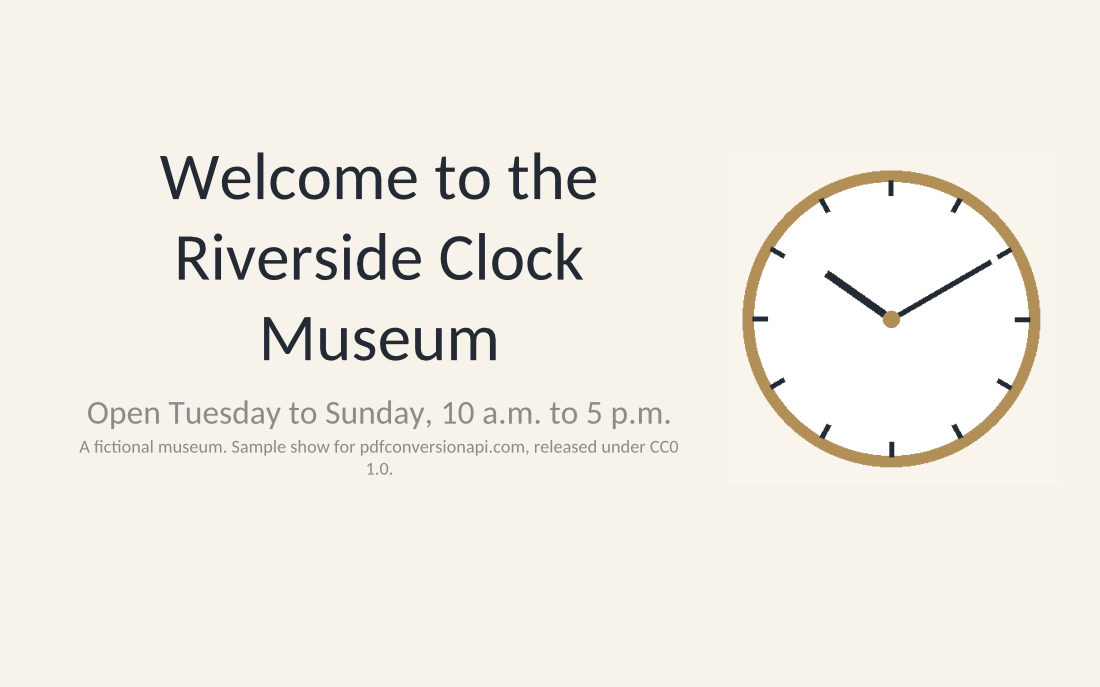
- A five-slide self-running lobby show for a fictional clock museum, made by us and saved as a PowerPoint 97-2003 show with fades and 8-second timings; slide 4 is hidden. (CC0-1.0). How it was made
- Made by
- 2026-11-04, API build
9eeeb0640aba
Parameters
Send these as form fields next to the file. Names are case-insensitive. If you set one of the documented options below that we don't support yet, the request fails with a 400 that names it instead of returning a file made without it.
| Parameter | What it does |
|---|---|
PageRangestring | Pages to keep, counted after hidden slides are skipped. 2-3 returned a two-page PDF; 5 returns 400 because the sample has four pages.Values: e.g. 2-3, 1,4, 2-last |
ConvertHiddenSlidesboolean, default false | true prints hidden slides too: the sample becomes five pages, with the staff checklist as page 4. |
Pdfaboolean, default false | true writes PDF/A-1b, as ConvertAPI does. PDF/A-1 allows no transparency, so the gift shop slide, whose banner casts a semi-transparent shadow, became one 3,000 × 1,875 JPEG without selectable text. The file is 146,486 bytes. |
PdfaVersionenum, default none | Picks the PDF/A part. pdfA2b and pdfA3b gave 53,738-byte files that our validator reported compliant. Other names, such as pdfA2u, return 400. Sent together with Pdfa=true, PdfaVersion decides: pdfA2b then gave the same 53,738-byte PDF/A-2b file.Values: none, pdfA1b, pdfA2b, pdfA3b |
Passwordstring | Accepted, but encrypted shows can't be opened yet: a show locked in PowerPoint returned 422 "the input file is password-protected" with the correct password. With an unencrypted show it changes nothing. |
FileNamestring | Name for the PDF: FileName=lobby-handout returned lobby-handout.pdf. |
Not supported yet
Setting one of these to anything but its default returns 400.
| Option | What to do instead |
|---|---|
ConvertSpeakerNotes | Notes pages are not printed; only Disabled is accepted. |
IncludeMetadata | The title and author are always copied, also into a shorter PageRange file; false returns 400. |
EmbedFonts | Fonts are always embedded as subsets; false returns 400. |
What carries over, and what doesn't
Kept
- One page per visible slide at the slide's size: 720 × 450 points for the sample's 10 × 6.25 inches
- Text as selectable, searchable text, with fonts embedded as subsets (with
Pdfa=true, the gift shop page becomes a picture) - Tables, shapes and the banner as vector drawing; the clock picture as an image
- A bookmark per slide, named after the slide's number in the show: Slide 1, 2, 3 and 5
- The title and author from the file's properties
- The fades as page transitions: each page has a 0.3-second dissolve for viewers that play them in full-screen mode
Lost or not yet supported
- Automatic advance. The 8-second timing and the loop setting are not in the PDF.
- Speaker notes; the note on slide 3 is not printed.
- With
PageRange, the bookmarks are dropped from the shorter PDF; its title and author stay. - Calibri and Arial are replaced by Carlito and Liberation Sans, which keep their widths.
Limits
PageRangeand PDF/A can't be combined yet unless the range covers every page: "PageRange cannot be combined with PDF/A yet".- Requests up to 10 MB on the Free plan or 100 MB on paid plans; 120 seconds per conversion, then 504.
- Other PDF options, such as
PdfTitle, return 400 "… is not supported yet for PPS files". - Encrypted shows return 422 "the input file is password-protected" for now, with or without
Password.
Where teams use it
A handout of a looping show
Visitors who saw a lobby or trade-show loop can be sent the same slides as a PDF that opens in any PDF viewer, without the show starting full screen by itself.
Archiving notices and schedules as PDF/A
Send PdfaVersion=pdfA2b and file the result in a records system that asks for PDF/A. Hidden staff slides stay out unless you ask for them.
Checking a show's text in review
Reviewers can search, copy and comment on the text in the PDF, which a .pps doesn't make easy when it opens straight into the slide show.
Questions
Do the slide show effects survive?
Partly. The fade between slides becomes a PDF page transition, a 0.3-second dissolve that viewers can play in full-screen mode. The automatic advance after 8 seconds and the endless loop are lost.
Why are the bookmarks called Slide 1, Slide 2 and so on?
Bookmarks use slide names, and the slides in our sample have none of their own, so each is labeled with its number in the show. Because slide 4 is hidden, the fourth bookmark is Slide 5.
Which PDF/A version should I ask for?
PDF/A-2b, unless a rule names another. Pdfa=true gives PDF/A-1b, which can't hold transparency: the gift shop slide and its semi-transparent banner shadow were turned into a 3,000 × 1,875 JPEG with no selectable text, and the file grew from 44,790 to 146,486 bytes. PdfaVersion=pdfA2b gave 53,738 bytes, kept the text of every page and validated as compliant.
Can I send a .ppt or a .ppsx to this route?
A .ppt is the same file format and converts here. A .ppsx is the newer XML format and has its own route, /v2/convert/ppsx/to/pdf.
Convert your first PPS file in a minute.