PPT to JPG API
POST /v2/convert/ppt/to/jpg opens a PowerPoint 97-2003 .ppt and returns a JPEG for each visible slide. The sample, a 4:3 deck sent with ImageResolution=100, comes back as five 1,000 × 750 JPEGs totaling 296,286 bytes.
- Endpoint
- POST /v2/
convert/ ppt/ to/ jpg - Accepts
- ppt
- Sample timing
- 0.601 s median of 5 runsHow we measure
- Request size
- Up to 10 MB on the Free plan or 100 MB on paid plans, all files together
Request and response
Every sample below ran against the API before this page was published. Set PDFCONVERSIONAPI_KEY to your key and run it as is.
curl -sS -X POST \
  https://api.pdfconversionapi.com/v2/convert/ppt/to/jpg \
  -H "Authorization: Bearer $PDFCONVERSIONAPI_KEY" \
  -F File=@eastgate-pantry-orientation.ppt \
  --form-string ImageResolution=100 \
  -o response.json

# FileData is base64. Save the first file in converted/,
# or print the JSON error.
if jq -e '.Files' response.json > /dev/null; then
  mkdir -p converted
  name=$(jq -r '.Files[0].FileName' response.json)
  jq -r '.Files[0].FileData' response.json \
    | base64 --decode > "converted/$name"
else
  cat response.json
fi
import base64
import os
import requests
key = os.environ["PDFCONVERSIONAPI_KEY"]
response = requests.post(
"https://api.pdfconversionapi.com/v2/convert/ppt/to/jpg",
headers={"Authorization": f"Bearer {key}"},
files=[
("File", open("eastgate-pantry-orientation.ppt", "rb")),
],
data={
"ImageResolution": "100",
},
timeout=180,
)
result = response.json()
if not response.ok:
raise SystemExit(f"{result['Code']}: {result['Message']}")
os.makedirs("converted", exist_ok=True)
for file in result["Files"]:
path = os.path.join("converted", file["FileName"])
with open(path, "wb") as out:
out.write(base64.b64decode(file["FileData"]))
print(path, file["FileSize"], "bytes")
import { mkdir, readFile, writeFile } from "node:fs/promises";
import { join } from "node:path";

const form = new FormData();
const file = "eastgate-pantry-orientation.ppt";
form.append("File", new Blob([await readFile(file)]), file);
form.append("ImageResolution", "100");

const url = "https://api.pdfconversionapi.com/v2/convert/ppt/to/jpg";
const key = process.env.PDFCONVERSIONAPI_KEY;
const response = await fetch(url, {
  method: "POST",
  headers: { Authorization: `Bearer ${key}` },
  body: form,
});
const result = await response.json();
if (!response.ok) {
  throw new Error(`${result.Code}: ${result.Message}`);
}

await mkdir("converted", { recursive: true });
for (const file of result.Files) {
  const path = join("converted", file.FileName);
  await writeFile(path, Buffer.from(file.FileData, "base64"));
  console.log(path, file.FileSize, "bytes");
}
{
  "ConversionCost": 1,
  "ConversionTime": 0.601,
  "Files": [
    {
      "FileName": "eastgate-pantry-orientation-1.jpg",
      "FileExt": "jpg",
      "FileSize": 48898,
      "FileData": "/9j/4AAQSkZJRgABAgEAZABk…"
    },
    {
      "FileName": "eastgate-pantry-orientation-2.jpg",
      "FileExt": "jpg",
      "FileSize": 67846,
      "FileData": "/9j/4AAQSkZJRgABAgEAZABk…"
    },
    {
      "FileName": "eastgate-pantry-orientation-3.jpg",
      "FileExt": "jpg",
      "FileSize": 66705,
      "FileData": "/9j/4AAQSkZJRgABAgEAZABk…"
    },
    … 2 more files
  ]
}
Response from our test run on 2026-11-03. ConversionTime shows the median of 5 runs. FileData is shortened here; the real response carries the whole file as base64.
The sample, converted
The same file the code sends. Download the input and the output and compare them yourself.
- Input
- eastgate-pantry-orientation.ppt (80 KB)
- Output
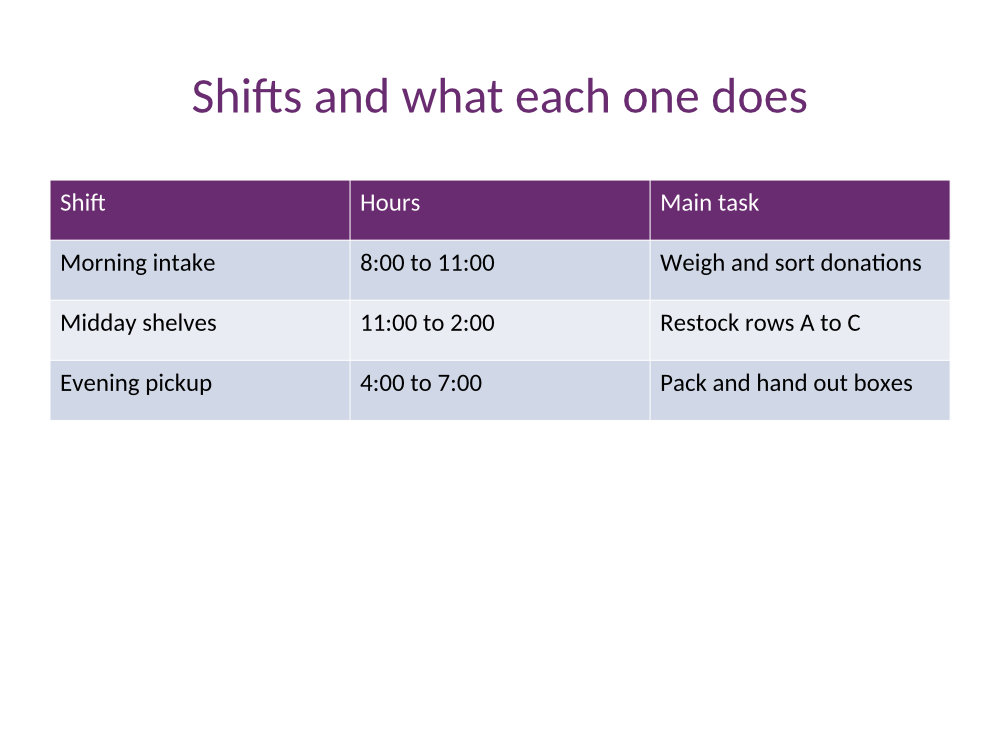
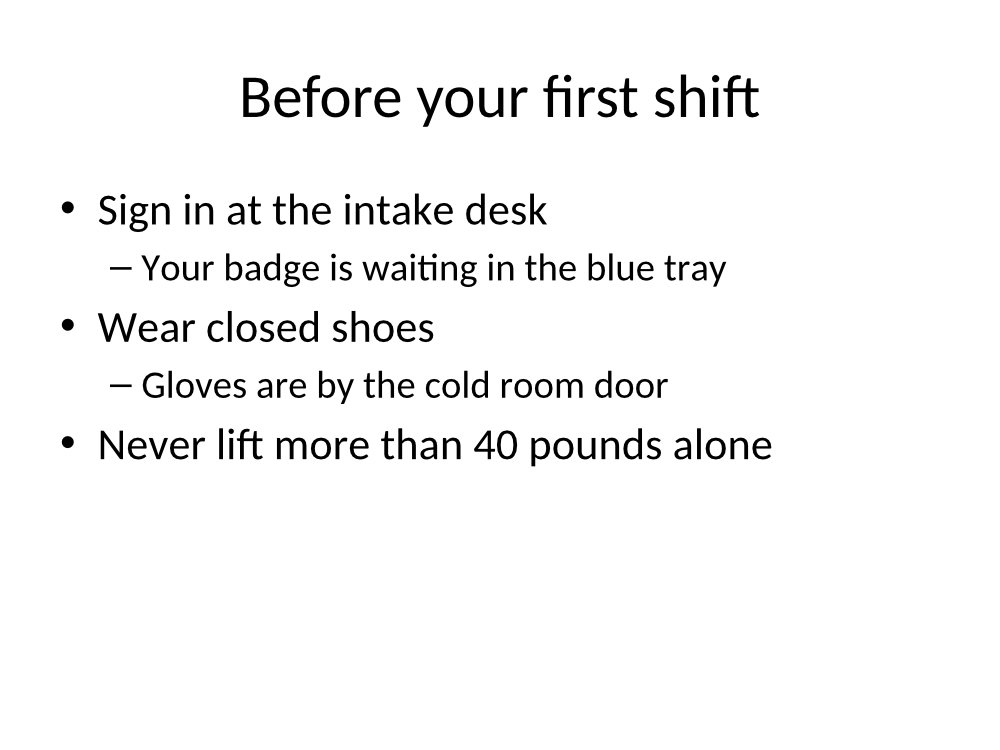
- eastgate-pantry-orientation-1.jpg (48 KB)eastgate-pantry-orientation-2.jpg (66 KB)eastgate-pantry-orientation-3.jpg (65 KB)eastgate-pantry-orientation-4.jpg (53 KB)eastgate-pantry-orientation-5.jpg (57 KB)
- Source
- A six-slide volunteer orientation deck for a fictional food pantry, made by us and saved in the PowerPoint 97-2003 format; slide 5 is hidden and slide 3 has speaker notes. (CC0-1.0). How it was made
- Made by
- 2026-11-04, API build
9eeeb0640aba
Parameters
Send these as form fields next to the file. Names are case-insensitive. If you set one of the documented options below that we don't support yet, the request fails with a 400 that names it instead of returning a file made without it.
| Parameter | What it does |
|---|---|
ImageResolutioninteger, default 150 | Pixels per inch. A 10 × 7.5 in slide is 1,500 × 1,125 at the default; the sample's 100 gives 1,000 × 750 and is written into each JPEG as 100 DPI. 700 returns 400.Values: 36–600 |
ImageQualityinteger, default 85 | JPEG quality. The five slides at 150 DPI are 550,395 bytes at the default and 462,917 bytes at 70.Values: 1–100 |
ImageWidthinteger | Width of every image in pixels; ImageWidth=1600 gave 1,600 × 1,200 for the 4:3 slides. ImageHeight sets the height the same way, and the two together form a box.Values: 1–20000 |
PageRangestring | Slides to draw, counting visible slides only. On the sample 6 returns 400 "PageRange asks for page 6, but the document has 5 pages".Values: e.g. 2-3, 1,5 |
ConvertHiddenSlidesboolean, default false | true also draws hidden slides, here the budget note on slide 5, so the floor-plan slide becomes -6.jpg. |
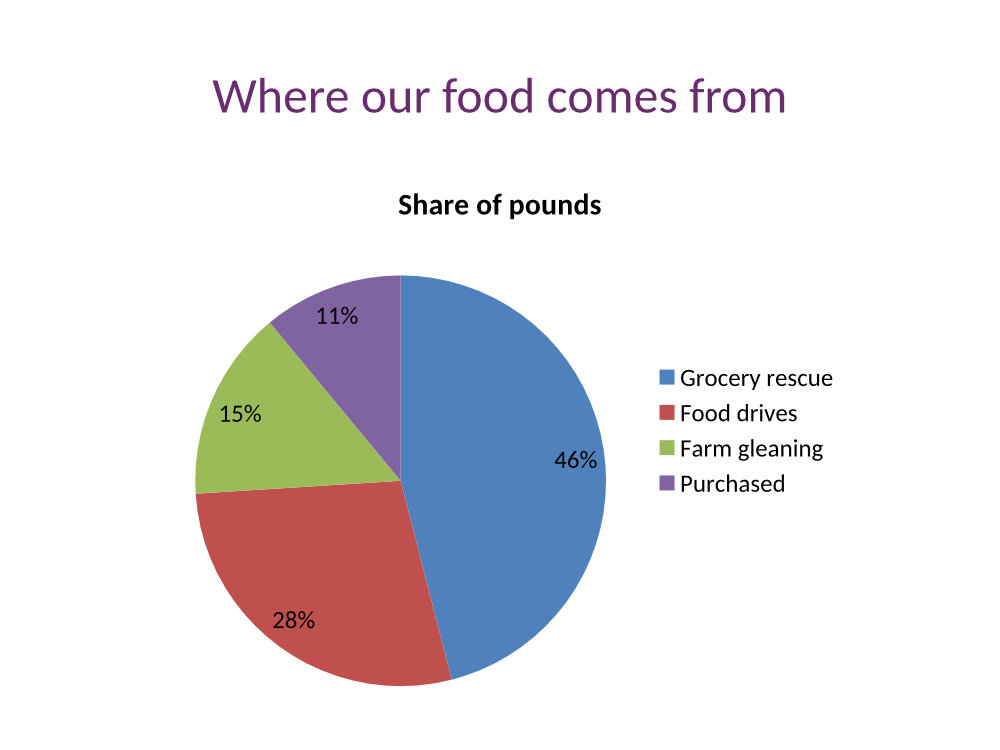
ColorSpaceenum, default default | gray gives one-channel JPEGs; at 150 DPI the pie chart slide went from 102,219 to 61,569 bytes.Values: default, rgb, gray, monochrome |
Passwordstring | Read, but it doesn't open encrypted decks yet: a .ppt we protected in PowerPoint returned 422 "the input file is password-protected" with the right password as well. Sent with a deck that has no password, it changes nothing. |
What carries over, and what doesn't
Kept
- The slide size saved in the deck: the sample's 4:3 slides come out 1,500 × 1,125 at 150 DPI
- Shapes, tables, charts and text drawn as vectors before they become pixels, so higher resolutions stay sharp: at 400 DPI, 77% of the edges in the chart legend's letters blend over a single pixel
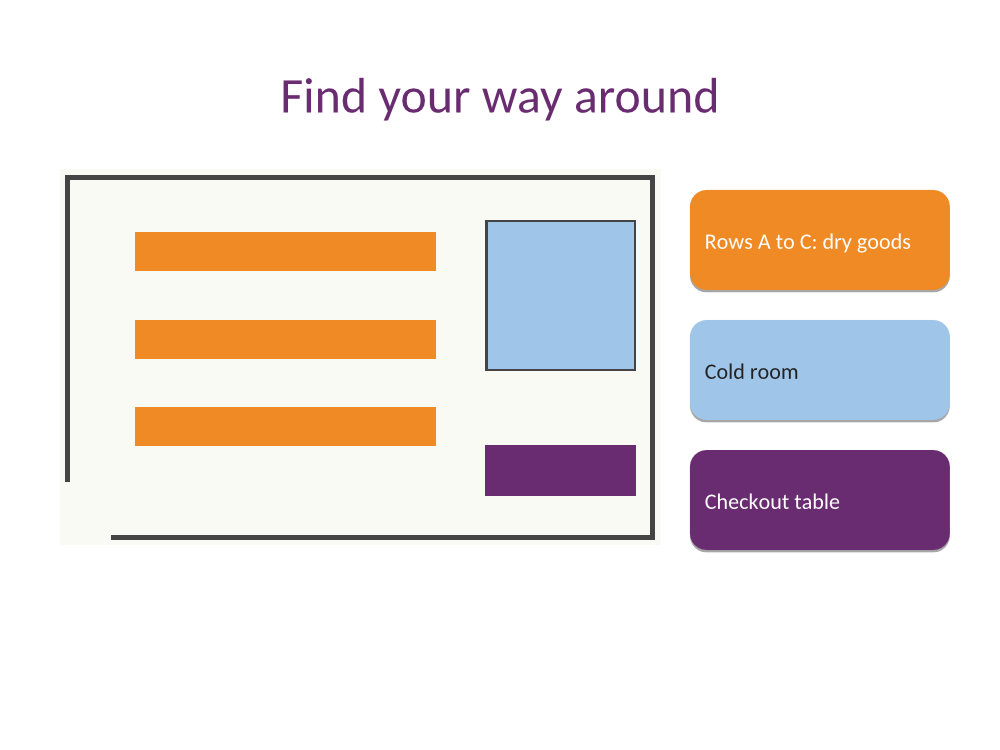
- The pie chart with its percentage labels and legend, the table with its plum header, and the floor-plan picture with its labels
- Chroma at full resolution: no subsampling in the JPEGs
Lost or not yet supported
- Hidden slides and speaker notes, by default. The sample's slide 3 note is not drawn.
- Calibri and Arial, if the deck uses them, are drawn with metric-compatible Carlito and Liberation Sans.
- Animations and slide transitions; each image is one still.
Limits
- One .ppt per request; up to 2,000 slides drawn.
- 16,000 pixels per side and 100 million pixels per image.
- Requests up to 10 MB on the Free plan or 100 MB on paid plans; 120 seconds per conversion, then 504.
- Options this converter doesn't apply yet are refused with 400 "… is not supported yet for PPT files", for example
ConvertSpeakerNotes=Separate,EmbedFonts=false,IncludeMetadata=falseorPdfVersion. - Encrypted .ppt files are refused with 422 "the input file is password-protected" for now, even with the right
Password.
Where teams use it
Previews for an archive of old decks
File shares and intranets still hold .ppt files from before 2007 that browsers can't show. Convert each one to JPEG thumbnails once and show those next to the download.
Moving training material into a learning platform
Platforms that take images per lesson step can receive each slide of an old orientation or safety deck as a JPEG, without anyone opening PowerPoint.
Questions
Does this work with .ppt files from PowerPoint 97 to 2003?
Yes, that is the format this route reads. Our sample was saved in that format by an office suite rather than by PowerPoint itself, so files from PowerPoint may contain features our test didn't cover. A .pptx sent here is refused with 422 "it could not be opened as PPT"; use /v2/convert/pptx/to/jpg for those.
Why five images for a six-slide deck?
Slide 5 of the sample is marked hidden. Hidden slides are left out unless you send ConvertHiddenSlides=true, which gives six JPEGs.
Can I convert a single slide?
Yes, with PageRange, for example PageRange=4 for the pie chart. The file keeps the slide's number: eastgate-pantry-orientation-4.jpg.
Does a larger resolution make the chart sharper?
Yes. Charts, shapes and text are drawn from vector shapes, so ImageResolution=300 gives twice the detail of 150. Only pictures pasted into the slide keep their own pixel count; the sample's floor plan is a 480 × 300 image.
Convert your first PPT file in a minute.