PPTX to JPG API
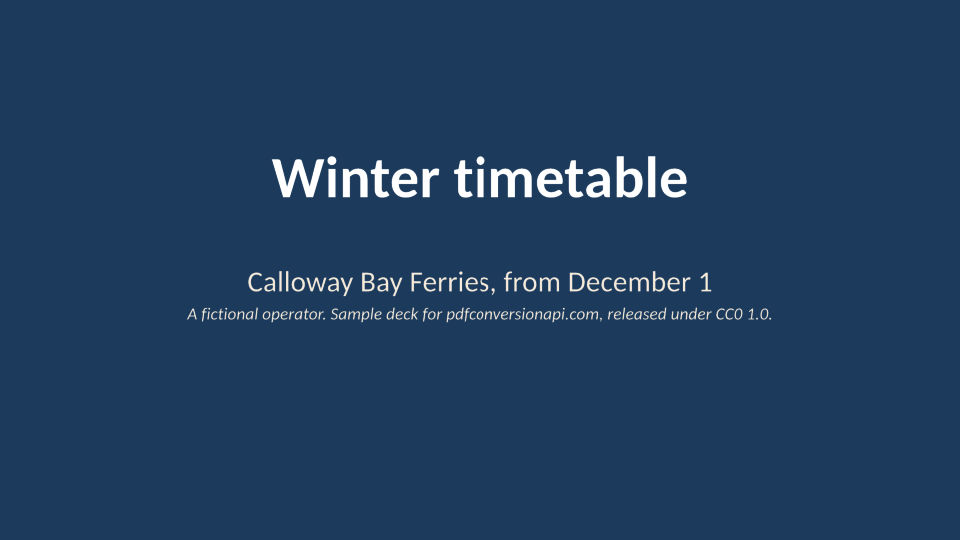
Send a deck to POST /v2/convert/pptx/to/jpg and the JSON answer holds one JPEG per visible slide, numbered by position (calloway-ferry-winter-1.jpg and on). The sample asks for 96 DPI at quality 80 and gets five 960 × 540 images, 214,051 bytes in all.
- Endpoint
- POST /v2/
convert/ pptx/ to/ jpg - Accepts
- pptx
- Sample timing
- 0.32 s median of 5 runsHow we measure
- Request size
- Up to 10 MB on the Free plan or 100 MB on paid plans, all files together
Request and response
Every sample below ran against the API before this page was published. Set PDFCONVERSIONAPI_KEY to your key and run it as is.
curl -sS -X POST \
  https://api.pdfconversionapi.com/v2/convert/pptx/to/jpg \
  -H "Authorization: Bearer $PDFCONVERSIONAPI_KEY" \
  -F File=@calloway-ferry-winter.pptx \
  --form-string ImageResolution=96 \
  --form-string ImageQuality=80 \
  -o response.json

# FileData is base64. Save the first file in converted/,
# or print the JSON error.
if jq -e '.Files' response.json > /dev/null; then
  mkdir -p converted
  name=$(jq -r '.Files[0].FileName' response.json)
  jq -r '.Files[0].FileData' response.json \
    | base64 --decode > "converted/$name"
else
  cat response.json
fi
import base64
import os
import requests
key = os.environ["PDFCONVERSIONAPI_KEY"]
response = requests.post(
"https://api.pdfconversionapi.com/v2/convert/pptx/to/jpg",
headers={"Authorization": f"Bearer {key}"},
files=[("File", open("calloway-ferry-winter.pptx", "rb"))],
data={
"ImageResolution": "96",
"ImageQuality": "80",
},
timeout=180,
)
result = response.json()
if not response.ok:
raise SystemExit(f"{result['Code']}: {result['Message']}")
os.makedirs("converted", exist_ok=True)
for file in result["Files"]:
path = os.path.join("converted", file["FileName"])
with open(path, "wb") as out:
out.write(base64.b64decode(file["FileData"]))
print(path, file["FileSize"], "bytes")
import { mkdir, readFile, writeFile } from "node:fs/promises";
import { join } from "node:path";

const form = new FormData();
const file = "calloway-ferry-winter.pptx";
form.append("File", new Blob([await readFile(file)]), file);
form.append("ImageResolution", "96");
form.append("ImageQuality", "80");

const url = "https://api.pdfconversionapi.com/v2/convert/pptx/to/jpg";
const key = process.env.PDFCONVERSIONAPI_KEY;
const response = await fetch(url, {
  method: "POST",
  headers: { Authorization: `Bearer ${key}` },
  body: form,
});
const result = await response.json();
if (!response.ok) {
  throw new Error(`${result.Code}: ${result.Message}`);
}

await mkdir("converted", { recursive: true });
for (const file of result.Files) {
  const path = join("converted", file.FileName);
  await writeFile(path, Buffer.from(file.FileData, "base64"));
  console.log(path, file.FileSize, "bytes");
}
{
  "ConversionCost": 1,
  "ConversionTime": 0.32,
  "Files": [
    {
      "FileName": "calloway-ferry-winter-1.jpg",
      "FileExt": "jpg",
      "FileSize": 33447,
      "FileData": "/9j/4AAQSkZJRgABAgEAYABg…"
    },
    {
      "FileName": "calloway-ferry-winter-2.jpg",
      "FileExt": "jpg",
      "FileSize": 50132,
      "FileData": "/9j/4AAQSkZJRgABAgEAYABg…"
    },
    {
      "FileName": "calloway-ferry-winter-3.jpg",
      "FileExt": "jpg",
      "FileSize": 53845,
      "FileData": "/9j/4AAQSkZJRgABAgEAYABg…"
    },
    … 2 more files
  ]
}
Response from our test run on 2026-11-03. ConversionTime shows the median of 5 runs. FileData is shortened here; the real response carries the whole file as base64.
The sample, converted
The same file the code sends. Download the input and the output and compare them yourself.
- Input
- calloway-ferry-winter.pptx (46 KB)
- Output
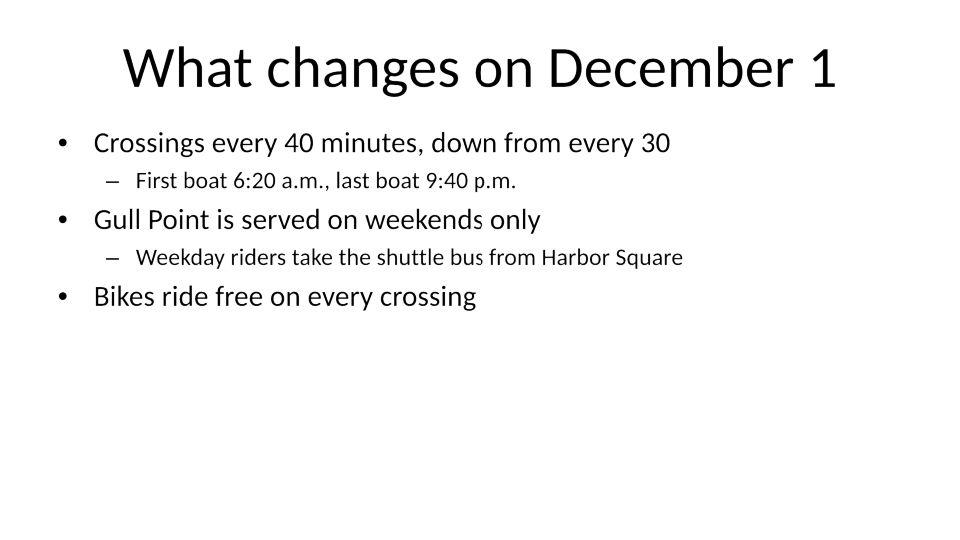
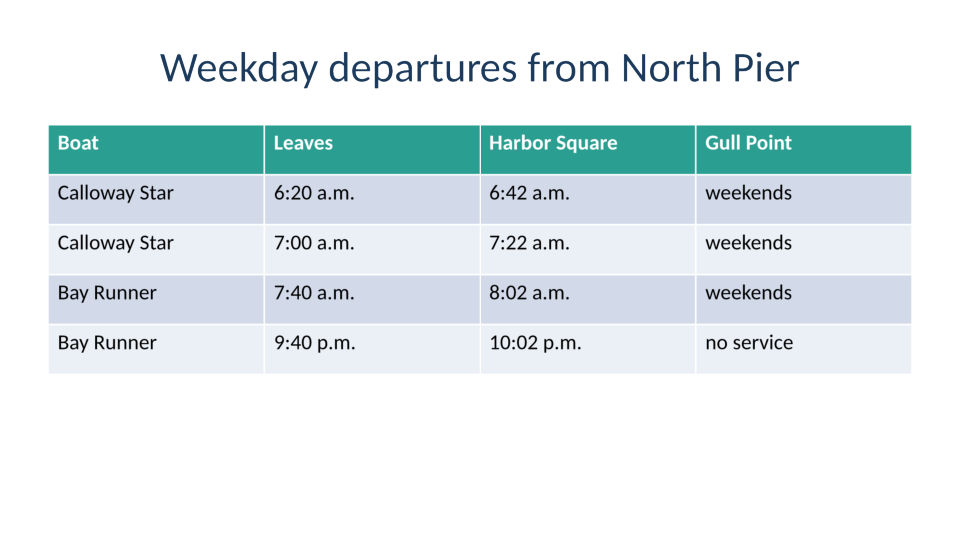
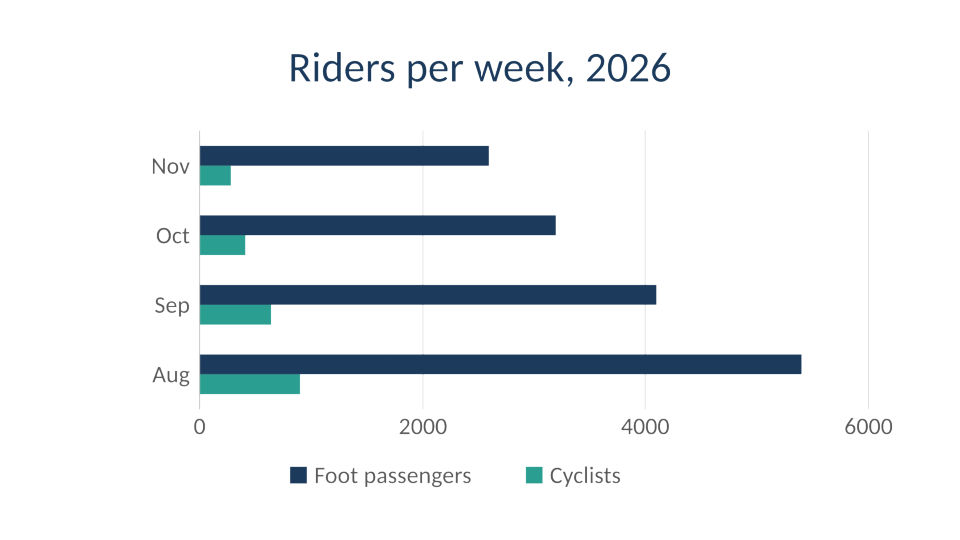
- calloway-ferry-winter-1.jpg (33 KB)calloway-ferry-winter-2.jpg (49 KB)calloway-ferry-winter-3.jpg (53 KB)calloway-ferry-winter-4.jpg (37 KB)calloway-ferry-winter-5.jpg (38 KB)
- Source
- A six-slide winter timetable deck for a fictional ferry operator, made by us for this site; slide 5 is hidden and slide 2 has speaker notes. (CC0-1.0). How it was made
- Made by
- 2026-11-04, API build
9eeeb0640aba
Parameters
Send these as form fields next to the file. Names are case-insensitive. If you set one of the documented options below that we don't support yet, the request fails with a 400 that names it instead of returning a file made without it.
| Parameter | What it does |
|---|---|
ImageResolutioninteger, default 150 | Pixels per inch of slide. The sample's 10-inch slides come out 1,500 × 843 at the default and 960 × 540 at the 96 sent here. A value you send is also stored in the JPEG header as its DPI. ConvertAPI documents 200 as its default.Values: 36–600 |
ImageQualityinteger, default 85 | JPEG quality. At 150 DPI the five slides total 448,288 bytes at 85 and 388,000 bytes at 75, the default ConvertAPI documents.Values: 1–100 |
ImageWidthinteger | Width in pixels for every slide. The height follows the slide's exact 16:9 shape whatever ImageResolution is: ImageWidth=1920 returned 1,920 × 1,080 at 96, 150 and 300 DPI. Slides are drawn at that size directly.Values: 1–20000 |
ImageHeightinteger | Height in pixels. Sent with ImageWidth, each slide is fitted inside that box with its proportions kept, unless ScaleProportions=false.Values: 1–20000 |
PageRangestring | Slides to draw, counted among the visible ones. 1,4 returned -1.jpg and -4.jpg; asking the sample for slide 6 returns 400, since only five are visible.Values: e.g. 1, 1,4, 3-last |
ConvertHiddenSlidesboolean, default false | true draws hidden slides in their place. The sample then gives six JPEGs: the hidden fare slide becomes -5.jpg and the map slide moves to -6.jpg. |
ColorSpaceenum, default default | gray writes one-channel JPEGs; at 150 DPI slide 1 shrank from 76,214 to 43,768 bytes. cmyk returns 400.Values: default, rgb, gray, monochrome |
Passwordstring | Open password of an encrypted deck. A copy of the sample locked by our protect route converted with it, and returned 422 without it. |
FileNamestring | Base name for the images; the slide number is added to it, so FileName=ferry gives ferry-1.jpg to ferry-5.jpg. |
What carries over, and what doesn't
Kept
- Every visible slide in deck order, at the slide's own 16:9 shape
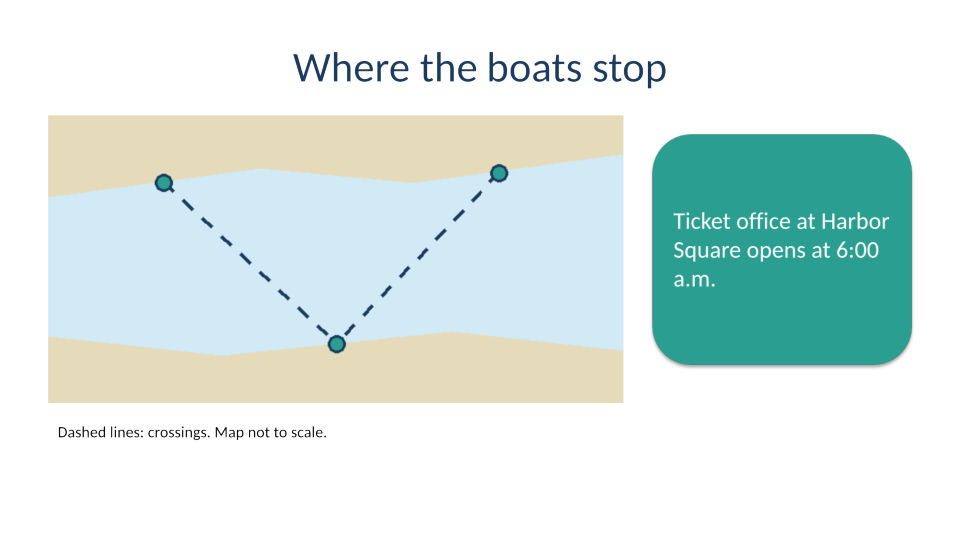
- The navy title background, the teal table header, the bar chart with its legend, and the drawn map with its rounded callout
- Full color resolution: the JPEGs are written without chroma subsampling
- Slide text with the line breaks of the original fonts: Calibri is drawn with Carlito, which has the same letter widths
Lost or not yet supported
- Speaker notes. The note on slide 2 of the sample is not drawn on any image.
- Detail beyond 200 pixels per inch. Each slide, its text included, is first drawn as a 200 pixels-per-inch picture, so a higher
ImageResolutiononly enlarges it: rendered losslessly at 400 DPI, every pixel of each slide was the 200 DPI image doubled. - Slide numbering. Files are numbered among the slides that were drawn, so with the hidden slide skipped the sample's sixth slide arrives as
-5.jpg. - A DPI value, unless you send
ImageResolution. Without it the JPEG header says 1:1 with no unit.
Limits
- One deck per request, and at most 2,000 slides drawn per request.
- A slide may be drawn at up to 16,000 pixels per side and 100 million pixels:
ImageWidth=17000returns 413, although the parameter accepts up to 20,000. - Requests up to 10 MB on the Free plan or 100 MB on paid plans. A conversion stops after 120 seconds with 504.
Where teams use it
Slide thumbnails in a course or intranet
Convert each uploaded deck once at 72 or 96 DPI and show the JPEGs as a filmstrip next to the download link. At 96 DPI the sample's slides weigh 33,447 to 53,845 bytes each.
Posting a slide where only pictures are accepted
When a chat message, a social post or an upload form takes pictures but not .pptx, PageRange=4 returns just the chart slide, ready to attach.
A cover image for each deck in a library
Send PageRange=1 with ImageWidth=1200 and store the title slide as the card image for search results or a document list.
Questions
Why do I get five JPEGs from a six-slide deck?
Slide 5 of the sample is hidden in PowerPoint, and hidden slides are skipped by default, as they are in a slide show. Send ConvertHiddenSlides=true to get all six.
How do I get Full HD images of my slides?
Send ImageWidth=1920, or ImageResolution=192. Both returned the sample's 16:9 slides at exactly 1,920 × 1,080, and so did ImageHeight=1080 on its own. For 4:3 decks, ImageWidth=1920 gives 1,920 × 1,440.
Can I turn the slide text in the JPEG into searchable text?
Not from the JPEG, which holds pixels only. Send the same deck to /v2/convert/pptx/to/txt for its text, or to /v2/convert/pptx/to/pdf for a document with selectable text.
Which quality setting should I use?
The default of 85 keeps small table text clean. On the sample at 150 DPI, 75 saved 13% of the bytes. At 50 the table slide dropped from 111,117 to 75,369 bytes, and faint speckles showed around the white header text on its teal row. For slides that are mostly text and lines, PNG avoids that.
Convert your first PPTX file in a minute.