JPG to PPTX API
POST a JPEG to /v2/convert/jpg/to/pptx and get a .pptx with a single slide carrying the photo, embedded as uploaded rather than recompressed. The sample sends 15 mm margins, so its 10.58 × 7.94 cm photo lands on a 13.58 × 10.94 cm slide.
- Endpoint
- POST /v2/
convert/ jpg/ to/ pptx - Accepts
- jpg
- Sample timing
- 25 ms median of 5 runsHow we measure
- Request size
- Up to 10 MB on the Free plan or 100 MB on paid plans, all files together
Request and response
Every sample below ran against the API before this page was published. Set PDFCONVERSIONAPI_KEY to your key and run it as is.
curl -sS -X POST \
  https://api.pdfconversionapi.com/v2/convert/jpg/to/pptx \
  -H "Authorization: Bearer $PDFCONVERSIONAPI_KEY" \
  -F File=@trailhead-sign.jpg \
  --form-string MarginHorizontal=15 \
  --form-string MarginVertical=15 \
  -o response.json

# FileData is base64. Save the first file in converted/,
# or print the JSON error.
if jq -e '.Files' response.json > /dev/null; then
  mkdir -p converted
  name=$(jq -r '.Files[0].FileName' response.json)
  jq -r '.Files[0].FileData' response.json \
    | base64 --decode > "converted/$name"
else
  cat response.json
fi
import base64
import os
import requests
key = os.environ["PDFCONVERSIONAPI_KEY"]
response = requests.post(
"https://api.pdfconversionapi.com/v2/convert/jpg/to/pptx",
headers={"Authorization": f"Bearer {key}"},
files=[("File", open("trailhead-sign.jpg", "rb"))],
data={
"MarginHorizontal": "15",
"MarginVertical": "15",
},
timeout=180,
)
result = response.json()
if not response.ok:
raise SystemExit(f"{result['Code']}: {result['Message']}")
os.makedirs("converted", exist_ok=True)
for file in result["Files"]:
path = os.path.join("converted", file["FileName"])
with open(path, "wb") as out:
out.write(base64.b64decode(file["FileData"]))
print(path, file["FileSize"], "bytes")
import { mkdir, readFile, writeFile } from "node:fs/promises";
import { join } from "node:path";

const form = new FormData();
const file = "trailhead-sign.jpg";
form.append("File", new Blob([await readFile(file)]), file);
form.append("MarginHorizontal", "15");
form.append("MarginVertical", "15");

const url = "https://api.pdfconversionapi.com/v2/convert/jpg/to/pptx";
const key = process.env.PDFCONVERSIONAPI_KEY;
const response = await fetch(url, {
  method: "POST",
  headers: { Authorization: `Bearer ${key}` },
  body: form,
});
const result = await response.json();
if (!response.ok) {
  throw new Error(`${result.Code}: ${result.Message}`);
}

await mkdir("converted", { recursive: true });
for (const file of result.Files) {
  const path = join("converted", file.FileName);
  await writeFile(path, Buffer.from(file.FileData, "base64"));
  console.log(path, file.FileSize, "bytes");
}
{
  "ConversionCost": 1,
  "ConversionTime": 0.025,
  "Files": [
    {
      "FileName": "trailhead-sign.pptx",
      "FileExt": "pptx",
      "FileSize": 30162,
      "FileData": "UEsDBBQAAAgIAAAAIQDSkDHV…"
    }
  ]
}
Response from our test run on 2026-11-03. ConversionTime shows the median of 5 runs. FileData is shortened here; the real response carries the whole file as base64.
The sample, converted
The same file the code sends. Download the input and the output and compare them yourself.
- Input
- trailhead-sign.jpg (25 KB)
- Output
- trailhead-sign.pptx (29 KB)
- Source
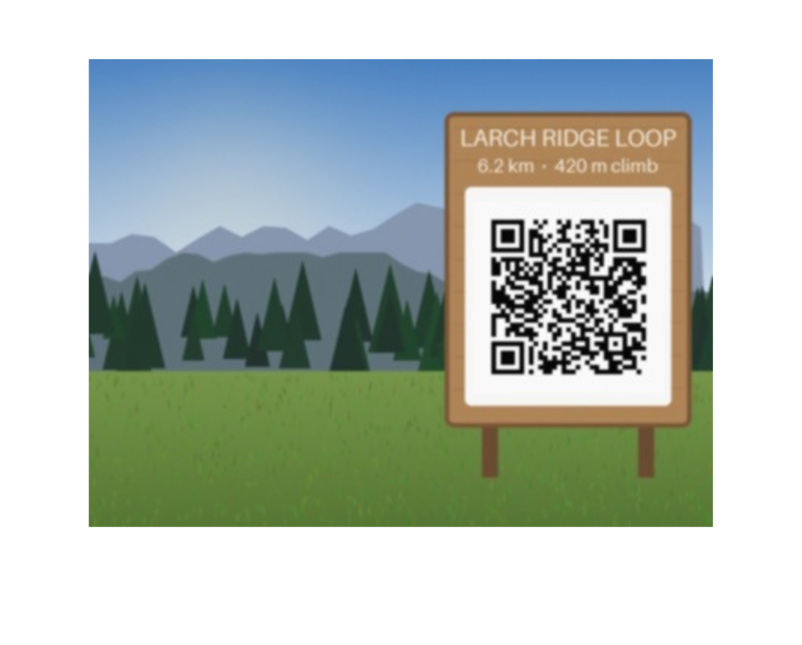
- A drawn mountain trailhead with a wooden sign and a QR code, made by us for these pages and saved at JPEG quality 92 with an EXIF block, an sRGB color profile and 300 dpi. (CC0-1.0). How it was made
- Made by
- 2026-11-04, API build
9eeeb0640aba
Parameters
Send these as form fields next to the file. Names are case-insensitive. If you set one of the documented options below that we don't support yet, the request fails with a 400 that names it instead of returning a file made without it.
| Parameter | What it does |
|---|---|
MarginHorizontalinteger, default 0 | Added to both sides of a slide that follows the photo. The sample's 15 widens it from 10.58 to 13.58 cm, and the photo is centered with 15 mm on each side. On a paper size it narrows the photo instead: Letter with 60 mm drew it 9.59 cm wide.Values: 0–500 (millimeters) |
MarginVerticalinteger, default 0 | Added to the slide's height, top and bottom. The photo's top edge is then placed by the slide layout, not centered: the sample's 15 mm became 10 mm above the photo and 20 mm below it.Values: 0–500 (millimeters) |
PageSizeenum, default default | A paper size for the slide. Letter is 8.5 × 11 in, and the 4.17 × 3.13 in photo keeps its full size there, centered left to right and 0.69 in from the top. With default the slide is the photo's own size and, unless you add margins, the photo is shrunk to 81% and inset 1 cm.Values: default, auto, a3, a4, a5, letter, legal |
PageOrientationenum, default default | landscape turns a named paper size sideways: Letter becomes an 11 × 8.5 in slide, with the photo 0.53 in from the top. Without PageSize the slide already follows the photo, and the value changes nothing.Values: default, portrait, landscape |
Rotateinteger | Degrees clockwise for the slide frame; left out, the EXIF orientation is used. The photo inside is not turned: Rotate=90 gave a portrait slide with the wide JPEG squeezed into a 5.94 × 7.92 cm box. Send Rotate=0 to stop sideways phone photos from getting the same treatment.Values: -360 to 360, or none |
FileNamestring | Name for the presentation; .pptx is added. Default: trailhead-sign.pptx. |
StoreFileboolean, default false | true swaps the base64 data for a link in Files[].Url that lasts 3 hours. |
Not supported yet
Setting one of these to anything but its default returns 400.
| Option | What to do instead |
|---|---|
EnableOcr | Only false is accepted; true returns 400 "EnableOcr is not supported yet", so words on a photographed slide or whiteboard are not turned into text boxes. |
OcrLanguage | Accepted at auto only; other values return 400. |
What carries over, and what doesn't
Kept
- The uploaded JPEG:
ppt/media/image1.jpgis the same 25,110 bytes as the input, EXIF block and color profile inside it - Full size when the slide has room: 10.58 × 7.94 cm, the sample's 400 × 300 pixels at 96 per inch
- The 4:3 shape, with the picture's aspect ratio locked in the file
- Horizontal centering on every slide size we tried
Lost or not yet supported
- Vertical centering. The photo's top is set by the slide layout: 10 mm down on the sample instead of 15, and 0.53 in down on an 11 × 8.5 in slide.
- The edges of a default slide. With no margins and no paper size, the photo is drawn at 81% with a 1 cm gap at the top and sides and 0.5 cm below.
- Turning the photo.
Rotateand EXIF orientation change the slide's shape only; a 300 × 200 test photo tagged Orientation 6 got a portrait slide with the photo squeezed into it. - The bottom of the photo when only
MarginHorizontalis sent. The slide stays as tall as the photo while the photo starts 1 cm down, so its last centimeter falls off the slide; sendMarginVerticaltoo. - The JPEG's 300 dpi for sizing: layout counts 96 pixels per inch.
- Titles, notes and text boxes. The slide holds the picture and nothing else, and the file has no title property.
Limits
- One JPEG per request, one slide per file.
- Requests up to 10 MB on the Free plan or 100 MB on paid plans.
- Photos up to 100,000,000 pixels; larger ones return 413.
- With no
PageSizea 4000 × 3000 photo makes a 41.67 × 31.25 in slide. Use a paper size for camera photos. - Margins 0 to 500 mm; a value that leaves no room on the chosen paper returns 400.
- 120 seconds per conversion.
Where teams use it
Photo slides from field or event uploads
Turn each uploaded photo into a slide that someone can drop into a briefing or a weekly update deck, with margins so it doesn't run to the slide's edge.
Decks built from a photo set
For several photos in one presentation, send them together to /v2/convert/images/to/pdf and convert that PDF with pdf-to-pptx. With two JPEGs this gave two slides, each holding its original JPEG.
Slides at a printable size
Set PageSize=letter or a4 with PageOrientation=landscape when the slides will be printed as handouts, so the page size is known before anyone opens PowerPoint.
Questions
Is there a 16:9 slide size?
No. The slide is either the photo's own size at 96 pixels per inch, plus any margins, or one of the paper sizes: A3, A4, A5, Letter and Legal, upright or landscape. Widescreen sizes are not in the list, and PageSize=b5 and other names return 400.
Why isn't the photo centered from top to bottom?
The slide layout centers it across but places its top a set distance down: 1 cm on small slides like the sample, more on paper sizes (0.53 in on Letter landscape). With 15 mm margins the sample's photo has 10 mm above and 20 mm below.
My portrait phone photo looks stretched. What happened?
The photo has an EXIF orientation tag, and the API uses it to make the slide portrait, but the picture itself is not turned and gets squeezed into the portrait box. Send Rotate=0 to keep the slide landscape and the picture undistorted, or run the photo through jpg-to-jpg first, which turns the pixels upright, and convert that file.
Does PowerPoint get a recompressed copy?
No. The JPEG is copied in unchanged, so its quality, EXIF data and color profile are exactly as uploaded. The sample's .pptx is 30,162 bytes, about 5 KB more than the photo.
Convert your first JPG file in a minute.