JPG to DOCX API
POST a JPEG to /v2/convert/jpg/to/docx and get a Word document with the photo as one inline picture. The JPEG goes into the .docx byte for byte, never recompressed: the sample's 25,110-byte photo sits on a Letter page inside a 27,639-byte file.
- Endpoint
- POST /v2/
convert/ jpg/ to/ docx - Accepts
- jpg
- Sample timing
- 24 ms median of 5 runsHow we measure
- Request size
- Up to 10 MB on the Free plan or 100 MB on paid plans, all files together
Request and response
Every sample below ran against the API before this page was published. Set PDFCONVERSIONAPI_KEY to your key and run it as is.
curl -sS -X POST \
  https://api.pdfconversionapi.com/v2/convert/jpg/to/docx \
  -H "Authorization: Bearer $PDFCONVERSIONAPI_KEY" \
  -F File=@trailhead-sign.jpg \
  --form-string PageSize=letter \
  -o response.json

# FileData is base64. Save the first file in converted/,
# or print the JSON error.
if jq -e '.Files' response.json > /dev/null; then
  mkdir -p converted
  name=$(jq -r '.Files[0].FileName' response.json)
  jq -r '.Files[0].FileData' response.json \
    | base64 --decode > "converted/$name"
else
  cat response.json
fi
import base64
import os
import requests
key = os.environ["PDFCONVERSIONAPI_KEY"]
response = requests.post(
"https://api.pdfconversionapi.com/v2/convert/jpg/to/docx",
headers={"Authorization": f"Bearer {key}"},
files=[("File", open("trailhead-sign.jpg", "rb"))],
data={
"PageSize": "letter",
},
timeout=180,
)
result = response.json()
if not response.ok:
raise SystemExit(f"{result['Code']}: {result['Message']}")
os.makedirs("converted", exist_ok=True)
for file in result["Files"]:
path = os.path.join("converted", file["FileName"])
with open(path, "wb") as out:
out.write(base64.b64decode(file["FileData"]))
print(path, file["FileSize"], "bytes")
import { mkdir, readFile, writeFile } from "node:fs/promises";
import { join } from "node:path";

const form = new FormData();
const file = "trailhead-sign.jpg";
form.append("File", new Blob([await readFile(file)]), file);
form.append("PageSize", "letter");

const url = "https://api.pdfconversionapi.com/v2/convert/jpg/to/docx";
const key = process.env.PDFCONVERSIONAPI_KEY;
const response = await fetch(url, {
  method: "POST",
  headers: { Authorization: `Bearer ${key}` },
  body: form,
});
const result = await response.json();
if (!response.ok) {
  throw new Error(`${result.Code}: ${result.Message}`);
}

await mkdir("converted", { recursive: true });
for (const file of result.Files) {
  const path = join("converted", file.FileName);
  await writeFile(path, Buffer.from(file.FileData, "base64"));
  console.log(path, file.FileSize, "bytes");
}
{
  "ConversionCost": 1,
  "ConversionTime": 0.024,
  "Files": [
    {
      "FileName": "trailhead-sign.docx",
      "FileExt": "docx",
      "FileSize": 27639,
      "FileData": "UEsDBBQAAAgIAAAAIQBrxkS6…"
    }
  ]
}
Response from our test run on 2026-11-03. ConversionTime shows the median of 5 runs. FileData is shortened here; the real response carries the whole file as base64.
The sample, converted
The same file the code sends. Download the input and the output and compare them yourself.
- Input
- trailhead-sign.jpg (25 KB)
- Output
- trailhead-sign.docx (27 KB)
- Source
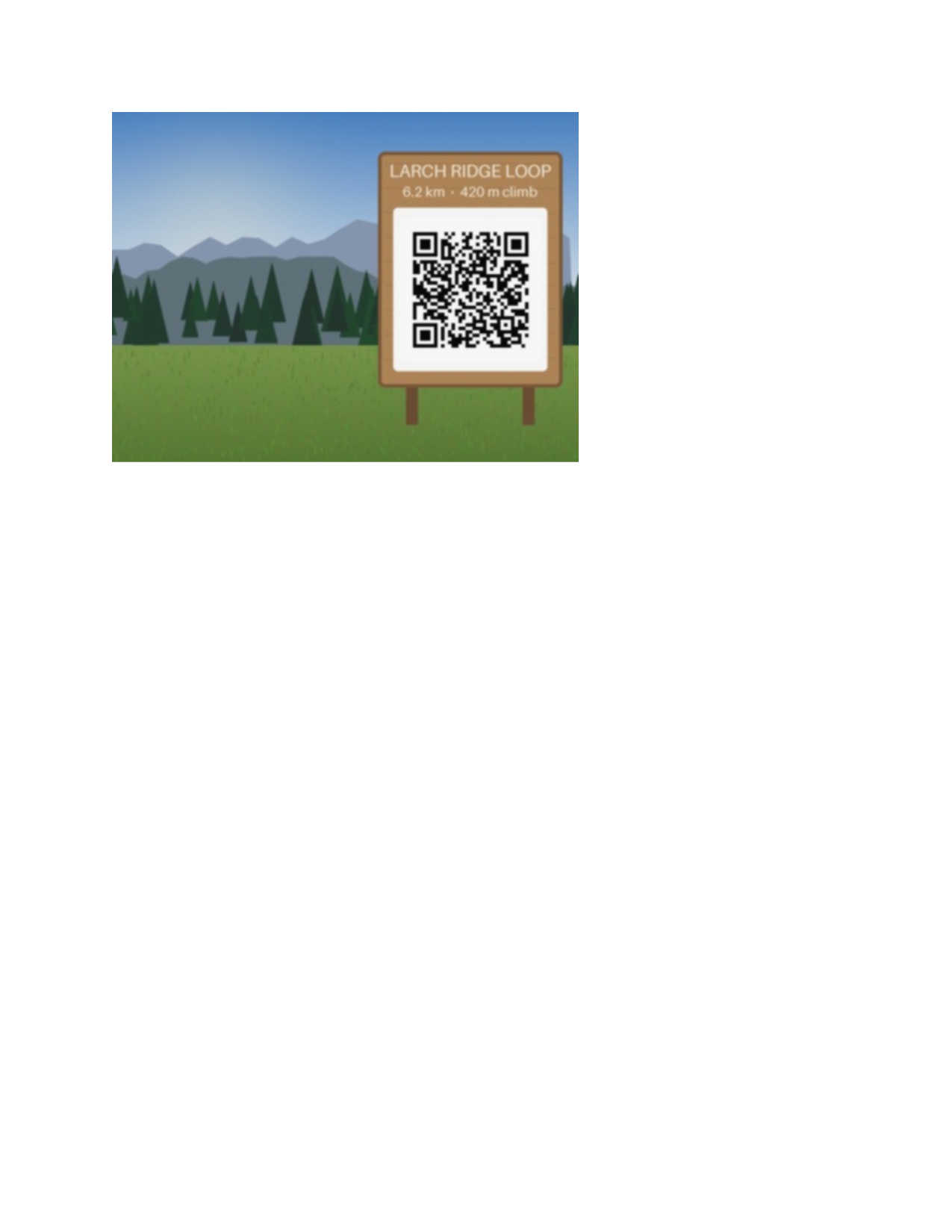
- A drawn mountain trailhead with a wooden sign and a QR code, made by us for these pages and saved at JPEG quality 92 with an EXIF block, an sRGB color profile and 300 dpi. (CC0-1.0). How it was made
- Made by
- 2026-11-04, API build
9eeeb0640aba
Parameters
Send these as form fields next to the file. Names are case-insensitive. If you set one of the documented options below that we don't support yet, the request fails with a 400 that names it instead of returning a file made without it.
| Parameter | What it does |
|---|---|
PageSizeenum, default default | Paper size of the Word page. The sample's letter gives 8.5 × 11 in with 1-inch margins, and the photo sits in the top-left corner of the text area at 4.17 × 3.13 in. With default or auto the page is cut to the photo (4.17 × 3.13 in for the sample) and the picture inside shrinks to 75% to clear the layout's own margins.Values: default, auto, a3, a4, a5, letter, legal |
PageOrientationenum, default default | landscape lays a named PageSize on its side, so Letter becomes 11 × 8.5 in. Sent without a page size it does nothing: the file came back identical to a request without it.Values: default, portrait, landscape |
MarginHorizontalinteger, default 0 | Space left and right of the photo. With no PageSize the page grows by twice the value: 20 made the sample's page 5.74 in wide. On a named size it limits how wide the photo may be drawn: Letter with 60 mm shrank it from 4.17 to 3.78 in. If nothing is left for the photo, the API answers 400.Values: 0–500 (millimeters) |
MarginVerticalinteger, default 0 | Space above and below. MarginVertical=10 with no page size made the page 3.91 in tall, the photo's 3.13 in plus 10 mm twice; inside the layout's margins the picture is then drawn 2.34 in tall.Values: 0–500 (millimeters) |
Rotateinteger | Degrees clockwise. Left out, the photo's EXIF orientation is used instead. In the Word file only the page and the picture frame turn: Rotate=90 made both portrait while the JPEG inside stayed landscape, so it is drawn squeezed. Rotate=0 is the useful value today, since it switches the EXIF turn off.Values: -360 to 360, or none |
FileNamestring | Base name of the document. FileName=trail-flyer returned trail-flyer.docx; without it the upload's name is kept, trailhead-sign.docx. |
StoreFileboolean, default false | true returns a download URL in Files[].Url, valid for 3 hours, in place of the base64 document. |
Not supported yet
Setting one of these to anything but its default returns 400.
| Option | What to do instead |
|---|---|
EnableOcr | true returns 400 "EnableOcr is not supported yet". The photo is placed as a picture; lettering in it does not become Word text. |
OcrLanguage | Only auto is accepted. OcrLanguage=en returns 400 "OcrLanguage=en is not supported yet (supported: auto)". |
What carries over, and what doesn't
Kept
- The JPEG itself:
word/media/image1.jpgin the sample is the uploaded file, same 25,110 bytes and same checksum - What that JPEG carries: its 138-byte EXIF block, sRGB color profile and 300 dpi header
- The photo's 4:3 shape in the picture frame (4.17 × 3.13 in on Letter)
- Full size on a paper size with room for it (4.17 × 3.13 in on Letter); a small photo is never enlarged. On a page cut to the photo it is drawn at 75%
Lost or not yet supported
- The JPEG's DPI as a size. Layout counts 96 pixels per inch, so the 300 dpi sample is 4.17 in wide in Word, not 1.33 in.
- Centering. On a named page size the photo is an inline picture at the top left of the text area, not in the middle of the page.
- Your millimeter values as Word's margins. They size the page, but the margins written into the file come from the layout: 1 in on Letter, about an eighth of each side when the page is cut to the photo.
- Rotation of the photo.
Rotateand EXIF orientation turn the frame only; a 300 × 200 test photo tagged Orientation 6 got a 1.56 × 2.34 in portrait frame, and our own renderer drew the wide JPEG squeezed into it. - The bottom of the photo when
MarginHorizontalis sent alone. The page stays as tall as the photo while the photo starts below the top margin, and our render ofMarginHorizontal=20cut off its last 0.39 in. SendMarginVerticalas well. - Document properties: the .docx has no title and no author, and nothing from the photo's EXIF is copied into them.
Limits
- One JPEG per request, giving one page. Two files return 400 "this conversion takes exactly one file".
- Requests up to 10 MB on the Free plan or 100 MB on paid plans.
- Photos up to 100,000,000 pixels; a 12,000 × 9,000 JPEG returned 413.
- With no
PageSize, large photos make large pages: a 4000 × 3000 JPEG came back on a 22 × 22 in page with the picture 20 in wide. - Margins from 0 to 500 mm, and never more than the page can hold.
- 120 seconds per conversion.
Where teams use it
Site photos in reports written in Word
When inspection, insurance or site-visit reports are finished in Word, convert each photo to a Letter or A4 page, then type the caption under it or paste the page into the report.
Portals that take .docx but not images
Some submission forms and review tools accept Word files only. Because the JPEG inside is the original, anyone who extracts it gets the camera file back, metadata included.
Several photos in one document
This route takes one JPEG. For a multi-page Word file, send the photos together to /v2/convert/images/to/pdf and convert that PDF with pdf-to-docx: two JPEGs gave two pages, both stored unchanged.
Questions
Is the photo recompressed?
No. The picture in the .docx is your JPEG, unchanged: in the sample, word/media/image1.jpg has the same 25,110 bytes and checksum as the upload. The Word XML around it adds about 2.5 KB, which is why the document is 27,639 bytes.
Why is my phone photo squashed?
Phones often store a portrait photo's pixels sideways and add an EXIF orientation tag. The API reads that tag and turns the page and picture frame to portrait, but the JPEG inside is not turned, so it is squeezed into the frame. Send Rotate=0 to keep the stored orientation undistorted, or run the photo through jpg-to-jpg first: it now turns the pixels upright, and the new JPEG then fills the portrait frame without distortion.
Does the GPS location in my photo end up in the Word file?
Yes, if the JPEG has one, because the picture inside is the original file with its EXIF block. To drop it, run the photo through jpg-to-jpg first: that writes a new JPEG with no EXIF and no color profile, turned upright by its orientation tag, which you then convert.
How large is the picture on the page?
Its pixel size at 96 per inch, reduced only when the page is too small. The 400 × 300 sample measures 4.17 × 3.13 in on Letter. A 4000 × 3000 photo on Letter is fitted to the 6.5 in text width, 6.5 × 4.88 in.
Can I center the photo or put it on a colored page?
Not with this route's options. The picture is placed inline at the start of the document, and the page has no background setting. Open the .docx in your own code or editor to change the paragraph alignment.
Convert your first JPG file in a minute.