VSDX to PNG API
POST a VSDX to /v2/convert/vsdx/to/png and get one PNG per drawing page, numbered -1, -2 and so on. Pages are drawn at 150 DPI unless you ask for another resolution or size, so a Letter landscape page comes back 1650 × 1275.
- Endpoint
- POST /v2/
convert/ vsdx/ to/ png - Accepts
- vsdx
- Sample timing
- 0.545 s median of 5 runsHow we measure
- Request size
- Up to 10 MB on the Free plan or 100 MB on paid plans, all files together
Request and response
Every sample below ran against the API before this page was published. Set PDFCONVERSIONAPI_KEY to your key and run it as is.
curl -sS -X POST \
  https://api.pdfconversionapi.com/v2/convert/vsdx/to/png \
  -H "Authorization: Bearer $PDFCONVERSIONAPI_KEY" \
  -F File=@bike-repair-workflow.vsdx \
  -o response.json

# FileData is base64. Save the first file in converted/,
# or print the JSON error.
if jq -e '.Files' response.json > /dev/null; then
  mkdir -p converted
  name=$(jq -r '.Files[0].FileName' response.json)
  jq -r '.Files[0].FileData' response.json \
    | base64 --decode > "converted/$name"
else
  cat response.json
fi
import base64
import os
import requests
key = os.environ["PDFCONVERSIONAPI_KEY"]
response = requests.post(
"https://api.pdfconversionapi.com/v2/convert/vsdx/to/png",
headers={"Authorization": f"Bearer {key}"},
files=[("File", open("bike-repair-workflow.vsdx", "rb"))],
timeout=180,
)
result = response.json()
if not response.ok:
raise SystemExit(f"{result['Code']}: {result['Message']}")
os.makedirs("converted", exist_ok=True)
for file in result["Files"]:
path = os.path.join("converted", file["FileName"])
with open(path, "wb") as out:
out.write(base64.b64decode(file["FileData"]))
print(path, file["FileSize"], "bytes")
import { mkdir, readFile, writeFile } from "node:fs/promises";
import { join } from "node:path";

const form = new FormData();
const file = "bike-repair-workflow.vsdx";
form.append("File", new Blob([await readFile(file)]), file);

const url = "https://api.pdfconversionapi.com/v2/convert/vsdx/to/png";
const key = process.env.PDFCONVERSIONAPI_KEY;
const response = await fetch(url, {
  method: "POST",
  headers: { Authorization: `Bearer ${key}` },
  body: form,
});
const result = await response.json();
if (!response.ok) {
  throw new Error(`${result.Code}: ${result.Message}`);
}

await mkdir("converted", { recursive: true });
for (const file of result.Files) {
  const path = join("converted", file.FileName);
  await writeFile(path, Buffer.from(file.FileData, "base64"));
  console.log(path, file.FileSize, "bytes");
}
{
  "ConversionCost": 1,
  "ConversionTime": 0.545,
  "Files": [
    {
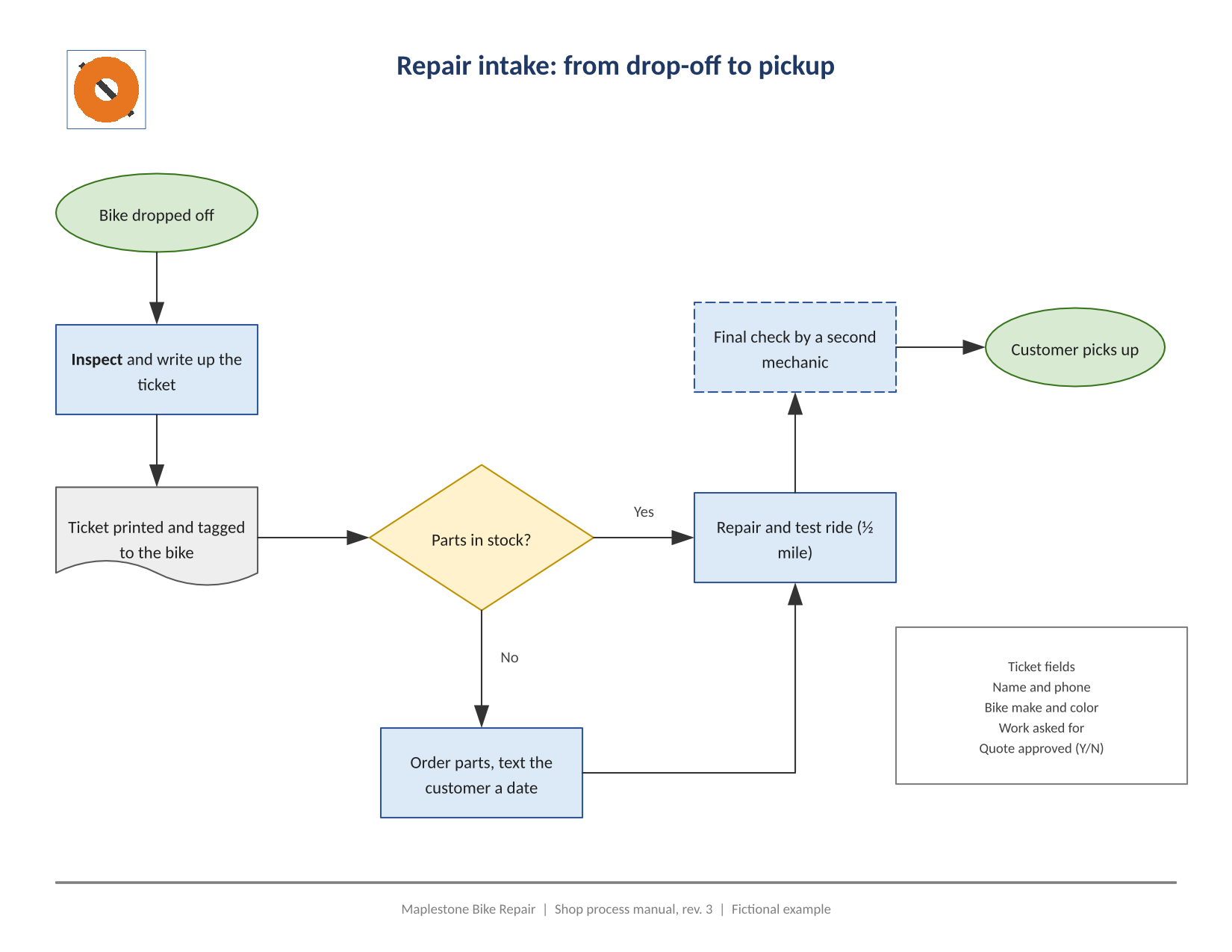
      "FileName": "bike-repair-workflow-1.png",
      "FileExt": "png",
      "FileSize": 167697,
      "FileData": "iVBORw0KGgoAAAANSUhEUgAA…"
    },
    {
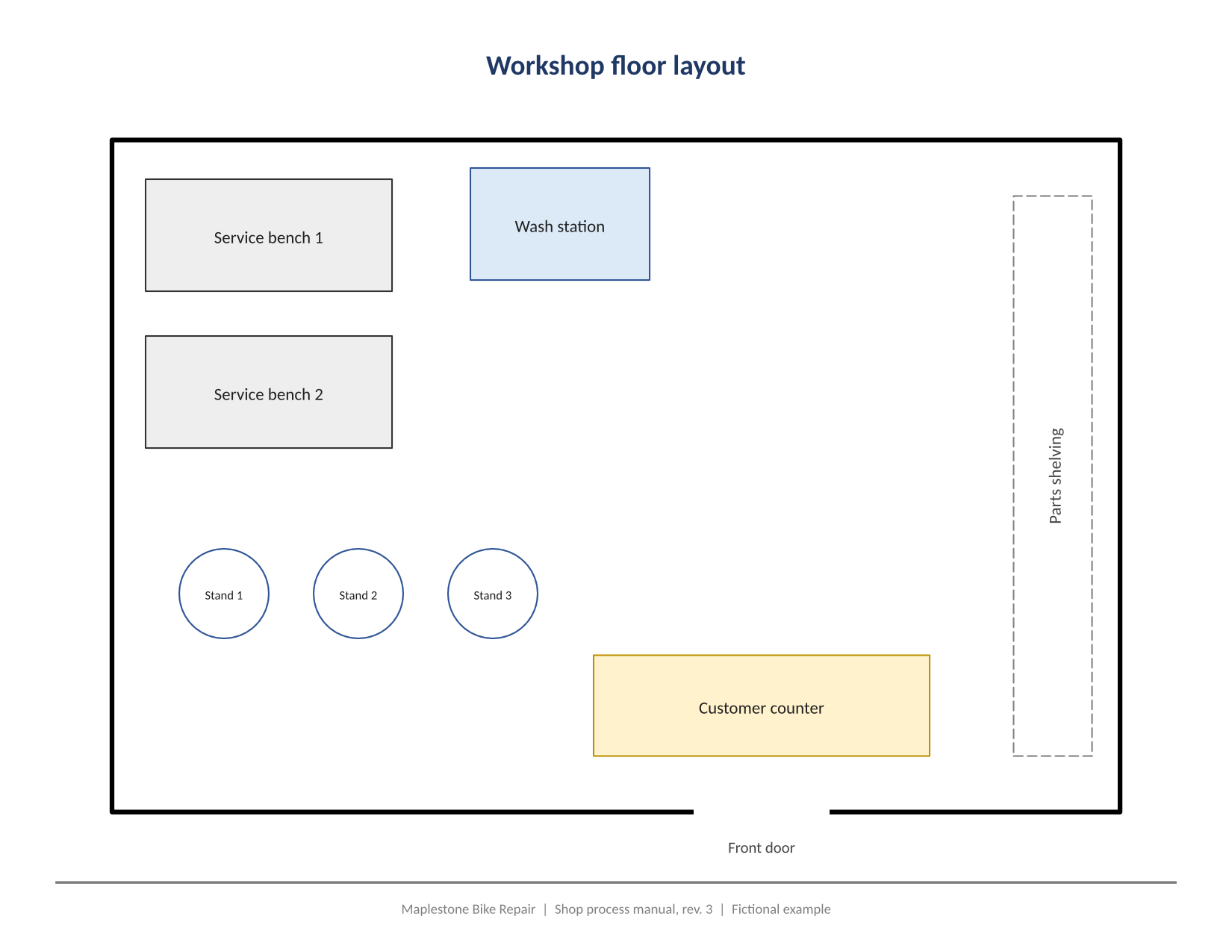
      "FileName": "bike-repair-workflow-2.png",
      "FileExt": "png",
      "FileSize": 103339,
      "FileData": "iVBORw0KGgoAAAANSUhEUgAA…"
    }
  ]
}
Response from our test run on 2026-11-03. ConversionTime shows the median of 5 runs. FileData is shortened here; the real response carries the whole file as base64.
The sample, converted
The same file the code sends. Download the input and the output and compare them yourself.
- Input
- bike-repair-workflow.vsdx (7.8 KB)
- Output
- bike-repair-workflow-1.png (164 KB)bike-repair-workflow-2.png (101 KB)
- Source
- A two-page Visio drawing for a fictional bike shop, a repair intake flowchart and a workshop floor layout, which we wrote by hand from the VSDX package format (CC0-1.0). How it was made
- Made by
- 2026-11-04, API build
9eeeb0640aba
Parameters
Send these as form fields next to the file. Names are case-insensitive. If you set one of the documented options below that we don't support yet, the request fails with a 400 that names it instead of returning a file made without it.
| Parameter | What it does |
|---|---|
ImageResolutioninteger, default 150 | Drawing resolution in DPI, also written into the PNG. At 200, ConvertAPI's default, the sample pages are 2200 × 1700; at 96 they are 1056 × 816 and shrink to 93,870 and 54,758 bytes.Values: 36–600 |
ImageWidthinteger | Pixel width of each PNG; the height follows the page's proportions, so 1200 gives 1200 × 927 for the sample. The page is drawn at that size rather than scaled afterwards.Values: 1–20000 |
ImageHeightinteger | Pixel height; with ImageWidth too, each page is fitted inside the box.Values: 1–20000 |
ScaleProportionsboolean, default true | false stretches each page to exactly ImageWidth × ImageHeight, such as 1200 × 600. |
ScaleIfLargerboolean, default false | true only ever makes pages smaller: ImageWidth=3000 then leaves the sample at its 150 DPI size instead of 3000 × 2318. |
PageRangestring | Pages to draw. 2 returns only bike-repair-workflow-2.png.Values: e.g. 2, 1-3, 2-last |
TransparentColorstring | Every pixel of exactly this color becomes transparent. white clears the page background and the white shape fills: 1,822,636 of page 1's 2,103,750 pixels. Only then does the PNG carry an alpha channel; together with ColorSpace=gray it becomes a gray PNG with alpha (83,513 bytes for page 1).Values: A color name, #RRGGBB or R,G,B |
ColorSpaceenum, default default | gray (63,312 bytes for page 1) or monochrome (23,843 bytes, only black and white). rgb returns the same 167,697-byte RGB file as the default, which has no alpha channel. cmyk returns 400.Values: default, rgb, gray, grayscale, monochrome |
BackgroundColorstring, default white | Painted behind each page. Visio pages are drawn with an opaque white page of their own that reaches every edge, so in the sample black returned the same files as the default.Values: A color name, #RRGGBB or R,G,B |
FileNamestring | Stem of the numbered files: bike-repair-workflow-1.png and so on, unless you set it. |
StoreFileboolean, default false | Return a link for each PNG, valid 3 hours, instead of the image data. |
Not supported yet
Setting one of these to anything but its default returns 400.
| Option | What to do instead |
|---|---|
PageSize | Page sizes come from the drawing; PageSize returns 400 "PageSize is not supported yet for VSDX files". |
PageOrientation | Taken from the drawing as well. |
What carries over, and what doesn't
Kept
- Each drawing page as its own PNG, in page order and named by page number
- The page size from the file: the 11 × 8.5 in pages become 1650 × 1275 pixels at 150 DPI
- Shape fills, line weights, dashed outlines, arrowheads and the rotated shelving label as in the PDF route
- Text drawn from the real fonts or metric-compatible stand-ins (Carlito for Calibri), with the bold word in the Inspect box
- Pictures placed in the drawing, such as the orange badge on page 1
- A DPI value in the PNG whenever you send
ImageResolution
Lost or not yet supported
- Hyperlinks and shape data don't survive, as in any image.
- Text can't be selected or searched; for that, convert to PDF.
- A drawing with pages of different sizes gets every page at the largest width and height (11 × 11 in for a Letter landscape plus portrait test), so portrait pages come out with empty space.
BackgroundColorhas no visible effect, because the page itself is painted white from edge to edge; useTransparentColor=whiteto remove it.
Limits
- One VSDX per request; up to 2,000 pages drawn per request.
- A page may be at most 16,000 pixels on a side and 100 million pixels in all, or the request returns 413.
- A file that can't be read as VSDX returns 422.
- Requests up to 10 MB on the Free plan or 100 MB on paid plans, all files and fields together.
- 120 seconds per conversion, then 504.
Where teams use it
Diagrams in a wiki or a help center
Process maps live in Visio, but readers look at them in a browser. Convert each page to PNG when the VSDX changes and embed the images in the article.
Flowcharts on slides and colored backgrounds
With TransparentColor=white the page background drops out, so the flowchart sits on any slide color. Shapes filled white become see-through too, which suits outline-style diagrams.
Thumbnails of every page
ImageWidth=400 draws each page directly at thumbnail size for a file browser that shows what a drawing contains.
Questions
How do I get one image instead of one per page?
Ask for the page you want with PageRange, for example PageRange=1. Each PNG holds one page; the API doesn't stitch pages together.
Why is my image 1650 pixels wide and not 2200?
We draw at 150 DPI when ImageResolution is left out; ConvertAPI documents 200. Send ImageResolution=200 to get 2200 × 1700 for a Letter landscape page.
Can the PNG have a transparent background?
Yes, with TransparentColor=white. Pixels that are exactly white become transparent, which includes white shape fills; antialiased edges keep their light gray.
Does `ImageWidth` blur the drawing?
No. With ImageWidth or ImageHeight, the page is drawn at the scale that size needs, so 3000 pixels wide is as sharp as 3000 pixels can be.
Convert your first VSDX file in a minute.