Extract email attachments API
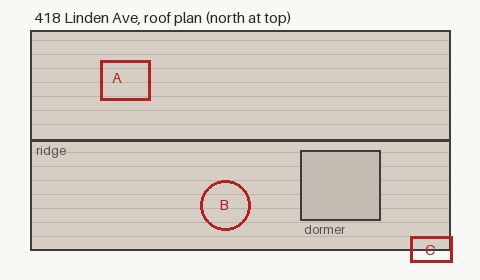
POST a message to /v2/convert/email/to/extract and each attachment comes back as a separate file in Files, decoded from the message. The roof inspection sample returned five: the inline roof plan, a PDF estimate, a calendar invite and two photos that were both named image.jpg.
- Endpoint
- POST /v2/
convert/ email/ to/ extract - Accepts
- Sample timing
- 1 ms median of 5 runsHow we measure
- Request size
- Up to 10 MB on the Free plan or 100 MB on paid plans, all files together
Request and response
Every sample below ran against the API before this page was published. Set PDFCONVERSIONAPI_KEY to your key and run it as is.
curl -sS -X POST \
  https://api.pdfconversionapi.com/v2/convert/email/to/extract \
  -H "Authorization: Bearer $PDFCONVERSIONAPI_KEY" \
  -F File=@roof-inspection-418-linden.eml \
  -o response.json

# FileData is base64. Save the first file in converted/,
# or print the JSON error.
if jq -e '.Files' response.json > /dev/null; then
  mkdir -p converted
  name=$(jq -r '.Files[0].FileName' response.json)
  jq -r '.Files[0].FileData' response.json \
    | base64 --decode > "converted/$name"
else
  cat response.json
fi
import base64
import os
import requests
key = os.environ["PDFCONVERSIONAPI_KEY"]
response = requests.post(
"https://api.pdfconversionapi.com/v2/convert/email/to/extract",
headers={"Authorization": f"Bearer {key}"},
files=[
("File", open("roof-inspection-418-linden.eml", "rb")),
],
timeout=180,
)
result = response.json()
if not response.ok:
raise SystemExit(f"{result['Code']}: {result['Message']}")
os.makedirs("converted", exist_ok=True)
for file in result["Files"]:
path = os.path.join("converted", file["FileName"])
with open(path, "wb") as out:
out.write(base64.b64decode(file["FileData"]))
print(path, file["FileSize"], "bytes")
import { mkdir, readFile, writeFile } from "node:fs/promises";
import { join } from "node:path";

const form = new FormData();
const file = "roof-inspection-418-linden.eml";
form.append("File", new Blob([await readFile(file)]), file);

const url = "https://api.pdfconversionapi.com/v2/convert/email/to/extract";
const key = process.env.PDFCONVERSIONAPI_KEY;
const response = await fetch(url, {
  method: "POST",
  headers: { Authorization: `Bearer ${key}` },
  body: form,
});
const result = await response.json();
if (!response.ok) {
  throw new Error(`${result.Code}: ${result.Message}`);
}

await mkdir("converted", { recursive: true });
for (const file of result.Files) {
  const path = join("converted", file.FileName);
  await writeFile(path, Buffer.from(file.FileData, "base64"));
  console.log(path, file.FileSize, "bytes");
}
{
  "ConversionCost": 1,
  "ConversionTime": 0.001,
  "Files": [
    {
      "FileName": "roof-diagram.png",
      "FileExt": "png",
      "FileSize": 6292,
      "FileData": "iVBORw0KGgoAAAANSUhEUgAA…"
    },
    {
      "FileName": "estimate-R-3318.pdf",
      "FileExt": "pdf",
      "FileSize": 29183,
      "FileData": "JVBERi0xLjcKJYCAgIAKMSAw…"
    },
    {
      "FileName": "follow-up-visit.ics",
      "FileExt": "ics",
      "FileSize": 513,
      "FileData": "QkVHSU46VkNBTEVOREFSDQpW…"
    },
    … 2 more files
  ]
}
Response from our test run on 2026-11-03. ConversionTime shows the median of 5 runs. FileData is shortened here; the real response carries the whole file as base64.
The sample, converted
The same file the code sends. Download the input and the output and compare them yourself.
- Input
- roof-inspection-418-linden.eml (77 KB)
- Output
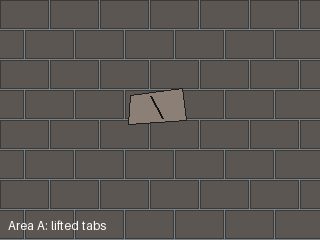
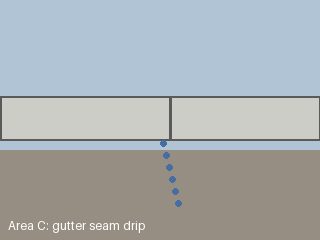
- roof-diagram.png (6.1 KB)estimate-R-3318.pdf (28 KB)follow-up-visit.ics (513 bytes)image.jpg (9.7 KB)image-2.jpg (5.0 KB)
- Source
- A fictional two-page roof inspection email with an inline roof plan and four attachments, written and drawn by us for this site. (CC0-1.0). How it was made
- Made by
- 2026-11-04, API build
9eeeb0640aba
Parameters
Send these as form fields next to the file. Names are case-insensitive. If you set one of the documented options below that we don't support yet, the request fails with a 400 that names it instead of returning a file made without it.
| Parameter | What it does |
|---|---|
IgnoreInlineAttachmentsboolean, default false | true leaves out parts shown inside the body: in an .eml those marked Content-Disposition: inline, in a .msg those with a content ID. The sample then returns four files, without roof-diagram.png. |
UseCIDAsFileNameboolean, default false | true names a part that has a Content-ID after that ID, keeping the original extension. <roof-diagram.418@ridgeline-roofing.example> becomes roof-diagram.418_ridgeline-roofing.example.png; parts without an ID keep their names. |
StoreFileboolean, default false | true stores each extracted file for 3 hours and returns one download URL per attachment in Files[].Url, which keeps large attachments out of the JSON. |
What carries over, and what doesn't
Kept
- The files' bytes: all five of the sample's attachments, the PDF estimate included, were byte-identical to the files that went into the message
- The original file names, including accented ones such as Résumé été.txt and the case of the extension (notes.TXT)
- Images embedded in the HTML body with cid:, which are returned too unless you send
IgnoreInlineAttachments=true - Duplicate names, made unique with -2, -3 before the extension: image.jpg and image-2.jpg in the sample, notes-3.TXT in our test
- Attachments of Outlook .msg files: our site report message gave its chart, CSV and photo
- Outlook's winmail.dat and S/MIME parts as the files they are; nothing is unpacked or decrypted
Lost or not yet supported
- Names of attachments that have none. They become attachment, attachment-2 and so on, and the API adds
.extractto the file name, whileFileExtcomes back empty. - The .eml extension of a forwarded message. An attached message without a file name returned its raw text as
attachment.extract, which you can rename to .eml and send back here. - Characters that are unsafe in file names.
../../etc/pass wd?.txtcame back as_.._etc_pass wd_.txt; slashes, question marks and other symbols are each replaced by an _ character. - Extensions longer than 10 letters or with characters other than ASCII letters and digits, which are shortened or filtered.
- The message itself: subject, sender and body are not returned here. Use
/v2/convert/email/to/metadatafor those as JSON. FileName, which is not used here; every file keeps its own name.
Limits
- One message per request; two files return 400 "this conversion takes exactly one file".
- Requests up to 10 MB on the Free plan or 100 MB on paid plans, all files and fields together. Inside an .eml, base64 makes each attachment about a third larger.
- A message with no attachments returns 422 "the input file could not be read: the e-mail has no attachments".
- A file that is not a message returns 422 "the input file could not be read: this is not an e-mail message"; a damaged .msg returns 422 "the Outlook message is damaged".
- An attachment is never larger than the message it arrives in, so the request limit above caps every file as attached, and each comes back at the size it was attached.
- 120 seconds per request.
Where teams use it
Inbound invoices and documents
When suppliers email invoices to an inbox, pass each raw message here and route the returned PDF or XLSX to the parser for its type. Files come back with their own names, so estimate-R-3318.pdf stays estimate-R-3318.pdf.
Converting attachments one by one
The email to PDF and image routes list attachments but never convert them. Extract them here, then send each to its own route, such as a DOCX to /v2/convert/docx/to/pdf, and merge the results if you need one file.
Saving photos from field reports
Two attachments can share a name: the sample carries two photos both called image.jpg. The API keeps both, renaming the second image-2.jpg, so a batch job can store them without one overwriting the other.
Questions
Does it accept both .eml and .msg?
Yes. The route is email/to/extract for both, and the converter tells them apart by the file's first bytes. The sample is an .eml; our Outlook test message, sent to the same URL, returned progress-week-9.png, rfi-log-week-9.csv and east-wall-opening.jpg.
Why is there an image I never attached?
It is probably an inline image: a logo, signature or chart the HTML body shows with cid:. Those are attachments in the message's structure, and the sample's roof plan is one. Send IgnoreInlineAttachments=true to get only the files a person attached.
Are the files changed in any way?
Not their contents. Each file is decoded from the message's transfer encoding (base64 for every attachment in the sample) and returned byte for byte: the roof plan, the PDF estimate, the calendar file and both JPEGs matched the originals, and so did the PDFs and the HTML file in our other test messages. Only names can change, when two collide or contain unsafe characters.
What happens with a forwarded email attached to the message?
Its raw message text is returned as one file. If the part had no file name, as in our test, it is called attachment.extract; rename it to .eml and send it to this route again to get its own attachments, or to /v2/convert/eml/to/pdf to read it.
Can I unpack winmail.dat?
Not here. A winmail.dat from Outlook's rich-text format is returned as a single file, the way it was attached, and its contents are not opened.
Convert your first EMAIL file in a minute.