ODP to PNG API
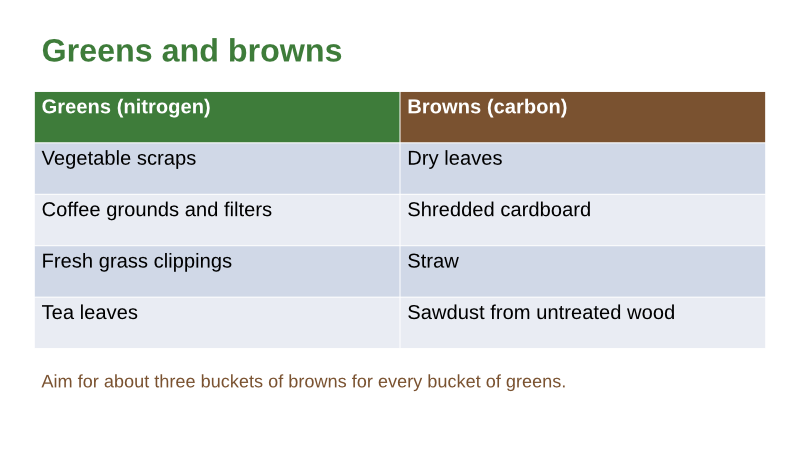
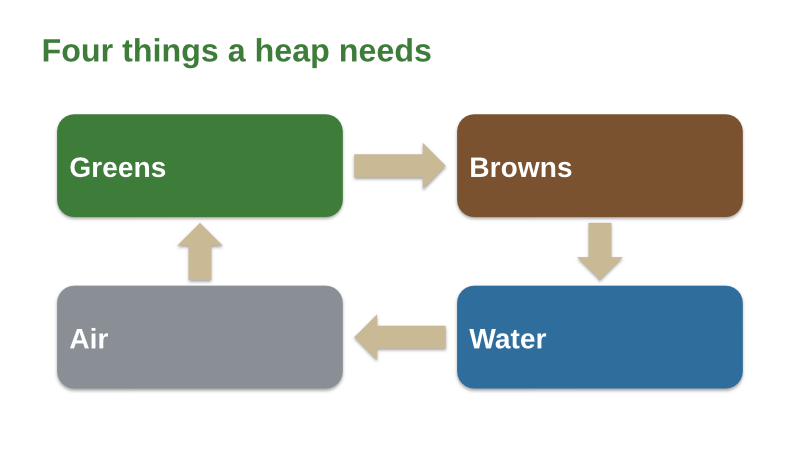
POST /v2/convert/odp/to/png draws each visible slide of an OpenDocument presentation as a lossless PNG. With ImageWidth=800, our composting workshop returned four 800 × 450 images, from 35,317 bytes for the cycle diagram to 72,737 for the table.
- Endpoint
- POST /v2/
convert/ odp/ to/ png - Accepts
- odp
- Sample timing
- 0.792 s median of 5 runsHow we measure
- Request size
- Up to 10 MB on the Free plan or 100 MB on paid plans, all files together
Request and response
Every sample below ran against the API before this page was published. Set PDFCONVERSIONAPI_KEY to your key and run it as is.
curl -sS -X POST \
  https://api.pdfconversionapi.com/v2/convert/odp/to/png \
  -H "Authorization: Bearer $PDFCONVERSIONAPI_KEY" \
  -F File=@compost-workshop.odp \
  --form-string ImageWidth=800 \
  -o response.json

# FileData is base64. Save the first file in converted/,
# or print the JSON error.
if jq -e '.Files' response.json > /dev/null; then
  mkdir -p converted
  name=$(jq -r '.Files[0].FileName' response.json)
  jq -r '.Files[0].FileData' response.json \
    | base64 --decode > "converted/$name"
else
  cat response.json
fi
import base64
import os
import requests
key = os.environ["PDFCONVERSIONAPI_KEY"]
response = requests.post(
"https://api.pdfconversionapi.com/v2/convert/odp/to/png",
headers={"Authorization": f"Bearer {key}"},
files=[("File", open("compost-workshop.odp", "rb"))],
data={
"ImageWidth": "800",
},
timeout=180,
)
result = response.json()
if not response.ok:
raise SystemExit(f"{result['Code']}: {result['Message']}")
os.makedirs("converted", exist_ok=True)
for file in result["Files"]:
path = os.path.join("converted", file["FileName"])
with open(path, "wb") as out:
out.write(base64.b64decode(file["FileData"]))
print(path, file["FileSize"], "bytes")
import { mkdir, readFile, writeFile } from "node:fs/promises";
import { join } from "node:path";

const form = new FormData();
const file = "compost-workshop.odp";
form.append("File", new Blob([await readFile(file)]), file);
form.append("ImageWidth", "800");

const url = "https://api.pdfconversionapi.com/v2/convert/odp/to/png";
const key = process.env.PDFCONVERSIONAPI_KEY;
const response = await fetch(url, {
  method: "POST",
  headers: { Authorization: `Bearer ${key}` },
  body: form,
});
const result = await response.json();
if (!response.ok) {
  throw new Error(`${result.Code}: ${result.Message}`);
}

await mkdir("converted", { recursive: true });
for (const file of result.Files) {
  const path = join("converted", file.FileName);
  await writeFile(path, Buffer.from(file.FileData, "base64"));
  console.log(path, file.FileSize, "bytes");
}
{
  "ConversionCost": 1,
  "ConversionTime": 0.792,
  "Files": [
    {
      "FileName": "compost-workshop-1.png",
      "FileExt": "png",
      "FileSize": 46926,
      "FileData": "iVBORw0KGgoAAAANSUhEUgAA…"
    },
    {
      "FileName": "compost-workshop-2.png",
      "FileExt": "png",
      "FileSize": 72737,
      "FileData": "iVBORw0KGgoAAAANSUhEUgAA…"
    },
    {
      "FileName": "compost-workshop-3.png",
      "FileExt": "png",
      "FileSize": 35317,
      "FileData": "iVBORw0KGgoAAAANSUhEUgAA…"
    },
    … 1 more files
  ]
}
Response from our test run on 2026-11-03. ConversionTime shows the median of 5 runs. FileData is shortened here; the real response carries the whole file as base64.
The sample, converted
The same file the code sends. Download the input and the output and compare them yourself.
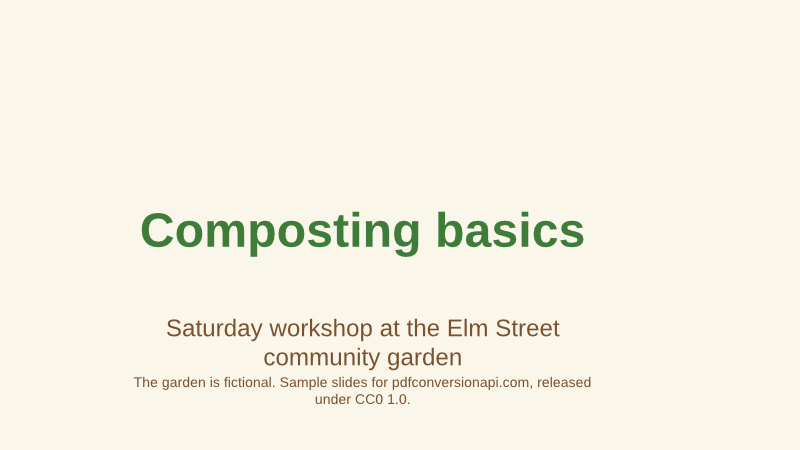
- Input
- compost-workshop.odp (40 KB)
- Output
- compost-workshop-1.png (46 KB)compost-workshop-2.png (71 KB)compost-workshop-3.png (34 KB)compost-workshop-4.png (64 KB)
- Source
- Five OpenDocument slides for a composting workshop at a fictional community garden, with a table, a diagram drawn from shapes and one hidden slide. We made them for this page. (CC0-1.0). How it was made
- Made by
- 2026-11-04, API build
9eeeb0640aba
Parameters
Send these as form fields next to the file. Names are case-insensitive. If you set one of the documented options below that we don't support yet, the request fails with a 400 that names it instead of returning a file made without it.
| Parameter | What it does |
|---|---|
ImageWidthinteger | Exact width; 800 gives 800 × 450 for these 16:9 slides.Values: 1–20,000 |
ImageHeightinteger | Exact height, width in proportion.Values: 1–20,000 |
ImageResolutioninteger, default 150 | Used without a size: 1,653 × 930 at 150, where the table slide is 169,610 bytes. Sent explicitly, it is stored in the PNG.Values: 36–600 |
BackgroundColorstring, default white | ConvertAPI documents it for ODP with White as the default. It is accepted, but each slide paints its own background over the whole image, so red gave exactly the same pixels as leaving it out, at 800 wide and at the default 150 DPI. |
TransparentColorstring | One exact color becomes transparent: white on the diagram slide at 800 wide cleared 60.8% of the pixels. |
PageRangestring | Slides to draw, skipping hidden ones: 3 returns only the diagram.Values: e.g. 3, 1-2 |
ConvertHiddenSlidesboolean, default false | Include the hidden facilitator checklist as page 4. |
Passwordstring | Opens a password-protected .odp; our locked copy drew its table slide with it. |
FileNamestring | Replaces compost-workshop in the names. |
Not supported yet
Setting one of these to anything but its default returns 400.
| Option | What to do instead |
|---|---|
ConvertSpeakerNotes | Not drawn; values other than Disabled return 400. |
PageSize | Images take the slide's shape; PageSize returns 400 "PageSize is not supported yet for ODP files". |
What carries over, and what doesn't
Kept
- Text on colored boxes with no compression noise
- Soft shadows under the diagram boxes and arrows
- The table's colored header cells and alternating row shading
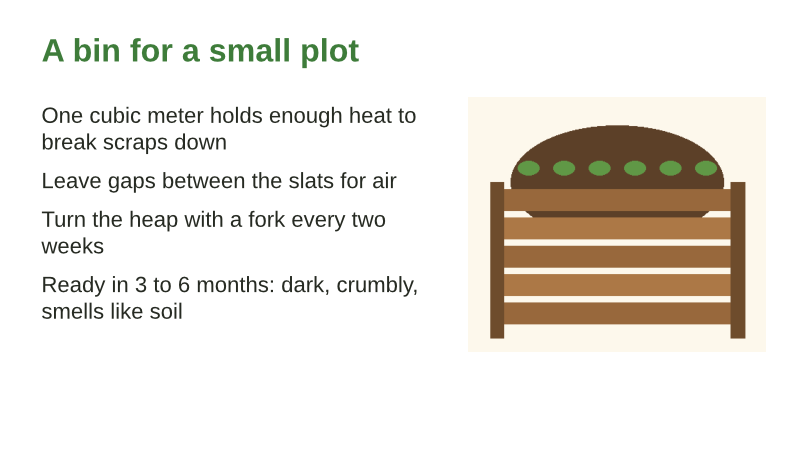
- The bin picture next to its four bullet points
Lost or not yet supported
- Small files: the table slide at 1,653 × 930 is 169,610 bytes as PNG.
- The note under the diagram slide.
- The hidden facilitator slide, unless
ConvertHiddenSlides=true.
Limits
- 2,000 slides per request.
- 16,000 pixels per side; 100 million pixels per image.
- 10 MB on the Free plan or 100 MB on paid plans per request; 120 seconds per conversion, then 504.
Where teams use it
Diagrams for a wiki or a how-to page
Lift the four-step cycle diagram out of the workshop slides as a PNG for a garden's wiki. Lossless edges keep the white labels on colored boxes clean.
Slides for documentation with transparency
Key out the white page with TransparentColor=white and place the diagram on any background in a guide or a poster.
Questions
Does BackgroundColor change the slides?
No. Each slide is drawn with its own white or cream background, which reaches every edge of the image, so BackgroundColor=red returned the same pixels as no option at all. Use TransparentColor=white if you want the white area gone.
Which slides do I get?
The 4 visible ones. Slide 4 of the file, the facilitator checklist, is hidden, so the bin slide is page 4 here. With ConvertHiddenSlides=true you get 5 images.
How do I make thumbnails?
Set ImageWidth, for example 320, and the height follows the 16:9 slide. For a fixed box, send both ImageWidth and ImageHeight and the slide is fitted inside.
Convert your first ODP file in a minute.