PDF to PDF API
Send a PDF with PdfTitle, PdfAuthor, OpenPage or other settings to POST /v2/convert/pdf/to/pdf. The same document comes back saved again, with those properties changed and its pages untouched.
- Endpoint
- POST /v2/
convert/ pdf/ to/ pdf - Accepts
- Sample timing
- 23 ms median of 5 runsHow we measure
- Request size
- Up to 10 MB on the Free plan or 100 MB on paid plans, all files together
Request and response
Every sample below ran against the API before this page was published. Set PDFCONVERSIONAPI_KEY to your key and run it as is.
curl -sS -X POST \
  https://api.pdfconversionapi.com/v2/convert/pdf/to/pdf \
  -H "Authorization: Bearer $PDFCONVERSIONAPI_KEY" \
  -F File=@greenhouse-inspection.pdf \
  --form-string 'PdfTitle=House 3 climate inspection, October 2026' \
  --form-string 'PdfKeywords=greenhouse; climate; House 3' \
  --form-string 'PdfSubject='"'"' '"'"'' \
  --form-string OpenPage=2 \
  --form-string OpenZoom=FitWidth \
  -o response.json

# FileData is base64. Save the first file in converted/,
# or print the JSON error.
if jq -e '.Files' response.json > /dev/null; then
  mkdir -p converted
  name=$(jq -r '.Files[0].FileName' response.json)
  jq -r '.Files[0].FileData' response.json \
    | base64 --decode > "converted/$name"
else
  cat response.json
fi
import base64
import os
import requests
key = os.environ["PDFCONVERSIONAPI_KEY"]
response = requests.post(
"https://api.pdfconversionapi.com/v2/convert/pdf/to/pdf",
headers={"Authorization": f"Bearer {key}"},
files=[("File", open("greenhouse-inspection.pdf", "rb"))],
data={
"PdfTitle": "House 3 climate inspection, October 2026",
"PdfKeywords": "greenhouse; climate; House 3",
"PdfSubject": "' '",
"OpenPage": "2",
"OpenZoom": "FitWidth",
},
timeout=180,
)
result = response.json()
if not response.ok:
raise SystemExit(f"{result['Code']}: {result['Message']}")
os.makedirs("converted", exist_ok=True)
for file in result["Files"]:
path = os.path.join("converted", file["FileName"])
with open(path, "wb") as out:
out.write(base64.b64decode(file["FileData"]))
print(path, file["FileSize"], "bytes")
import { mkdir, readFile, writeFile } from "node:fs/promises";
import { join } from "node:path";

const form = new FormData();
const file = "greenhouse-inspection.pdf";
form.append("File", new Blob([await readFile(file)]), file);
form.append(
  "PdfTitle",
  "House 3 climate inspection, October 2026",
);
form.append("PdfKeywords", "greenhouse; climate; House 3");
form.append("PdfSubject", "' '");
form.append("OpenPage", "2");
form.append("OpenZoom", "FitWidth");

const url = "https://api.pdfconversionapi.com/v2/convert/pdf/to/pdf";
const key = process.env.PDFCONVERSIONAPI_KEY;
const response = await fetch(url, {
  method: "POST",
  headers: { Authorization: `Bearer ${key}` },
  body: form,
});
const result = await response.json();
if (!response.ok) {
  throw new Error(`${result.Code}: ${result.Message}`);
}

await mkdir("converted", { recursive: true });
for (const file of result.Files) {
  const path = join("converted", file.FileName);
  await writeFile(path, Buffer.from(file.FileData, "base64"));
  console.log(path, file.FileSize, "bytes");
}
{
  "ConversionCost": 1,
  "ConversionTime": 0.023,
  "Files": [
    {
      "FileName": "greenhouse-inspection.pdf",
      "FileExt": "pdf",
      "FileSize": 117652,
      "FileData": "JVBERi0xLjcKJeLjz9MKOSAw…"
    }
  ]
}
Response from our test run on 2026-11-03. ConversionTime shows the median of 5 runs. FileData is shortened here; the real response carries the whole file as base64.
The sample, converted
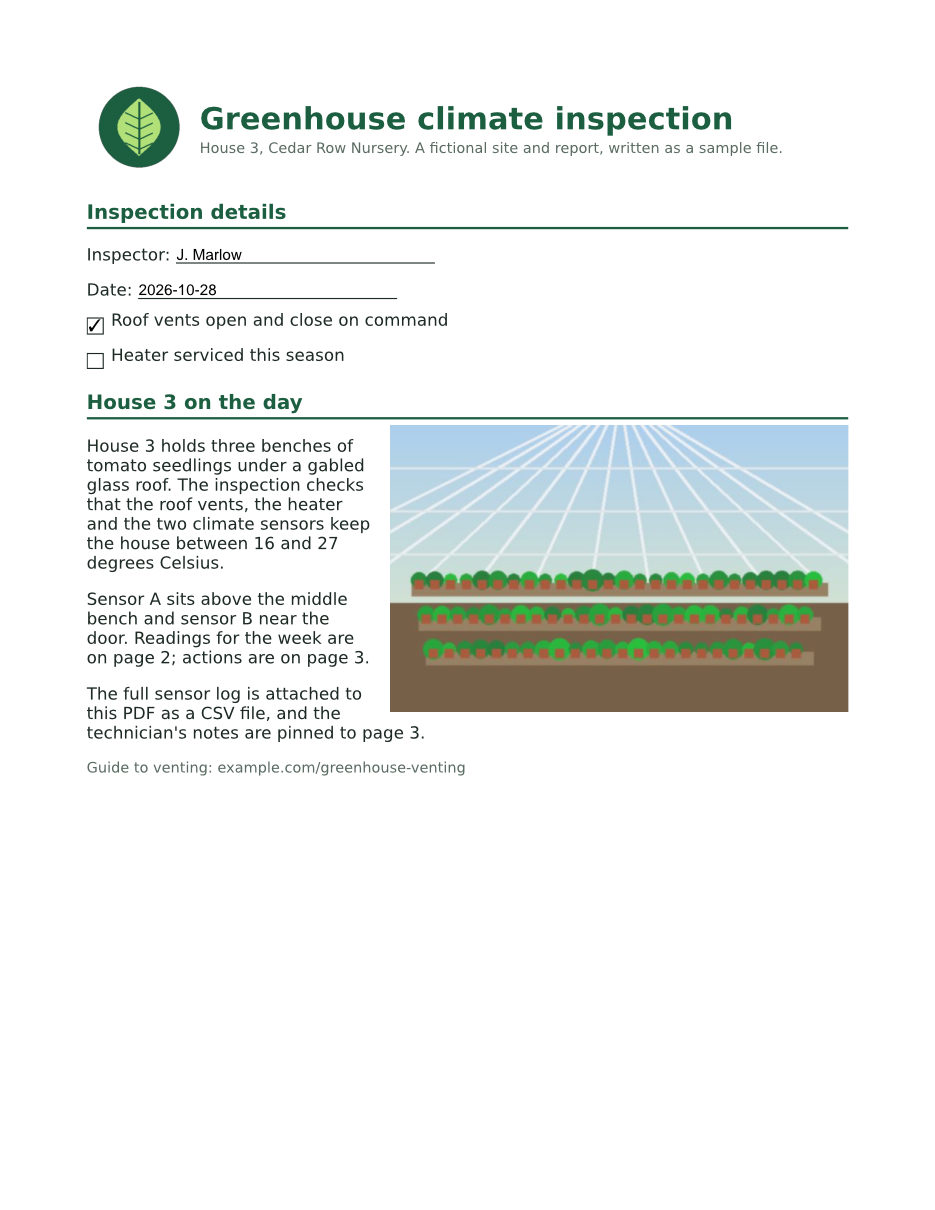
The same file the code sends. Download the input and the output and compare them yourself.
- Input
- greenhouse-inspection.pdf (115 KB)
- Output
- greenhouse-inspection.pdf (115 KB)
- Source
- A three-page greenhouse inspection report for a fictional nursery, with form fields, comments and attached files, made by us for this site. (CC0-1.0). How it was made
- Made by
- 2026-11-04, API build
9eeeb0640aba
Parameters
Send these as form fields next to the file. Names are case-insensitive. If you set one of the documented options below that we don't support yet, the request fails with a 400 that names it instead of returning a file made without it.
| Parameter | What it does |
|---|---|
PdfTitlestring | The document's Title property. An empty value changes nothing; a quoted space (' ') removes the title, as on ConvertAPI. |
PdfAuthorstring | The Author property. Same rules: empty leaves it, ' ' removes it. |
PdfSubjectstring | The Subject property. The sample sends ' ', and the result has no Subject at all. |
PdfKeywordsstring | The Keywords property, stored as one string: the sample's greenhouse; climate; House 3 comes back exactly like that. |
PdfCreatorstring | The Creator property, usually the program that made the original document. PdfCreator=Inspection app 4.2 was written as given. |
PdfProducerstring | The Producer property, usually the program that wrote the PDF. A value you send is kept as sent. |
OpenPageinteger, default 1 | The page the PDF opens at. A number past the last page returns 422 "the input file could not be read: page 9 does not exist" on a 3-page file; 0 or 3001 returns 400.Values: 1 to 3000 |
OpenZoomenum, default Default | The magnification the PDF opens at. FitWidth stores a fit-width view of the open page; 150 stores a 150% view. Other numbers, such as 110, return 400 with the list of allowed values.Values: Default, ActualSize, FitPage, FitWidth, FitHeight, FitVisible, 25, 50, 75, 100, 125, 150, 200, 400, 800, 1600, 2400, 3200, 6400 |
Passwordstring | Opens a protected PDF. A file whose owner forbids changes needs the owner password, and the rewritten file then has no encryption, as with the open password of a file whose owner restricted nothing. With the open password of a file that forbids something else, such as copying, the file keeps its passwords and permissions. |
FileNamestring | Name of the result without the extension. Left out, the upload's name is kept. |
StoreFileboolean, default false | Return a download link (Url and FileId) instead of the file data; links expire after 3 hours. |
Not supported yet
Setting one of these to anything but its default returns 400.
| Option | What to do instead |
|---|---|
PdfVersion | The file keeps its own version (1.7 for the sample). 1.5, the documented default, is accepted; 1.7 and 2.0 return 400. |
EmbedFonts | Fonts stay as the input has them. EmbedFonts=false returns 400; for smaller files try /v2/convert/pdf/to/compress. |
ColorSpace | There is no color conversion on this route; ColorSpace=Gray returns 400, while TrueColors is taken as the default and changes nothing. |
Also refused when set: SubsetFonts.
What carries over, and what doesn't
Kept
- Every page exactly: all 3 pages of the sample rendered pixel for pixel like the input at 100 dpi
- Form fields, still fillable with their values (6 in the sample), and the comments on pages 2 and 3
- The 3 bookmarks, the attached CSV and the panel the file opens with
- Properties you did not send: Author and the custom InspectionID entry are unchanged, and so is CreationDate
- The PDF version (1.7) and, for an input sent with its open password whose owner forbids something other than changes, its encryption and permissions
Lost or not yet supported
- The old modification date: ModDate becomes the time of the request.
- Earlier revisions. A test file saved with one incremental update had two revisions; the result has one, holding the latest state.
- Any property you clear with
' '. The sample's Subject is gone, not set to a space.
Limits
- A digitally signed PDF returns 422 "this PDF is digitally signed, and rewriting it would invalidate the signature", even with no parameters, because the file is always saved again in full.
- A PDF whose owner forbids changes returns 422 "this PDF's permissions don't allow changes to the document; send the owner password in Password, or remove the restrictions with /v2/convert/pdf/to/unprotect and the owner password" when you send a property to change. Sent with no parameters, such a file comes back with its protection as it was.
PageRangeis not read here: every page is kept.- One PDF per request, up to 10 MB on the Free plan or 100 MB on paid plans, and up to 120 seconds.
Where teams use it
Replace a placeholder title before publishing
Generated PDFs often carry no title or a leftover one such as a template name, and that is what a reader's document properties show. Set PdfTitle to the real name before the file goes on a website or into an archive.
Stamp properties for a document system
Write author, subject and keywords on reports made by different tools so a document library or search index files them consistently. A quoted space clears a property you don't want published, as the sample does with Subject.
Open on the page that matters
Make a long report open at its summary or results page, fitted to the window width. The sample opens at page 2, the readings table, in a fit-width view.
Questions
How do I remove a property instead of changing it?
Send a quoted space, for example PdfSubject=' '. The sample's Subject was removed entirely. Sending an empty value, PdfTitle=, leaves the existing title alone.
Can I change the PDF version or embed missing fonts?
Not on this route yet. PdfVersion, EmbedFonts, SubsetFonts and ColorSpace return 400 unless they are left at ConvertAPI's documented defaults (1.5, true, true, Default), which change nothing; ColorSpace=TrueColors counts as the default too. The file keeps its own version and fonts.
Will the rewrite fix a damaged PDF?
Often, because the file is read with its damage worked around and saved in full. A copy of the sample with its cross-reference table cut off came back as a clean file that a PDF checker reported no errors in. /v2/convert/pdf/to/repair does the same without other changes.
Where is the opening page stored?
In the document's open action, which the PDF format defines for this purpose: the sample stores page 2 with a fit-width view. A viewer that ignores open actions, or one that remembers where you stopped reading, may open elsewhere.
Convert your first PDF file in a minute.