PDF to RTF API
Send a PDF to POST /v2/convert/pdf/to/rtf and get a small RTF file any word processor opens. It holds the text with its sizes, colors and bold, tables as RTF tables and a page break per PDF page. Pictures are left out.
- Endpoint
- POST /v2/
convert/ pdf/ to/ rtf - Accepts
- Sample timing
- 22 ms median of 5 runsHow we measure
- Request size
- Up to 10 MB on the Free plan or 100 MB on paid plans, all files together
Request and response
Every sample below ran against the API before this page was published. Set PDFCONVERSIONAPI_KEY to your key and run it as is.
curl -sS -X POST \
  https://api.pdfconversionapi.com/v2/convert/pdf/to/rtf \
  -H "Authorization: Bearer $PDFCONVERSIONAPI_KEY" \
  -F File=@greenhouse-inspection.pdf \
  -o response.json

# FileData is base64. Save the first file in converted/,
# or print the JSON error.
if jq -e '.Files' response.json > /dev/null; then
  mkdir -p converted
  name=$(jq -r '.Files[0].FileName' response.json)
  jq -r '.Files[0].FileData' response.json \
    | base64 --decode > "converted/$name"
else
  cat response.json
fi
import base64
import os
import requests
key = os.environ["PDFCONVERSIONAPI_KEY"]
response = requests.post(
"https://api.pdfconversionapi.com/v2/convert/pdf/to/rtf",
headers={"Authorization": f"Bearer {key}"},
files=[("File", open("greenhouse-inspection.pdf", "rb"))],
timeout=180,
)
result = response.json()
if not response.ok:
raise SystemExit(f"{result['Code']}: {result['Message']}")
os.makedirs("converted", exist_ok=True)
for file in result["Files"]:
path = os.path.join("converted", file["FileName"])
with open(path, "wb") as out:
out.write(base64.b64decode(file["FileData"]))
print(path, file["FileSize"], "bytes")
import { mkdir, readFile, writeFile } from "node:fs/promises";
import { join } from "node:path";

const form = new FormData();
const file = "greenhouse-inspection.pdf";
form.append("File", new Blob([await readFile(file)]), file);

const url = "https://api.pdfconversionapi.com/v2/convert/pdf/to/rtf";
const key = process.env.PDFCONVERSIONAPI_KEY;
const response = await fetch(url, {
  method: "POST",
  headers: { Authorization: `Bearer ${key}` },
  body: form,
});
const result = await response.json();
if (!response.ok) {
  throw new Error(`${result.Code}: ${result.Message}`);
}

await mkdir("converted", { recursive: true });
for (const file of result.Files) {
  const path = join("converted", file.FileName);
  await writeFile(path, Buffer.from(file.FileData, "base64"));
  console.log(path, file.FileSize, "bytes");
}
{
  "ConversionCost": 1,
  "ConversionTime": 0.022,
  "Files": [
    {
      "FileName": "greenhouse-inspection.rtf",
      "FileExt": "rtf",
      "FileSize": 3964,
      "FileData": "e1xydGYxXGFuc2lcZGVmZjB7…"
    }
  ]
}
Response from our test run on 2026-11-03. ConversionTime shows the median of 5 runs. FileData is shortened here; the real response carries the whole file as base64.
The sample, converted
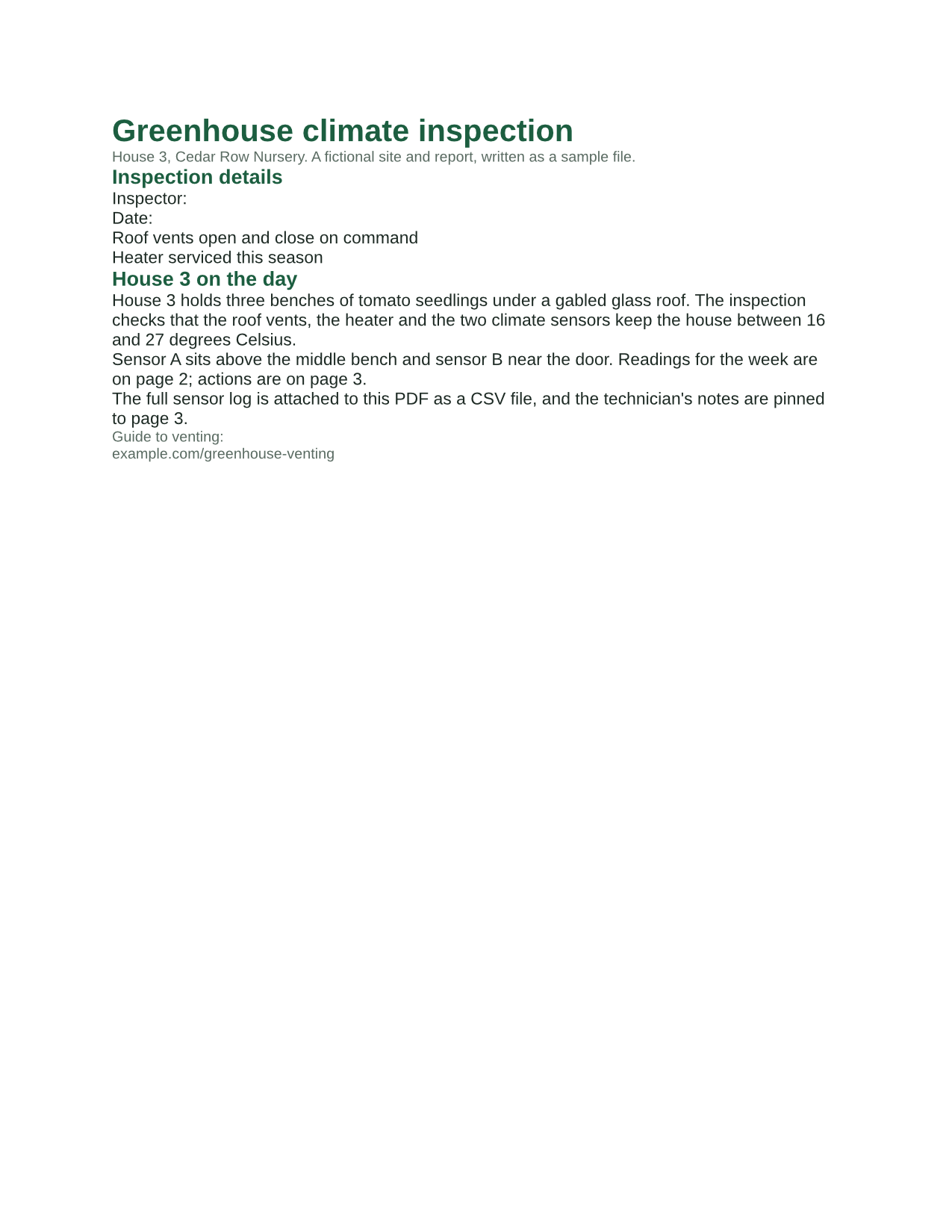
The same file the code sends. Download the input and the output and compare them yourself.
- Input
- greenhouse-inspection.pdf (115 KB)
- Output
- greenhouse-inspection.rtf (3.9 KB)
- Source
- A three-page greenhouse inspection report for a fictional nursery, with form fields, comments and attached files, made by us for this site. (CC0-1.0). How it was made
- Made by
- 2026-11-04, API build
9eeeb0640aba
Parameters
Send these as form fields next to the file. Names are case-insensitive. If you set one of the documented options below that we don't support yet, the request fails with a 400 that names it instead of returning a file made without it.
| Parameter | What it does |
|---|---|
PageRangestring | Export only these pages, which are cut out of the PDF first. PageRange=2 gave a 2,260-byte RTF with the readings page alone.Values: Pages and ranges such as 2, 1-3,5 or 4-last |
Passwordstring | Opens a protected PDF. When copying is forbidden, only the owner password works. Together with PageRange, the owner password works too, and so does the open password of a file whose owner restricted nothing; on a file with restrictions it returns 400 "PageRange can't be combined with the open password yet for PDF → RTF; send the owner password in Password, or remove the protection with /v2/convert/pdf/to/unprotect first". |
FileNamestring | Name of the RTF file without the extension. Left out, the upload's name is used. |
StoreFileboolean, default false | Return a download link (Url and FileId) instead of the file data; links expire after 3 hours. |
Not supported yet
Setting one of these to anything but its default returns 400.
| Option | What to do instead |
|---|---|
Layout | Text always flows, as with ConvertAPI's default flowing; Layout=fixed returns 400. |
Annotations | Comments are not exported. The documented default, textBox, is accepted and adds nothing; other values return 400. |
OcrMode | Scanned pages have no text to export: an image-only PDF gave a 57-byte RTF with only page breaks. Use /v2/convert/pdf/to/ocr first. |
Also refused when set: OcrLanguage, OcrEngine.
What carries over, and what doesn't
Kept
- Text in reading order, with wrapped lines joined into paragraphs
- Sizes and weight: the 20 pt bold titles, 13 pt bold headings, 11 pt body text and 9.5 pt captions
- Colors, through a color table: the sample's green headings (28, 94, 64) and gray captions
- The readings table as 8 RTF table rows of 5 cells, header row in bold
- A page break where each PDF page ended, so the sample opened as 3 pages in our RTF to PDF check
- Special characters as Unicode escapes: the 6 degree signs are written as \u176
Lost or not yet supported
- All pictures. The logo and the photo are not in the RTF, and no placeholder marks where they were.
- Fonts: the font table lists only Helvetica, so each word processor substitutes its own sans-serif.
- Page size and margins. The file sets none; our RTF to PDF route laid it out on US Letter pages.
- The bar chart, form values and checkboxes, comments, attachments and the clickable link.
- Lists: the numbered actions are paragraphs starting with the typed numbers "1." to "3.".
- Document properties such as the title, which the RTF does not carry.
Limits
- A PDF whose owner forbids copying returns 422 "this PDF's permissions don't allow copying text and images" until you send the owner password, with or without
PageRange. - One PDF per request, up to 10 MB on the Free plan or 100 MB on paid plans; a conversion can run for up to 120 seconds.
Where teams use it
Edit the words of a PDF in any word processor
RTF is plain text with formatting codes, so word processors open it and it can still be read or compared as text. The sample comes back as a 3,964-byte file whose headings, paragraphs and readings table you can change directly.
Feed an import that expects RTF
Where a records or document system imports RTF, this route hands it the PDF's text with basic styling and tables, and nothing it would have to strip, since pictures are not included.
Get styled text that is smaller than a DOCX
With no images and no package structure, the RTF is a fraction of the PDF's size: 3,964 bytes for a 117,855-byte sample whose weight is mostly a photo and fonts.
Questions
Why are there no images in the RTF?
The RTF export writes text and tables only. If you need the pictures in an editable file, convert to Word with /v2/convert/pdf/to/docx instead, or pull the images out separately with /v2/convert/pdf/to/extract-images.
Will the RTF look like the PDF?
It keeps the text styling, not the page layout. Text that sat beside a picture or in columns becomes one column, and positions on the page are not kept.
Which fonts does the RTF use?
It names a single font, Helvetica, for all text. Word processors without it use a similar sans-serif, so line breaks will differ from the PDF.
How do I convert only one page?
Send PageRange with the page number. The page is cut out of the PDF before the export, so the RTF contains only that page: 2,260 bytes for the sample's readings page.
Convert your first PDF file in a minute.