Extract images from PDF API
Send a PDF to POST /v2/convert/pdf/to/extract-images and every picture its pages use comes back as a separate file, at the pixel size stored in the PDF. Charts and text drawn as vectors are not pictures, so they are not returned.
- Endpoint
- POST /v2/
convert/ pdf/ to/ extract-images - Accepts
- Sample timing
- 22 ms median of 5 runsHow we measure
- Request size
- Up to 10 MB on the Free plan or 100 MB on paid plans, all files together
Request and response
Every sample below ran against the API before this page was published. Set PDFCONVERSIONAPI_KEY to your key and run it as is.
curl -sS -X POST \
  https://api.pdfconversionapi.com/v2/convert/pdf/to/extract-images \
  -H "Authorization: Bearer $PDFCONVERSIONAPI_KEY" \
  -F File=@greenhouse-inspection.pdf \
  -o response.json

# FileData is base64. Save the first file in converted/,
# or print the JSON error.
if jq -e '.Files' response.json > /dev/null; then
  mkdir -p converted
  name=$(jq -r '.Files[0].FileName' response.json)
  jq -r '.Files[0].FileData' response.json \
    | base64 --decode > "converted/$name"
else
  cat response.json
fi
import base64
import os
import requests
key = os.environ["PDFCONVERSIONAPI_KEY"]
response = requests.post(
"https://api.pdfconversionapi.com/v2/convert/pdf/to/extract-images",
headers={"Authorization": f"Bearer {key}"},
files=[("File", open("greenhouse-inspection.pdf", "rb"))],
timeout=180,
)
result = response.json()
if not response.ok:
raise SystemExit(f"{result['Code']}: {result['Message']}")
os.makedirs("converted", exist_ok=True)
for file in result["Files"]:
path = os.path.join("converted", file["FileName"])
with open(path, "wb") as out:
out.write(base64.b64decode(file["FileData"]))
print(path, file["FileSize"], "bytes")
import { mkdir, readFile, writeFile } from "node:fs/promises";
import { join } from "node:path";

const form = new FormData();
const file = "greenhouse-inspection.pdf";
form.append("File", new Blob([await readFile(file)]), file);

const url =
  "https://api.pdfconversionapi.com/v2/convert/pdf/to/extract-images";
const key = process.env.PDFCONVERSIONAPI_KEY;
const response = await fetch(url, {
  method: "POST",
  headers: { Authorization: `Bearer ${key}` },
  body: form,
});
const result = await response.json();
if (!response.ok) {
  throw new Error(`${result.Code}: ${result.Message}`);
}

await mkdir("converted", { recursive: true });
for (const file of result.Files) {
  const path = join("converted", file.FileName);
  await writeFile(path, Buffer.from(file.FileData, "base64"));
  console.log(path, file.FileSize, "bytes");
}
{
  "ConversionCost": 1,
  "ConversionTime": 0.022,
  "Files": [
    {
      "FileName": "greenhouse-inspection-image-1.jpg",
      "FileExt": "jpg",
      "FileSize": 27153,
      "FileData": "/9j/4AAQSkZJRgABAQAAAQAB…"
    },
    {
      "FileName": "greenhouse-inspection-image-2.png",
      "FileExt": "png",
      "FileSize": 7643,
      "FileData": "iVBORw0KGgoAAAANSUhEUgAA…"
    }
  ]
}
Response from our test run on 2026-11-03. ConversionTime shows the median of 5 runs. FileData is shortened here; the real response carries the whole file as base64.
The sample and the result
The same file the code sends. Download the input and the output and compare them yourself.
- Input
- greenhouse-inspection.pdf (115 KB)
- Output
- greenhouse-inspection-image-1.jpg (27 KB)greenhouse-inspection-image-2.png (7.5 KB)
- Source
- A three-page greenhouse inspection report for a fictional nursery, with form fields, comments and attached files, made by us for this site. (CC0-1.0). How it was made
- Made by
- 2026-11-04, API build
9eeeb0640aba

Parameters
Send these as form fields next to the file. Names are case-insensitive. If you set one of the documented options below that we don't support yet, the request fails with a 400 that names it instead of returning a file made without it.
| Parameter | What it does |
|---|---|
ImageOutputFormatenum, default default | default returns JPEG pictures as the JPEG stored in the PDF and everything else as PNG. jpg, png and tiff convert every picture: the sample's photo grew from 27,153 bytes to 38,166 as a new JPEG, 204,018 as PNG and 768,210 as TIFF. webp returns 400.Values: default, jpg, png, tiff |
MinimumImageWidthinteger, default 10 | Together with MinimumImageHeight, skips small pictures such as icons and rules. The smaller of the two values is applied to each picture's shorter side, so set both: 300 and 300 dropped the 240 x 240 logo, while MinimumImageWidth=300 alone still returned it.Values: 0 to 100000 pixels |
MinimumImageHeightinteger, default 10 | See MinimumImageWidth. When no picture is large enough, the API returns 422 "the input file could not be read: the PDF contains no extractable images".Values: 0 to 100000 pixels |
PageRangestring | Take pictures only from these pages. PageRange=2 on the sample returns 422, because page 2 holds a table and a chart drawn as vectors.Values: Pages and ranges such as 1, 2-5 or 3-last |
ImageQualityinteger, default 85 | JPEG quality when ImageOutputFormat=jpg. At 30 the sample's photo came back at 16,972 bytes. With the default format, JPEGs are not encoded again, so it has no effect.Values: 1 to 100 |
BackgroundColorstring, default white | The color transparent areas become when ImageOutputFormat=jpg, since JPEG has no transparency. The logo's clear corners turned white by default and black with BackgroundColor=black.Values: white, black, red, green, blue, gray, #RRGGBB or R,G,B |
ImageResolutioninteger | With ImageOutputFormat set to jpg, png or tiff, the DPI value written into each file; the pixels stay as stored (png with 300 gave a 640 x 400 PNG marked 300 dpi). With the default format it returns 400 "ImageResolution is not supported yet for pdf/to/extract-images".Values: 10 to 800 |
Passwordstring | Opens a protected PDF. A PDF whose owner forbids copying needs the owner password; the open password alone returns 422. |
FileNamestring | Stem of the picture names: FileName=house3 gives house3-image-1.jpg, house3-image-2.png. Left out, the upload's name is used. |
StoreFileboolean, default false | Return a download link per picture (Url and FileId) instead of the data, valid for 3 hours. |
What carries over, and what doesn't
Kept
- JPEG pictures byte for byte: the sample's 640 x 400 photo has the same SHA-256 hash as the JPEG we put in the PDF
- Transparency: the 240 x 240 logo comes back as an RGBA PNG whose every pixel, alpha included, matches our original
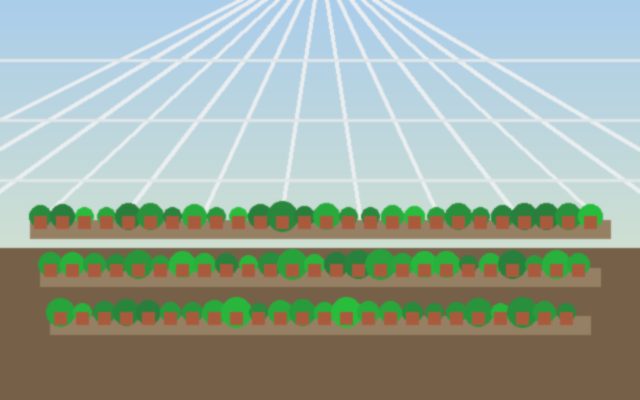
- The stored pixel size rather than the size on the page: the photo is shown about 4.2 x 2.6 in on page 1 but returns at its full 640 x 400
- One file per picture even when several pages use it: a test PDF that showed the same JPEG on two pages returned it once
- Page order in the names:
-image-1comes from the earliest page
Lost or not yet supported
- Vector graphics. The sample's bar chart and readings table are drawn with lines and fills, so page 2 returns nothing.
- Where each picture sat, its displayed size, rotation and any clipping the page applied. You get the whole stored picture.
- JPEG 2000 pictures, which are skipped without an error: a test page that drew one returned only its other, ordinary JPEG.
- The original file for converted outputs: with
ImageOutputFormat=jpgeven JPEGs are encoded again, a second round of compression.
Limits
- A PDF with no pictures, or none large enough, returns 422 "the input file could not be read: the PDF contains no extractable images".
- Up to 10,000 pictures per request; more returns 413 "the PDF contains too many images". Split the work with
PageRange. - A PDF whose owner forbids copying returns 422 "this PDF's permissions don't allow copying text and images; send the owner password in Password, or remove the restrictions with /v2/convert/pdf/to/unprotect and the owner password".
PageRangewith the open password of a file whose owner restricted something returns 400 "PageRange can't be combined with the open password yet for pdf/to/extract-images; send the owner password in Password, or remove the protection with /v2/convert/pdf/to/unprotect first". With the owner password, or the open password of a file with no restrictions, it works.- One PDF per request, up to 10 MB on the Free plan or 100 MB on paid plans; a request can run for up to 120 seconds.
Where teams use it
Reuse product and site photos from old PDFs
Catalogs, brochures and inspection reports often survive only as PDF. Pull the photos back out at their stored size, without the quality loss of screenshotting a rendered page; the sample's photo came back as the exact JPEG we placed.
Build an image index for search or review
Run uploaded PDFs through this route to get each picture as its own file, then tag, caption or screen them in your own pipeline. MinimumImageWidth and MinimumImageHeight keep logos, icons and divider lines out.
Recover a logo with its transparent background
A logo placed with a transparent background comes back as an RGBA PNG. The sample's leaf logo matched our original drawing pixel for pixel, including the clear corners, so it can go straight onto a colored slide or web page.
Questions
Are the extracted images the originals or screenshots of the page?
The originals as stored in the PDF. JPEGs come back unchanged, and our photo's hash matched the file we embedded. If you want a picture of the whole page instead, with text and drawings, use /v2/convert/pdf/to/jpg or /v2/convert/pdf/to/png.
Why did my PDF return no images?
Either its graphics are vectors (charts, diagrams and logos drawn as shapes, like the sample's chart on page 2), its pictures are in a format we can't read yet such as JPEG 2000, or every picture is below the size filter. Try MinimumImageWidth=0 and MinimumImageHeight=0, and check the page with /v2/convert/pdf/to/svg if the graphics are vectors.
How do I skip small icons and logos?
Set both MinimumImageWidth and MinimumImageHeight. The smaller of the two is compared with each picture's shorter side, so a single value has no effect while the other stays at 10.
Can I get every image as PNG?
Yes, with ImageOutputFormat=png. Expect larger files for photos: the sample's 27 KB JPEG became a 204 KB PNG with the same decoded pixels. jpg and tiff work the same way; WebP is not offered.
Does it work on protected PDFs?
With Password, yes. A file with only an open password works with that password. If the owner forbids copying, only the owner password works, also for a file that opens without any password. Signed PDFs need nothing, since the file is only read.
Convert your first PDF file in a minute.