XLSB to PNG API
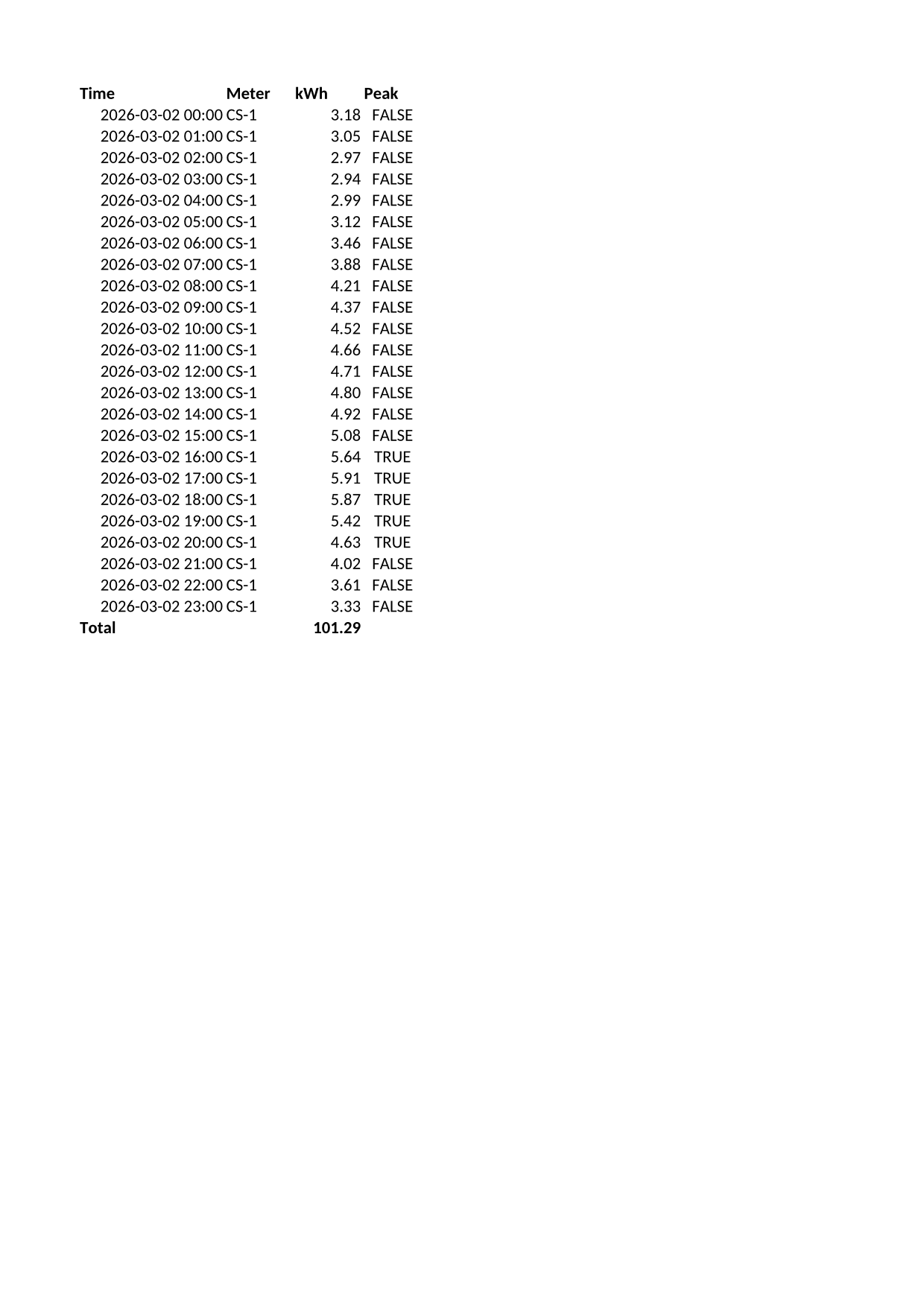
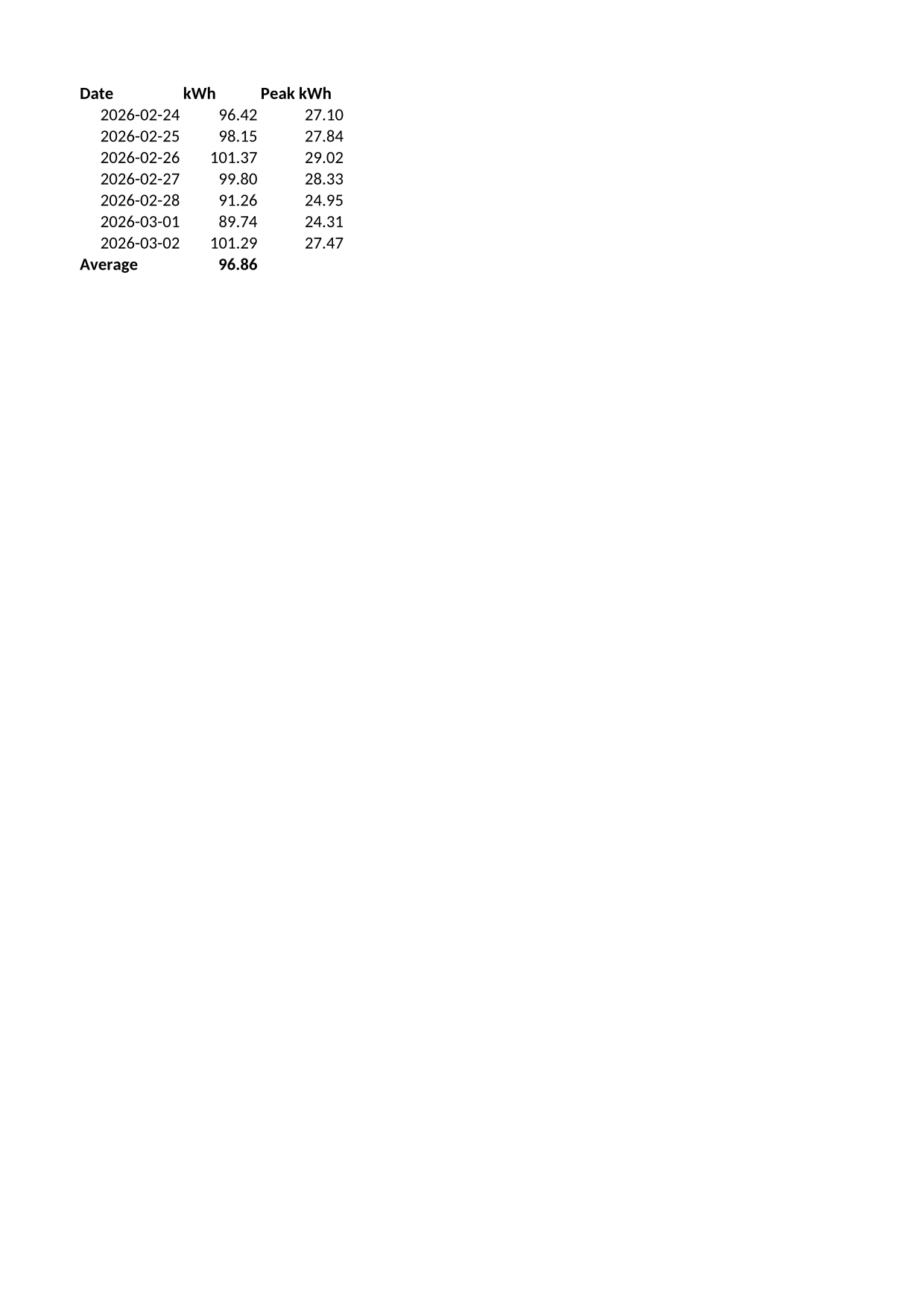
Send an Excel binary workbook to POST /v2/convert/xlsb/to/png and get each printed page as a lossless PNG. The sample's two sheets print on A4, as 1,240 × 1,753-pixel images at the default 150 DPI.
- Endpoint
- POST /v2/
convert/ xlsb/ to/ png - Accepts
- xlsb
- Sample timing
- 0.569 s median of 5 runsHow we measure
- Request size
- Up to 10 MB on the Free plan or 100 MB on paid plans, all files together
Request and response
Every sample below ran against the API before this page was published. Set PDFCONVERSIONAPI_KEY to your key and run it as is.
curl -sS -X POST \
  https://api.pdfconversionapi.com/v2/convert/xlsb/to/png \
  -H "Authorization: Bearer $PDFCONVERSIONAPI_KEY" \
  -F File=@meter-readings.xlsb \
  -o response.json

# FileData is base64. Save the first file in converted/,
# or print the JSON error.
if jq -e '.Files' response.json > /dev/null; then
  mkdir -p converted
  name=$(jq -r '.Files[0].FileName' response.json)
  jq -r '.Files[0].FileData' response.json \
    | base64 --decode > "converted/$name"
else
  cat response.json
fi
import base64
import os
import requests
key = os.environ["PDFCONVERSIONAPI_KEY"]
response = requests.post(
"https://api.pdfconversionapi.com/v2/convert/xlsb/to/png",
headers={"Authorization": f"Bearer {key}"},
files=[("File", open("meter-readings.xlsb", "rb"))],
timeout=180,
)
result = response.json()
if not response.ok:
raise SystemExit(f"{result['Code']}: {result['Message']}")
os.makedirs("converted", exist_ok=True)
for file in result["Files"]:
path = os.path.join("converted", file["FileName"])
with open(path, "wb") as out:
out.write(base64.b64decode(file["FileData"]))
print(path, file["FileSize"], "bytes")
import { mkdir, readFile, writeFile } from "node:fs/promises";
import { join } from "node:path";

const form = new FormData();
const file = "meter-readings.xlsb";
form.append("File", new Blob([await readFile(file)]), file);

const url = "https://api.pdfconversionapi.com/v2/convert/xlsb/to/png";
const key = process.env.PDFCONVERSIONAPI_KEY;
const response = await fetch(url, {
  method: "POST",
  headers: { Authorization: `Bearer ${key}` },
  body: form,
});
const result = await response.json();
if (!response.ok) {
  throw new Error(`${result.Code}: ${result.Message}`);
}

await mkdir("converted", { recursive: true });
for (const file of result.Files) {
  const path = join("converted", file.FileName);
  await writeFile(path, Buffer.from(file.FileData, "base64"));
  console.log(path, file.FileSize, "bytes");
}
{
  "ConversionCost": 1,
  "ConversionTime": 0.569,
  "Files": [
    {
      "FileName": "meter-readings-1.png",
      "FileExt": "png",
      "FileSize": 259639,
      "FileData": "iVBORw0KGgoAAAANSUhEUgAA…"
    },
    {
      "FileName": "meter-readings-2.png",
      "FileExt": "png",
      "FileSize": 93315,
      "FileData": "iVBORw0KGgoAAAANSUhEUgAA…"
    }
  ]
}
Response from our test run on 2026-11-03. ConversionTime shows the median of 5 runs. FileData is shortened here; the real response carries the whole file as base64.
The sample, converted
The same file the code sends. Download the input and the output and compare them yourself.
- Input
- meter-readings.xlsb (3.3 KB)
- Output
- meter-readings-1.png (254 KB)meter-readings-2.png (91 KB)
- Source
- A fictional cold-storage unit's meter readings in Excel binary format (two sheets with dates, times and formulas) that we wrote record by record for this site (CC0-1.0). How it was made
- Made by
- 2026-11-04, API build
9eeeb0640aba
Parameters
Send these as form fields next to the file. Names are case-insensitive. If you set one of the documented options below that we don't support yet, the request fails with a 400 that names it instead of returning a file made without it.
| Parameter | What it does |
|---|---|
ImageResolutioninteger, default 150 | Pixels per inch of paper. The sample's A4 pages are 1,240 × 1,753 at 150. A value you send is also stored as the PNG's DPI. ConvertAPI's default for images is 200.Values: 36–600 |
HeaderOnEachPageboolean, default false | Repeat the first row with data at the top of every page of each printed sheet. At Scale=300 the Readings sheet spreads over four pages; with this option the second page starts with the Time and Meter headings instead of a data row. |
Scaleinteger, default 100 | Print zoom in percent. At 300 the sample prints on 6 A4 pages instead of 2.Values: 10–300 |
WorksheetIndexinteger | Print one sheet by position: 2 is Daily. 3 returns 400 "WorksheetIndex is 3, but the workbook has 2 worksheets".Values: 1–2000 |
PageSizeenum, default default | Paper size for every printed sheet; default keeps what the file says, which for the sample is nothing, so A4.Values: default, letter, legal, a3, a4, a5 and others |
ColorSpaceenum, default default | gray writes single-channel PNGs: the sample's pages drop to 95,778 and 35,294 bytes. monochrome gives pure black and white. Color pages carry no alpha channel, so rgb returns the same files as the default.Values: default, rgb, gray, monochrome |
Passwordstring | Needed for an .xlsb encrypted with a password to open; 422 without it. |
What carries over, and what doesn't
Kept
- All 24 hourly rows and the Total row of Readings on page 1, the 7 days and Average of Daily on page 2
- Formatted values: timestamps as 2026-03-02 13:00, kWh with two decimals, TRUE and FALSE
- Bold header rows and the centered Peak column
- Lossless RGB pixels at 259,639 and 93,315 bytes for the two pages
Lost or not yet supported
- The paper size, when the file stores none: pages come out A4.
- Gridlines are not printed, so cells without borders have no lines between them.
- Calibri is drawn with Carlito, which has the same letter widths but slightly different shapes.
Limits
- 2,000 pages per request and 16,000 pixels per side (100 million pixels) per page.
- Requests up to 10 MB on the Free plan or 100 MB on paid plans; conversions over 120 seconds return 504.
Where teams use it
Readable snapshots of data logs
Teams that keep hourly readings or transaction logs in XLSB can publish the printed pages as images on a status page or in a report.
Long sheets printed with headings on every page
HeaderOnEachPage=true repeats the column headings on each page, so a reader of page 4 still knows which column holds which value.
Questions
How do I repeat the column headings on every page?
Send HeaderOnEachPage=true. It marks each printed sheet's first row with data as the rows to repeat at the top, the same setting as Excel's print titles, then prints. On a sheet that already has print titles, they are replaced by that first row.
Why is the PNG 1,240 pixels wide and not 1,275?
1,240 is A4 at 150 DPI; 1,275 is Letter. The sample stores no paper size, so it prints on A4. Send PageSize=letter to change that.
Can I get grayscale images?
Yes, ColorSpace=gray writes one-channel PNGs, which also makes them smaller: 95,778 bytes instead of 259,639 for the sample's first page.
Convert your first XLSB file in a minute.