Guide6 min read
HTML to PDF with CSS paged media, headers and footers
Which CSS paged media rules our HTML to PDF API applies: @page size and margins, Page X of Y, running headers and footers, page breaks. Each one tested.
Written and tested by Zeel Shekhaliya, Founder
Contents (7 sections)
Our HTML to PDF API prints a page with one of two engines, and they read CSS paged media differently. Page breaks (break-before, break-inside: avoid) work in both. @page margins, margin boxes such as @bottom-center, and counter(pages) work only in the browser engine, which the API uses when the page has a script element. Paper size comes from the PageSize and PageOrientation parameters in both, and the Header and Footer parameters print running headers and "Page X of Y" in either engine.
This request prints a page number in the footer of every page, in whichever engine prints the file. Use --form-string for the template, because -F reads a value that starts with < as a file name:
curl -sS -X POST https://api.pdfconversionapi.com/v2/convert/html/to/pdf \
  -H "Authorization: Bearer $PDFCONVERSIONAPI_KEY" \
  -F File=@page-numbers.html \
  -F PageSize=a4 \
  -F MarginTop=20 \
  -F MarginBottom=20 \
  --form-string 'Footer=<div style="font-family: Arial; font-size: 8pt; width: 100%; text-align: center">Page <span class="pageNumber"></span> of <span class="totalPages"></span></div>' \
  -o response.json

jq -r '.Files[0].FileData' response.json | base64 --decode > page-numbers.pdf
What works in which engine
The API chooses the engine for each request. A page without scripts is laid out by the in-process engine; a page with a script element, even an empty one, goes to the browser engine. Some parameters send a page to the browser engine too: the HTML to PDF page lists them. We ran each test file both ways.
| CSS or parameter | In-process engine (no script) | Browser engine (script element) |
|---|---|---|
@page { size: A4 landscape } | Ignored: printed on Letter, portrait | Paper from PageSize (Letter), turned landscape; the page laid out for A4 and shrunk to fit |
@page { margin: 30mm } | Ignored: the 10 mm default margins | Used, and it overrides MarginTop and the other margin parameters |
PageSize, PageOrientation, MarginTop and the other margins | Used | Used, unless @page sets margins |
@bottom-center { content: "Page " counter(page) " of " counter(pages) } | Not printed | "Page 1 of 3" to "Page 3 of 3" |
@page :first | Nothing to hide: no margin boxes | Works: no number on page 1 |
Header and Footer parameters with pageNumber and totalPages | "Page 1 of 3" to "Page 3 of 3" | The same, printed in addition to any margin box |
position: fixed element | Repeated on every page | Repeated on every page |
string-set and string() | Not printed | Not printed |
break-before: page, page-break-before: always | Work | Work |
break-inside: avoid | Works | Works |
A table's thead on later pages | Repeated | Not repeated |
@media print rules | Used with CssMediaType=print | Used with CssMediaType=print |
Page size and margins: use the parameters
Our page-size test asks for A4 landscape paper and 30 mm margins in CSS: @page { size: A4 landscape; margin: 30mm; }.
- As written (in-process engine), the PDF was Letter portrait, 612 x 792 pt, and the text started 10 mm from the left edge: the default of the margin parameters. Neither part of the
@pagerule was used. - With a script element (browser engine), the PDF was Letter landscape, 792 x 612 pt. The engine laid the page out for A4 landscape and shrank it to fit Letter, so the 30 mm margin measured 28.3 mm on the page and the 20 pt heading printed at 18.81 pt.
- With
PageSize=a4,PageOrientation=landscapeand the four margin parameters set to 30, both engines printed A4 landscape (841.9 x 595.3 pt in process, 841.9 x 595.9 pt in the browser engine) with the text 30 mm from the left edge (29.9 mm in the browser engine), at full size.
Where the two disagree, the browser engine follows CSS: with MarginLeft=10 and MarginTop=10 sent and the 30 mm @page margin in the file, the text still started 28.3 mm from the edge. The in-process engine used the parameters. To get the same page from either engine, set paper and margins with the parameters and leave them out of @page.
Page numbers: "Page X of Y"
The Footer parameter is the one way that works in both engines. Elements with the class pageNumber or totalPages are filled in on each page, and the Header parameter works the same way at the top. In our three-page test both engines printed "Page 1 of 3" to "Page 3 of 3" in the footer and the header on every page. The templates don't use the page's CSS, so give them their own font and size, and side padding if the text is aligned to an edge: a template spans the full width of the paper. Without padding, our right-aligned header ended at the right edge of the 215.9 mm wide page; with padding: 0 10mm it ended 10 mm from it.
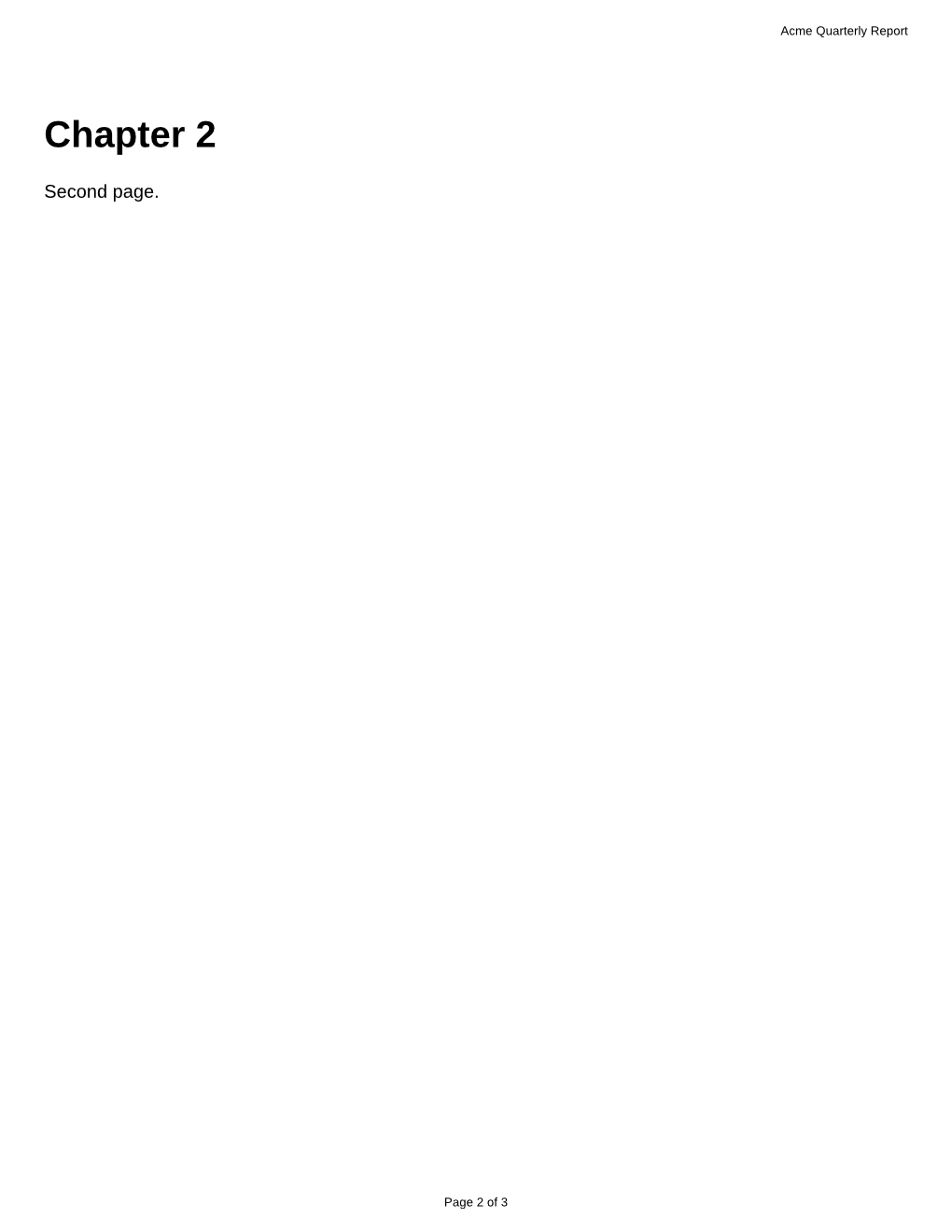
The header template in that run was <div style="font-family: Arial; font-size: 8pt; width: 100%; box-sizing: border-box; padding: 0 10mm; text-align: right">Acme Quarterly Report</div>.
A CSS margin box works only in the browser engine. Our test file puts the number in the bottom margin:
@page {
  margin: 20mm;
  @bottom-center { content: "Page " counter(page) " of " counter(pages); font-family: Arial, sans-serif; font-size: 9pt; }
}
As written, the in-process engine printed three pages with no numbers. With a script element added, the browser engine printed "Page 1 of 3" to "Page 3 of 3", 267.8 mm from the top of each Letter page. Adding @page :first { @bottom-center { content: none; } } left page 1 without a number and kept "Page 2 of 3" and "Page 3 of 3".

Use one or the other. When we sent the Footer parameter with the margin-box file to the browser engine, each page had two "Page 1 of 3" lines, 3.2 mm apart.
Running headers and footers
Besides the Header and Footer parameters, two CSS approaches are common:
- An element with
position: fixedrepeated on every page in both engines. Our "Fixed header: Acme Quarterly Report" line was on both pages, 10.4 mm from the top in process and 24.9 mm in the browser engine, which used the file's 25 mm@pagemargin. It sits inside the page's content area, so leave room for it: our sections have 12 mm of top padding so the header doesn't cover them. string-setwithstring()in a margin box, which copies each chapter title into the header, printed nothing in either engine. For a chapter title per page, put it in the page itself.
Page breaks
Both engines placed every break in our test file the same way:
- A heading with
break-before: pagestarted page 2, and one with the olderpage-break-before: alwaysstarted page 3. - A boxed totals block with
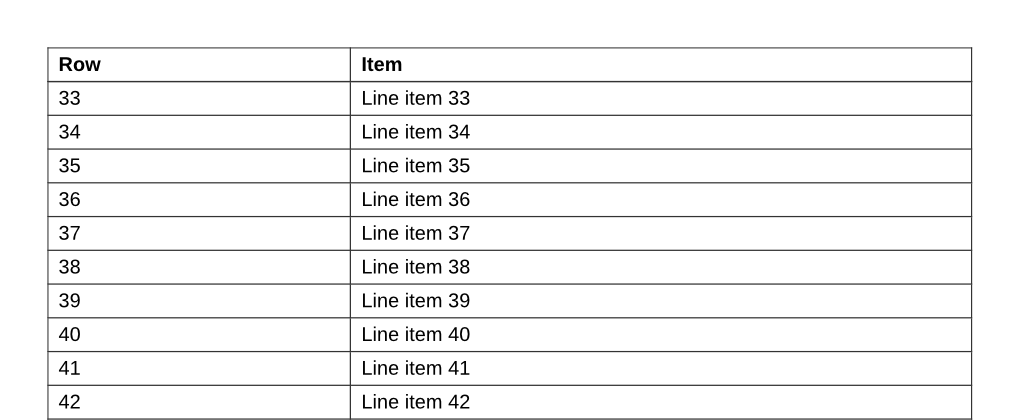
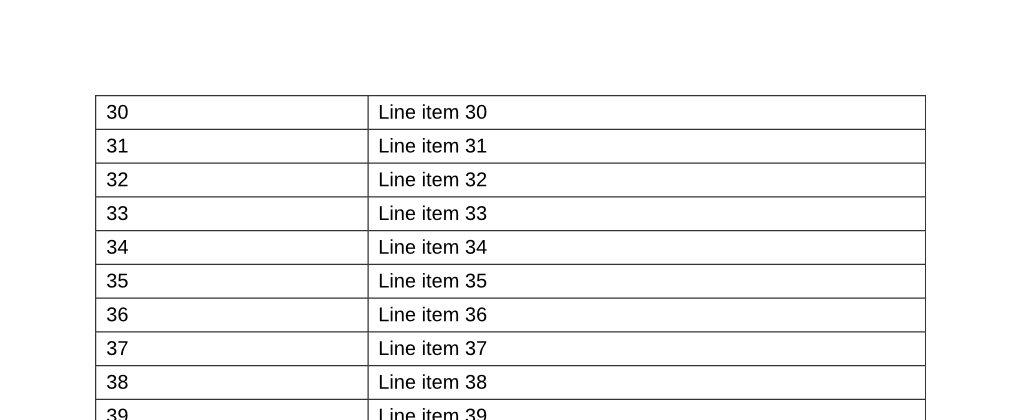
break-inside: avoidthat didn't fit at the bottom of page 3 moved to page 4 whole, its heading and all six lines together. Without that rule the same block was split: the in-process engine left its heading and two lines on page 3, and the browser engine its heading alone. - A 60-row table that started on page 5 continued on page 6.
The difference is the table's heading row. The in-process engine repeated the thead row at the top of page 6. The browser engine did not, with or without thead { display: table-header-group; } in the CSS. If a long table needs its headings on every page, print it without scripts.
Print stylesheets
@media print rules apply when you send CssMediaType=print. Our print-stylesheet test has a line shown only on screen and a line shown only in print. Without the parameter the PDF had the screen line, because the API prints for screen by default; with CssMediaType=print it had the print line instead. A page with @media rules goes to the browser engine with the default, and stays in the in-process engine with print.
What doesn't work yet
- Paper size from
@page { size }. SetPageSize, orPageWidthandPageHeightin millimeters, andPageOrientation. - Margin boxes and
@pagemargins in the in-process engine. Use theHeader,Footerand margin parameters, or add a script element to the page. string-setandstring()in either engine.- A repeated table heading row in the browser engine.