GIF to PDF API
Send a GIF to POST /v2/convert/gif/to/pdf and get a one-page PDF of its first frame. The page matches the image at 96 pixels per inch, or a named sheet with PageSize, and transparent pixels stay transparent.
- Endpoint
- POST /v2/
convert/ gif/ to/ pdf - Accepts
- gif
- Sample timing
- 2 ms median of 5 runsHow we measure
- Request size
- Up to 10 MB on the Free plan or 100 MB on paid plans, all files together
Request and response
Every sample below ran against the API before this page was published. Set PDFCONVERSIONAPI_KEY to your key and run it as is.
curl -sS -X POST \
  https://api.pdfconversionapi.com/v2/convert/gif/to/pdf \
  -H "Authorization: Bearer $PDFCONVERSIONAPI_KEY" \
  -F File=@parcel-tracker.gif \
  --form-string PageSize=letter \
  -o response.json

# FileData is base64. Save the first file in converted/,
# or print the JSON error.
if jq -e '.Files' response.json > /dev/null; then
  mkdir -p converted
  name=$(jq -r '.Files[0].FileName' response.json)
  jq -r '.Files[0].FileData' response.json \
    | base64 --decode > "converted/$name"
else
  cat response.json
fi
import base64
import os
import requests
key = os.environ["PDFCONVERSIONAPI_KEY"]
response = requests.post(
"https://api.pdfconversionapi.com/v2/convert/gif/to/pdf",
headers={"Authorization": f"Bearer {key}"},
files=[("File", open("parcel-tracker.gif", "rb"))],
data={
"PageSize": "letter",
},
timeout=180,
)
result = response.json()
if not response.ok:
raise SystemExit(f"{result['Code']}: {result['Message']}")
os.makedirs("converted", exist_ok=True)
for file in result["Files"]:
path = os.path.join("converted", file["FileName"])
with open(path, "wb") as out:
out.write(base64.b64decode(file["FileData"]))
print(path, file["FileSize"], "bytes")
import { mkdir, readFile, writeFile } from "node:fs/promises";
import { join } from "node:path";

const form = new FormData();
const file = "parcel-tracker.gif";
form.append("File", new Blob([await readFile(file)]), file);
form.append("PageSize", "letter");

const url = "https://api.pdfconversionapi.com/v2/convert/gif/to/pdf";
const key = process.env.PDFCONVERSIONAPI_KEY;
const response = await fetch(url, {
  method: "POST",
  headers: { Authorization: `Bearer ${key}` },
  body: form,
});
const result = await response.json();
if (!response.ok) {
  throw new Error(`${result.Code}: ${result.Message}`);
}

await mkdir("converted", { recursive: true });
for (const file of result.Files) {
  const path = join("converted", file.FileName);
  await writeFile(path, Buffer.from(file.FileData, "base64"));
  console.log(path, file.FileSize, "bytes");
}
{
  "ConversionCost": 1,
  "ConversionTime": 0.002,
  "Files": [
    {
      "FileName": "parcel-tracker.pdf",
      "FileExt": "pdf",
      "FileSize": 4698,
      "FileData": "JVBERi0xLjcKJYCAgIAKMSAw…"
    }
  ]
}
Response from our test run on 2026-11-03. ConversionTime shows the median of 5 runs. FileData is shortened here; the real response carries the whole file as base64.
The sample, converted
The same file the code sends. Download the input and the output and compare them yourself.
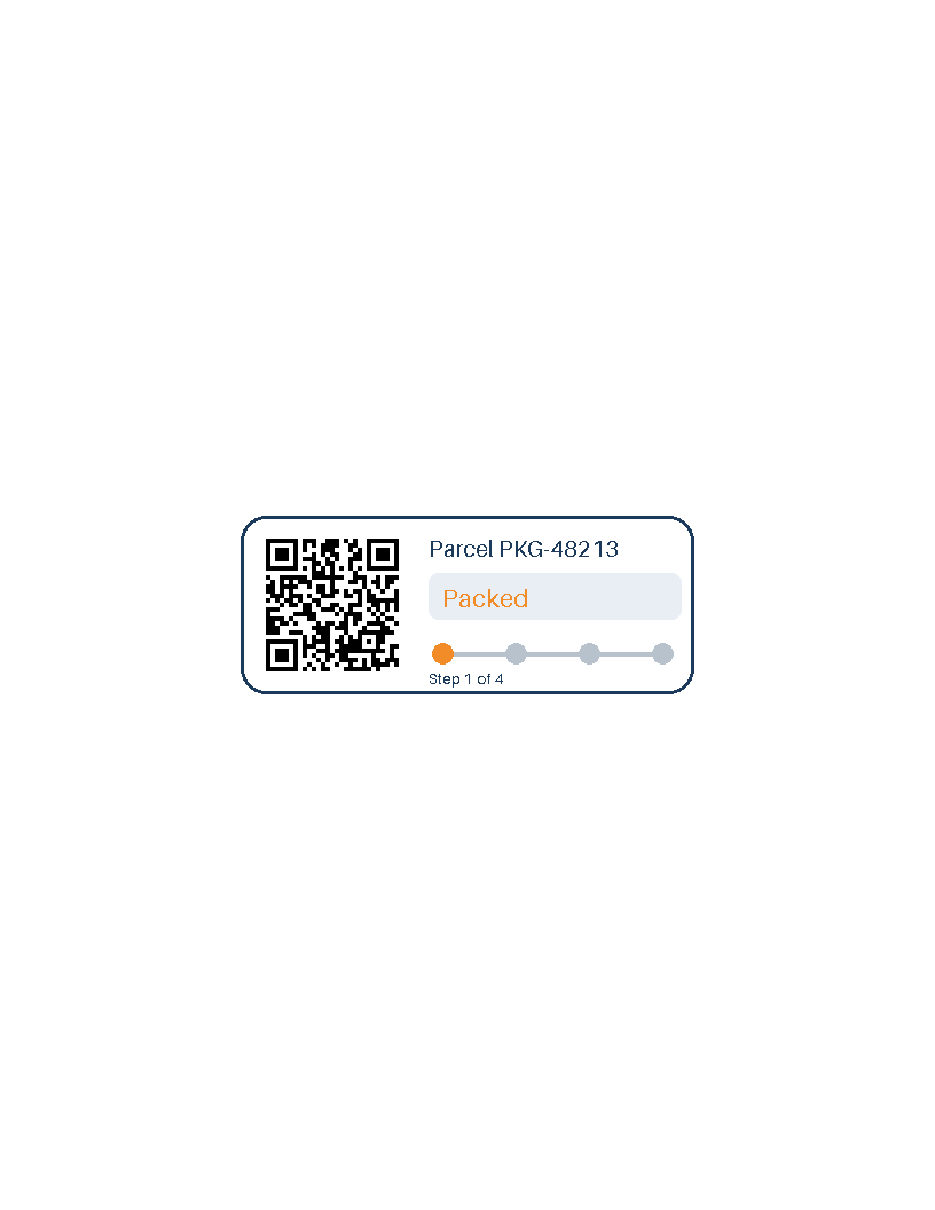
- Input
- parcel-tracker.gif (8.7 KB)
- Output
- parcel-tracker.pdf (4.6 KB)
- Source
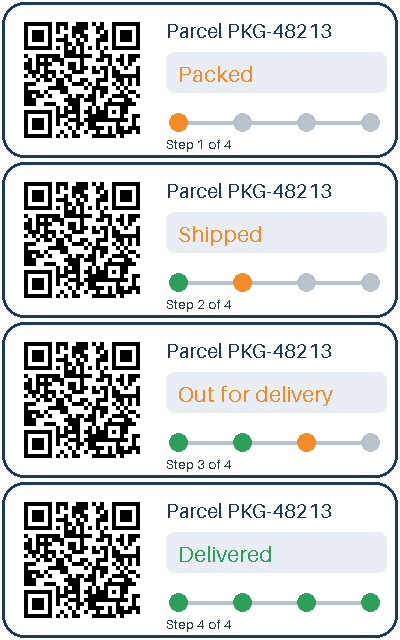
- A four-frame animated parcel-tracking card with a transparent outside and a QR code, drawn by us for this page. (CC0-1.0). How it was made
- Made by
- 2026-11-04, API build
9eeeb0640aba
Parameters
Send these as form fields next to the file. Names are case-insensitive. If you set one of the documented options below that we don't support yet, the request fails with a 400 that names it instead of returning a file made without it.
| Parameter | What it does |
|---|---|
PageSizeenum, default default | Sheet size. Left out, the page is the frame's own size: 400 × 160 px becomes 300 × 120 pt (4.17 × 1.67 in). The sample asks for letter, and the card sits in the middle at its own size, since images are never enlarged.Values: default, auto, a3, a4, a5, letter, legal |
PageOrientationenum, default default | landscape turns a named sheet sideways (Letter becomes 792 × 612 pt). It does nothing when the page takes the image's size.Values: default, portrait, landscape |
Rotateinteger | Clockwise degrees. 90 stands the card on end on a 120 × 300 pt page; 45 needs a 296.98 pt square, and the clear corners keep their soft mask when turned. The API reads no EXIF orientation from a GIF, so nothing is turned when this is left out.Values: -360 to 360, or none |
MarginHorizontalinteger, default 0 | Millimeters of empty page left and right of frame 1. 10 widens the image-sized page from 300 to 356.69 pt. On a named sheet the card keeps its 300 × 120 pt size until the margins get tight: A5 landscape with 80 mm drew it 141.74 × 56.69 pt.Values: 0–500 (mm) |
MarginVerticalinteger, default 0 | Millimeters above and below; 10 makes the page 176.69 pt tall around the 120 pt card. If the margins leave no room on a named sheet, the answer is 400 "MarginHorizontal and MarginVertical leave no room for the image on the page".Values: 0–500 (mm) |
ColorSpaceenum, default default | Accepts TrueColors as another name for the default; the tracker card's PDF was byte for byte the 4,690-byte file sent back with nothing set. Frame 1 is kept as RGB with its gray mask either way.Values: default, TrueColors |
FileNamestring | PDF name without extension; defaults to the GIF's name. |
StoreFileboolean, default false | Hold the PDF for 3 hours and return a link. |
Not supported yet
Setting one of these to anything but its default returns 400.
| Option | What to do instead |
|---|---|
ColorSpace | Only default and TrueColors pass. gray and the other values get 400 "ColorSpace is not supported yet for GIF → PDF". |
Pdfa | false is accepted. For PDF/A, send the result to /v2/convert/pdf/to/pdfa. |
Also refused when set: ColorProfile.
What carries over, and what doesn't
Kept
- Every pixel of frame 1: the RGB image and its mask extracted from the PDF matched the GIF exactly, also with
Rotate=90and a 12 mm vertical margin - Transparency, as an 8-bit soft mask holding only 0 and 255
- The pixel grid: the image object is 400 × 160, whatever the page size or turn
Lost or not yet supported
- Frames after the first, and any motion.
- White space by default: unless
MarginHorizontalorMarginVerticalis set, the image-sized page ends where the card does. - The GIF palette: the PDF stores the pixels as compressed RGB plus mask. The sample PDF was still smaller than the GIF, 4,698 bytes against 8,956.
- Resizing options:
ImageWidthis accepted but does not change the page or the image.
Limits
- One GIF per request. To combine several images in one PDF, use
/v2/convert/images/to/pdf. - Requests up to 10 MB on the Free plan or 100 MB on paid plans, all files and fields together.
- Images over 100,000,000 pixels return 413 before decoding.
- Images larger than the chosen sheet are scaled down to fit it, inside any margins; smaller ones keep their size.
Rotateaccepts -360 to 360 andnone; margins accept 0 to 500 mm. Fractions such asMarginHorizontal=2.5return 400.- Conversions stop at 120 seconds with a 504.
Where teams use it
Printing a GIF at a known sheet size
Charts, badges and scanned forms saved as GIF can be placed on Letter or A4 for printing or for attaching to a document workflow that only takes PDF.
Archiving web graphics
Put a GIF from a page or a ticket into a PDF record, where its pixels stay exact and its clear areas show the page underneath.
Questions
How big is the page?
Without PageSize, 0.75 pt per pixel, which is 96 pixels per inch. The 400 × 160 sample becomes a 300 × 120 pt page, 4.17 × 1.67 in.
Does the transparent background print as white?
It shows whatever is under it, which on a plain page is white paper. The clear pixels are written as a soft mask, so anything drawn beneath the image would show through the corners.
What happens to an animated GIF?
You get one page with frame 1. Frames are not split into pages.
Can I add margins or turn the image?
Yes. MarginHorizontal and MarginVertical are in millimeters, and Rotate turns frame 1 clockwise: in a test GIF, 90 moved a red block from the top left corner to the top right. The turn is drawn on the page, so the PDF has no page rotation flag to undo.
Convert your first GIF file in a minute.