PUB to PNG API
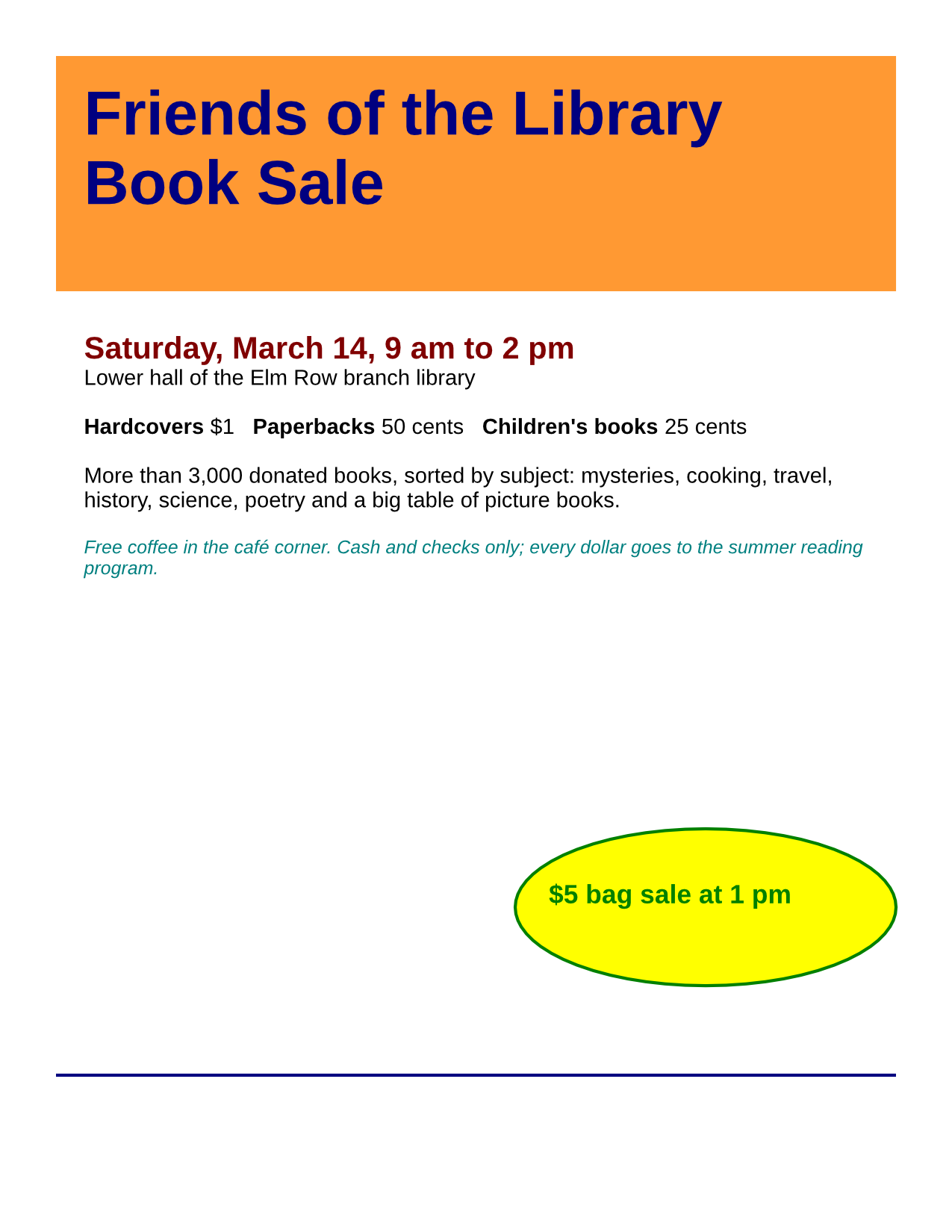
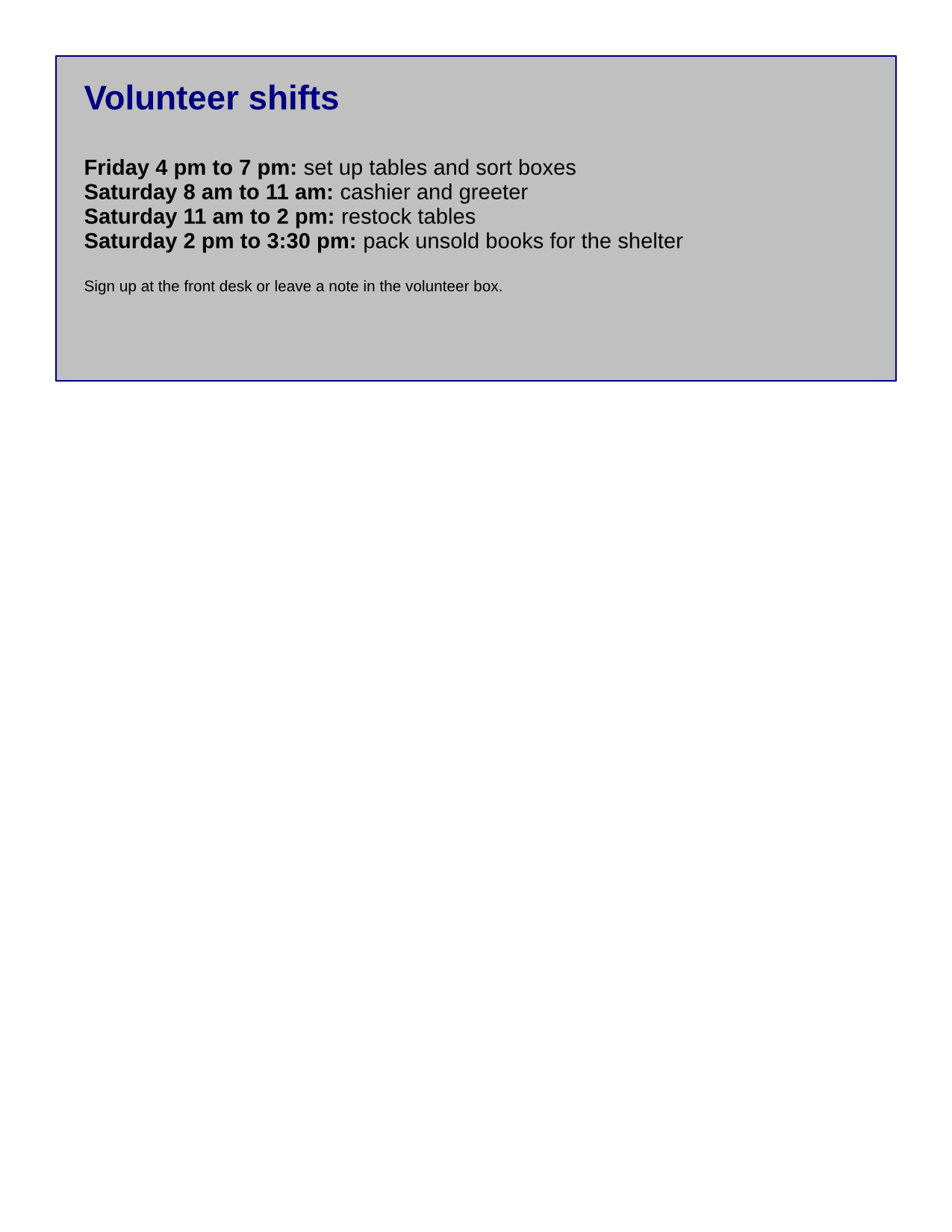
POST /v2/convert/pub/to/png draws every page of a Microsoft Publisher file as its own PNG. Our Letter-size book sale flyer comes back as two 1,275 × 1,650 RGB images at the default 150 DPI, book-sale-flyer-1.png and -2.png.
- Endpoint
- POST /v2/
convert/ pub/ to/ png - Accepts
- pub
- Sample timing
- 0.521 s median of 5 runsHow we measure
- Request size
- Up to 10 MB on the Free plan or 100 MB on paid plans, all files together
Request and response
Every sample below ran against the API before this page was published. Set PDFCONVERSIONAPI_KEY to your key and run it as is.
curl -sS -X POST \
  https://api.pdfconversionapi.com/v2/convert/pub/to/png \
  -H "Authorization: Bearer $PDFCONVERSIONAPI_KEY" \
  -F File=@book-sale-flyer.pub \
  -o response.json

# FileData is base64. Save the first file in converted/,
# or print the JSON error.
if jq -e '.Files' response.json > /dev/null; then
  mkdir -p converted
  name=$(jq -r '.Files[0].FileName' response.json)
  jq -r '.Files[0].FileData' response.json \
    | base64 --decode > "converted/$name"
else
  cat response.json
fi
import base64
import os
import requests
key = os.environ["PDFCONVERSIONAPI_KEY"]
response = requests.post(
"https://api.pdfconversionapi.com/v2/convert/pub/to/png",
headers={"Authorization": f"Bearer {key}"},
files=[("File", open("book-sale-flyer.pub", "rb"))],
timeout=180,
)
result = response.json()
if not response.ok:
raise SystemExit(f"{result['Code']}: {result['Message']}")
os.makedirs("converted", exist_ok=True)
for file in result["Files"]:
path = os.path.join("converted", file["FileName"])
with open(path, "wb") as out:
out.write(base64.b64decode(file["FileData"]))
print(path, file["FileSize"], "bytes")
import { mkdir, readFile, writeFile } from "node:fs/promises";
import { join } from "node:path";

const form = new FormData();
const file = "book-sale-flyer.pub";
form.append("File", new Blob([await readFile(file)]), file);

const url = "https://api.pdfconversionapi.com/v2/convert/pub/to/png";
const key = process.env.PDFCONVERSIONAPI_KEY;
const response = await fetch(url, {
  method: "POST",
  headers: { Authorization: `Bearer ${key}` },
  body: form,
});
const result = await response.json();
if (!response.ok) {
  throw new Error(`${result.Code}: ${result.Message}`);
}

await mkdir("converted", { recursive: true });
for (const file of result.Files) {
  const path = join("converted", file.FileName);
  await writeFile(path, Buffer.from(file.FileData, "base64"));
  console.log(path, file.FileSize, "bytes");
}
{
  "ConversionCost": 1,
  "ConversionTime": 0.521,
  "Files": [
    {
      "FileName": "book-sale-flyer-1.png",
      "FileExt": "png",
      "FileSize": 216166,
      "FileData": "iVBORw0KGgoAAAANSUhEUgAA…"
    },
    {
      "FileName": "book-sale-flyer-2.png",
      "FileExt": "png",
      "FileSize": 123435,
      "FileData": "iVBORw0KGgoAAAANSUhEUgAA…"
    }
  ]
}
Response from our test run on 2026-11-03. ConversionTime shows the median of 5 runs. FileData is shortened here; the real response carries the whole file as base64.
The sample, converted
The same file the code sends. Download the input and the output and compare them yourself.
- Input
- book-sale-flyer.pub (10 KB)
- Output
- book-sale-flyer-1.png (211 KB)book-sale-flyer-2.png (121 KB)
- Source
- A two-page flyer for a fictional library book sale; we wrote our text and shapes into a small Publisher test file from an open-source office suite's test data (MPL-2.0). How it was made
- Made by
- 2026-11-04, API build
9eeeb0640aba
Parameters
Send these as form fields next to the file. Names are case-insensitive. If you set one of the documented options below that we don't support yet, the request fails with a 400 that names it instead of returning a file made without it.
| Parameter | What it does |
|---|---|
ImageResolutioninteger, default 150 | One value for both directions, stored in the PNG when sent. 72 made the volunteer page 612 × 792 and 47,582 bytes.Values: 36–600 |
ImageWidthinteger | Width in pixels; the flyer page is drawn at the scale it needs.Values: 1–20000 |
ImageHeightinteger | Height in pixels. An 850 × 850 box with ImageWidth gives a 657 × 850 page.Values: 1–20000 |
ScaleProportionsboolean, default true | false stretches the Letter page to the box, 850 × 850 for example. |
ScaleImageboolean, default true | false crops the box from the top-left corner of the page at 150 DPI. |
ScaleIfLargerboolean, default false | true keeps the page at its rendered size when you ask for more pixels, such as ImageWidth=2550. |
TransparentColorstring | One exact color to clear: white cleared 1,608,442 of the 2,103,750 pixels on the front page, leaving the banner, the ellipse and the text.Values: color name, #RRGGBB or R,G,B |
ColorSpaceenum, default default | gray writes a one-channel PNG (85,708 bytes for the front page), monochrome one with only black and white (31,413 bytes), and rgb the same three-channel 216,166-byte file as the default.Values: default, rgb, gray, monochrome |
PageRangestring | Pages to draw; 1 returns the front of the flyer only. |
FileNamestring | Stem for the numbered files. |
StoreFileboolean, default false | Return links to the stored PNGs, valid for 3 hours. |
Not supported yet
Setting one of these to anything but its default returns 400.
| Option | What to do instead |
|---|---|
ImageResolutionH | Returns 400 "ImageResolutionH is not supported yet for PUB → PNG". Use ImageResolution, which sets both directions. |
ImageResolutionV | Same as ImageResolutionH. |
TextAntialiasing | Text is always drawn with smoothed edges; 0 returns 400. |
Also refused when set: GraphicsAntialiasing, UseCIEColor.
What carries over, and what doesn't
Kept
- One PNG per publication page, 1,275 × 1,650 for US Letter at 150 DPI
- Exact fill colors such as the #FF9933 banner and the yellow badge, with no compression artifacts
- Every text run at its size and weight, drawn with smooth edges
- Three color channels with no alpha channel;
TransparentColoradds one
Lost or not yet supported
- The file's own font faces: all text renders in one sans-serif family.
- A background color of your choice: the page is drawn on white, and
BackgroundColor=blackreturned both PNGs pixel for pixel unchanged. - DPI in the file, unless
ImageResolutionis sent.
Limits
- Antialiasing and separate horizontal and vertical resolutions, which ConvertAPI documents for this pair, return 400 when set to anything but their defaults.
- 100,000,000 pixels and 16,000 pixels per side per page; larger sizes return 413.
- Up to 10 MB on the Free plan or 100 MB on paid plans per request, 2,000 pages, and 120 seconds per conversion.
Where teams use it
Thumbnails for a template gallery
A site that offers flyers, menus or certificates as .pub downloads can show a PNG of each page next to the file. ImageWidth=300 gave 300 × 388 previews of 32,448 and 16,704 bytes.
Checking old publications before migration
Before moving an archive of .pub files to another tool, render the pages to see what each one contains, without opening Publisher.
Cut-out artwork
TransparentColor=white keeps the colored banner and badge on a clear background, so they can be reused on a web page.
Questions
How do I set the resolution?
Send ImageResolution, for example 300 for print-size pages. ImageResolutionH and ImageResolutionV are not read yet and return 400; their default of 200 is accepted.
Can I convert only the first page of a publication?
Yes, with PageRange=1. Without it, the response holds one PNG per page in page order.
Do I get a transparent background?
Only if you ask: TransparentColor=white made 76.5% of the front page transparent. Otherwise every pixel is opaque.
Convert your first PUB file in a minute.