PUB to WebP API
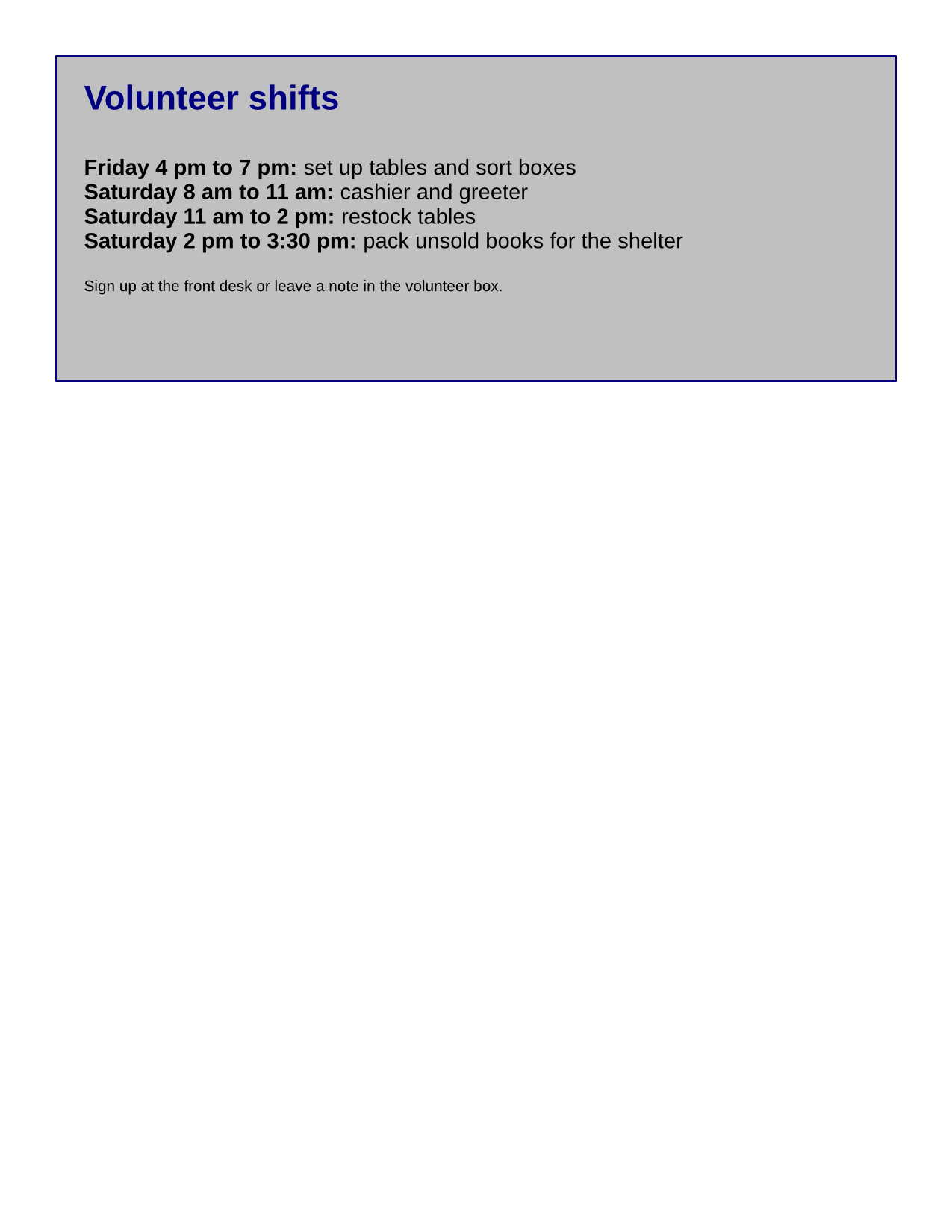
POST /v2/convert/pub/to/webp turns each page of a Microsoft Publisher file into a lossless WebP. Our two-page flyer returns 1,275 × 1,650 images of 122,634 and 37,560 bytes at the default 150 DPI.
- Endpoint
- POST /v2/
convert/ pub/ to/ webp - Accepts
- pub
- Sample timing
- 0.531 s median of 5 runsHow we measure
- Request size
- Up to 10 MB on the Free plan or 100 MB on paid plans, all files together
Request and response
Every sample below ran against the API before this page was published. Set PDFCONVERSIONAPI_KEY to your key and run it as is.
curl -sS -X POST \
  https://api.pdfconversionapi.com/v2/convert/pub/to/webp \
  -H "Authorization: Bearer $PDFCONVERSIONAPI_KEY" \
  -F File=@book-sale-flyer.pub \
  -o response.json

# FileData is base64. Save the first file in converted/,
# or print the JSON error.
if jq -e '.Files' response.json > /dev/null; then
  mkdir -p converted
  name=$(jq -r '.Files[0].FileName' response.json)
  jq -r '.Files[0].FileData' response.json \
    | base64 --decode > "converted/$name"
else
  cat response.json
fi
import base64
import os
import requests
key = os.environ["PDFCONVERSIONAPI_KEY"]
response = requests.post(
"https://api.pdfconversionapi.com/v2/convert/pub/to/webp",
headers={"Authorization": f"Bearer {key}"},
files=[("File", open("book-sale-flyer.pub", "rb"))],
timeout=180,
)
result = response.json()
if not response.ok:
raise SystemExit(f"{result['Code']}: {result['Message']}")
os.makedirs("converted", exist_ok=True)
for file in result["Files"]:
path = os.path.join("converted", file["FileName"])
with open(path, "wb") as out:
out.write(base64.b64decode(file["FileData"]))
print(path, file["FileSize"], "bytes")
import { mkdir, readFile, writeFile } from "node:fs/promises";
import { join } from "node:path";

const form = new FormData();
const file = "book-sale-flyer.pub";
form.append("File", new Blob([await readFile(file)]), file);

const url = "https://api.pdfconversionapi.com/v2/convert/pub/to/webp";
const key = process.env.PDFCONVERSIONAPI_KEY;
const response = await fetch(url, {
  method: "POST",
  headers: { Authorization: `Bearer ${key}` },
  body: form,
});
const result = await response.json();
if (!response.ok) {
  throw new Error(`${result.Code}: ${result.Message}`);
}

await mkdir("converted", { recursive: true });
for (const file of result.Files) {
  const path = join("converted", file.FileName);
  await writeFile(path, Buffer.from(file.FileData, "base64"));
  console.log(path, file.FileSize, "bytes");
}
{
  "ConversionCost": 1,
  "ConversionTime": 0.531,
  "Files": [
    {
      "FileName": "book-sale-flyer-1.webp",
      "FileExt": "webp",
      "FileSize": 122634,
      "FileData": "UklGRgLfAQBXRUJQVlA4TPbe…"
    },
    {
      "FileName": "book-sale-flyer-2.webp",
      "FileExt": "webp",
      "FileSize": 37560,
      "FileData": "UklGRrCSAABXRUJQVlA4TKSS…"
    }
  ]
}
Response from our test run on 2026-11-03. ConversionTime shows the median of 5 runs. FileData is shortened here; the real response carries the whole file as base64.
The sample, converted
The same file the code sends. Download the input and the output and compare them yourself.

- Input
- book-sale-flyer.pub (10 KB)
- Output
- book-sale-flyer-1.webp (120 KB)book-sale-flyer-2.webp (37 KB)
- Source
- A two-page flyer for a fictional library book sale; we wrote our text and shapes into a small Publisher test file from an open-source office suite's test data (MPL-2.0). How it was made
- Made by
- 2026-11-04, API build
9eeeb0640aba
Parameters
Send these as form fields next to the file. Names are case-insensitive. If you set one of the documented options below that we don't support yet, the request fails with a 400 that names it instead of returning a file made without it.
| Parameter | What it does |
|---|---|
ImageWidthinteger | Width in pixels: 850 gave 850 × 1,100 pages of 77,536 and 23,086 bytes.Values: 1–20000 |
ImageHeightinteger | Height in pixels.Values: 1–20000 |
ImageResolutioninteger, default 150 | Sets the pixel size; WebP files don't store DPI.Values: 36–600 |
ScaleProportionsboolean, default true | false stretches the page to the exact box. |
ScaleImageboolean, default true | false crops the top-left corner instead of scaling. |
ScaleIfLargerboolean, default false | true keeps pages from being enlarged. |
TransparentColorstring | Clears one exact color: white cleared 1,608,442 pixels of the front page (132,076 bytes).Values: color name, #RRGGBB or R,G,B |
ColorSpaceenum, default default | gray (68,288 bytes for the front page) and monochrome (15,606) change the pixels; WebP has no gray mode, so the file stays an RGB image.Values: default, rgb, gray, monochrome |
PageRangestring | Pages to convert; 2 returns the volunteer page alone. |
FileNamestring | Stem for the numbered .webp files. |
StoreFileboolean, default false | Return links to the stored files, valid for 3 hours. |
What carries over, and what doesn't
Kept
- Every rendered pixel: the WebP is lossless (VP8L)
- One image per page, 1,275 × 1,650 at 150 DPI
- Fill and text colors as drawn, with no alpha channel unless
TransparentColoris set
Lost or not yet supported
- A lossy mode: the output is always lossless.
- DPI metadata, which WebP has no place for.
- The publication's font faces, replaced by one sans-serif family.
Limits
- ConvertAPI documents no options for this pair, so options the route doesn't read are ignored:
ImageQuality=30,ImageResolutionH=300,TiffType,JpgTypeandTextAntialiasing=0all returned 200 with unchanged files. The same antialiasing and H/V resolution options return 400 onpub/to/png. - 100,000,000 pixels and 16,000 pixels per side per page.
- Up to 10 MB on the Free plan or 100 MB on paid plans per request and 120 seconds per conversion.
Where teams use it
Flyers on a website
A library, school or club site can show each page of a .pub flyer as WebP with the same pixels as PNG: 57% of the PNG's bytes for the sample's front page and 30% for its volunteer page.
Previews in a file-sharing app
Show page images of uploaded publications at the width of the preview pane with ImageWidth.
Questions
Can I choose a quality level?
No. The WebP files are lossless, and ImageQuality is ignored on this route. Reduce the size with ImageWidth: 850 pixels wide brought the front page from 122,634 to 77,536 bytes.
Why does an option work differently here than on PUB to PNG?
On pub/to/png we refuse ConvertAPI's documented options that we don't apply, such as ImageResolutionH. ConvertAPI documents none for WebP, so unknown options are ignored here, as ConvertAPI does.
How much smaller is WebP than PNG for a Publisher page?
For the flyer's front page, 122,634 bytes against 216,166, 57% of the PNG. The volunteer page went from 123,435 to 37,560 bytes.
Convert your first PUB file in a minute.