SVG to GIF API
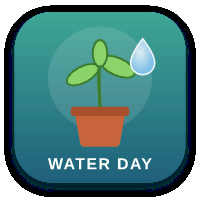
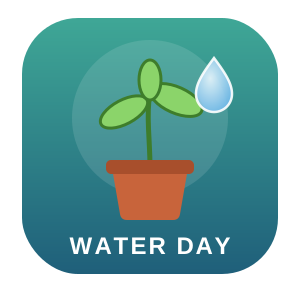
POST an SVG to /v2/convert/svg/to/gif to get a single-frame GIF89a with a palette of up to 256 colors. The sample at ImageWidth=200 came back as 8,501 bytes, using 180 palette entries (160 distinct colors and one transparent entry), with clear corners, but its soft shadow did not survive.
- Endpoint
- POST /v2/
convert/ svg/ to/ gif - Accepts
- svg
- Sample timing
- 29 ms median of 5 runsHow we measure
- Request size
- Up to 10 MB on the Free plan or 100 MB on paid plans, all files together
Request and response
Every sample below ran against the API before this page was published. Set PDFCONVERSIONAPI_KEY to your key and run it as is.
curl -sS -X POST \
  https://api.pdfconversionapi.com/v2/convert/svg/to/gif \
  -H "Authorization: Bearer $PDFCONVERSIONAPI_KEY" \
  -F File=@water-day-icon.svg \
  --form-string ImageWidth=200 \
  -o response.json

# FileData is base64. Save the first file in converted/,
# or print the JSON error.
if jq -e '.Files' response.json > /dev/null; then
  mkdir -p converted
  name=$(jq -r '.Files[0].FileName' response.json)
  jq -r '.Files[0].FileData' response.json \
    | base64 --decode > "converted/$name"
else
  cat response.json
fi
import base64
import os
import requests
key = os.environ["PDFCONVERSIONAPI_KEY"]
response = requests.post(
"https://api.pdfconversionapi.com/v2/convert/svg/to/gif",
headers={"Authorization": f"Bearer {key}"},
files=[("File", open("water-day-icon.svg", "rb"))],
data={
"ImageWidth": "200",
},
timeout=180,
)
result = response.json()
if not response.ok:
raise SystemExit(f"{result['Code']}: {result['Message']}")
os.makedirs("converted", exist_ok=True)
for file in result["Files"]:
path = os.path.join("converted", file["FileName"])
with open(path, "wb") as out:
out.write(base64.b64decode(file["FileData"]))
print(path, file["FileSize"], "bytes")
import { mkdir, readFile, writeFile } from "node:fs/promises";
import { join } from "node:path";

const form = new FormData();
const file = "water-day-icon.svg";
form.append("File", new Blob([await readFile(file)]), file);
form.append("ImageWidth", "200");

const url = "https://api.pdfconversionapi.com/v2/convert/svg/to/gif";
const key = process.env.PDFCONVERSIONAPI_KEY;
const response = await fetch(url, {
  method: "POST",
  headers: { Authorization: `Bearer ${key}` },
  body: form,
});
const result = await response.json();
if (!response.ok) {
  throw new Error(`${result.Code}: ${result.Message}`);
}

await mkdir("converted", { recursive: true });
for (const file of result.Files) {
  const path = join("converted", file.FileName);
  await writeFile(path, Buffer.from(file.FileData, "base64"));
  console.log(path, file.FileSize, "bytes");
}
{
  "ConversionCost": 1,
  "ConversionTime": 0.029,
  "Files": [
    {
      "FileName": "water-day-icon.gif",
      "FileExt": "gif",
      "FileSize": 8501,
      "FileData": "R0lGODlhyADIAIAAAAAAAAAA…"
    }
  ]
}
Response from our test run on 2026-11-03. ConversionTime shows the median of 5 runs. FileData is shortened here; the real response carries the whole file as base64.
The sample, converted
The same file the code sends. Download the input and the output and compare them yourself.
- Input
- water-day-icon.svg (2.1 KB)
- Output
- water-day-icon.gif (8.3 KB)
- Source
- An app icon for a fictional plant-watering reminder, with two gradients, a soft drop shadow and a text label, which we drew by hand. (CC0-1.0). How it was made
- Made by
- 2026-11-04, API build
9eeeb0640aba
Parameters
Send these as form fields next to the file. Names are case-insensitive. If you set one of the documented options below that we don't support yet, the request fails with a 400 that names it instead of returning a file made without it.
| Parameter | What it does |
|---|---|
ImageWidthinteger | GIF width in pixels, with the drawing rendered at that size. The sample sends 200.Values: 1–20000 |
ImageHeightinteger | GIF height in pixels; the width follows the drawing's proportions, or both form a box.Values: 1–20000 |
ScaleProportionsboolean, default true | false with two sizes stretches the drawing to fill them. |
ScaleIfLargerboolean, default false | true refuses to enlarge: a width above the SVG's own is ignored. |
ScaleImageboolean, default true | false cuts the top-left region of the given size from a render at the SVG's own size. |
TransparentColorstring | Makes every pixel of exactly this color transparent in addition to the empty areas. In the sample white would also clear the WATER DAY letters.Values: Color names (white, black, red, green, blue, gray), #RRGGBB or R,G,B |
ColorSpaceenum, default default | gray gives a gray palette and monochrome a black, white and clear one (2,438 bytes at 300 px). cmyk returns 400.Values: default, rgb, gray, monochrome |
FileNamestring | Output name without .gif. |
StoreFileboolean, default false | Store the GIF for 3 hours and get its URL back. |
What carries over, and what doesn't
Kept
- Fully transparent areas: all 5,099 clear pixels at 200 px stay clear, through one transparent palette entry
- Flat fills: across opaque pixels the average difference from the PNG render was 0.38 levels, with a worst case of 43
- The drawing's proportions at the size you request
Lost or not yet supported
- Partial transparency. GIF pixels are either opaque or clear, and the 7,206 partly transparent pixels of the sample's shadow all became opaque at their own dark color, which draws a hard black band around the tile.
- Smooth gradients past 256 colors: the palette is picked from the image, and the sample uses 180 of its 256 entries for 160 distinct colors.
- More than one frame: SVG animation is not turned into GIF animation.
- Text in fonts we don't have installed, which is dropped silently.
- Images linked by URL or path.
Limits
- One SVG per request.
- Requests up to 10 MB on the Free plan or 100 MB on paid plans, all files and fields together.
- At most 100,000,000 pixels in the rendered image (413 above).
- GIF stores each side in 16 bits, so 65,535 px is the most. An SVG whose own width is 65536 (2 px high) returned 413 "GIF images can be at most 65,535 pixels on a side, and this one is 65,536×2"; at 65535 it converted.
ImageWidthandImageHeightfrom 1 to 20,000.- The request fails with 504 after 120 seconds.
Where teams use it
Places that take raster images only
Where an email template or an older forum accepts raster images but not SVG, a flat icon converts to a small GIF with a clear background.
Hard-edged badges and buttons
Drawings made of flat fills without blur or shadows fit GIF's model of opaque or fully clear pixels, and stay small: 8,501 bytes for the sample against 16,987 for the PNG of the same size.
Questions
Why does my GIF have a black outline where the SVG has a shadow?
GIF can't store partial transparency. Pixels of a soft shadow or a feathered edge are part-transparent in the render, and each one is written fully opaque with its own color, which for a shadow is dark. Remove the filter, or give the SVG a background rectangle in the color the GIF will sit on; this route has no matte color option.
How many colors does the GIF have?
Up to 256, chosen from the rendered image. The sample's 256-entry palette has 180 entries in use: one transparent entry and 179 opaque ones, which hold 160 distinct colors because some repeat. Its opaque pixels came out on average 0.38 levels from the PNG render.
Can I make another color transparent?
Yes, with TransparentColor. Every pixel of exactly that color is cleared, so white on the sample would also cut out the white lettering; anti-aliased edges keep a fringe because they are blends.
Will an animated SVG become an animated GIF?
No. The result always has one frame, drawn from the SVG as written.
Convert your first SVG file in a minute.