SVG to WebP API
POST an SVG to /v2/convert/svg/to/webp to get a lossless WebP, with a full alpha channel when the drawing has transparent parts. The sample at ImageWidth=600 is 53,598 bytes, 17% smaller than the PNG of the same 600 × 600 render, with identical pixels.
- Endpoint
- POST /v2/
convert/ svg/ to/ webp - Accepts
- svg
- Sample timing
- 41 ms median of 5 runsHow we measure
- Request size
- Up to 10 MB on the Free plan or 100 MB on paid plans, all files together
Request and response
Every sample below ran against the API before this page was published. Set PDFCONVERSIONAPI_KEY to your key and run it as is.
curl -sS -X POST \
  https://api.pdfconversionapi.com/v2/convert/svg/to/webp \
  -H "Authorization: Bearer $PDFCONVERSIONAPI_KEY" \
  -F File=@water-day-icon.svg \
  --form-string ImageWidth=600 \
  -o response.json

# FileData is base64. Save the first file in converted/,
# or print the JSON error.
if jq -e '.Files' response.json > /dev/null; then
  mkdir -p converted
  name=$(jq -r '.Files[0].FileName' response.json)
  jq -r '.Files[0].FileData' response.json \
    | base64 --decode > "converted/$name"
else
  cat response.json
fi
import base64
import os
import requests
key = os.environ["PDFCONVERSIONAPI_KEY"]
response = requests.post(
"https://api.pdfconversionapi.com/v2/convert/svg/to/webp",
headers={"Authorization": f"Bearer {key}"},
files=[("File", open("water-day-icon.svg", "rb"))],
data={
"ImageWidth": "600",
},
timeout=180,
)
result = response.json()
if not response.ok:
raise SystemExit(f"{result['Code']}: {result['Message']}")
os.makedirs("converted", exist_ok=True)
for file in result["Files"]:
path = os.path.join("converted", file["FileName"])
with open(path, "wb") as out:
out.write(base64.b64decode(file["FileData"]))
print(path, file["FileSize"], "bytes")
import { mkdir, readFile, writeFile } from "node:fs/promises";
import { join } from "node:path";

const form = new FormData();
const file = "water-day-icon.svg";
form.append("File", new Blob([await readFile(file)]), file);
form.append("ImageWidth", "600");

const url = "https://api.pdfconversionapi.com/v2/convert/svg/to/webp";
const key = process.env.PDFCONVERSIONAPI_KEY;
const response = await fetch(url, {
  method: "POST",
  headers: { Authorization: `Bearer ${key}` },
  body: form,
});
const result = await response.json();
if (!response.ok) {
  throw new Error(`${result.Code}: ${result.Message}`);
}

await mkdir("converted", { recursive: true });
for (const file of result.Files) {
  const path = join("converted", file.FileName);
  await writeFile(path, Buffer.from(file.FileData, "base64"));
  console.log(path, file.FileSize, "bytes");
}
{
  "ConversionCost": 1,
  "ConversionTime": 0.041,
  "Files": [
    {
      "FileName": "water-day-icon.webp",
      "FileExt": "webp",
      "FileSize": 53598,
      "FileData": "UklGRlbRAABXRUJQVlA4TErR…"
    }
  ]
}
Response from our test run on 2026-11-03. ConversionTime shows the median of 5 runs. FileData is shortened here; the real response carries the whole file as base64.
The sample, converted
The same file the code sends. Download the input and the output and compare them yourself.
- Input
- water-day-icon.svg (2.1 KB)
- Output
- water-day-icon.webp (52 KB)
- Source
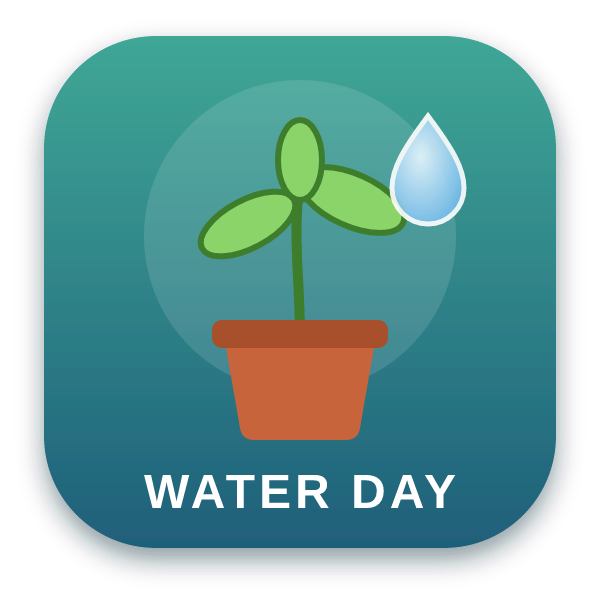
- An app icon for a fictional plant-watering reminder, with two gradients, a soft drop shadow and a text label, which we drew by hand. (CC0-1.0). How it was made
- Made by
- 2026-11-04, API build
9eeeb0640aba
Parameters
Send these as form fields next to the file. Names are case-insensitive. If you set one of the documented options below that we don't support yet, the request fails with a 400 that names it instead of returning a file made without it.
| Parameter | What it does |
|---|---|
ImageWidthinteger | Width in pixels; the drawing is rendered at that size, so 600 for the 300 px icon is a sharp 2x image.Values: 1–16384 |
ImageHeightinteger | Height in pixels, alone or with ImageWidth as a bounding box.Values: 1–16384 |
ScaleProportionsboolean, default true | Send false with both sizes to stretch the drawing into them. |
ScaleIfLargerboolean, default false | true keeps the SVG's own size whenever the requested one is bigger. |
ScaleImageboolean, default true | false cuts the requested size out of the top-left corner of an unscaled render. |
TransparentColorstring | Clears every pixel of exactly this color; white removed 695 pixels at the icon's own 300 px and 3,521 at the sample's 600 px, the label's letters included.Values: Color names (white, black, red, green, blue, gray), #RRGGBB or R,G,B |
ColorSpaceenum, default default | gray (11,532 bytes at 300 px) and monochrome (4,564 bytes) reduce the colors; the sample's WebP stays RGBA because its corners are transparent. cmyk returns 400.Values: default, rgb, gray, monochrome |
FileNamestring | Output name; .webp is added. |
StoreFileboolean, default false | Store the result for 3 hours and get a URL. |
Not supported yet
Setting one of these to anything but its default returns 400.
| Option | What to do instead |
|---|---|
ImageQuality | The WebP is always lossless. 75 is accepted as ConvertAPI's default; other values return 400 "ImageQuality is not supported yet for SVG → WebP". |
What carries over, and what doesn't
Kept
- Every pixel, alpha included: the sample decodes to exactly the PNG render at 600 px
- The soft shadow and anti-aliased edges as partial transparency
- Clear corners (no background is added)
- Rendering at the target size, so a 2x WebP is drawn at 2x rather than enlarged
Lost or not yet supported
- The option of a lossy, smaller file: there is no quality setting.
- DPI, which WebP has no field for;
ImageResolutionis accepted and changes nothing. - Animation: one still image.
- Text in fonts not installed on our servers, and linked images.
Limits
- One SVG per request.
- Requests up to 10 MB on the Free plan or 100 MB on paid plans, all files and fields together.
- Renders larger than 100,000,000 pixels return 413.
- Renders up to 16,384 px per side, the most a lossless WebP can hold. A test SVG declaring
width="16385"returned 413 "WebP images can be at most 16,384 pixels on a side, and this one is 16,385×10" with no size sent, and converted withImageWidth=16384.ImageWidth=20000withImageHeight=1andScaleProportions=falsegets the 413 too, for 20,000×1, with "; lower ImageWidth or ImageHeight" added because a size was sent. - 504 if the conversion is still running at 120 seconds.
Where teams use it
Raster copies of SVG for platforms that refuse SVG
When an app listing, a social profile or a CMS field takes raster images but not SVG, a lossless WebP at the size it asks for keeps the transparency and every edge.
Thumbnails of an SVG library
Render each icon or illustration at thumbnail size for a gallery page. For the sample icon, the WebP was 17% smaller than a PNG of the same pixels at 600 px and 18% smaller at 300 px.
Questions
Is the WebP lossy or lossless?
Lossless: the file is a VP8L stream, and decoding it gives the exact pixels of the render. ImageQuality is refused unless it is 75.
How much smaller than PNG is it?
For the sample, 21,686 bytes against 26,512 at 300 px, and 53,598 against 64,802 at 600 px, about 17 to 18% smaller with the same pixels.
Can I remove a background color baked into the SVG?
Yes, with TransparentColor set to that exact color. Only identical pixels are cleared, so edges that blend into the background keep a thin fringe, and artwork in the same color is cleared too.
Does every WebP have an alpha channel?
Only when the render has see-through pixels. The sample's corners are clear, so its WebP is RGBA. Our copy of the icon with a full-size white rectangle behind it came back as 3-channel RGB, 17,696 bytes; with TransparentColor=white it was RGBA again, with 13,465 clear pixels.
Convert your first SVG file in a minute.