SVG to SVG API
POST an SVG to /v2/convert/svg/to/svg and get back a normalized copy: shapes as paths, styles as attributes, text as outlines. ImageWidth or ImageHeight resize it; the sample asks for 96 px and gets a 96 × 96 SVG with a viewBox.
- Endpoint
- POST /v2/
convert/ svg/ to/ svg - Accepts
- svg
- Sample timing
- 1 ms median of 5 runsHow we measure
- Request size
- Up to 10 MB on the Free plan or 100 MB on paid plans, all files together
Request and response
Every sample below ran against the API before this page was published. Set PDFCONVERSIONAPI_KEY to your key and run it as is.
curl -sS -X POST \
  https://api.pdfconversionapi.com/v2/convert/svg/to/svg \
  -H "Authorization: Bearer $PDFCONVERSIONAPI_KEY" \
  -F File=@water-day-icon.svg \
  --form-string ImageWidth=96 \
  -o response.json

# FileData is base64. Save the first file in converted/,
# or print the JSON error.
if jq -e '.Files' response.json > /dev/null; then
  mkdir -p converted
  name=$(jq -r '.Files[0].FileName' response.json)
  jq -r '.Files[0].FileData' response.json \
    | base64 --decode > "converted/$name"
else
  cat response.json
fi
import base64
import os
import requests
key = os.environ["PDFCONVERSIONAPI_KEY"]
response = requests.post(
"https://api.pdfconversionapi.com/v2/convert/svg/to/svg",
headers={"Authorization": f"Bearer {key}"},
files=[("File", open("water-day-icon.svg", "rb"))],
data={
"ImageWidth": "96",
},
timeout=180,
)
result = response.json()
if not response.ok:
raise SystemExit(f"{result['Code']}: {result['Message']}")
os.makedirs("converted", exist_ok=True)
for file in result["Files"]:
path = os.path.join("converted", file["FileName"])
with open(path, "wb") as out:
out.write(base64.b64decode(file["FileData"]))
print(path, file["FileSize"], "bytes")
import { mkdir, readFile, writeFile } from "node:fs/promises";
import { join } from "node:path";

const form = new FormData();
const file = "water-day-icon.svg";
form.append("File", new Blob([await readFile(file)]), file);
form.append("ImageWidth", "96");

const url = "https://api.pdfconversionapi.com/v2/convert/svg/to/svg";
const key = process.env.PDFCONVERSIONAPI_KEY;
const response = await fetch(url, {
  method: "POST",
  headers: { Authorization: `Bearer ${key}` },
  body: form,
});
const result = await response.json();
if (!response.ok) {
  throw new Error(`${result.Code}: ${result.Message}`);
}

await mkdir("converted", { recursive: true });
for (const file of result.Files) {
  const path = join("converted", file.FileName);
  await writeFile(path, Buffer.from(file.FileData, "base64"));
  console.log(path, file.FileSize, "bytes");
}
{
  "ConversionCost": 1,
  "ConversionTime": 0.001,
  "Files": [
    {
      "FileName": "water-day-icon.svg",
      "FileExt": "svg",
      "FileSize": 6116,
      "FileData": "PHN2ZyB4bWxucz0iaHR0cDov…"
    }
  ]
}
Response from our test run on 2026-11-03. ConversionTime shows the median of 5 runs. FileData is shortened here; the real response carries the whole file as base64.
The sample, converted
The same file the code sends. Download the input and the output and compare them yourself.

- Input
- water-day-icon.svg (2.1 KB)
- Output
- water-day-icon.svg (6.0 KB)
- Source
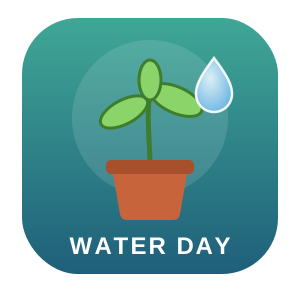
- An app icon for a fictional plant-watering reminder, with two gradients, a soft drop shadow and a text label, which we drew by hand. (CC0-1.0). How it was made
- Made by
- 2026-11-04, API build
9eeeb0640aba
Parameters
Send these as form fields next to the file. Names are case-insensitive. If you set one of the documented options below that we don't support yet, the request fails with a 400 that names it instead of returning a file made without it.
| Parameter | What it does |
|---|---|
ImageWidthinteger | New width. The normalized drawing is wrapped in an outer <svg> with this width, the matching height and a viewBox, so it scales as a whole. 20,000 is accepted because no pixels are made.Values: 1–20000 |
ImageHeightinteger | New height, with the width derived; send both to fit the drawing inside a box (600 × 200 gave 200 × 200).Values: 1–20000 |
ScaleProportionsboolean, default true | false with both sizes writes them as given, and because the wrapper's preserveAspectRatio is none, the drawing stretches. |
ScaleIfLargerboolean, default false | true returns the normalized SVG at its own size when the requested one is larger. |
ScaleImageboolean, default true | false crops instead of scaling: 150 × 150 shows the top-left quarter of the 300 × 300 icon through a 150 × 150 viewBox. |
FileNamestring | Output name; icon-clean gives icon-clean.svg. |
StoreFileboolean, default false | Keeps the SVG for 3 hours and returns its URL. |
Not supported yet
Setting one of these to anything but its default returns 400.
| Option | What to do instead |
|---|---|
ImageResolution | No pixels are produced, so a resolution means nothing here. The ConvertAPI default of 200 passes; other values return 400 "ImageResolution is not supported yet for SVG → SVG". |
ColorSpace | Colors are kept as they are. default and TrueColors pass and give the same file; gray, rgb, monochrome and cmyk return 400 "ColorSpace is not supported yet for SVG → SVG". |
ImageQuality | Nothing is compressed; only 75 passes. |
ImageInterpolation | Only false passes. |
What carries over, and what doesn't
Kept
- The picture: rendering the normalized sample and the original to PNG gave no pixel more than 14 levels apart, 0.0003 on average
- Gradients, with their geometry written out in user space
- Filters such as the drop shadow (feDropShadow) and group opacity
- Images embedded as data: URLs
- Physical units, converted to pixels at 96 per inch: a 100 mm wide SVG came back 377.95276 wide
- Gzip-compressed .svgz uploads, returned as plain SVG
Lost or not yet supported
- Text as text: the WATER DAY label is now a filled path.
- Text whose fonts aren't installed on our servers, which disappears from the file.
- The <title>, comments, the <style> block and class names.
- The viewBox when you send no size: the output carries only width and height. Sending
ImageWidthorImageHeightadds one. - Scripts, event handlers, links, <foreignObject> and images referenced by URL or path.
- Compactness: the 2,133-byte icon grew to 5,998 bytes without resizing and to 6,116 bytes in the 96 px sample, mostly glyph outlines and expanded shapes.
Limits
- One SVG per request.
- Requests up to 10 MB on the Free plan or 100 MB on paid plans, all files and fields together.
ImageWidthandImageHeightfrom 1 to 20,000; there is no pixel limit because nothing is rasterized.- Conversions longer than 120 seconds return 504.
Where teams use it
Cleaning user-uploaded SVGs
Run uploads through the API before you show them on your site. In our test, <script>, onload and onclick attributes, an <a> link, remote and file: images and <foreignObject> were all removed, while an embedded data: image stayed.
Logos that look the same without fonts
Text becomes path outlines, so an SVG shipped inside an app or to a renderer without your fonts still shows the right lettering.
Simpler input for SVG parsers
Plotting, cutting or your own code may not handle CSS classes, basic shapes or text. In our test files the output held only paths, groups, gradients, a filter and an embedded image.
Questions
Is this a safe way to sanitize SVG uploads?
It removes a lot: in our test file, scripts, event handler attributes, links, <foreignObject> and the images not embedded as data: were all gone from the output, and nothing is fetched while converting. The output is a re-written drawing, not a filtered copy of your markup. Keep your own upload checks as well.
Why is the output bigger than my file?
Shapes such as rect, circle and ellipse become path data, and each letter of text becomes an outline. The sample went from 2,133 to 5,998 bytes without resizing.
How does resizing work?
The normalized drawing is placed inside a new outer <svg> with the size you ask for and a viewBox of the original size. With ImageWidth=96 the sample's outer element is <svg xmlns="http://www.w3.org/2000/svg" width="96" height="96" viewBox="0 0 300 300" preserveAspectRatio="none">, and the proportions are kept because the size was computed from them.
Can I keep my text editable?
No. Text is always converted to outlines, which also means text in a font we don't have is dropped. Convert the text to paths in your editor first if the font is unusual.
Convert your first SVG file in a minute.