TIFF to SVG API
POST a TIFF to /v2/convert/tiff/to/svg and get an SVG in which the first page has been traced into filled vector paths. Nothing is embedded as a bitmap; options such as FilterSpeckle and CurveMode decide how much small detail survives.
- Endpoint
- POST /v2/
convert/ tiff/ to/ svg - Accepts
- tiff
- Sample timing
- 26 ms median of 5 runsHow we measure
- Request size
- Up to 10 MB on the Free plan or 100 MB on paid plans, all files together
Request and response
Every sample below ran against the API before this page was published. Set PDFCONVERSIONAPI_KEY to your key and run it as is.
curl -sS -X POST \
  https://api.pdfconversionapi.com/v2/convert/tiff/to/svg \
  -H "Authorization: Bearer $PDFCONVERSIONAPI_KEY" \
  -F File=@bin-label-c14.tiff \
  --form-string FilterSpeckle=1 \
  --form-string CurveMode=polygon \
  -o response.json

# FileData is base64. Save the first file in converted/,
# or print the JSON error.
if jq -e '.Files' response.json > /dev/null; then
  mkdir -p converted
  name=$(jq -r '.Files[0].FileName' response.json)
  jq -r '.Files[0].FileData' response.json \
    | base64 --decode > "converted/$name"
else
  cat response.json
fi
import base64
import os
import requests
key = os.environ["PDFCONVERSIONAPI_KEY"]
response = requests.post(
"https://api.pdfconversionapi.com/v2/convert/tiff/to/svg",
headers={"Authorization": f"Bearer {key}"},
files=[("File", open("bin-label-c14.tiff", "rb"))],
data={
"FilterSpeckle": "1",
"CurveMode": "polygon",
},
timeout=180,
)
result = response.json()
if not response.ok:
raise SystemExit(f"{result['Code']}: {result['Message']}")
os.makedirs("converted", exist_ok=True)
for file in result["Files"]:
path = os.path.join("converted", file["FileName"])
with open(path, "wb") as out:
out.write(base64.b64decode(file["FileData"]))
print(path, file["FileSize"], "bytes")
import { mkdir, readFile, writeFile } from "node:fs/promises";
import { join } from "node:path";

const form = new FormData();
const file = "bin-label-c14.tiff";
form.append("File", new Blob([await readFile(file)]), file);
form.append("FilterSpeckle", "1");
form.append("CurveMode", "polygon");

const url = "https://api.pdfconversionapi.com/v2/convert/tiff/to/svg";
const key = process.env.PDFCONVERSIONAPI_KEY;
const response = await fetch(url, {
  method: "POST",
  headers: { Authorization: `Bearer ${key}` },
  body: form,
});
const result = await response.json();
if (!response.ok) {
  throw new Error(`${result.Code}: ${result.Message}`);
}

await mkdir("converted", { recursive: true });
for (const file of result.Files) {
  const path = join("converted", file.FileName);
  await writeFile(path, Buffer.from(file.FileData, "base64"));
  console.log(path, file.FileSize, "bytes");
}
{
  "ConversionCost": 1,
  "ConversionTime": 0.026,
  "Files": [
    {
      "FileName": "bin-label-c14.svg",
      "FileExt": "svg",
      "FileSize": 32200,
      "FileData": "PD94bWwgdmVyc2lvbj0iMS4w…"
    }
  ]
}
Response from our test run on 2026-11-03. ConversionTime shows the median of 5 runs. FileData is shortened here; the real response carries the whole file as base64.
The sample, converted
The same file the code sends. Download the input and the output and compare them yourself.
- Input
- bin-label-c14.tiff (42 KB)
- Output
- bin-label-c14.svg (31 KB)
- Source
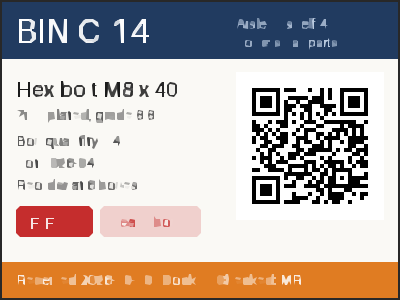
- A two-page warehouse bin label and cycle-count sheet we drew for this page, saved as an LZW-compressed TIFF at 200 dpi. (CC0-1.0). How it was made
- Made by
- 2026-11-04, API build
9eeeb0640aba
Parameters
Send these as form fields next to the file. Names are case-insensitive. If you set one of the documented options below that we don't support yet, the request fails with a 400 that names it instead of returning a file made without it.
| Parameter | What it does |
|---|---|
FilterSpeckleinteger, default 4 | Patches smaller than this size are dropped. The sample uses 1 to keep small text; 0 keeps everything but gave 4,791 paths and 406,900 bytes for the label.Values: 0–128 |
CurveModeenum, default spline | polygon draws straight segments, which suits the label's boxes and the QR code. With the sample's FilterSpeckle=1 it cut the file from 74,874 bytes (spline) to 32,200. pixel follows pixel edges.Values: pixel, polygon, spline |
ColorPrecisioninteger, default 6 | Significant bits per color channel when grouping pixels. At 6, the paper color #FCFBF7 was written as #FAF9F5.Values: 1–8 |
GradientStepinteger, default 16 | Color difference between stacked layers; lower values add layers. ConvertAPI documents 10 as its default. 0 traced the label, but a 400 × 300 photo saved as TIFF returned 422 'this image could not be traced with GradientStep=0; use 1 or more'.Values: 0–128 |
Presetenum, default none | bw traces in black and white (31,934 bytes), poster and photo load the tracer's preset values before your other options apply.Values: none, bw, poster, photo |
ColorModeenum, default color | bw gives a two-color trace, the same as Preset=bw on the sample.Values: color, bw |
Layeringenum, default stacked | cutout makes shapes that don't overlap; with FilterSpeckle=1 the label came out as 75 paths and lost more detail.Values: stacked, cutout |
CornerThresholdinteger, default 60 | Angle in degrees above which a joint is kept as a corner. ConvertAPI's documented default is 55.Values: 0–180 |
SegmentLengthnumber, default 4 | Length of the pieces curves are built from. Values below 3.5 return 400.Values: 3.5–10 |
SpliceThresholdinteger, default 45 | Angle in degrees at which a spline is split. ConvertAPI documents 35.Values: 0–180 |
ImageWidthinteger | Scales the page before tracing; needed for pages above 12,000,000 pixels.Values: 1–20000 |
ImageHeightinteger | Same, by height.Values: 1–20000 |
FileNamestring | Name of the SVG; the TIFF's name by default. |
StoreFileboolean, default false | true returns a 3-hour download link instead of the SVG text in base64. |
What carries over, and what doesn't
Kept
- The layout and colors of page 1 as filled shapes: 311 paths in 144 colors for the sample.
- A scannable QR code with the sample's settings: a render of the SVG decoded to the bin's lot text. With default settings it did not.
- The colored blocks: navy header, red FIFO tag and orange footer come out as clean shapes in nearly their original colors.
- The page size: the SVG is 400 × 300 user units, one per TIFF pixel.
- The Orientation tag: a 300 × 200 TIFF tagged 6 traced into a 200 × 300 SVG, the same trace as an upright copy of the image gives.
Lost or not yet supported
- Small text and thin strokes. The 13 to 15 px lines broke into fragments with every setting we tried except
FilterSpeckle=0, BIN C-14 lost its hyphen, and the outlined Heavy box tag became a pale filled box. - Exact colors: values are grouped, so #1F3A5F became #213B60 and the render differs from the scan by 6.1 levels per channel on average.
- Pages after the first; the count sheet is not traced.
- A viewBox. The root element has width and height only, so scaling it in a page takes a wrapper or a viewBox you add.
- The TIFF's DPI and ICC profile.
Limits
- One TIFF per request, first page only.
- Tracing is limited to 12,000,000 pixels. A 4,000 × 3,001 scan returned 413 'vectorizing is limited to 12,000,000 pixels, and this image is 4,000×3,001; set ImageWidth or ImageHeight to scale it down'.
- Requests up to 10 MB on the Free plan or 100 MB on paid plans, all files and fields together, and 100,000,000 pixels per decoded page.
- Out-of-range options return 400, for example 'FilterSpeckle must be between 0 and 128'.
- A conversion that runs past 120 seconds returns 504.
Where teams use it
Vector artwork from old scans
Logos, stamps and line drawings that only exist as scanned TIFFs can be traced into paths for a cutter, an engraver or a print layout, then cleaned up in a vector editor.
Labels and signs that print at any size
Flat-color graphics such as the sample label trace into a few hundred shapes that stay sharp when enlarged. Small text is the weak spot, so set larger type in the source where you can.
Questions
Which settings work best for scanned labels and line art?
Start with FilterSpeckle=1 and CurveMode=polygon, as in the sample: 32,200 bytes, 311 paths, and a QR code that still scans. The defaults gave 60,449 bytes and an unreadable code; FilterSpeckle=0 was closest to the scan but 12 times larger.
Will text in the TIFF stay editable?
No. Text becomes outlined shapes, and small type falls apart. Use OCR if you need the words themselves.
Is the bitmap embedded in the SVG?
No, the SVG contains only path elements with solid fills; there is no image element and no base64 data.
Are ColorSpace or ImageQuality used here?
No. They are not part of TIFF to SVG and are ignored: the sample with ColorSpace=gray or ImageQuality=50 came back identical to one without.
How large a TIFF can be traced?
Up to 12,000,000 pixels after any resizing. A 4,000 × 3,001 page was refused with 413; with ImageWidth=2000 it traced.
Convert your first TIFF file in a minute.