TXT to JPG API
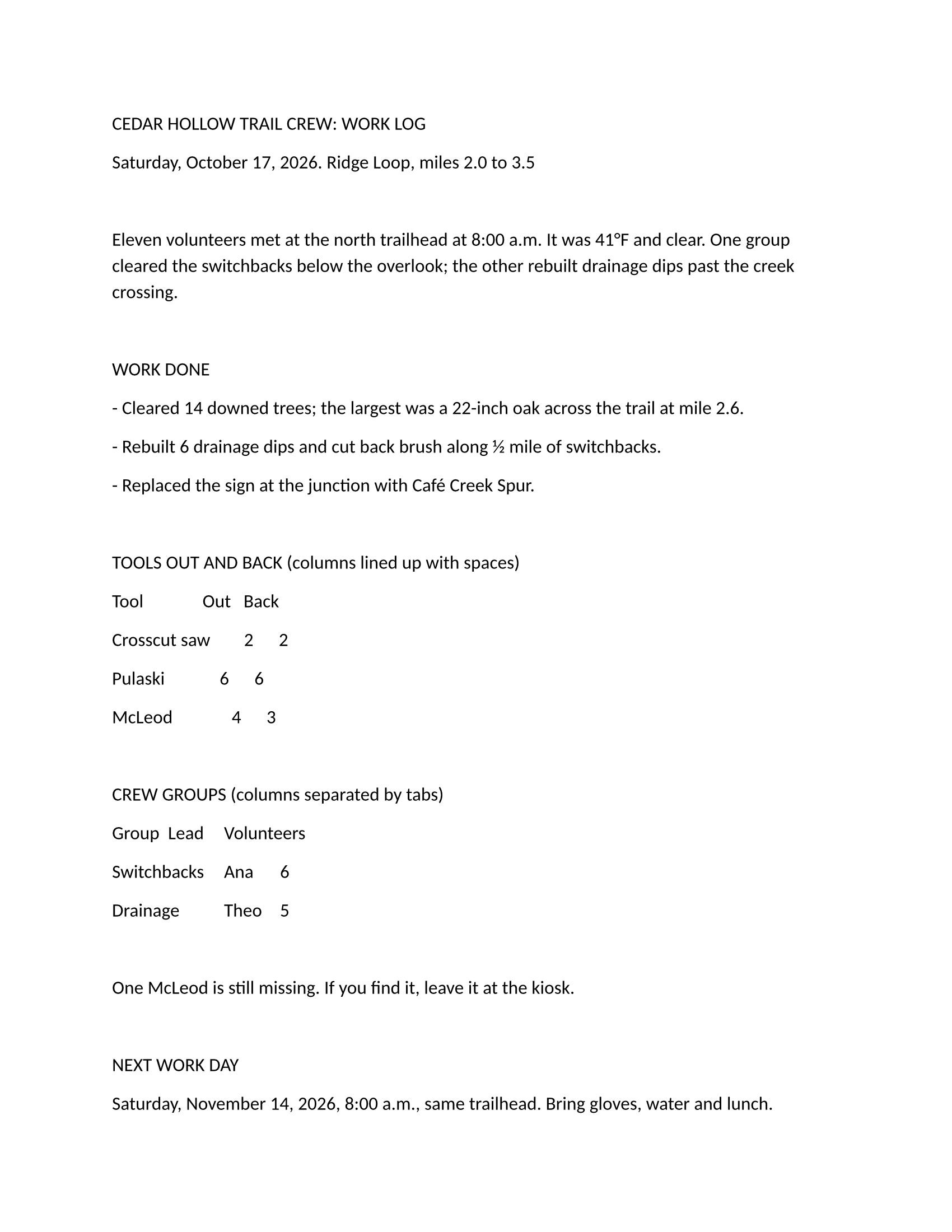
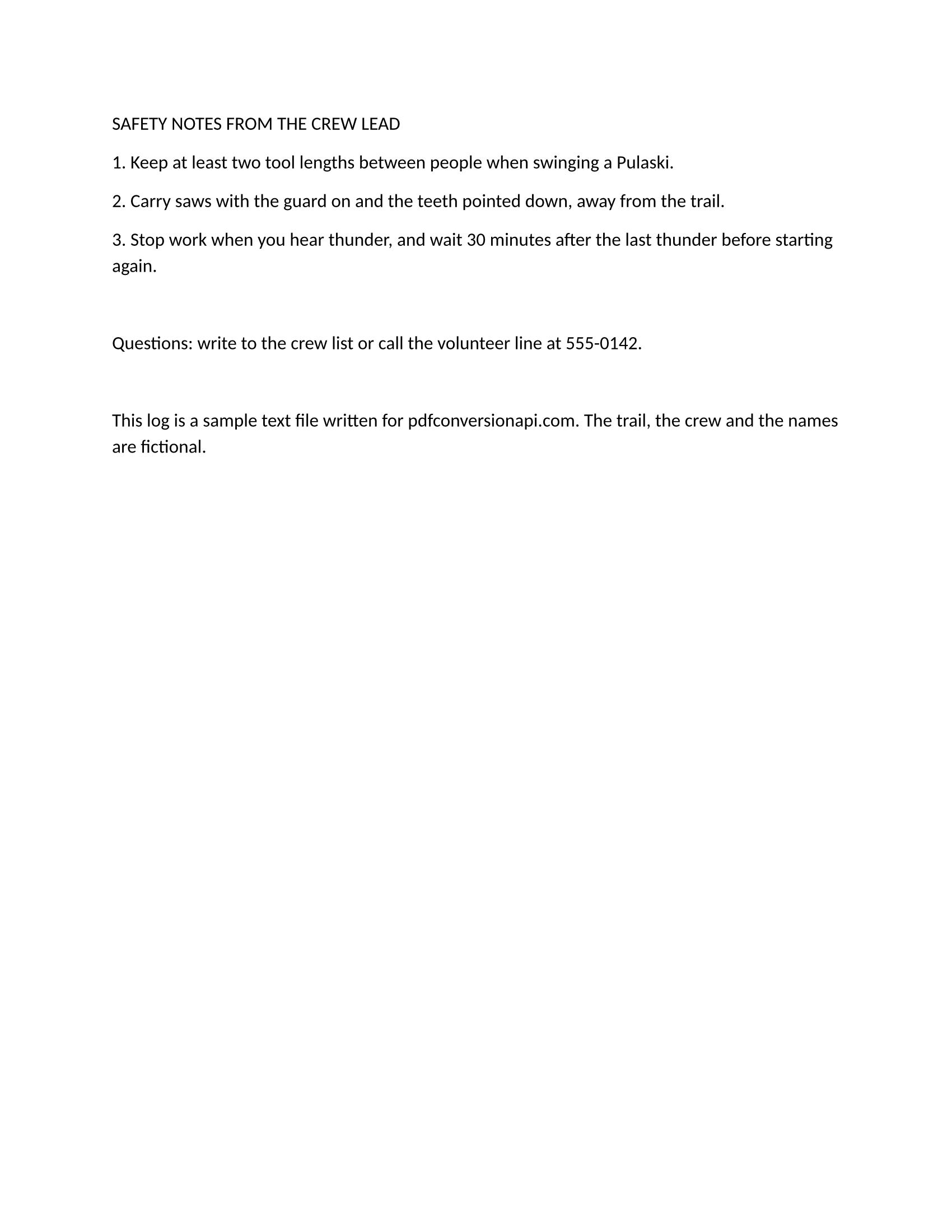
POST /v2/convert/txt/to/jpg lays out a text file on Letter pages and returns one JPEG per page. The sample asks for 200 DPI and quality 75, ConvertAPI's documented defaults, and gets two 1,700 × 2,200 pixel images.
- Endpoint
- POST /v2/
convert/ txt/ to/ jpg - Accepts
- txt
- Sample timing
- 0.128 s median of 5 runsHow we measure
- Request size
- Up to 10 MB on the Free plan or 100 MB on paid plans, all files together
Request and response
Every sample below ran against the API before this page was published. Set PDFCONVERSIONAPI_KEY to your key and run it as is.
curl -sS -X POST \
  https://api.pdfconversionapi.com/v2/convert/txt/to/jpg \
  -H "Authorization: Bearer $PDFCONVERSIONAPI_KEY" \
  -F File=@trail-crew-log.txt \
  --form-string ImageResolution=200 \
  --form-string ImageQuality=75 \
  -o response.json

# FileData is base64. Save the first file in converted/,
# or print the JSON error.
if jq -e '.Files' response.json > /dev/null; then
  mkdir -p converted
  name=$(jq -r '.Files[0].FileName' response.json)
  jq -r '.Files[0].FileData' response.json \
    | base64 --decode > "converted/$name"
else
  cat response.json
fi
import base64
import os
import requests
key = os.environ["PDFCONVERSIONAPI_KEY"]
response = requests.post(
"https://api.pdfconversionapi.com/v2/convert/txt/to/jpg",
headers={"Authorization": f"Bearer {key}"},
files=[("File", open("trail-crew-log.txt", "rb"))],
data={
"ImageResolution": "200",
"ImageQuality": "75",
},
timeout=180,
)
result = response.json()
if not response.ok:
raise SystemExit(f"{result['Code']}: {result['Message']}")
os.makedirs("converted", exist_ok=True)
for file in result["Files"]:
path = os.path.join("converted", file["FileName"])
with open(path, "wb") as out:
out.write(base64.b64decode(file["FileData"]))
print(path, file["FileSize"], "bytes")
import { mkdir, readFile, writeFile } from "node:fs/promises";
import { join } from "node:path";

const form = new FormData();
const file = "trail-crew-log.txt";
form.append("File", new Blob([await readFile(file)]), file);
form.append("ImageResolution", "200");
form.append("ImageQuality", "75");

const url = "https://api.pdfconversionapi.com/v2/convert/txt/to/jpg";
const key = process.env.PDFCONVERSIONAPI_KEY;
const response = await fetch(url, {
  method: "POST",
  headers: { Authorization: `Bearer ${key}` },
  body: form,
});
const result = await response.json();
if (!response.ok) {
  throw new Error(`${result.Code}: ${result.Message}`);
}

await mkdir("converted", { recursive: true });
for (const file of result.Files) {
  const path = join("converted", file.FileName);
  await writeFile(path, Buffer.from(file.FileData, "base64"));
  console.log(path, file.FileSize, "bytes");
}
{
  "ConversionCost": 1,
  "ConversionTime": 0.128,
  "Files": [
    {
      "FileName": "trail-crew-log-1.jpg",
      "FileExt": "jpg",
      "FileSize": 228557,
      "FileData": "/9j/4AAQSkZJRgABAgEAyADI…"
    },
    {
      "FileName": "trail-crew-log-2.jpg",
      "FileExt": "jpg",
      "FileSize": 168890,
      "FileData": "/9j/4AAQSkZJRgABAgEAyADI…"
    }
  ]
}
Response from our test run on 2026-11-03. ConversionTime shows the median of 5 runs. FileData is shortened here; the real response carries the whole file as base64.
The sample, converted
The same file the code sends. Download the input and the output and compare them yourself.
- Input
- trail-crew-log.txt (1.4 KB)
- Output
- trail-crew-log-1.jpg (223 KB)trail-crew-log-2.jpg (165 KB)
- Source
- A two-page plain-text work log for a fictional volunteer trail crew, written by us, with a form feed before page 2 (CC0-1.0). How it was made
- Made by
- 2026-11-04, API build
9eeeb0640aba
Parameters
Send these as form fields next to the file. Names are case-insensitive. If you set one of the documented options below that we don't support yet, the request fails with a 400 that names it instead of returning a file made without it.
| Parameter | What it does |
|---|---|
ImageResolutioninteger, default 150 | Pixels per inch of paper. Our default of 150 gives 1,275 × 1,650 per page; the sample's 200 gives 1,700 × 2,200 and is stored as 200 DPI in the JPEG header. ConvertAPI uses 200 when the field is missing.Values: 36 to 600 |
ImageQualityinteger, default 85 | JPEG compression quality. At 150 DPI the two pages are 168,373 and 117,325 bytes at our default of 85. ConvertAPI's default is 75, which the sample sends.Values: 1 to 100 |
ImageWidthinteger | Target width in pixels. With only a width, the height follows the page's shape (800 gives 800 × 1,035).Values: 1 to 20,000 |
ImageHeightinteger | Target height. With both sizes the page is fitted inside them: 800 × 500 gives 386 × 500. Add ScaleProportions=false to stretch to exactly 800 × 500, or ScaleImage=false to crop instead of scaling.Values: 1 to 20,000 |
PageRangestring | Which pages to draw: 1, 2, 1-2 or 2-. Each file keeps its page number in the name.Values: Page numbers and ranges |
ColorSpaceenum, default default | gray writes a one-channel JPEG. monochrome sets each pixel to black or white before compression, which still leaves some gray around letters.Values: default, rgb, gray, monochrome |
BackgroundColorstring | Color of the paper. JPEG has no transparency, so this is the way to get a page that isn't white; #ffeecc gave a cream page.Values: Color name, #RRGGBB or R,G,B |
FileNamestring | Stem for the files; FileName=x returns x-1.jpg and x-2.jpg. |
StoreFileboolean, default false | Get links that expire after 3 hours instead of the JPEG data. |
What carries over, and what doesn't
Kept
- The Letter layout of the PDF route: 1 in margins, Carlito 12 pt, tabs at 0.5 in stops and a page break at the form feed
- Page count and order: the sample's two pages come back as
trail-crew-log-1.jpg(228,557 bytes) andtrail-crew-log-2.jpg(168,890 bytes) - The resolution you ask for, written into the file: the sample's JPEGs say 200 DPI
- Accented letters and symbols from the UTF-8 text, such as 41°F and ½
Lost or not yet supported
- Crisp edges: JPEG compression leaves faint artifacts around the letters, more so at low
ImageQuality. Use PNG or WebP when text must stay sharp. - Searchable text. The words are pixels; keep
/v2/convert/txt/to/pdffor documents people need to search. - Transparency, which JPEG can't store.
- A DPI value when
ImageResolutionis left out: the default 150 DPI files carry none.
Limits
- At most 2,000 pages per request (413 above that), 16,000 pixels per side and 100 million pixels per page.
Passwordis accepted for ConvertAPI compatibility and has no effect, since text files have no password.- Requests up to 10 MB on the Free plan or 100 MB on paid plans, all files and fields together. A conversion can run for up to 120 seconds; after that the API returns 504.
Where teams use it
Moving from ConvertAPI without changing the output size
ConvertAPI documents 200 DPI and quality 75 as its defaults for this conversion. Send those two values, as the sample does, to get images of that resolution; leave them out to get smaller 150 DPI files.
Pages for email and messaging
A JPEG of each page shows inline in mail clients and chat apps, where a .txt attachment would need to be downloaded and opened first.
Thumbnails for a document list
ImageWidth=200 with PageRange=1 gives a small preview of the first page of every text file in a list.
Questions
Why are my JPEGs smaller than the ones ConvertAPI made?
Our defaults are 150 DPI and quality 85; ConvertAPI documents 200 DPI and quality 75. For the sample, our defaults give 1,275 × 1,650 images of 168,373 and 117,325 bytes, while 200 and 75 give 1,700 × 2,200 images of 228,557 and 168,890 bytes. Send both values to match.
How do I get an image of an exact size?
Send ImageWidth and ImageHeight. By default the page is fitted inside that box and keeps its shape (800 × 500 became 386 × 500). ScaleProportions=false stretches to the exact size; ScaleImage=false keeps the drawing resolution and crops to the box from the top left.
Which encodings can the text file be in?
UTF-8, or UTF-16 with a byte order mark. Text in an older code page is recognized from its bytes rather than assumed to be Windows-1252: Windows-1252, Windows-1251 (Russian) and Shift JIS (Japanese) test files came through as written.
Can I get all pages in one image?
No, each page is a separate JPEG. For one file, convert to PDF, or to a multi-page TIFF by sending that PDF to /v2/convert/pdf/to/tiff.
Convert your first TXT file in a minute.