TXT to PNG API
Send a text file to POST /v2/convert/txt/to/png and get one PNG per page. The text is laid out on Letter pages exactly as the TXT to PDF route does it, then each page is drawn at 150 DPI unless you pick another resolution.
- Endpoint
- POST /v2/
convert/ txt/ to/ png - Accepts
- txt
- Sample timing
- 59 ms median of 5 runsHow we measure
- Request size
- Up to 10 MB on the Free plan or 100 MB on paid plans, all files together
Request and response
Every sample below ran against the API before this page was published. Set PDFCONVERSIONAPI_KEY to your key and run it as is.
curl -sS -X POST \
  https://api.pdfconversionapi.com/v2/convert/txt/to/png \
  -H "Authorization: Bearer $PDFCONVERSIONAPI_KEY" \
  -F File=@trail-crew-log.txt \
  -o response.json

# FileData is base64. Save the first file in converted/,
# or print the JSON error.
if jq -e '.Files' response.json > /dev/null; then
  mkdir -p converted
  name=$(jq -r '.Files[0].FileName' response.json)
  jq -r '.Files[0].FileData' response.json \
    | base64 --decode > "converted/$name"
else
  cat response.json
fi
import base64
import os
import requests
key = os.environ["PDFCONVERSIONAPI_KEY"]
response = requests.post(
"https://api.pdfconversionapi.com/v2/convert/txt/to/png",
headers={"Authorization": f"Bearer {key}"},
files=[("File", open("trail-crew-log.txt", "rb"))],
timeout=180,
)
result = response.json()
if not response.ok:
raise SystemExit(f"{result['Code']}: {result['Message']}")
os.makedirs("converted", exist_ok=True)
for file in result["Files"]:
path = os.path.join("converted", file["FileName"])
with open(path, "wb") as out:
out.write(base64.b64decode(file["FileData"]))
print(path, file["FileSize"], "bytes")
import { mkdir, readFile, writeFile } from "node:fs/promises";
import { join } from "node:path";

const form = new FormData();
const file = "trail-crew-log.txt";
form.append("File", new Blob([await readFile(file)]), file);

const url = "https://api.pdfconversionapi.com/v2/convert/txt/to/png";
const key = process.env.PDFCONVERSIONAPI_KEY;
const response = await fetch(url, {
  method: "POST",
  headers: { Authorization: `Bearer ${key}` },
  body: form,
});
const result = await response.json();
if (!response.ok) {
  throw new Error(`${result.Code}: ${result.Message}`);
}

await mkdir("converted", { recursive: true });
for (const file of result.Files) {
  const path = join("converted", file.FileName);
  await writeFile(path, Buffer.from(file.FileData, "base64"));
  console.log(path, file.FileSize, "bytes");
}
{
  "ConversionCost": 1,
  "ConversionTime": 0.059,
  "Files": [
    {
      "FileName": "trail-crew-log-1.png",
      "FileExt": "png",
      "FileSize": 263446,
      "FileData": "iVBORw0KGgoAAAANSUhEUgAA…"
    },
    {
      "FileName": "trail-crew-log-2.png",
      "FileExt": "png",
      "FileSize": 153231,
      "FileData": "iVBORw0KGgoAAAANSUhEUgAA…"
    }
  ]
}
Response from our test run on 2026-11-03. ConversionTime shows the median of 5 runs. FileData is shortened here; the real response carries the whole file as base64.
The sample, converted
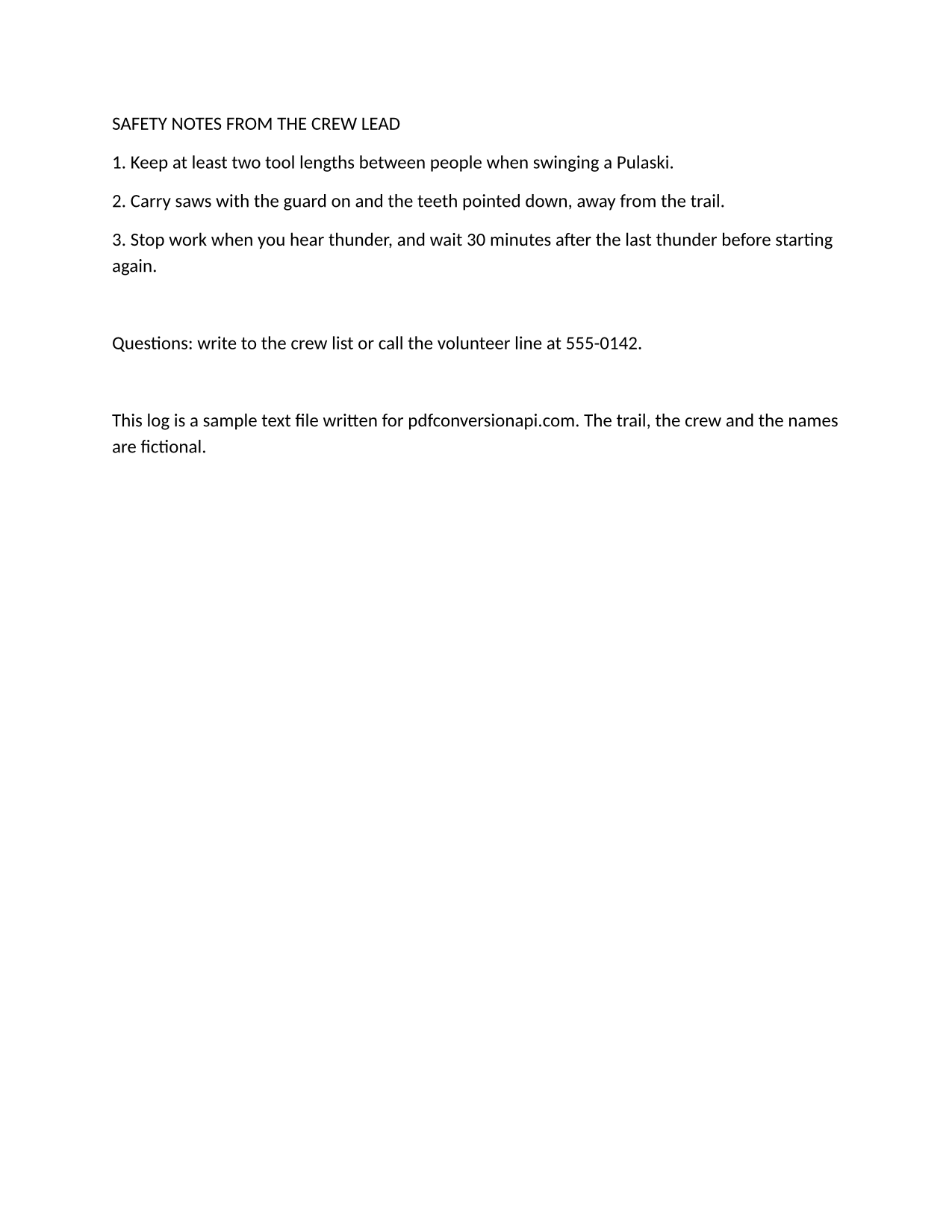
The same file the code sends. Download the input and the output and compare them yourself.
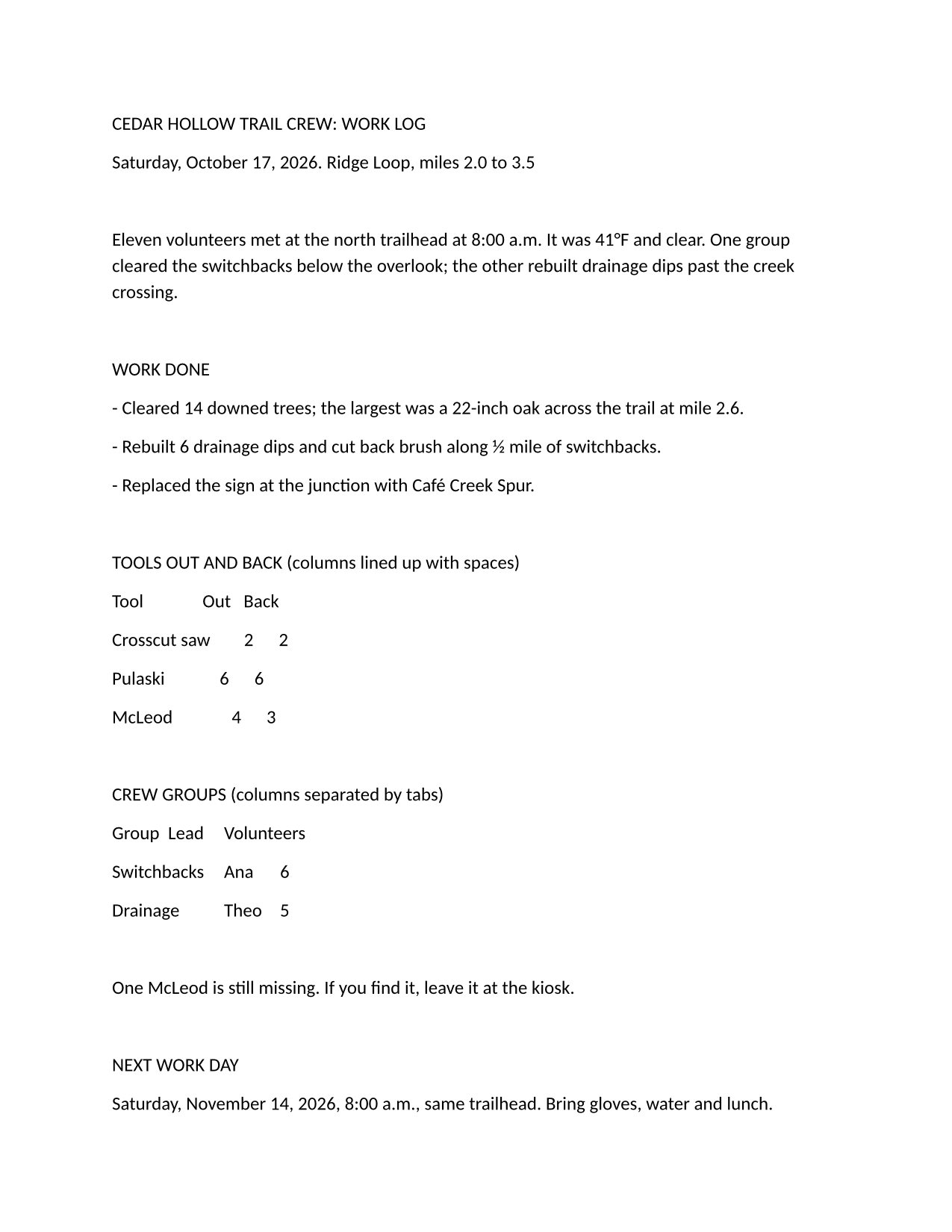
- Input
- trail-crew-log.txt (1.4 KB)
- Output
- trail-crew-log-1.png (257 KB)trail-crew-log-2.png (150 KB)
- Source
- A two-page plain-text work log for a fictional volunteer trail crew, written by us, with a form feed before page 2 (CC0-1.0). How it was made
- Made by
- 2026-11-04, API build
9eeeb0640aba
Parameters
Send these as form fields next to the file. Names are case-insensitive. If you set one of the documented options below that we don't support yet, the request fails with a 400 that names it instead of returning a file made without it.
| Parameter | What it does |
|---|---|
ImageResolutioninteger, default 150 | Dots per inch the pages are drawn at. The sample's pages are 1,275 × 1,650 pixels at 150; ImageResolution=300 gives 2,550 × 3,300 and a 613,240-byte first page, and writes 300 DPI into the PNG. Left out, no DPI is stored in the file.Values: 36 to 600 |
PageRangestring | Pages to draw, such as 1, 1-2 or 2-. PageRange=2 returns only trail-crew-log-2.png, the safety notes page.Values: Page numbers and ranges |
ColorSpaceenum, default default | gray gives 8-bit grayscale: 98,339 bytes for page 1, against 263,446 in color. rgb returns the same file as the default, which is already RGB with no alpha channel. monochrome turns every pixel black or white, which cut the sample's first page to 33,889 bytes. cmyk returns 400.Values: default, rgb, gray, monochrome |
TransparentColorstring | Pixels of exactly this color become transparent. With white, 96.85% of page 1 turned transparent; the gray edge pixels of each letter stay opaque. Together with ColorSpace=gray the PNG is gray plus alpha, 128,909 bytes for page 1.Values: Color name, #RRGGBB or R,G,B |
BackgroundColorstring | Paints behind the text. The page itself has no fill, so the whole sheet takes this color, margins included.Values: Color name, #RRGGBB or R,G,B |
ImageWidthinteger | Draws each page to this width in pixels and scales the height to match: ImageWidth=800 gives 800 × 1,035. Send ImageHeight too to fit inside a box.Values: 1 to 20,000 |
FileNamestring | Stem of the page files: FileName=crew-log returns crew-log-1.png and crew-log-2.png. |
StoreFileboolean, default false | Return one download link per page, valid for 3 hours, instead of the image data. |
What carries over, and what doesn't
Kept
- The same page breaks as the PDF route: the form feed in the sample puts the safety notes alone on page 2
- One file per page, numbered in page order:
trail-crew-log-1.png(263,446 bytes) andtrail-crew-log-2.png(153,231 bytes) - Every pixel as drawn, with no compression loss around the small 12 pt letters
- Tabs at 0.5 in stops, blank lines and the 1 in margins of the Letter layout
Lost or not yet supported
- Text you can select or search; run
/v2/convert/png/to/txtor keep the PDF if you need the words. - Space-aligned columns, because the page is set in the proportional Carlito font.
- Print size, unless you send
ImageResolution; without it the PNG carries no DPI value.
Limits
- Up to 2,000 pages per request; more returns 413. Each page may be at most 16,000 pixels on a side and 100 million pixels.
- Requests up to 10 MB on the Free plan or 100 MB on paid plans, all files and fields together. A conversion can run for up to 120 seconds; after that the API returns 504.
Where teams use it
Previews of uploaded text files
Show users a thumbnail of the .txt they attached, with the real page breaks, before they print it or send it on. ImageWidth=300 keeps each page small.
Text into tools that take only images
Chat apps, slide decks and image-based archives accept pictures, not text files. A PNG of each page carries the text there unchanged.
Visual tests of text exports
Render a generated report to PNG in your test suite and compare it pixel by pixel with an approved image, so a change in spacing or a lost page break shows up.
Questions
How big is each PNG?
A Letter page is 8.5 × 11 in, so its size in pixels is about 8.5 and 11 times ImageResolution: 1,275 × 1,650 at the default 150, 612 × 792 at 72 and 2,550 × 3,300 at 300. File size depends on how much text the page holds: the sample's full first page is 263,446 bytes and the shorter second page 153,231.
Can I get only the first page?
Yes, send PageRange=1. A page number past the end returns 400 with the real page count, for example "PageRange asks for page 3, but the document has 2 pages".
Can the PNG have a transparent background?
Send TransparentColor=white. The white paper becomes transparent and the letters stay, though the anti-aliased gray pixels around them stay opaque, which shows as a faint halo on dark backgrounds.
Is the layout the same as the PDF route?
Yes. The text is laid out to a PDF first and that PDF is drawn, so fonts, margins and page breaks match /v2/convert/txt/to/pdf. The PDF route doesn't take PageRange for text files, but this one does.
Convert your first TXT file in a minute.