XCF to PDF API
POST an .xcf to /v2/convert/xcf/to/pdf and get a one-page PDF holding the merged layers as a lossless image. By default the page is the canvas size at 96 pixels per inch; PageSize picks Letter, Legal, A3, A4 or A5, and Rotate and the two margin settings place the picture on it.
- Endpoint
- POST /v2/
convert/ xcf/ to/ pdf - Accepts
- xcf
- Sample timing
- 47 ms median of 5 runsHow we measure
- Request size
- Up to 10 MB on the Free plan or 100 MB on paid plans, all files together
Request and response
Every sample below ran against the API before this page was published. Set PDFCONVERSIONAPI_KEY to your key and run it as is.
curl -sS -X POST \
  https://api.pdfconversionapi.com/v2/convert/xcf/to/pdf \
  -H "Authorization: Bearer $PDFCONVERSIONAPI_KEY" \
  -F File=@gull-rock-lighthouse.xcf \
  --form-string PageSize=letter \
  --form-string PageOrientation=landscape \
  -o response.json

# FileData is base64. Save the first file in converted/,
# or print the JSON error.
if jq -e '.Files' response.json > /dev/null; then
  mkdir -p converted
  name=$(jq -r '.Files[0].FileName' response.json)
  jq -r '.Files[0].FileData' response.json \
    | base64 --decode > "converted/$name"
else
  cat response.json
fi
import base64
import os
import requests
key = os.environ["PDFCONVERSIONAPI_KEY"]
response = requests.post(
"https://api.pdfconversionapi.com/v2/convert/xcf/to/pdf",
headers={"Authorization": f"Bearer {key}"},
files=[("File", open("gull-rock-lighthouse.xcf", "rb"))],
data={
"PageSize": "letter",
"PageOrientation": "landscape",
},
timeout=180,
)
result = response.json()
if not response.ok:
raise SystemExit(f"{result['Code']}: {result['Message']}")
os.makedirs("converted", exist_ok=True)
for file in result["Files"]:
path = os.path.join("converted", file["FileName"])
with open(path, "wb") as out:
out.write(base64.b64decode(file["FileData"]))
print(path, file["FileSize"], "bytes")
import { mkdir, readFile, writeFile } from "node:fs/promises";
import { join } from "node:path";

const form = new FormData();
const file = "gull-rock-lighthouse.xcf";
form.append("File", new Blob([await readFile(file)]), file);
form.append("PageSize", "letter");
form.append("PageOrientation", "landscape");

const url = "https://api.pdfconversionapi.com/v2/convert/xcf/to/pdf";
const key = process.env.PDFCONVERSIONAPI_KEY;
const response = await fetch(url, {
  method: "POST",
  headers: { Authorization: `Bearer ${key}` },
  body: form,
});
const result = await response.json();
if (!response.ok) {
  throw new Error(`${result.Code}: ${result.Message}`);
}

await mkdir("converted", { recursive: true });
for (const file of result.Files) {
  const path = join("converted", file.FileName);
  await writeFile(path, Buffer.from(file.FileData, "base64"));
  console.log(path, file.FileSize, "bytes");
}
{
  "ConversionCost": 1,
  "ConversionTime": 0.047,
  "Files": [
    {
      "FileName": "gull-rock-lighthouse.pdf",
      "FileExt": "pdf",
      "FileSize": 35786,
      "FileData": "JVBERi0xLjcKJYCAgIAKMSAw…"
    }
  ]
}
Response from our test run on 2026-11-03. ConversionTime shows the median of 5 runs. FileData is shortened here; the real response carries the whole file as base64.
The sample, converted
The same file the code sends. Download the input and the output and compare them yourself.
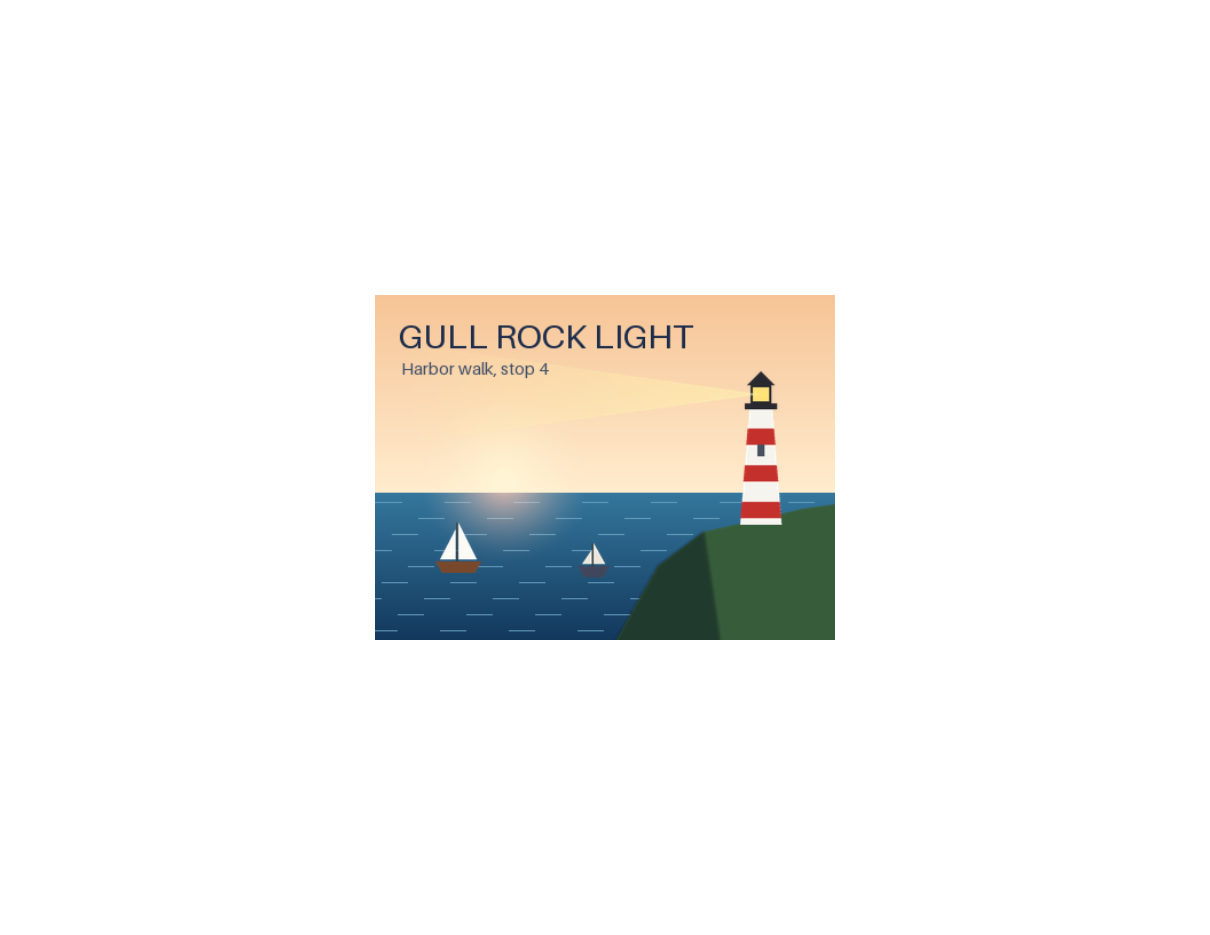
- Input
- gull-rock-lighthouse.xcf (203 KB)
- Output
- gull-rock-lighthouse.pdf (35 KB)
- Source
- A 400 x 300 harbor poster we drew and wrote as a layered XCF file ourselves: 11 layers, including a two-layer group, a layer mask, Multiply and Screen modes and a hidden guide layer. (CC0-1.0). How it was made
- Made by
- 2026-11-04, API build
9eeeb0640aba
Parameters
Send these as form fields next to the file. Names are case-insensitive. If you set one of the documented options below that we don't support yet, the request fails with a 400 that names it instead of returning a file made without it.
| Parameter | What it does |
|---|---|
PageSizeenum, default default | Sheet for the page. With default the 400 × 300 poster gets a 300 × 225 pt page (4.17 × 3.13 in). The sample sends letter: the picture is centered on the sheet at its own size and never enlarged.Values: default, auto, a3, a4, a5, letter, legal |
PageOrientationenum, default default | landscape turns the chosen sheet on its side; the sample's Letter page is 792 × 612 pt. It has no effect without PageSize.Values: default, portrait, landscape |
Rotateinteger | Turns the poster clockwise on the page. Rotate=90 gave a portrait 225 × 300 pt page with the lighthouse at the bottom; 45 drew it corner-up on a 371.23 pt square page. Empty, none or 0 leaves it upright.Values: -360 to 360, whole degrees |
MarginHorizontalinteger, default 0 | Blank space left and right, in whole millimeters. Without PageSize the page grows instead: 10 mm with MarginVertical=20 made a 356.69 × 338.39 pt page. On a fixed sheet the picture shrinks only if it no longer fits: 100 mm on landscape Letter cut it to 225.07 × 168.8 pt.Values: 0–500 (mm) |
MarginVerticalinteger, default 0 | Blank space above and below, in whole millimeters. When the margins leave no room on the chosen sheet, as 80 mm sides on A5 did, the API answers 400 instead of drawing a sliver.Values: 0–500 (mm) |
FileNamestring | Name of the PDF without .pdf; the XCF's name by default. |
StoreFileboolean, default false | true returns a link to the PDF, valid for 3 hours. |
What carries over, and what doesn't
Kept
- Every pixel of the merged layers: the image in the PDF is compressed without loss and decodes to the PNG of the same XCF
- A color profile embedded in the XCF: a test file with a Display P3 profile kept it in the PDF, unlike the PNG and JPEG routes
- Grayscale GIMP files as a grayscale image in the PDF
- Transparency, as a soft mask, when the canvas has transparent areas
Lost or not yet supported
- Size on larger sheets. The image is never scaled up, so the 400 × 300 poster covers 300 × 225 pt of the 792 × 612 pt Letter page in the sample.
- The XCF's own resolution: the page size always assumes 96 pixels per inch, not the 150 ppi stored in the sample.
- Text layers become pixels. Lettering is part of the image and cannot be selected or searched.
- Layers. The PDF has one image, not PDF layers.
Limits
- One XCF per request. The canvas may hold up to 67,108,864 pixels (8,192 × 8,192): 16,384 × 4,096 converts to a 12,288 × 3,072 pt page, 8,193 × 8,192 gets a 413.
- Requests up to 10 MB on the Free plan or 100 MB on paid plans, all files and fields together.
- 120 seconds per conversion, then 504.
Rotatetakes whole degrees from -360 to 360, and each margin whole millimeters from 0 to 500; 1.5 or 501 returns 400.ImageWidth,ImageQuality,ColorSpaceandPdfaare not read on this route: each returned the same PDF as no parameters, soPdfa=truedoes not give a PDF/A file.
Where teams use it
Printing GIMP artwork
Posters, flyers and labels designed in GIMP can be sent to a print queue or a print-on-demand service as PDF. PageSize gives a standard sheet with the artwork centered, and the margin settings keep it clear of the sheet's edges.
Attaching designs to documents
Proofs and mockups are easier to share and comment on as PDF than as .xcf, which needs GIMP to open. The PDF shows the merged image exactly as flattened.
Questions
How big is the PDF page?
With no PageSize the page matches the canvas at 96 px per inch, plus any margins you send: 400 × 300 px gives 300 × 225 pt. With a sheet such as Letter or A4, the page has that size and the image sits in the middle at its own size, shrunk only if it would not fit inside the margins.
Is the image recompressed or blurred?
No. It is stored with lossless Flate compression at the canvas resolution. Decoding the image from the sample PDF gave the same pixels as the PNG route.
Can I turn the image sideways on the page?
Yes, with Rotate, in degrees clockwise. 90 turns the 300 × 225 pt poster into a 225 × 300 pt portrait page, and 180 puts it upside down on the same page. Other angles get a page the size of the turned picture's bounding box. With PageSize=letter the turned poster is centered on the 612 × 792 pt sheet.
Can I make the picture fill an A4 page?
Not in one request, because this route never enlarges. Scale up first: A4 is 595 pt wide, which is 793 px at 96 px per inch. /v2/convert/xcf/to/png with ImageWidth=793, then /v2/convert/png/to/pdf with PageSize=a4, put the poster 594.75 pt wide on the A4 page.
Does the PDF name the software that made it?
No producer or creator is named. The sample PDF has no document info dictionary, and its XMP metadata holds only the page count, format, PDF version 1.7, two IDs and a 'proof' rendition class.
Convert your first XCF file in a minute.