XLSX to TIFF API
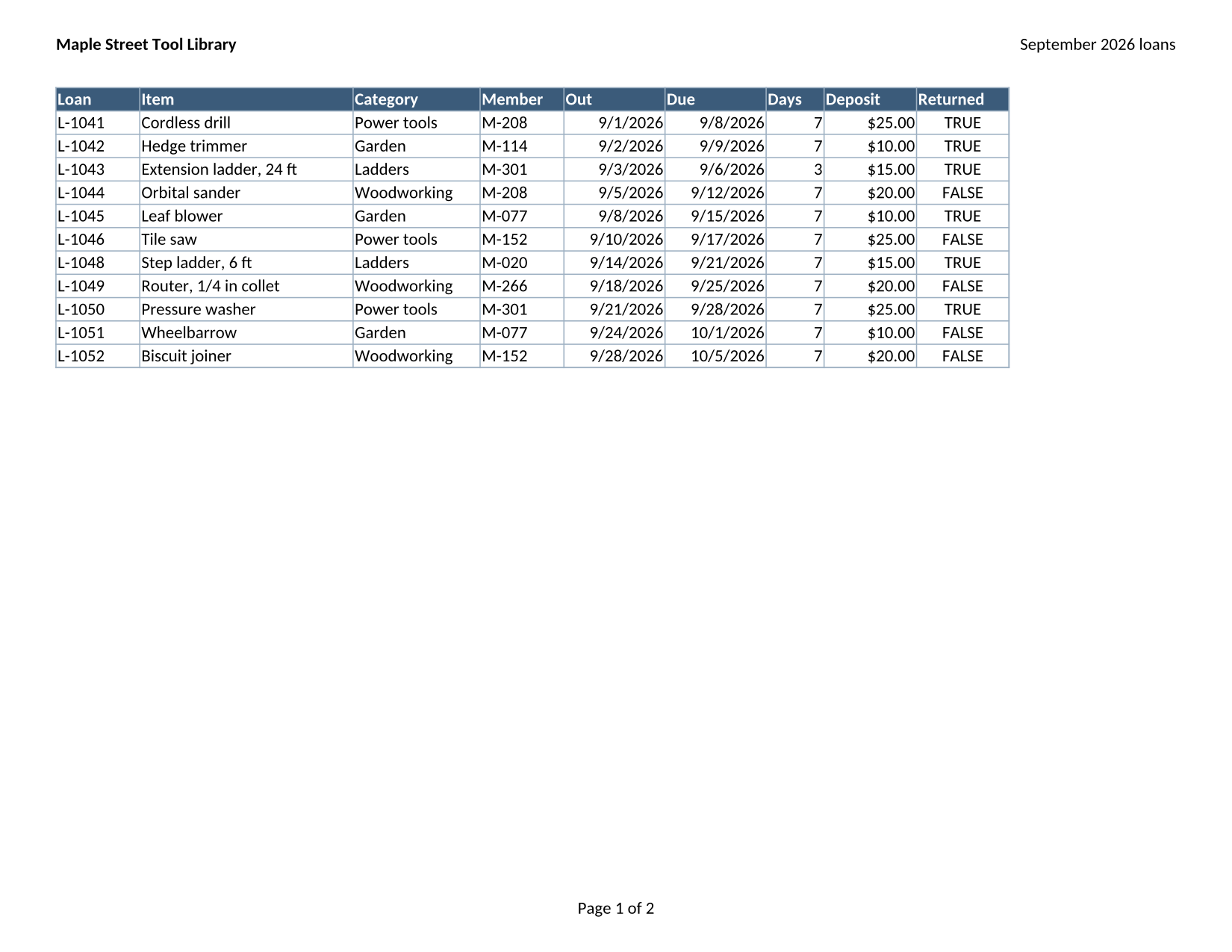
Post a workbook to POST /v2/convert/xlsx/to/tiff and you get back one TIFF file holding every printed page as a separate frame. The sample's two pages arrive as a single 257,951-byte file.
- Endpoint
- POST /v2/
convert/ xlsx/ to/ tiff - Accepts
- xlsx
- Sample timing
- 0.738 s median of 5 runsHow we measure
- Request size
- Up to 10 MB on the Free plan or 100 MB on paid plans, all files together
Request and response
Every sample below ran against the API before this page was published. Set PDFCONVERSIONAPI_KEY to your key and run it as is.
curl -sS -X POST \
  https://api.pdfconversionapi.com/v2/convert/xlsx/to/tiff \
  -H "Authorization: Bearer $PDFCONVERSIONAPI_KEY" \
  -F File=@tool-library-loans.xlsx \
  -o response.json

# FileData is base64. Save the first file in converted/,
# or print the JSON error.
if jq -e '.Files' response.json > /dev/null; then
  mkdir -p converted
  name=$(jq -r '.Files[0].FileName' response.json)
  jq -r '.Files[0].FileData' response.json \
    | base64 --decode > "converted/$name"
else
  cat response.json
fi
import base64
import os
import requests
key = os.environ["PDFCONVERSIONAPI_KEY"]
response = requests.post(
"https://api.pdfconversionapi.com/v2/convert/xlsx/to/tiff",
headers={"Authorization": f"Bearer {key}"},
files=[("File", open("tool-library-loans.xlsx", "rb"))],
timeout=180,
)
result = response.json()
if not response.ok:
raise SystemExit(f"{result['Code']}: {result['Message']}")
os.makedirs("converted", exist_ok=True)
for file in result["Files"]:
path = os.path.join("converted", file["FileName"])
with open(path, "wb") as out:
out.write(base64.b64decode(file["FileData"]))
print(path, file["FileSize"], "bytes")
import { mkdir, readFile, writeFile } from "node:fs/promises";
import { join } from "node:path";

const form = new FormData();
const file = "tool-library-loans.xlsx";
form.append("File", new Blob([await readFile(file)]), file);

const url = "https://api.pdfconversionapi.com/v2/convert/xlsx/to/tiff";
const key = process.env.PDFCONVERSIONAPI_KEY;
const response = await fetch(url, {
  method: "POST",
  headers: { Authorization: `Bearer ${key}` },
  body: form,
});
const result = await response.json();
if (!response.ok) {
  throw new Error(`${result.Code}: ${result.Message}`);
}

await mkdir("converted", { recursive: true });
for (const file of result.Files) {
  const path = join("converted", file.FileName);
  await writeFile(path, Buffer.from(file.FileData, "base64"));
  console.log(path, file.FileSize, "bytes");
}
{
  "ConversionCost": 1,
  "ConversionTime": 0.738,
  "Files": [
    {
      "FileName": "tool-library-loans.tiff",
      "FileExt": "tiff",
      "FileSize": 257951,
      "FileData": "SUkqAHCbAgABAAAAAQAAAAEA…"
    }
  ]
}
Response from our test run on 2026-11-03. ConversionTime shows the median of 5 runs. FileData is shortened here; the real response carries the whole file as base64.
The sample, converted
The same file the code sends. Download the input and the output and compare them yourself.
- Input
- tool-library-loans.xlsx (11 KB)
- Output
- tool-library-loans.tiff (252 KB)
- Source
- A fictional tool library's September loans workbook (three sheets, one of them hidden, with formulas and a chart) that we wrote for this site (CC0-1.0). How it was made
- Made by
- 2026-11-04, API build
9eeeb0640aba
Parameters
Send these as form fields next to the file. Names are case-insensitive. If you set one of the documented options below that we don't support yet, the request fails with a 400 that names it instead of returning a file made without it.
| Parameter | What it does |
|---|---|
MultiPageboolean, default true | With the default, all pages go into one LZW-compressed TIFF. MultiPage=false returns tool-library-loans-1.tiff and -2.tiff instead, each written without compression: 6,311,516 bytes per Letter page at 150 DPI. |
ImageResolutioninteger, default 150 | Pixels per inch. At 100 the sample's two frames are 1,100 × 850 and 850 × 1,100 and the file drops to 149,676 bytes, with 100 DPI recorded. Left out, the file's resolution tags say 1 with no unit. ConvertAPI's default is 200.Values: 36–600 |
WorksheetNamestring | Print one sheet, named in any case. A single printed page is not combined, so WorksheetName=Summary gives one uncompressed TIFF of 6,311,516 bytes. |
WorksheetIndexinteger | The sheet's position from 1, counting hidden sheets.Values: 1–2000 |
PageRangestring | Pages to include, numbered across the printed sheets; two or more selected pages still form one multi-page file.Values: e.g. 1, 1-2, 2- |
PageSizeenum, default default | Paper size for every printed sheet. a4 gives frames of 1,753 × 1,240 and 1,240 × 1,753 instead of Letter.Values: default, letter, legal, a3, a4, a5 and others |
Passwordstring | Needed for an encrypted workbook; the locked copy of the sample returned the same two frames with it and 422 without it. |
What carries over, and what doesn't
Kept
- One file for the whole workbook: the sample's TIFF has 2 frames, Loans landscape (1,650 × 1,275) then Summary portrait (1,275 × 1,650)
- Lossless pixels with LZW compression: 257,951 bytes for both pages, smaller than the two PNGs of the same pages (424,081 bytes)
- Page setup, print titles, header, footer and the chart, exactly as on the PNG and JPG routes
- Hidden rows, columns and sheets left out, as Excel's print preview shows
Lost or not yet supported
- Color frames have three channels and no transparency.
TransparentColor=whiteadds a fourth channel, but without the tag that marks it as alpha, so some TIFF tools print a warning about that file (378,499 bytes for the sample). - Single-page answers are uncompressed, about 6.3 MB for a Letter page at 150 DPI. Lower
ImageResolutionor keep two or more pages in the file. - No DPI is recorded unless you send
ImageResolution.
Limits
- 2,000 pages per request at most (413 above that); each frame at most 16,000 pixels per side and 100 million pixels.
- Requests up to 10 MB on the Free plan or 100 MB on paid plans. The whole conversion must finish within 120 seconds or the API answers 504.
Where teams use it
Document management and records systems that take TIFF
Some archive and imaging systems accept one TIFF per document. A multi-page TIFF keeps a workbook's pages together as one record.
Feeding a fax or print gateway
Gateways that expect TIFF pages can take the printed sheets directly, at the resolution you choose.
Questions
Can I get one TIFF per page instead of one file?
Send MultiPage=false. The sample then comes back as tool-library-loans-1.tiff and tool-library-loans-2.tiff. Be aware that these single-page files are not compressed: 6,311,516 bytes each at the default 150 DPI.
Why is my one-page TIFF so much larger than a two-page one?
Pages are only LZW-compressed when they are combined into a multi-page file. A request that prints one page, for example with WorksheetName=Summary, returns that page uncompressed.
Can I get black-and-white or grayscale TIFF?
Yes, in the multi-page file too. ColorSpace=gray stores each frame as one 8-bit gray channel, and the sample's TIFF shrinks to 154,957 bytes; monochrome keeps only black and white, 36,650 bytes.
Convert your first XLSX file in a minute.