DCM to PDF API
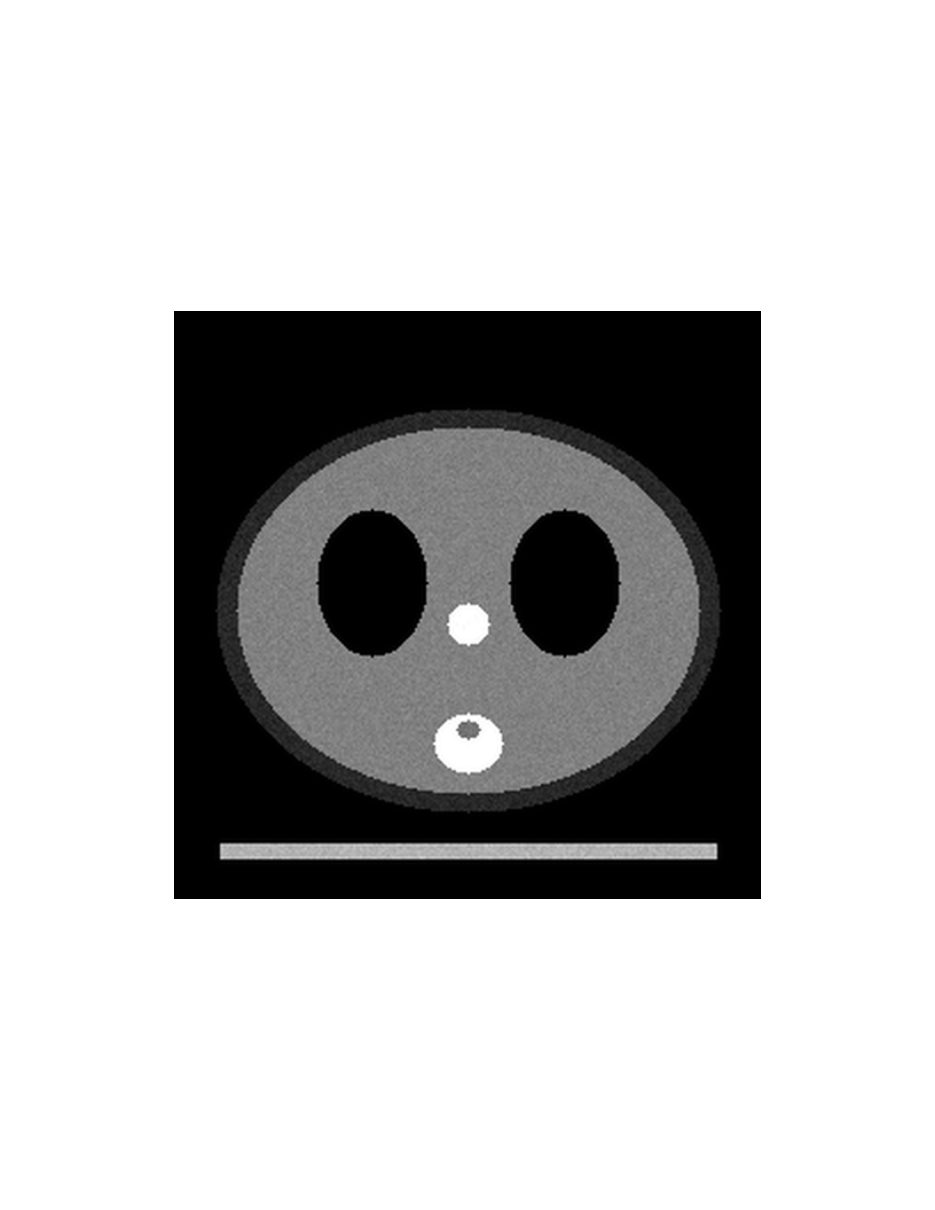
POST a .dcm file to /v2/convert/dcm/to/pdf and get one PDF with a page for each frame. The sample scales its 256-pixel slices to 512 with ImageWidth and centers them on letter pages, where each is drawn 384 points (5.33 inches) wide.
- Endpoint
- POST /v2/
convert/ dcm/ to/ pdf - Accepts
- dcm
- Sample timing
- 37 ms median of 5 runsHow we measure
- Request size
- Up to 10 MB on the Free plan or 100 MB on paid plans, all files together
Request and response
Every sample below ran against the API before this page was published. Set PDFCONVERSIONAPI_KEY to your key and run it as is.
curl -sS -X POST \
  https://api.pdfconversionapi.com/v2/convert/dcm/to/pdf \
  -H "Authorization: Bearer $PDFCONVERSIONAPI_KEY" \
  -F File=@phantom-ct.dcm \
  --form-string PageSize=letter \
  --form-string ImageWidth=512 \
  -o response.json

# FileData is base64. Save the first file in converted/,
# or print the JSON error.
if jq -e '.Files' response.json > /dev/null; then
  mkdir -p converted
  name=$(jq -r '.Files[0].FileName' response.json)
  jq -r '.Files[0].FileData' response.json \
    | base64 --decode > "converted/$name"
else
  cat response.json
fi
import base64
import os
import requests
key = os.environ["PDFCONVERSIONAPI_KEY"]
response = requests.post(
"https://api.pdfconversionapi.com/v2/convert/dcm/to/pdf",
headers={"Authorization": f"Bearer {key}"},
files=[("File", open("phantom-ct.dcm", "rb"))],
data={
"PageSize": "letter",
"ImageWidth": "512",
},
timeout=180,
)
result = response.json()
if not response.ok:
raise SystemExit(f"{result['Code']}: {result['Message']}")
os.makedirs("converted", exist_ok=True)
for file in result["Files"]:
path = os.path.join("converted", file["FileName"])
with open(path, "wb") as out:
out.write(base64.b64decode(file["FileData"]))
print(path, file["FileSize"], "bytes")
import { mkdir, readFile, writeFile } from "node:fs/promises";
import { join } from "node:path";

const form = new FormData();
const file = "phantom-ct.dcm";
form.append("File", new Blob([await readFile(file)]), file);
form.append("PageSize", "letter");
form.append("ImageWidth", "512");

const url = "https://api.pdfconversionapi.com/v2/convert/dcm/to/pdf";
const key = process.env.PDFCONVERSIONAPI_KEY;
const response = await fetch(url, {
  method: "POST",
  headers: { Authorization: `Bearer ${key}` },
  body: form,
});
const result = await response.json();
if (!response.ok) {
  throw new Error(`${result.Code}: ${result.Message}`);
}

await mkdir("converted", { recursive: true });
for (const file of result.Files) {
  const path = join("converted", file.FileName);
  await writeFile(path, Buffer.from(file.FileData, "base64"));
  console.log(path, file.FileSize, "bytes");
}
{
  "ConversionCost": 1,
  "ConversionTime": 0.037,
  "Files": [
    {
      "FileName": "phantom-ct.pdf",
      "FileExt": "pdf",
      "FileSize": 231451,
      "FileData": "JVBERi0xLjcKJYCAgIAKMSAw…"
    }
  ]
}
Response from our test run on 2026-11-03. ConversionTime shows the median of 5 runs. FileData is shortened here; the real response carries the whole file as base64.
The sample, converted
The same file the code sends. Download the input and the output and compare them yourself.
- Input
- phantom-ct.dcm (385 KB)
- Output
- phantom-ct.pdf (226 KB)
- Source
- A made-up CT test object with no patient behind it, generated by us: three 256 x 256 slices in one uncompressed DICOM file with two display windows. (CC0-1.0). How it was made
- Made by
- 2026-11-04, API build
9eeeb0640aba
Parameters
Send these as form fields next to the file. Names are case-insensitive. If you set one of the documented options below that we don't support yet, the request fails with a 400 that names it instead of returning a file made without it.
| Parameter | What it does |
|---|---|
PageRangestring, default 1-2000 | Frames to put in the PDF. 2 gives a one-page PDF of 19,945 bytes (at the default page size); 1,3 two pages.Values: 2, 1-3, 1,3, 2-, last |
PageSizeenum, default default | default and auto make each page the frame's size at 96 pixels per inch: 192 × 192 points for a 256-pixel slice. A named sheet centers the frame without enlarging it, so a 256-pixel slice sits 2.67 inches wide in the middle of A4.Values: default, auto, a3, a4, a5, letter, legal |
PageOrientationenum, default default | landscape turns the named sheet sideways (Letter became 792 × 612 points). Without PageSize it has no effect.Values: default, portrait, landscape |
ImageWidthinteger | Resamples each frame before it is placed; the way to make frames larger on a sheet. The sample's 512 px are drawn 384 points wide.Values: 1–20000 |
ImageHeightinteger | Target height, or a box with ImageWidth.Values: 1–20000 |
ScaleProportionsboolean, default true | false stretches frames to both sizes. |
ScaleIfLargerboolean, default false | true keeps frames that are already smaller than the request. |
ScaleImageboolean, default true | false crops the top-left area of each frame. |
MarginHorizontalinteger, default 0 | Margin left and right, in millimeters. Without PageSize the page grows to fit: 10 mm made 248.7 × 192-point pages.Values: 0–500 |
MarginVerticalinteger, default 0 | Margin top and bottom, in millimeters.Values: 0–500 |
Rotateinteger | Turns each frame clockwise by this many degrees. 90 put the sample's table, normally at the bottom, on the left; 45 grew the page to 271.5 points square to fit the corners.Values: −360 to 360 |
ColorSpaceenum, default default | rgb stores the gray frames as RGB and monochrome as black and white: 87,188 and 14,622 bytes at the default page size, against 58,201. With the sample's settings they give 344,722 and 38,798 bytes, against 231,451.Values: default, rgb, gray, monochrome |
FileNamestring | Name of the PDF without .pdf. |
StoreFileboolean, default false | true returns a link valid for 3 hours. |
Not supported yet
Setting one of these to anything but its default returns 400.
| Option | What to do instead |
|---|---|
ImageCompression | Frames are always stored with lossless Flate compression. ConvertAPI's default jpeg is accepted; flate or any other value returns 400. |
ImageQuality | No JPEG step, so only the default 75 is accepted. |
Pdfa | Send the result to /v2/convert/pdf/to/pdfa. |
Also refused when set: ColorProfile.
What carries over, and what doesn't
Kept
- Each windowed frame without further loss, as an 8-bit gray image with Flate compression
- Frame order: page 1 is frame 1
- Rotation and centering as requested, with no stretching unless you ask for it
- A plain document: no patient name, ID or other header field in the PDF
Lost or not yet supported
- Physical size. Pages are sized from pixels at 96 per inch, not from the DICOM's 0.9 mm pixel spacing, so the sample's 230 mm field of view prints 68 mm wide at the default size.
- Values beyond the first window: the soft-tissue window maps everything below -160 HU to black and above 240 HU to white.
- Size against JPEG: 231,451 bytes for the sample's three 512-pixel pages, while
dcm/to/jpgwithImageWidth=512returns the same frames in 86,259 bytes. - Document metadata such as a title; the PDF has no Info dictionary.
Limits
- One DICOM file per request and at most 2,000 frames, which means 2,000 pages.
- Each frame up to 100,000,000 pixels; requests up to 10 MB on the Free plan or 100 MB on paid plans; 120 seconds per conversion.
- JPEG 2000 and JPEG-LS files are not read (422).
- Frames are never enlarged to fill a sheet; use
ImageWidth.
Where teams use it
Images attached to reports and referrals
Report and document systems accept PDF where they won't take .dcm. One request turns a series into a document with a page per image, ready to attach.
Printing a series
With PageSize=letter or a4 each frame lands centered on its own sheet; add ImageWidth so it fills the page rather than printing a few inches wide.
Questions
Why is my image tiny on an A4 page?
Frames are placed at 96 pixels per inch and only ever shrunk to fit, never enlarged. A 256-pixel slice is 2.67 inches wide, so it sits small in the middle of A4. Add ImageWidth (the sample uses 512) to make it larger.
Can several DICOM files go into one PDF?
One file per request here. Convert each, then join the PDFs with /v2/convert/pdf/to/merge; we merged a PDF of the sample with one from a single-frame test file into two pages.
Is the image compressed with loss?
No. Each frame is stored as an 8-bit gray image with Flate compression, so the PDF holds the windowed pixels exactly. That is also why ImageCompression and ImageQuality are refused.
Does the PDF contain patient details?
No header field is copied. We searched the expanded PDF for the sample's patient name and ID and found neither, and the PDF has no Info dictionary. Anything drawn into the pixels stays in the image.
Convert your first DCM file in a minute.