DOCX to ODT API
POST /v2/convert/docx/to/odt writes an OpenDocument Text file from a Word document. The sample handbook (44,003 bytes) came back as a 9,777-byte .odt with its tracked change still pending, but without the comment, the footnote or the page header and footer.
- Endpoint
- POST /v2/
convert/ docx/ to/ odt - Accepts
- docx
- Sample timing
- 22 ms median of 5 runsHow we measure
- Request size
- Up to 10 MB on the Free plan or 100 MB on paid plans, all files together
Request and response
Every sample below ran against the API before this page was published. Set PDFCONVERSIONAPI_KEY to your key and run it as is.
curl -sS -X POST \
  https://api.pdfconversionapi.com/v2/convert/docx/to/odt \
  -H "Authorization: Bearer $PDFCONVERSIONAPI_KEY" \
  -F File=@volunteer-handbook.docx \
  -o response.json

# FileData is base64. Save the first file in converted/,
# or print the JSON error.
if jq -e '.Files' response.json > /dev/null; then
  mkdir -p converted
  name=$(jq -r '.Files[0].FileName' response.json)
  jq -r '.Files[0].FileData' response.json \
    | base64 --decode > "converted/$name"
else
  cat response.json
fi
import base64
import os
import requests
key = os.environ["PDFCONVERSIONAPI_KEY"]
response = requests.post(
"https://api.pdfconversionapi.com/v2/convert/docx/to/odt",
headers={"Authorization": f"Bearer {key}"},
files=[("File", open("volunteer-handbook.docx", "rb"))],
timeout=180,
)
result = response.json()
if not response.ok:
raise SystemExit(f"{result['Code']}: {result['Message']}")
os.makedirs("converted", exist_ok=True)
for file in result["Files"]:
path = os.path.join("converted", file["FileName"])
with open(path, "wb") as out:
out.write(base64.b64decode(file["FileData"]))
print(path, file["FileSize"], "bytes")
import { mkdir, readFile, writeFile } from "node:fs/promises";
import { join } from "node:path";

const form = new FormData();
const file = "volunteer-handbook.docx";
form.append("File", new Blob([await readFile(file)]), file);

const url = "https://api.pdfconversionapi.com/v2/convert/docx/to/odt";
const key = process.env.PDFCONVERSIONAPI_KEY;
const response = await fetch(url, {
  method: "POST",
  headers: { Authorization: `Bearer ${key}` },
  body: form,
});
const result = await response.json();
if (!response.ok) {
  throw new Error(`${result.Code}: ${result.Message}`);
}

await mkdir("converted", { recursive: true });
for (const file of result.Files) {
  const path = join("converted", file.FileName);
  await writeFile(path, Buffer.from(file.FileData, "base64"));
  console.log(path, file.FileSize, "bytes");
}
{
  "ConversionCost": 1,
  "ConversionTime": 0.022,
  "Files": [
    {
      "FileName": "volunteer-handbook.odt",
      "FileExt": "odt",
      "FileSize": 9777,
      "FileData": "UEsDBAoAAAAAAAAAIQBexjIM…"
    }
  ]
}
Response from our test run on 2026-11-03. ConversionTime shows the median of 5 runs. FileData is shortened here; the real response carries the whole file as base64.
The sample, converted
The same file the code sends. Download the input and the output and compare them yourself.
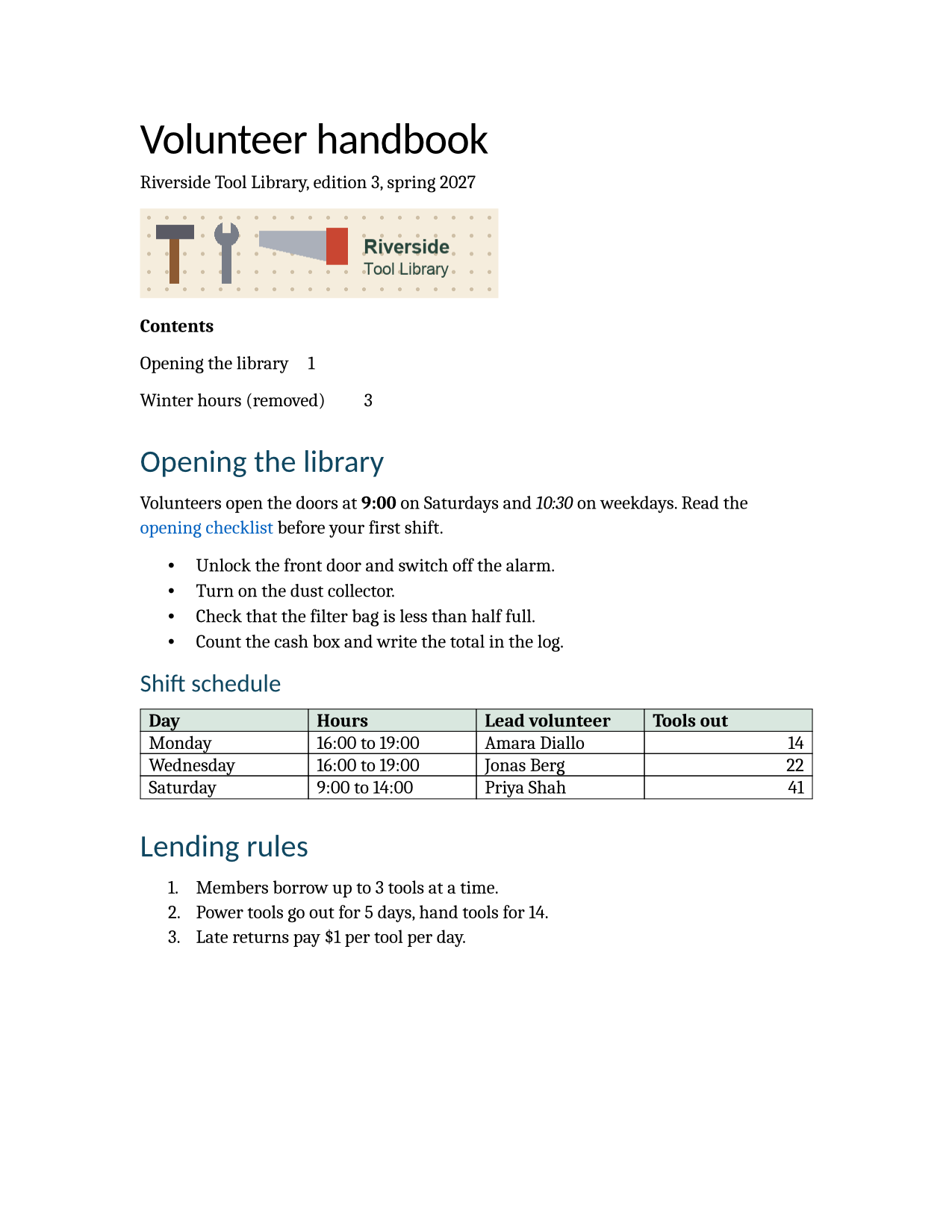
- Input
- volunteer-handbook.docx (43 KB)
- Output
- volunteer-handbook.odt (9.5 KB)
- Source
- A two-page volunteer handbook for a fictional tool library, written for this site, with a stale table of contents, a footnote, a comment, a tracked change, a table and a picture. (CC0-1.0). How it was made
- Made by
- 2026-11-04, API build
9eeeb0640aba
Parameters
Send these as form fields next to the file. Names are case-insensitive. If you set one of the documented options below that we don't support yet, the request fails with a 400 that names it instead of returning a file made without it.
| Parameter | What it does |
|---|---|
UpdateFieldsboolean, default false | Rebuild the table of contents before the ODT is written. With it, the sample's .odt lists six entries instead of the two stale ones (9,846 bytes instead of 9,777). |
UpdateTableOfContentsboolean, default false | Same refresh, under ConvertAPI's name for this conversion; UpdateReferences is a third alias. |
Passwordstring | Password for an encrypted .docx; the .odt that comes back has no password. |
FileNamestring | Output base name; without it you get volunteer-handbook.odt. |
StoreFileboolean, default false | Return a 3-hour download link instead of the file. |
What carries over, and what doesn't
Kept
- Tracked changes: one deletion and one insertion, each with author Dana Okafor and the date 2027-02-20
- Headings as
text:h, bulleted and numbered lists, and the hyperlink - The shift table with 0.5 pt black borders and the #d9e7df header fill
- The banner as
Pictures/image1.png, unchanged at 5,296 bytes - Letter paper (612 by 792 points)
- Title, subject, author and the three keywords in
meta.xml
Lost or not yet supported
- The comment by Priya Shah: the .odt has no annotation.
- The footnote, and the header and footer with their page and page-count fields.
- The body font. The document asks for Calibri, but the .odt names Cambria as the text font, so editors show a serif face.
- List nesting and the TOC's dot leaders: the second-level bullet moves up a level, and TOC lines lose their tab leader.
Limits
- Requests up to 10 MB on the Free plan or 100 MB on paid plans, all files and fields together.
- 120 seconds per conversion, then 504.
- Files encrypted with the Office 2007 scheme can't be opened, even with
Password.
Where teams use it
Submitting documents where ODF is required
Some government portals and public archives accept OpenDocument only. Convert the .docx on submission, and check the result for footnotes and headers, which this route does not carry yet.
Review cycles in ODF-based editors
Tracked changes come through as OpenDocument change regions with author and date, so a reviewer in an ODF editor can still accept or reject Dana Okafor's edit in the sample.
Questions
Which ODF version does the API write?
ODF 1.3. The package starts with an uncompressed mimetype entry reading application/vnd.oasis.opendocument.text and holds content.xml, styles.xml, meta.xml, a manifest and the pictures.
Why did the comments disappear?
Comments are not written to OpenDocument yet. If reviewers need them, keep the .docx alongside, or list them with /v2/convert/docx/to/md and IncludeMarkup=true.
Will page numbers match the Word document?
Not necessarily. The .odt has no footer, its body font changes from Calibri to Cambria, and an ODF editor lays the text out again. With UpdateFields=true, the TOC page numbers come from our layout of the Word file, not from the .odt.
Convert your first DOCX file in a minute.