POTX to PDF API
POST /v2/convert/potx/to/pdf prints the slides stored in a PowerPoint template. With ConvertHiddenSlides=true, our six-slide project review template came back as a 6-page, 52,159-byte PDF that includes its hidden "How to use this template" slide.
- Endpoint
- POST /v2/
convert/ potx/ to/ pdf - Accepts
- potx
- Sample timing
- 0.691 s median of 5 runsHow we measure
- Request size
- Up to 10 MB on the Free plan or 100 MB on paid plans, all files together
Request and response
Every sample below ran against the API before this page was published. Set PDFCONVERSIONAPI_KEY to your key and run it as is.
curl -sS -X POST \
  https://api.pdfconversionapi.com/v2/convert/potx/to/pdf \
  -H "Authorization: Bearer $PDFCONVERSIONAPI_KEY" \
  -F File=@project-review.potx \
  --form-string ConvertHiddenSlides=true \
  -o response.json

# FileData is base64. Save the first file in converted/,
# or print the JSON error.
if jq -e '.Files' response.json > /dev/null; then
  mkdir -p converted
  name=$(jq -r '.Files[0].FileName' response.json)
  jq -r '.Files[0].FileData' response.json \
    | base64 --decode > "converted/$name"
else
  cat response.json
fi
import base64
import os
import requests
key = os.environ["PDFCONVERSIONAPI_KEY"]
response = requests.post(
"https://api.pdfconversionapi.com/v2/convert/potx/to/pdf",
headers={"Authorization": f"Bearer {key}"},
files=[("File", open("project-review.potx", "rb"))],
data={
"ConvertHiddenSlides": "true",
},
timeout=180,
)
result = response.json()
if not response.ok:
raise SystemExit(f"{result['Code']}: {result['Message']}")
os.makedirs("converted", exist_ok=True)
for file in result["Files"]:
path = os.path.join("converted", file["FileName"])
with open(path, "wb") as out:
out.write(base64.b64decode(file["FileData"]))
print(path, file["FileSize"], "bytes")
import { mkdir, readFile, writeFile } from "node:fs/promises";
import { join } from "node:path";

const form = new FormData();
const file = "project-review.potx";
form.append("File", new Blob([await readFile(file)]), file);
form.append("ConvertHiddenSlides", "true");

const url = "https://api.pdfconversionapi.com/v2/convert/potx/to/pdf";
const key = process.env.PDFCONVERSIONAPI_KEY;
const response = await fetch(url, {
  method: "POST",
  headers: { Authorization: `Bearer ${key}` },
  body: form,
});
const result = await response.json();
if (!response.ok) {
  throw new Error(`${result.Code}: ${result.Message}`);
}

await mkdir("converted", { recursive: true });
for (const file of result.Files) {
  const path = join("converted", file.FileName);
  await writeFile(path, Buffer.from(file.FileData, "base64"));
  console.log(path, file.FileSize, "bytes");
}
{
  "ConversionCost": 1,
  "ConversionTime": 0.691,
  "Files": [
    {
      "FileName": "project-review.pdf",
      "FileExt": "pdf",
      "FileSize": 52159,
      "FileData": "JVBERi0xLjcKJcOkw7zDtsOf…"
    }
  ]
}
Response from our test run on 2026-11-03. ConversionTime shows the median of 5 runs. FileData is shortened here; the real response carries the whole file as base64.
The sample, converted
The same file the code sends. Download the input and the output and compare them yourself.
- Input
- project-review.potx (43 KB)
- Output
- project-review.pdf (51 KB)
- Source
- A six-slide project review template for a fictional design studio, with bracketed text to replace and one hidden instructions slide. We made it for this page. (CC0-1.0). How it was made
- Made by
- 2026-11-04, API build
9eeeb0640aba
Parameters
Send these as form fields next to the file. Names are case-insensitive. If you set one of the documented options below that we don't support yet, the request fails with a 400 that names it instead of returning a file made without it.
| Parameter | What it does |
|---|---|
ConvertHiddenSlidesboolean, default false | Print slides the template hides from presenters. Left out, the how-to slide is skipped and the PDF has 5 pages (61,547 bytes); with true it is page 5, between the budget chart and Next steps. |
PageRangestring | Pages to keep, numbered in the finished PDF, so the how-to page is 5 only when hidden slides are printed. 7 on the default 5-page PDF returns 400 with the page count.Values: e.g. 1, 3-4, 2-last |
Pdfaboolean, default false | PDF/A-1b. For this template every page came back as one 3,000 × 2,250 JPEG with no text left to select or search, 871,359 bytes in all. Use PdfaVersion=pdfA2b instead. |
PdfaVersionenum, default none | pdfA2b kept the text and vector shapes, came to 70,495 bytes and passed the API's validator. Pdfa=true sent with it is accepted, and the version decides.Values: none, pdfA1b, pdfA2b, pdfA3b |
Passwordstring | Password of an encrypted .potx; a protected copy of the sample opened with it and returned 422 without it. |
FileNamestring | PDF name without .pdf; otherwise project-review.pdf. |
StoreFileboolean, default false | Return a link that works for 3 hours instead of the PDF data. |
Not supported yet
Setting one of these to anything but its default returns 400.
| Option | What to do instead |
|---|---|
ConvertSpeakerNotes | The note on the title slide, "Replace every phrase in square brackets before you present.", is not printed. Values other than Disabled return 400 "ConvertSpeakerNotes is not supported yet for POTX files". |
IncludeMetadata | The template's title, "Project review template", always goes into the PDF; false returns 400. |
EmbedFonts | Font subsets are always embedded. |
What carries over, and what doesn't
Kept
- The slide master's decoration on every page: teal band, logo and footer line
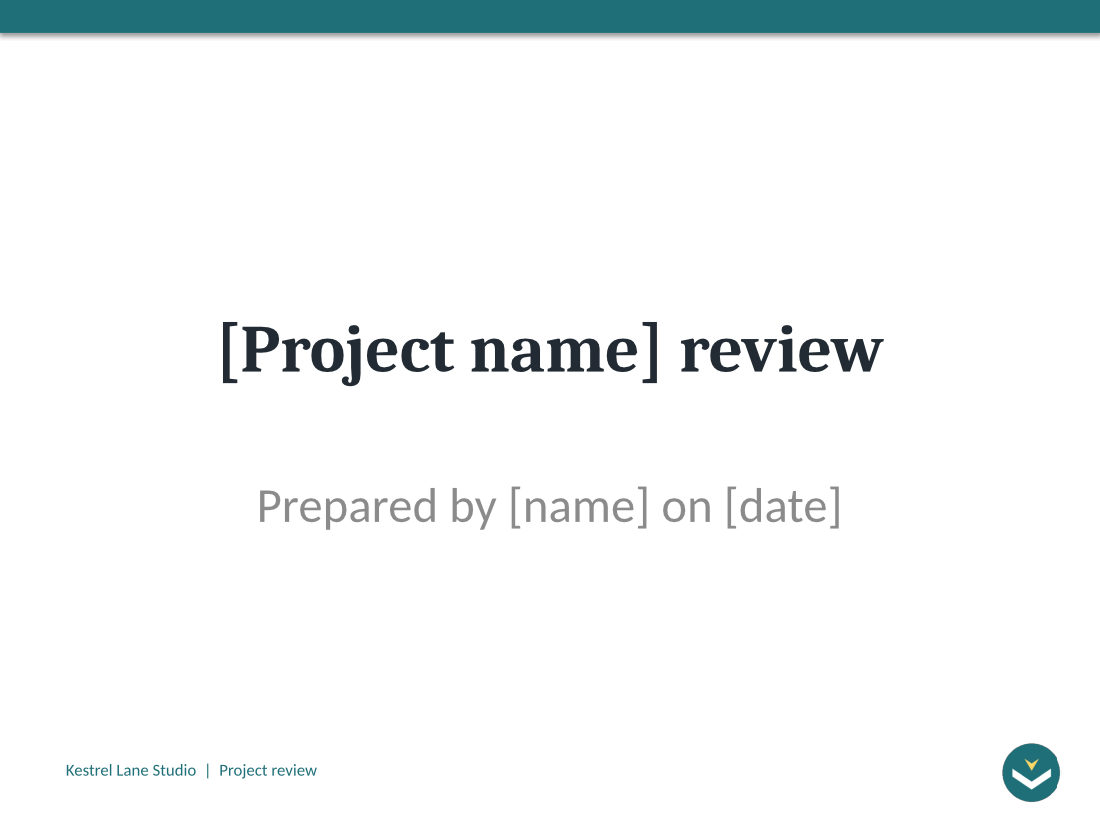
- Bracketed text typed on the slides, such as "[Project name] review" and the [owner] and [date] cells
- The status table's green, amber and red cells, and the bar chart drawn as vectors
- The template's 4:3 slide size: 720 by 540 points
- A bookmark for every printed page, the hidden how-to slide included
Lost or not yet supported
- Prompt text of empty placeholders: the body of Next steps prints blank, although its layout asks for "Add up to five points, one line each".
- Cambria and Calibri: headings come out in Caladea and body text in Carlito, each with the same widths.
- Tags, in this sample: with
ConvertHiddenSlides=truethe PDF has no structure tree, while the default 5-page PDF is tagged. - Layouts with no slide on them: 8 of the template's 11 layouts carry no slide, so nothing of them is printed.
- Bookmarks and tags, once
PageRangedrops pages. - Text and vectors under
Pdfa=true: every page of the PDF/A-1b file is one flat JPEG.
Limits
- One template per request, at most 10 MB on the Free plan or 100 MB on paid plans with the form fields.
- 120 seconds per conversion; longer runs return 504.
- 512 MB per output file.
Where teams use it
Proofs for a template library
Publish a PDF of each template in a brand portal so people see the slides before they download the .potx. Bracketed fields like [Project name] print as typed, which shows what each slide expects.
Reviewing the template's own instructions
A how-to slide that presenters never see can still go into the review copy: ConvertHiddenSlides=true prints it with the rest for whoever signs the template off.
Questions
Does the PDF show the "Click to add text" prompts?
No. Prompts belong to empty placeholders and only show while editing. Text typed on the slide, such as "Prepared by [name] on [date]", is printed; the empty body of the Next steps slide is not.
Why does Pdfa=true turn the slides into pictures?
PDF/A-1 doesn't allow transparency, and every slide of this template shows a logo with a transparent background. With Pdfa=true each page was flattened into a single 3,000 × 2,250 JPEG, so the 871,359-byte file has no searchable text. PdfaVersion=pdfA2b allows transparency: 70,495 bytes, real text, and it validated with no issues.
Can I fill the template in before printing it?
Not in this request; it prints what the template stores. Turn it into a deck with /v2/convert/potx/to/pptx, fill the bracketed fields with your own code, then convert that deck with /v2/convert/pptx/to/pdf.
Which slides does a template print?
The slides saved in it, not its layouts. Our template stores 6 slides, one of them hidden, so the PDF has 5 pages by default and 6 with ConvertHiddenSlides=true.
Convert your first POTX file in a minute.