ODT to RTF API
Send an OpenDocument text file to POST /v2/convert/odt/to/rtf and get Rich Text Format back: an ASCII-only file in which lists, the table, the PNG picture, the link and any tracked changes are written as RTF control words.
- Endpoint
- POST /v2/
convert/ odt/ to/ rtf - Accepts
- odt
- Sample timing
- 22 ms median of 5 runsHow we measure
- Request size
- Up to 10 MB on the Free plan or 100 MB on paid plans, all files together
Request and response
Every sample below ran against the API before this page was published. Set PDFCONVERSIONAPI_KEY to your key and run it as is.
curl -sS -X POST \
  https://api.pdfconversionapi.com/v2/convert/odt/to/rtf \
  -H "Authorization: Bearer $PDFCONVERSIONAPI_KEY" \
  -F File=@garden-plot-guide.odt \
  -o response.json

# FileData is base64. Save the first file in converted/,
# or print the JSON error.
if jq -e '.Files' response.json > /dev/null; then
  mkdir -p converted
  name=$(jq -r '.Files[0].FileName' response.json)
  jq -r '.Files[0].FileData' response.json \
    | base64 --decode > "converted/$name"
else
  cat response.json
fi
import base64
import os
import requests
key = os.environ["PDFCONVERSIONAPI_KEY"]
response = requests.post(
"https://api.pdfconversionapi.com/v2/convert/odt/to/rtf",
headers={"Authorization": f"Bearer {key}"},
files=[("File", open("garden-plot-guide.odt", "rb"))],
timeout=180,
)
result = response.json()
if not response.ok:
raise SystemExit(f"{result['Code']}: {result['Message']}")
os.makedirs("converted", exist_ok=True)
for file in result["Files"]:
path = os.path.join("converted", file["FileName"])
with open(path, "wb") as out:
out.write(base64.b64decode(file["FileData"]))
print(path, file["FileSize"], "bytes")
import { mkdir, readFile, writeFile } from "node:fs/promises";
import { join } from "node:path";

const form = new FormData();
const file = "garden-plot-guide.odt";
form.append("File", new Blob([await readFile(file)]), file);

const url = "https://api.pdfconversionapi.com/v2/convert/odt/to/rtf";
const key = process.env.PDFCONVERSIONAPI_KEY;
const response = await fetch(url, {
  method: "POST",
  headers: { Authorization: `Bearer ${key}` },
  body: form,
});
const result = await response.json();
if (!response.ok) {
  throw new Error(`${result.Code}: ${result.Message}`);
}

await mkdir("converted", { recursive: true });
for (const file of result.Files) {
  const path = join("converted", file.FileName);
  await writeFile(path, Buffer.from(file.FileData, "base64"));
  console.log(path, file.FileSize, "bytes");
}
{
  "ConversionCost": 1,
  "ConversionTime": 0.022,
  "Files": [
    {
      "FileName": "garden-plot-guide.rtf",
      "FileExt": "rtf",
      "FileSize": 23052,
      "FileData": "e1xydGYxXGFuc2lcYW5zaWNw…"
    }
  ]
}
Response from our test run on 2026-11-03. ConversionTime shows the median of 5 runs. FileData is shortened here; the real response carries the whole file as base64.
The sample, converted
The same file the code sends. Download the input and the output and compare them yourself.
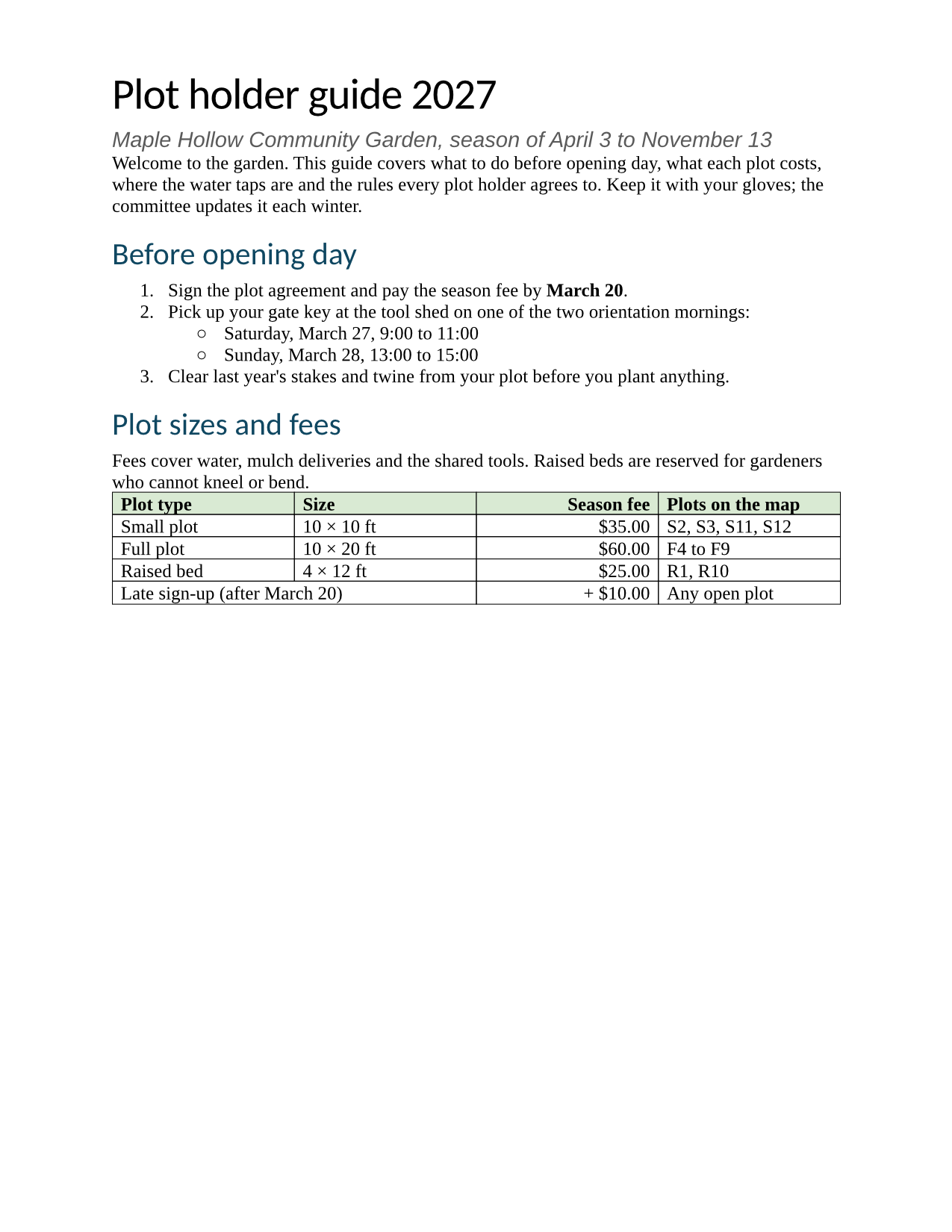
- Input
- garden-plot-guide.odt (35 KB)
- Output
- garden-plot-guide.rtf (23 KB)
- Source
- A two-page plot holder guide for a fictional community garden, with a fee table, a plot map, lists, a footnote and a page-numbered footer. We wrote it for these pages as an OpenDocument text file. (CC0-1.0). How it was made
- Made by
- 2026-11-04, API build
9eeeb0640aba
Parameters
Send these as form fields next to the file. Names are case-insensitive. If you set one of the documented options below that we don't support yet, the request fails with a 400 that names it instead of returning a file made without it.
| Parameter | What it does |
|---|---|
FileNamestring | Stem of the returned file: FileName=plots-2027 gives plots-2027.rtf; by default the upload's name is kept (garden-plot-guide.rtf). |
StoreFileboolean, default false | Store the RTF for 3 hours and reply with its URL rather than the base64 content. |
What carries over, and what doesn't
Kept
- The map as the original PNG bytes in a \pngblip picture, scaled to 6 × 3 inches (8,641 × 4,321 twips)
- The fee table, with the header row marked to repeat (\trhdr), its green shading, right-aligned fees and the wide late sign-up cell
- Numbered and bulleted lists in an RTF list table; the nested level uses the ◦ bullet
- Every non-ASCII character as a Unicode escape (× is \u215, ◦ is \u9702), so the 23,052-byte file is pure ASCII
- Letter paper and margins, the manual page break before the map, the link, bold, italic, red text and the yellow highlight
- Title, author, subject and keywords in the RTF info group
- Tracked changes, as RTF revision marks with the reviewer's name, in our test file
Lost or not yet supported
- The header and footer: the RTF has no header or footer group, so "Maple Hollow Community Garden" and the page numbers are gone.
- The footnote and its reference mark.
- Comments.
- The ODT's heading styles. In the RTF style sheet heading 1 is bold 20 pt, heading 2 bold 16 pt and Title 28 pt regular, all black in the default Liberation Serif. The file had them in bold green Liberation Sans at 16, 13 and 24 pt.
- Column widths and border colors: the four columns become 2,340 twips (1.625 inches) each, and borders lose their green.
- The creation date. The sample ODT has none, so the RTF records the time of the conversion.
Limits
- Requests up to 10 MB on the Free plan or 100 MB on paid plans, all files and fields together.
- A conversion may take up to 120 seconds before the API returns 504.
- Password-protected ODT files return 422 without
Passwordand 400 "password-protected ODT files can't be converted to RTF yet" with it. - Fields (page numbers, tables of contents, page references) are written as their stored text, not as RTF fields.
Where teams use it
Handing documents to systems that only take RTF
When the system you deliver to imports RTF but not OpenDocument, such as an older case-management or form-letter tool, convert the .odt on the way in and let authors keep writing in their own editor.
Pasting formatted text into rich-text fields
RTF is a standard clipboard format on Windows and macOS. A converted file keeps bold, italic, colors, lists and the table, so its content can be placed into any app that accepts RTF with the formatting intact.
Questions
Will the RTF open in WordPad, TextEdit or Word?
We have only checked it in a desktop office suite, where the sample opened on 2 pages with the map, table, lists and highlight in place and no header or footer. The file uses standard RTF 1 control words (fonttbl, colortbl, stylesheet, listtable, pngblip), but we have not tested each of those editors.
Where did the header and footer go?
This conversion does not write header or footer groups. If your readers need the running text or page numbers, convert to DOCX (/v2/convert/odt/to/docx) or PDF instead: both keep the header and footer, though page numbers are fixed at the value stored in the ODT.
What character encoding does the RTF use?
The header declares \ansi\ansicpg1252 and \uc1, and anything outside plain ASCII is written as a \u escape with a ? fallback. The file itself contains only ASCII bytes, so it survives any transport that might mangle UTF-8.
Are pictures kept or converted?
Kept: the sample's 6,251-byte PNG is stored in the RTF as hex, byte for byte, with its 6 × 3 inch display size. Hex doubles the size: the picture's 12,502 hex digits are more than half of the 23,052-byte RTF.
Convert your first ODT file in a minute.